12 Best Productivity Chrome Extensions You Need in 2026
Use these productivity Chrome extensions to save time, boost productivity, automate work, and more in 2026.

If you use Chrome every day, it is easy to feel overwhelmed by tabs, emails, documents, and small tasks that pile up fast.
You might jump between tools, rewrite the same messages, or lose time trying to stay organized while switching contexts all day.
Productivity Chrome extensions can help by reducing busywork and keeping useful tools right inside your browser.
In this article, we'll cover the 12 best productivity Chrome extensions to help you save time and automate workflows in 2026. Let's dive in!
How Can Chrome Extensions Boost Productivity?
Chrome extensions help by supporting the exact tasks you already do in your browser every day. Instead of switching between apps, they let you handle common work directly inside Chrome.
Here are a few different ways that Chrome extensions can boost your productivity:
Automating repetitive typing and responses when you send similar emails, messages, or notes.
Improving writing quality in emails, documents, and forms as you type.
Capturing meeting notes, transcripts, or key points without manual note-taking.
Managing tasks and projects directly from web pages and inboxes.
Tracking time spent on work to better understand where your day goes.
Reducing distractions and helping you stay focused when opening new tabs.
Automating small workflows like moving data between tools or triggering follow-up actions.
While these tools can't "hack your productivity," they do help you save time and reduce repetitive work so that you can focus on work that matters.
What to Look for in Productivity Tools
Not all productivity tools are worth adding to your browser, especially if they create more friction than they remove. Focusing on a few key criteria can help you choose Chrome extensions that actually support your daily work.
Here are a few things to look for when choosing a productivity tool for Chrome:
Free usage - A good productivity tool should offer meaningful free functionality so you can test it and use it regularly without pressure to upgrade right away.
Automation support - Tools that automate repetitive steps like typing, data entry, or task creation can save time across your entire workflow.
Works on any website - Extensions that function across emails, documents, forms, and web apps tend to be more useful than ones limited to a single site.
Privacy focused - It’s important to understand what data the extension accesses and how your information is handled, especially for tools that interact with your writing or browsing activity.
Prioritizing these areas makes it easier to build a set of productivity Chrome extensions that feel helpful, reliable, and safe to use every day.
12 Best Productivity Chrome Extensions in 2026
Tired of boring, ineffective workflows? These tools can help you cut down on repetitive work and make your workflows more efficient.
Here's our list of the 12 best productivity Chrome extensions in 2026:
1. Text Blaze
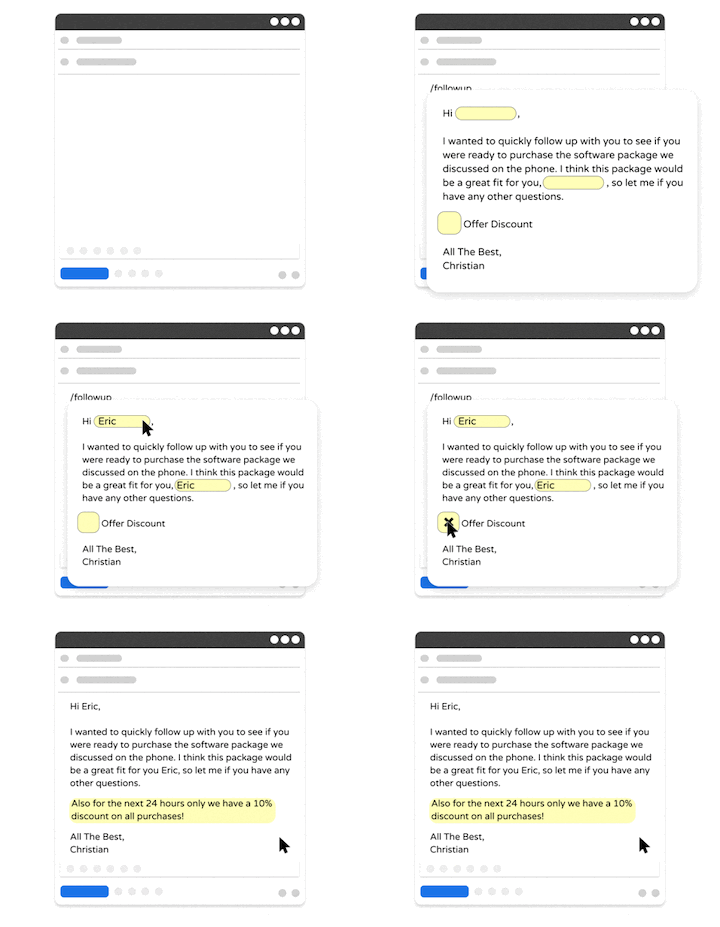
First up on our list of the best sales automation software is Text Blaze.
With Text Blaze, you can create powerful, context-aware templates to automate repetitive typing and workflows anywhere you work!
Here's what makes Text Blaze stand out:
Create powerful, dynamic templates - Create powerful, context-aware templates with placeholders to automate common emails, messages, and phrases.
Automate data transfer and form-filling - Quickly read and transfer data across sites and autofill forms.
Text Blaze is perfect for teams - Use powerful sharing & collaboration features to give your team's productivity a massive upgrade. Learn more here.
Text Blaze works on Chrome, Windows, and Mac - Via Text Blaze's Chrome Extension, Windows app, and Mac app, you can save time using shortcuts on any site or app.
Text Blaze is free forever - Text Blaze is free forever, meaning you can use the free version forever without ever having to pay for a subscription.
Want to automate repetitive typing anywhere you work?
Join 700,000+ who are using Text Blaze templates.
2. Grammarly
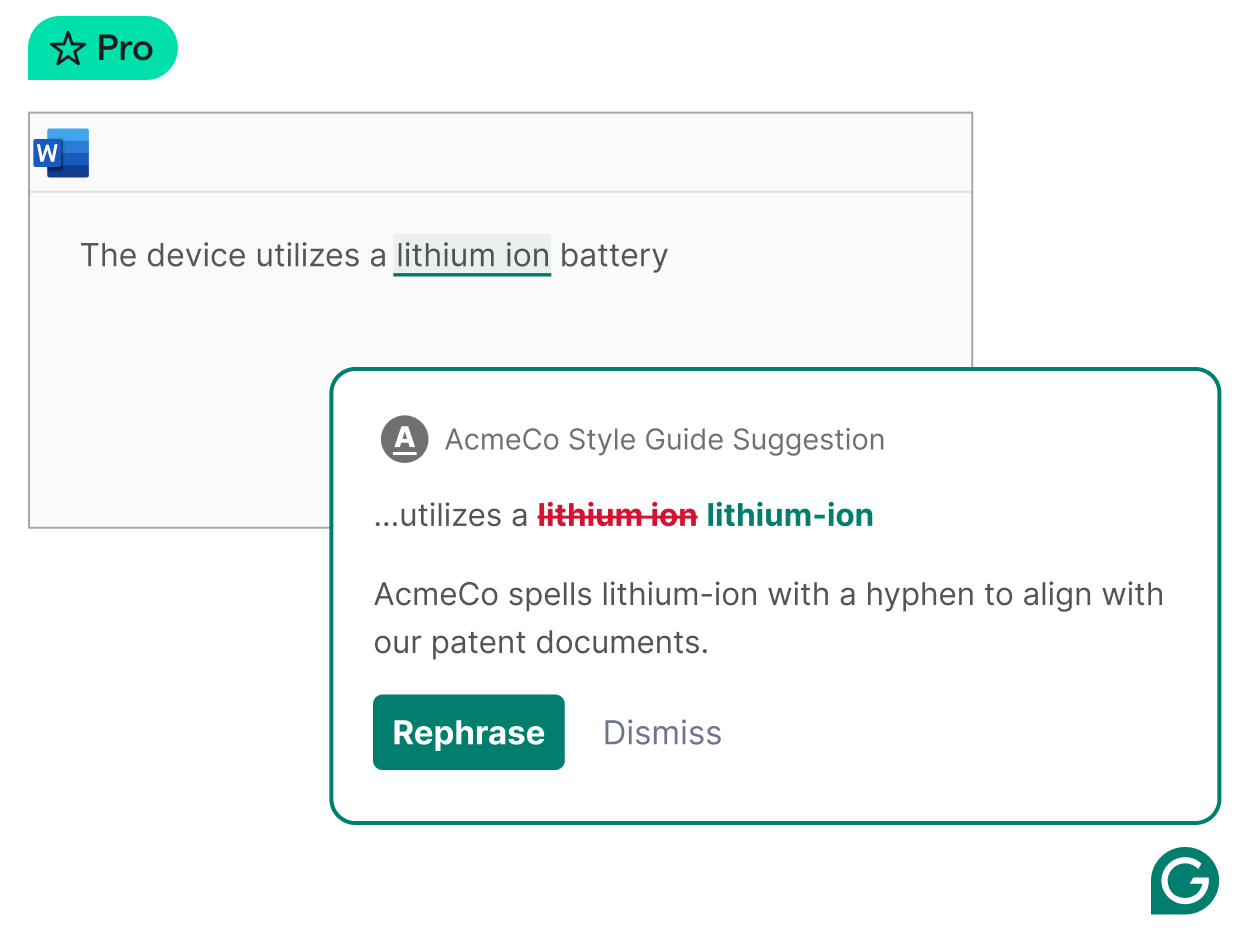
Grammarly AI is a productivity Chrome extension focused on improving writing as you type. It checks grammar, spelling, and clarity across emails, documents, and web forms.
The suggestions appear in context, which makes it easier to review changes without breaking focus. If you write frequently throughout the day, extensions like Grammarly can help reduce small errors that slow you down later.
3. Zapier

Zapier is an automation tool that connects different apps and services together. Its Chrome extension lets you trigger automated workflows while browsing or working online.
This can help move information between tools without manual copying or extra steps. Tools like Zapier are useful when your work involves passing data from one system to another. Over time, these small automations can simplify repetitive processes.
It's similar to other autofill extensions in that it helps cut down repetitive work and saves you time.
4. Tactiq
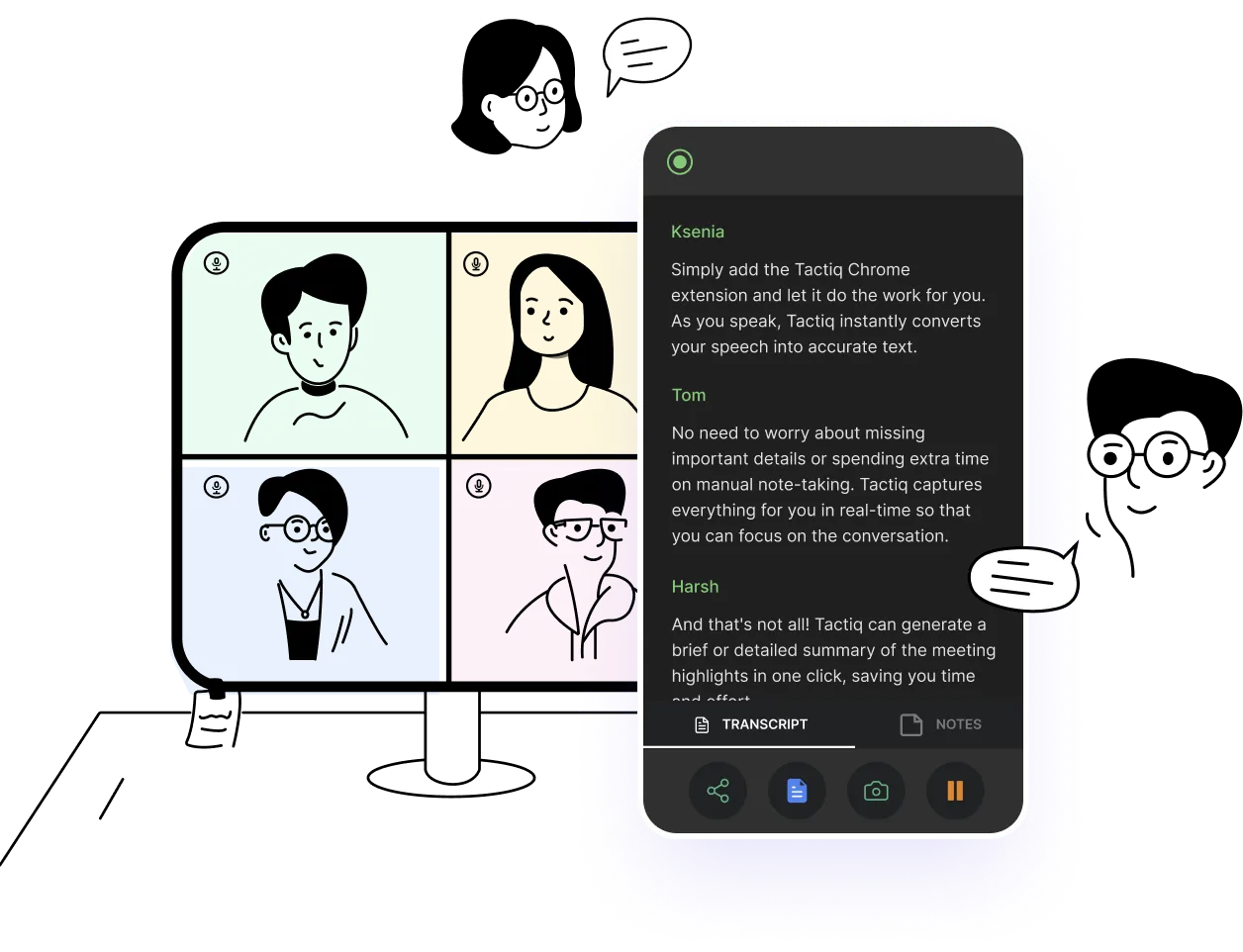
Tactiq AI is a Chrome extension designed to capture and organize meeting notes. It works during online meetings and helps save important discussion points automatically.
You can review highlights later instead of relying on memory or rushed notes. This can be helpful if meetings are frequent and details matter. It supports staying present in conversations while still keeping records.
5. Todoist
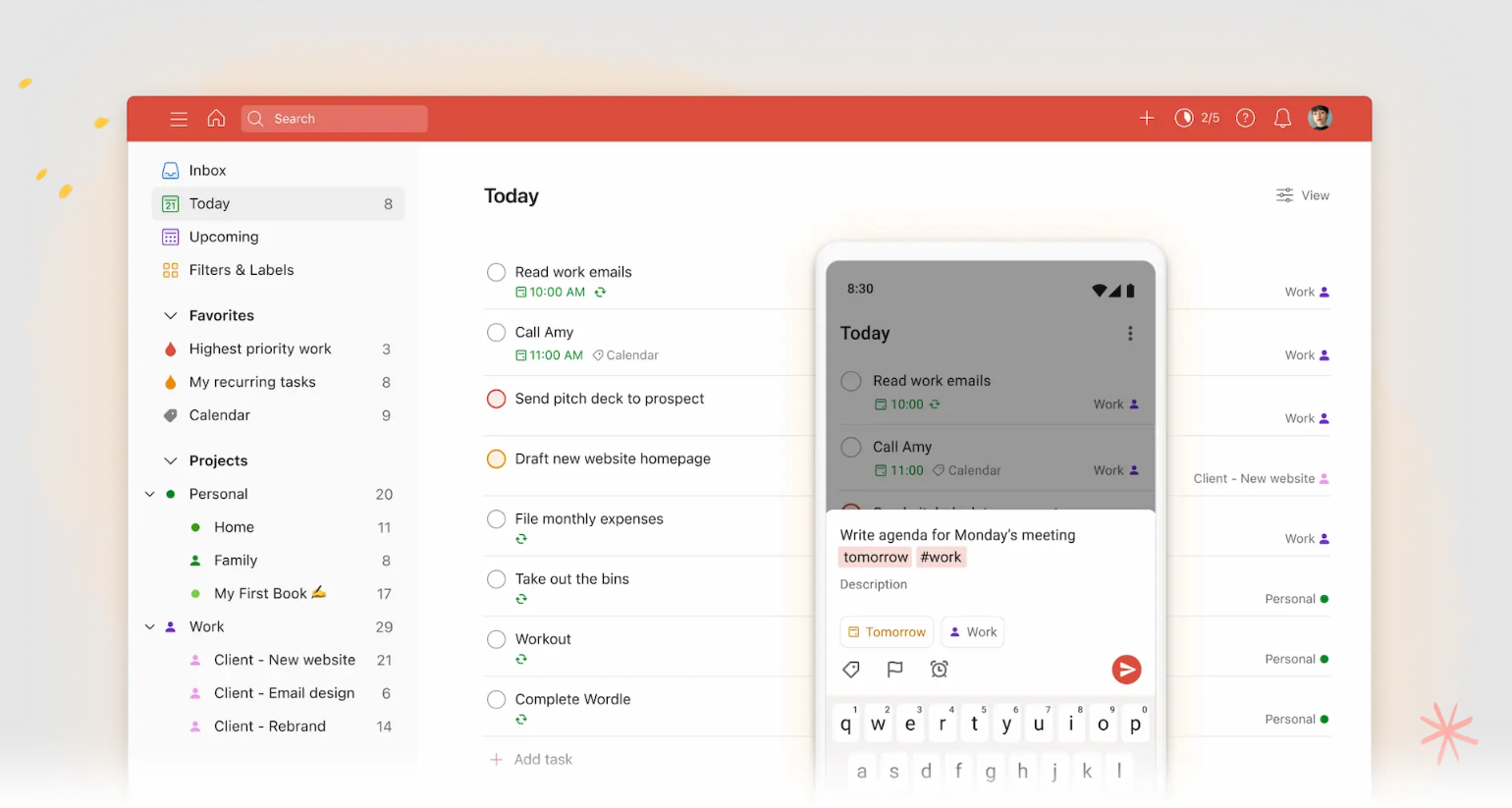
Todoist is a task management Chrome extension that helps you capture to-dos as they come up. You can add tasks directly from emails, websites, or notes without leaving your current tab.
This makes it easier to keep track of work without relying on memory. Tasks sync across devices so everything stays in one place. It’s useful for turning small ideas into actionable steps.
6. Clockify
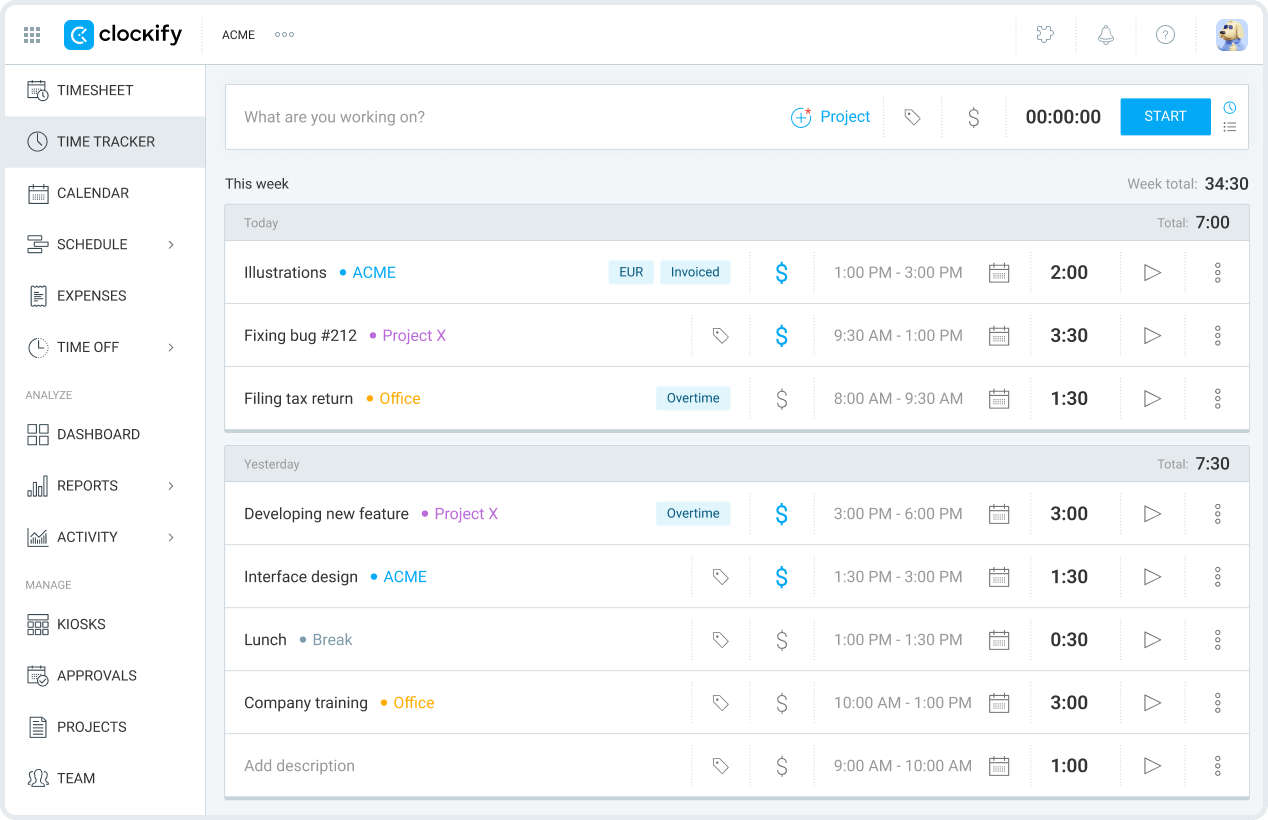
Clockify is a time tracking Chrome extension that helps you log how long you spend on tasks. You can start and stop timers while working in different tabs or tools.
This makes time tracking part of your normal workflow instead of a separate step. It can be helpful if you want a clearer picture of how your day is actually spent. Over time, the data can support better planning.
7. AI Blaze
AI Blaze is an all-in-one AI writing assistant that helps you improve writing & messages, read & summarize documents, and generate content anywhere you work.
Here's why AI Blaze stands out:
Improve your writing with AI - AI Blaze can write emails or responses anywhere you work.
Summarize any document with AI - Quickly chat with & summarize documents and PDFs with AI.
Answer questions with AI - Have a question about something in a PDF, article, email, or anything else? AI Blaze can help you answer it in seconds!
No file uploads necessary! - AI Blaze can read any PDF or document, no file upload necessary. Plus, it works with any file type in Chrome!
AI Blaze is free! - Forget about annoying licenses or subscriptions.
Want a free AI assistant that works anywhere?
Use AI Blaze to summarize docs & improve your writing for free!
8. ProWritingAid
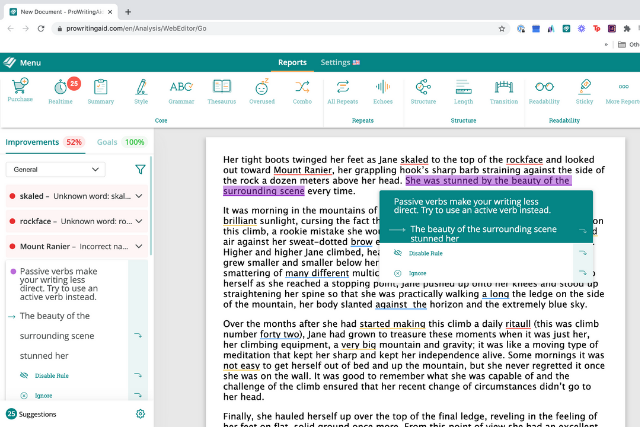
ProWritingAid is a writing-focused Chrome extension and grammar checker built to support editing and revision. It analyzes grammar, readability, and sentence structure across supported websites.
The feedback goes beyond basic corrections, which can help refine longer or more complex writing. It’s often used when clarity and structure are important. This makes it a practical option for deeper writing tasks.
9. Momentum
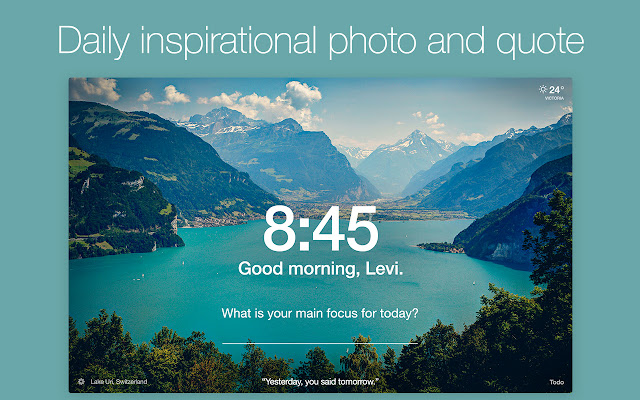
Momentum is a Chrome extension that replaces your new tab page with a focused dashboard. It helps you set a daily focus and keeps tasks visible when opening new tabs.
This can reduce distraction during moments when you might otherwise drift. It’s useful if you like starting work with a clear intention. The extension encourages a calmer browsing experience.
10. ClickUp
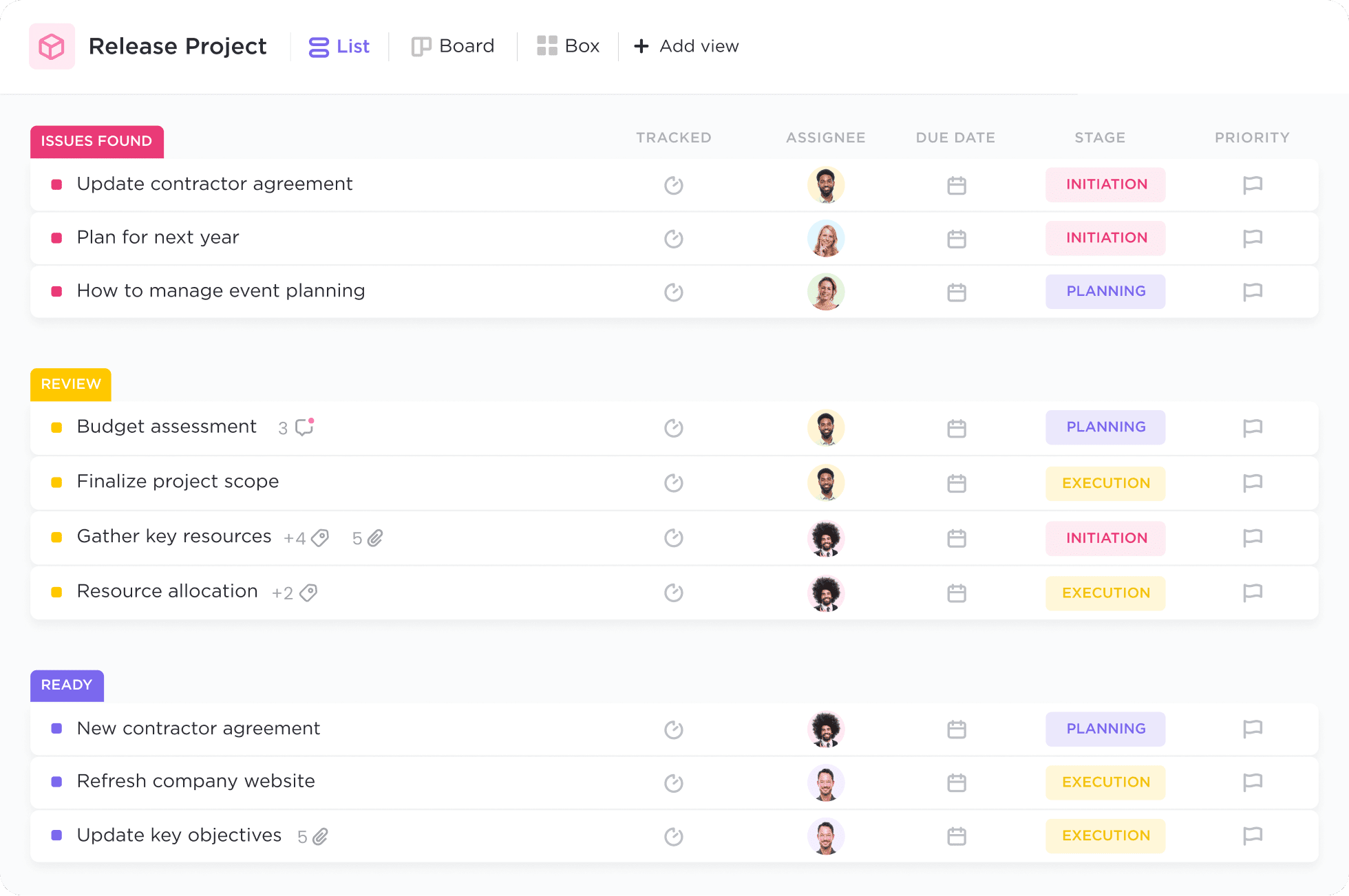
ClickUp's Chrome extension connects tasks and project work directly to your browser. You can create tasks from emails or web pages without opening a separate app.
This helps capture work in the moment instead of postponing organization. It’s useful for managing projects that involve many small moving parts. The extension supports keeping everything connected as work evolves.
11. Grammit
Grammit is your own personal AI grammar checker that helps you catch mistakes and improve your writing anywhere you work.
Grammit is useful for executive assistants because it helps you catch and fix mistakes and keep your communication professional and error-free.
Here's how Grammit stands out:
AI-powered grammar checking - Grammit helps you check your grammar, catch mistakes, and suggest improvements using AI.
Grammit works anywhere - Take Grammit with you anywhere you work to improve your writing.
Privacy first - Grammit puts privacy first and checks your writing directly on your computer using a local, on-device LLM, It never sends your writing to external servers.
Price - Grammit is free!
Want a free AI grammar checker?
Use Grammit to improve your writing anywhere with AI.
12. Bardeen AI
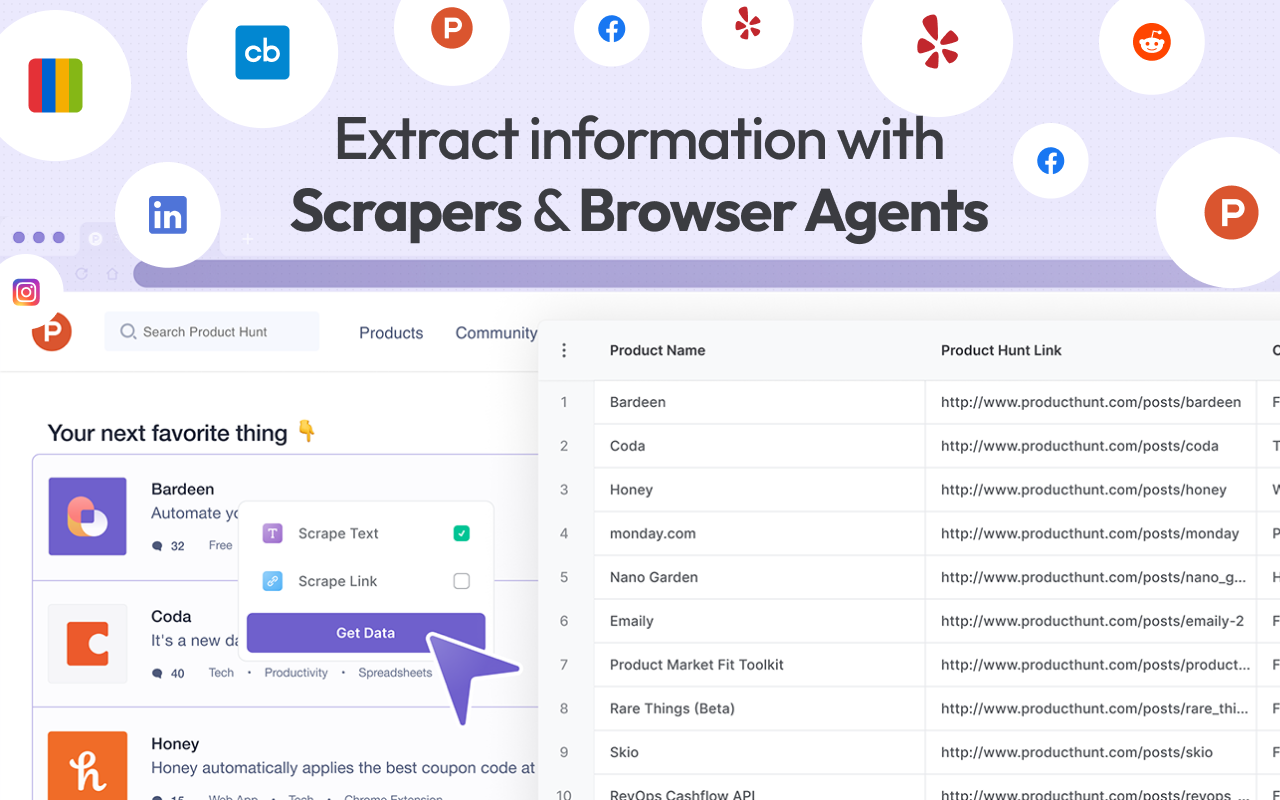
Bardeen AI is an AI Chrome extension designed to automate browser-based workflows. It helps handle tasks like copying data, triggering actions, or connecting web tools together.
You interact with it directly from Chrome while working. This can reduce manual steps in repetitive processes. It’s often useful when you want automation without building custom scripts.
What is the Best Productivity Chrome Extension?
The best productivity Chrome extension depends on how you work and what feels slow or frustrating in your day. Some people want to reduce repetitive tasks, while others are trying to stay organized, write more clearly, or keep better track of their time.
It helps to think about where you lose momentum, whether that’s switching tabs, rewriting the same messages, or forgetting small follow-ups.
When you choose tools that match those specific pain points, they tend to feel more natural and easier to stick with. A few well-chosen extensions can make your workday feel calmer, more focused, and more in control.
To recap, our suggestion for thee best productivity Chrome extension is Text Blaze. With Text Blaze, you can create powerful, context-aware templates to automate repetitive typing and workflows anywhere you work!
Give Text Blaze a try for free today!