10 Best Prompt Management & Engineering Tools (2026)
Compare the best prompt management tools to save, organize, and reuse AI prompts and prompt engineering tools to improve outputs and workflows.

Writing good prompts takes time. Rewriting them over and over is even worse. Most people end up copying prompts between tabs, losing their best ones, or starting from scratch every time they use AI.
That’s where prompt management tools and prompt engineering tools come in. They help you save, organize, reuse, and improve your prompts so you can get better outputs faster.
In this guide, you’ll learn how prompt management works, how to improve your prompts, and the best tools you can use to actually apply this in your workflow.
What Is Prompt Engineering?
Prompt engineering is the process of writing inputs that guide AI tools to produce better outputs.
It focuses on structuring prompts clearly so the AI understands what you want. This includes defining the task, adding context, and specifying the format of the response.
When done well, prompt engineering reduces back-and-forth and improves consistency across outputs.
Prompt Management vs Prompt Engineering
Prompt engineering is about writing better prompts. Prompt management is about saving, organizing, and reusing those prompts.
Both are important. You can write a great prompt once, but if you don’t save it or reuse it properly, you lose that value. Utilizing prompt management & engineering helps you use AI tools more effectively.
Most workflows need both:
prompt engineering to improve quality
prompt management to improve speed and consistency
Prompt Engineering Best Practices
Writing better prompts leads to better output. Here are some prompt engineering best practices to help you get more reliable outputs from AI tools:
Be specific - Clearly describe what you want instead of using vague instructions.
Provide context - Include relevant details so the AI understands the situation.
Define the format - Tell the AI how the output should be structured.
Use a role - Assign a role like “customer support agent” or “marketer” to guide tone.
Iterate - Refine prompts based on results instead of starting over.
Use existing text - Paste emails, notes, or documents to give the AI better input.
These habits make prompts easier to reuse and improve over time.
What Is Prompt Management?
Prompt management is the process of saving, organizing, and reusing AI prompts across your workflow.
Instead of rewriting prompts, you store them as templates and use them when needed. This can include simple text snippets or more advanced prompts with variables and structure.
Prompt management helps you stay consistent, reduce repetition, and scale how you use AI.
How to Manage AI Prompts
Managing prompts well makes a big difference in how useful AI becomes in your day-to-day work. Here are a few ideas you can use to help you manage your AI prompts:
Save reusable prompts - Store prompts you use often instead of rewriting them.
Organize by use case - Group prompts by task like emails, support, or research.
Use variables - Replace parts of prompts dynamically instead of editing manually.
Store context - Keep important details with the prompt so outputs stay accurate.
Standardize prompts - Use consistent formats, especially across teams.
This turns prompts into repeatable workflows instead of one-off inputs.
Want a free prompt manager that works anywhere?
Join over 800,000+ others who are using Text Blaze templates.
Can AI Tools Remember Prompts?
Most AI tools do not reliably remember prompts across sessions, though some can remember specific details across conversations.
Some tools offer memory features, but they are limited and not designed for structured reuse. You still need a system to store and organize prompts if you want consistent results.
That’s why prompt management tools are important. They give you control over your prompts instead of relying on built-in memory.
What to Look for in Prompt Management Tools
Not all tools handle prompts the same way. Some focus on storage, while others help improve or automate prompts.
Here are a few things to look for in prompt management tools:
Easy saving and organization - You should be able to store and find prompts quickly.
Reusable templates - Look for tools that support variables or structured prompts.
Works across tools - Prompts should be usable in multiple apps like Claude or ChatGPT.
Team support - Sharing prompts helps maintain consistency across workflows.
Output improvement - Some tools help refine prompts, not just store them.
The right tool depends on how you plan to use prompts in your workflow.
10 Best Prompt Management and Engineering Tools
If you’re using AI regularly, these tools help you save, improve, and reuse prompts more effectively.
| Tool | Best For | Key Strength | Works On | Pricing |
|---|---|---|---|---|
| Text Blaze | Prompt reuse & workflows | Templates + variables | Chrome, Windows, Mac | Free + paid |
| PromptLayer | Prompt tracking | Logging + versioning | Web | Paid |
| PromptHub | Prompt organization | Collaboration | Web | Paid |
| AIPRM | Prompt templates | Large library | Chrome | Free + paid |
| Langfuse | Prompt observability | Analytics + tracking | Web | Free + paid |
| PromptPerfect | Prompt optimization | Refinement | Web | Paid |
| Superpower ChatGPT | ChatGPT prompt management | Folders + history | Chrome | Free + paid |
| Prompt Genie | Prompt rewriting | Simpler prompts | Web | Paid |
| AI Blaze | AI workflows | Context + automation | Chrome | Free + paid |
| ChatGPT Prompt Engineer | Prompt structure | Guided prompts | Chrome | Free |
1. Text Blaze
Text Blaze is a text expansion and workflow tool that helps you save and reuse prompts anywhere you work. Instead of copying and pasting prompts, you can insert them instantly using shortcuts.
It supports variables, forms, and logic, which makes prompts more dynamic and reusable. You can build structured prompts that adapt based on inputs instead of editing them manually each time.
It works across websites, so you can use prompts in email, support tools, documents, and more. This makes it useful for turning prompts into repeatable workflows instead of one-off tasks.
How it helps with prompts:
- Save prompts as reusable templates
- Use variables and forms for customization
- Insert prompts anywhere with shortcuts
- Standardize prompts across workflows
- Works on any website or app via the Text Blaze Chrome Extension, Windows app, and Mac app.
Best fit for: People who want to reuse prompts across multiple tools
Pricing: Create & save 20 prompts for free
Want a free prompt manager that works anywhere?
Join over 800,000+ others who are using Text Blaze templates.
2. PromptLayer
PromptLayer focuses on tracking and managing prompts used in AI applications. It logs prompts and responses so you can review and improve them over time.
This is useful for teams that need visibility into how prompts perform. You can compare versions and see how changes affect outputs.
It’s more technical than basic prompt tools, but it helps maintain consistency and control in production workflows.
How it helps with prompts:
- Track prompt history and usage
- Compare prompt versions
- Monitor outputs over time
- Improve prompts based on data
Best fit for: Teams building or managing AI-driven workflows
Pricing: Paid
3. PromptHub

PromptHub is designed for organizing and collaborating on prompts. It allows teams to store prompts in a structured way and share them across projects.
You can version prompts and manage updates, which helps maintain consistency. It works well when multiple people are using the same prompts.
The focus is on organization rather than execution, so it’s best used alongside other tools.
How it helps with prompts:
- Organize prompts in a shared library
- Collaborate across teams
- Track prompt versions
- Keep prompts consistent
Best fit for: Teams managing shared prompt libraries
Pricing: Paid
4. AIPRM
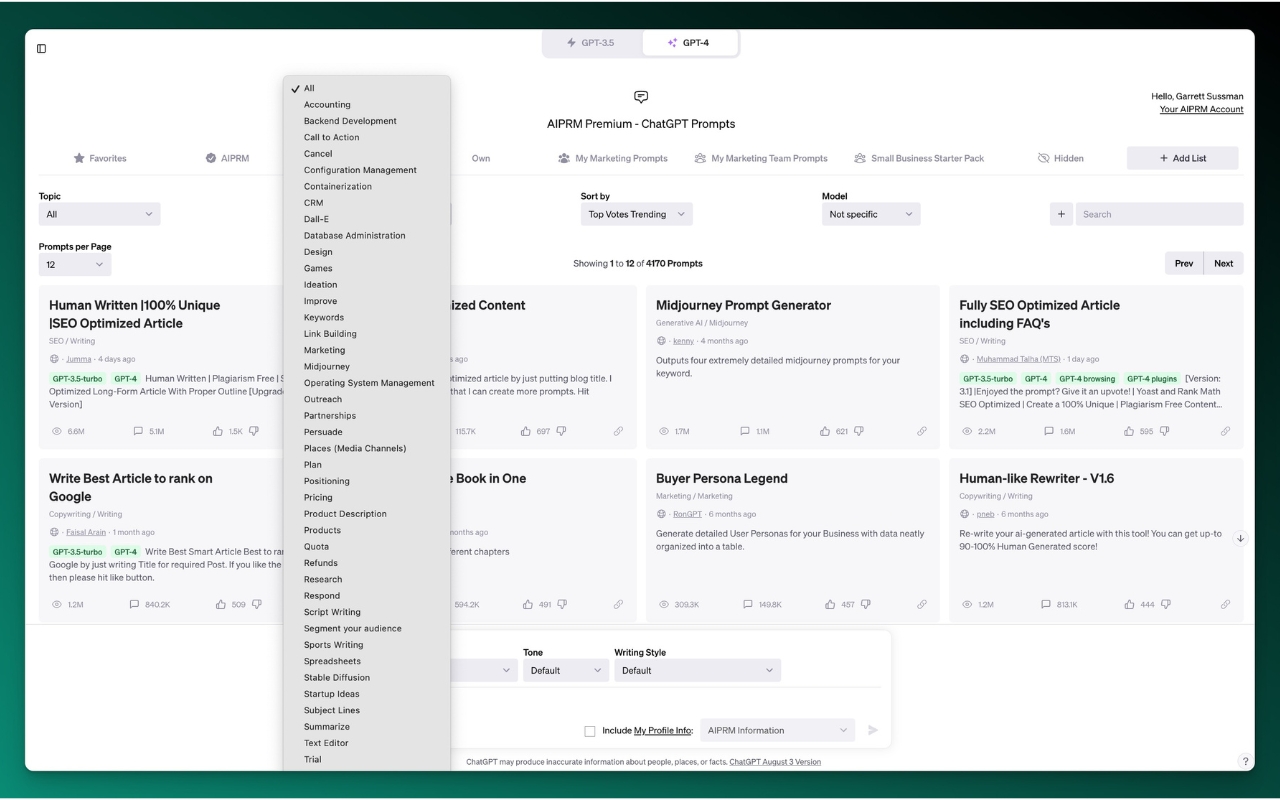
AIPRM is a browser extension that provides a large library of prompt templates for ChatGPT. It helps users quickly find and apply prompts for different use cases.
Instead of writing prompts from scratch, you can select from pre-built templates. This makes it easier to get started and learn effective prompt structures.
Tools like AIPRM are more focused on discovery than management, but they still help reduce repetitive work.
How it helps with prompts:
- Access a large prompt library
- Use pre-built templates
- Save time on prompt creation
- Explore different prompt styles
Best fit for: Users who want ready-made prompts
Pricing: Free + paid
5. Langfuse
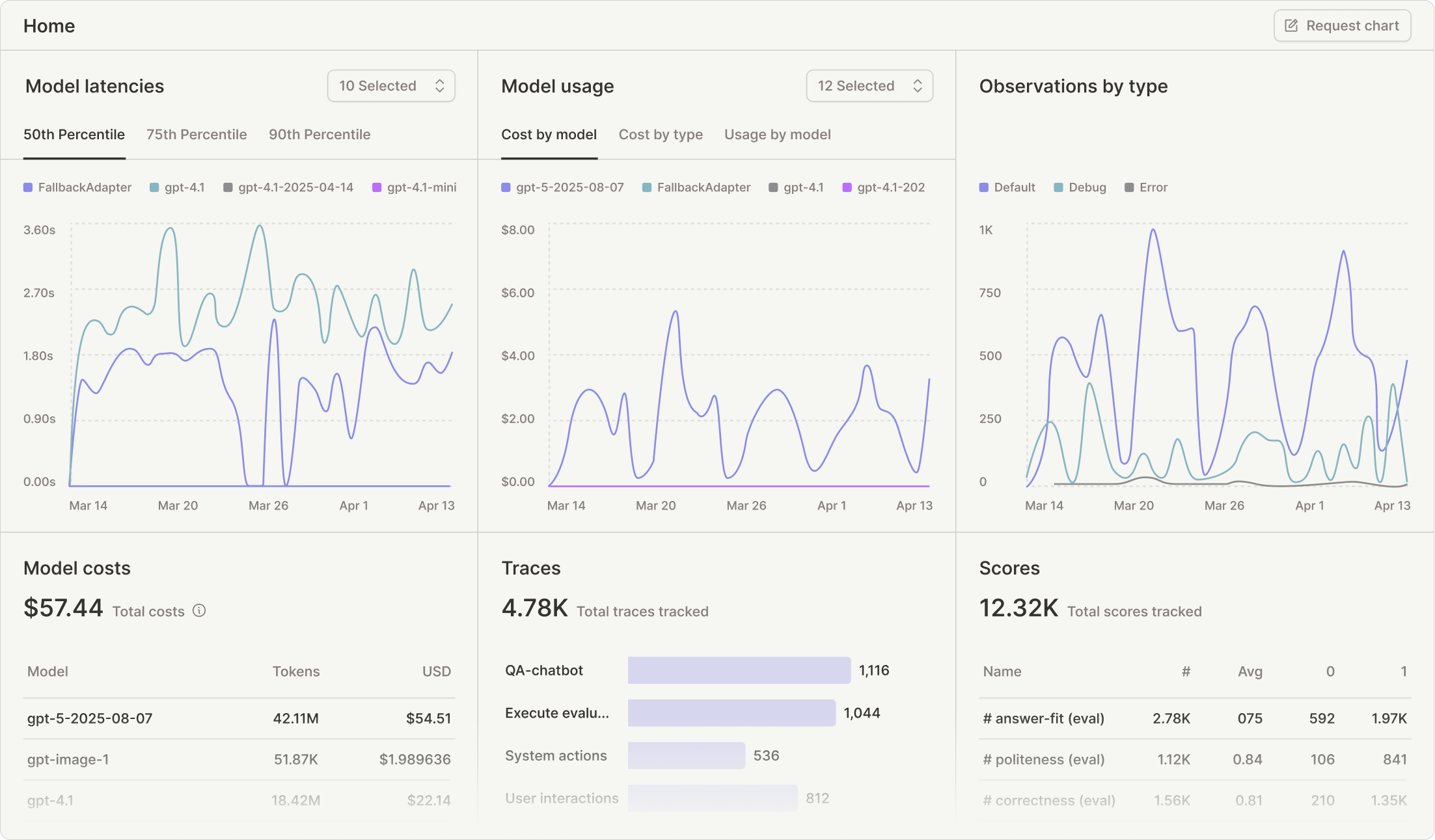
Langfuse focuses on observing and managing prompts used in AI applications. It tracks how prompts perform and provides insights into outputs.
This helps teams understand which prompts work best and where improvements are needed. It also supports logging and monitoring across workflows.
It’s more advanced than basic prompt tools and is often used in production environments.
How it helps with prompts:
- Track prompt performance
- Monitor outputs and usage
- Analyze prompt effectiveness
- Improve prompts based on data
Best fit for: Teams analyzing prompt performance
Pricing: Free + paid
6. PromptPerfect

PromptPerfect helps refine and optimize prompts automatically. You enter a prompt, and it rewrites it to improve clarity and output quality.
This is useful if you struggle with structuring prompts or want better results without trial and error. It focuses on improving prompts rather than storing them.
It works best when paired with a tool that handles prompt management.
How it helps with prompts:
- Rewrite prompts for better results
- Improve clarity and structure
- Reduce trial and error
- Optimize prompts quickly
Best fit for: Users focused on improving prompt quality
Pricing: Paid
Want a free prompt manager that works anywhere?
Join over 800,000+ others who are using Text Blaze templates.
7. Superpower ChatGPT
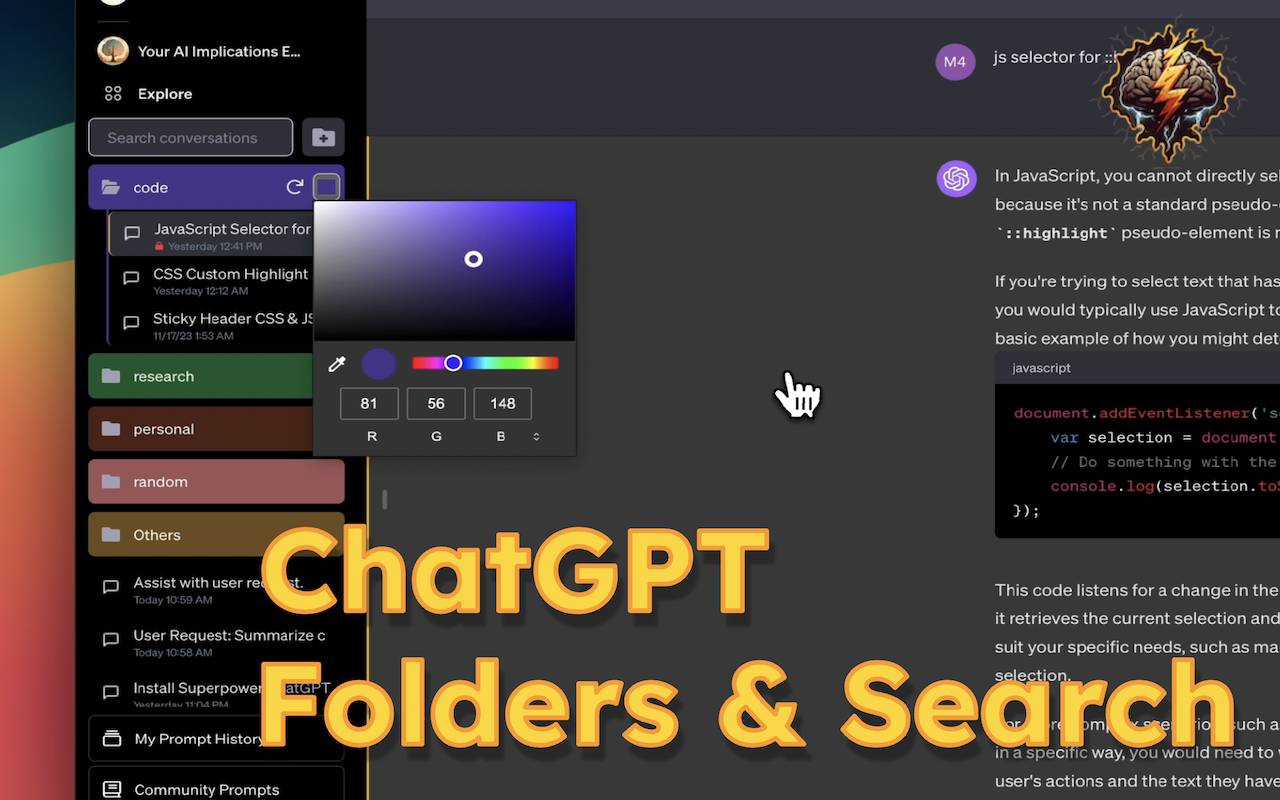
Superpower ChatGPT adds prompt management features directly inside ChatGPT. It lets you organize prompts into folders and access them easily.
You can save frequently used prompts and reuse them without leaving the interface. It also helps manage chat history more effectively.
This is useful if you primarily work inside ChatGPT and want better organization.
How it helps with prompts:
- Save prompts inside ChatGPT
- Organize prompts with folders
- Reuse prompts quickly
- Manage chat history
Best fit for: ChatGPT-heavy users
Pricing: Free + paid
8. Prompt Genie
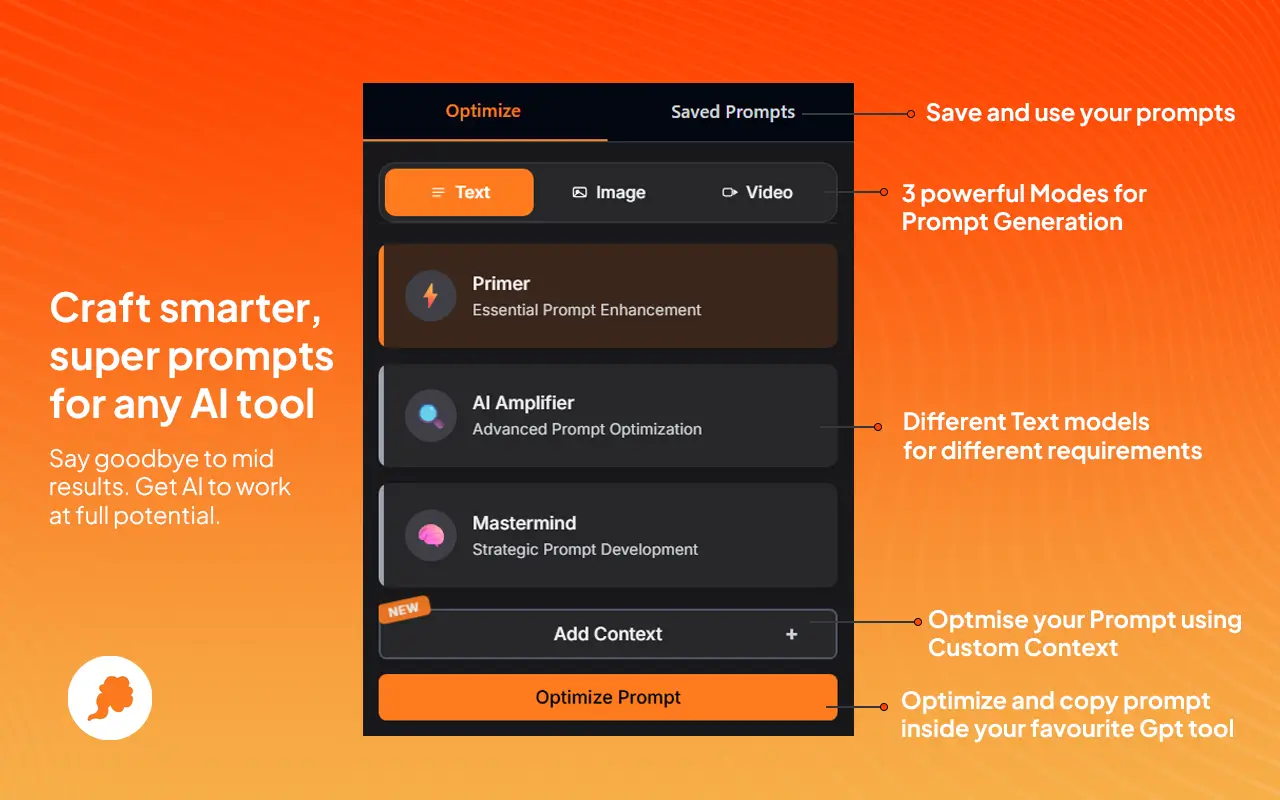
Prompt Genie focuses on simplifying prompts so they are easier for AI to understand. It rewrites prompts into clearer formats.
This helps improve outputs without needing deep knowledge of prompt engineering. It’s more lightweight compared to other tools.
It’s best used when you want quick improvements without managing large prompt libraries.
How it helps with prompts:
- Simplify prompt structure
- Improve clarity
- Enhance outputs
- Reduce complexity
Best fit for: Users who want simpler prompts
Pricing: Paid
9. AI Blaze
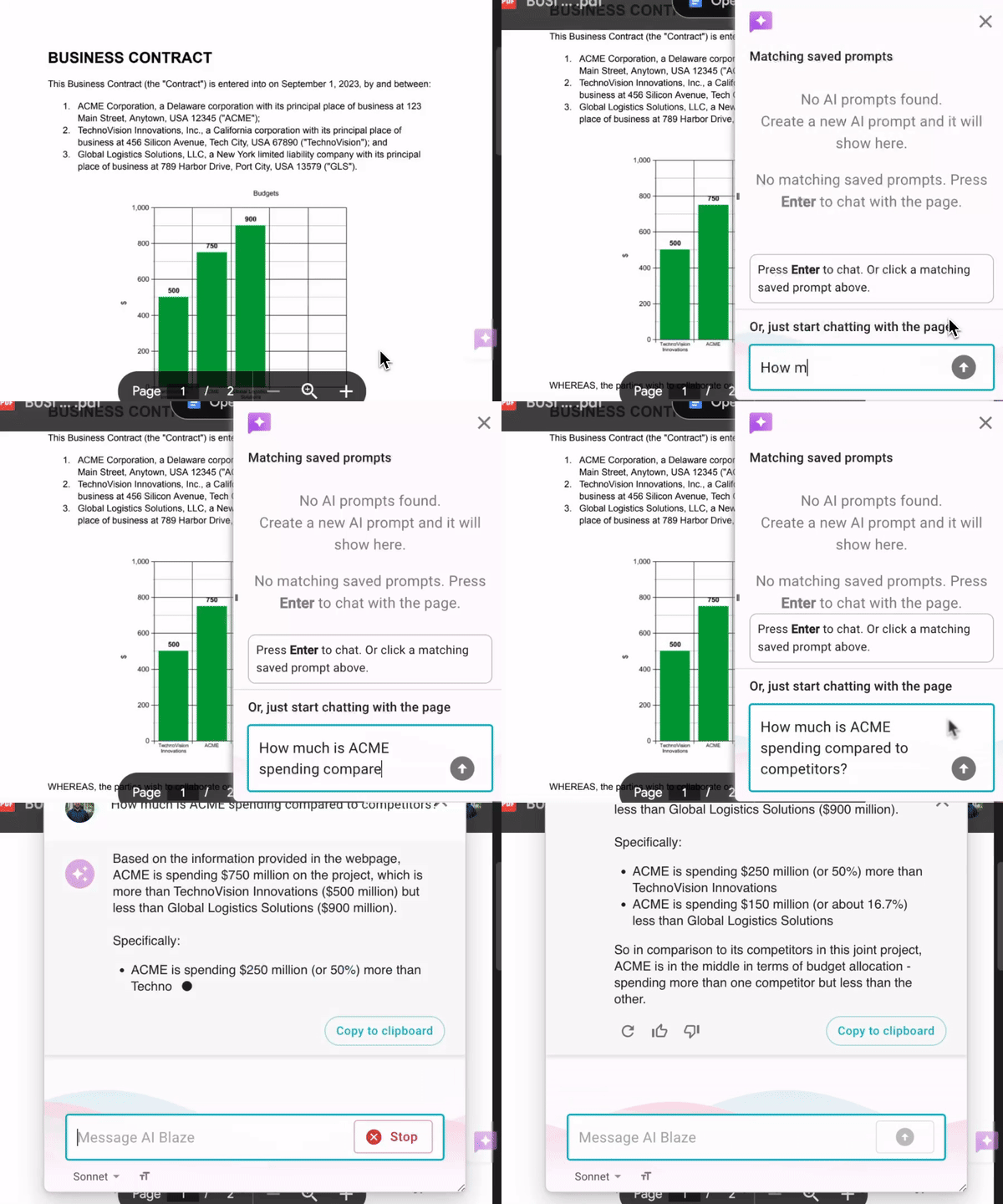
AI Blaze is an AI/GPT Chrome extension that helps you use ChatGPT on any website to write & improve text, answer questions, and much, much more!
How it helps with prompts:
Save & manage AI prompts, use them anywhere. Create and save AI prompts, then use them anywhere with a dynamic AI assistant.
Use page context and files to improve output. AI Blaze can use additional context to generate better responses.
Use saved prompts or chat directly with AI on any website.
AI Blaze is free! Forget about licenses or tokens.
Best fit for: Users who want AI integrated into their workflow
Pricing: Free
Want your own personal AI assistant that works anywhere?
Use AI Blaze to take ChatGPT with you anywhere.
10. ChatGPT Prompt Engineer
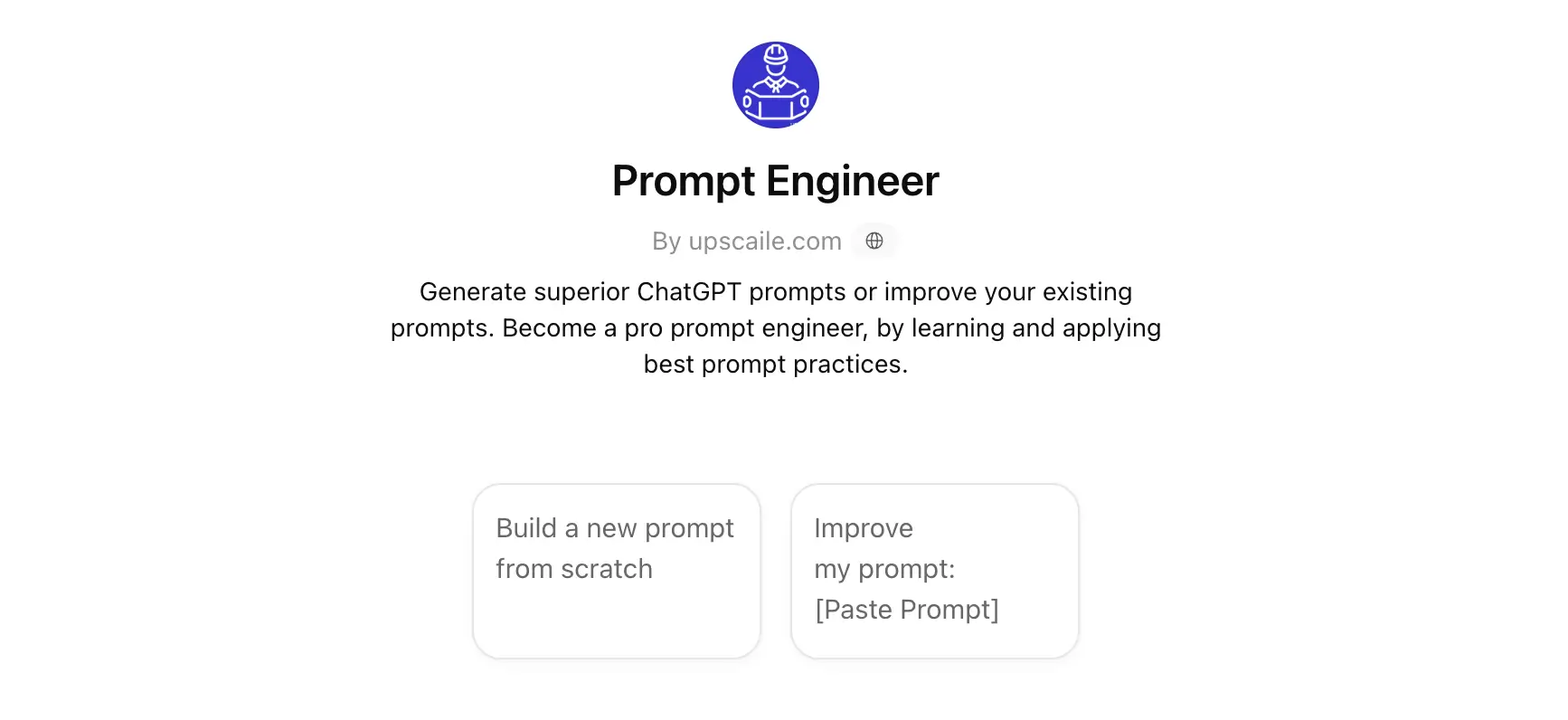
ChatGPT Prompt Engineer helps guide users in structuring prompts more effectively. It provides a framework for building better prompts step by step.
This makes it easier to learn prompt engineering without guesswork. It focuses on structure rather than storage.
It’s a helpful tool for improving prompt quality, especially for beginners.
How it helps with prompts:
- Guide prompt structure
- Improve prompt clarity
- Teach prompt engineering basics
- Standardize prompt formats
Best fit for: Beginners learning prompt engineering
Pricing: Free
What Is the Best Prompt Management & Engineering Tool?
There isn’t a single “best” tool for everyone because prompts solve different problems depending on how you use AI.
Start by thinking about where you feel friction today. If you’re spending time rewriting prompts or tweaking wording to get better outputs, then you’re dealing with a prompt quality problem.
If your issue is losing good prompts or not remembering what worked before, then the problem is organization. You likely need a system to store, categorize, and quickly find prompts based on your use cases.
So the right tool depends on what you’re trying to fix first. Improve how prompts are written, organize them so they’re reusable, or reduce the effort it takes to apply them in real tasks.
If your goal is to reuse prompts consistently and apply them across different tools without extra steps, Text Blaze is a practical option to consider. Text Blaze allows you to create templates for prompts and type shortcuts to insert them on any website or app in seconds, and it is free to use.