10 Best Sales Force Automation Software in 2026
Discover the 10 best Sales Force automation software to help you streamline sales processes in your CRM in 2026.

If you use Salesforce every day, you’ve probably felt the same frustration: you spend a ton of time updating fields, logging activity, routing leads, and chasing down the “right” next step.
The work is important, but it can also pull you away from the parts of selling that actually move deals forward. These types of repetitive processes can kill your efficiency and productivity.
Sales force automation software helps by turning those repetitive Salesforce tasks into workflows that run on their own, so your data stays cleaner and your team spends more time selling.
In this guide, we'll cover the 10 best Sales Force automation software that you can use to streamline sales processes and save time in 2026. Let's dive in!
What is Sales Force Automation Software?
Sales force automation software is any tool that helps you automate routine sales work, especially the kind that usually lives in (or feeds into) Salesforce.
That can include things like lead routing, activity logging, task creation, follow-up reminders, quote and handoff steps, and even syncing data from other systems.
Some tools live directly inside Salesforce, while others connect Salesforce to other apps you use. The goal is simple: keep your sales process consistent without forcing reps and admins to babysit every step.
How Does Sales Force Automation Software Help?
Sales force automation is mainly about removing busywork while keeping Salesforce trustworthy. Here are a few common ways it helps day-to-day:
Cleaner Salesforce data - Automations can fill fields, log activities, and standardize updates so you’re not relying on memory or best guesses at the end of the week.
Faster lead handling - Lead routing rules and alerts can push the right lead to the right rep quickly, which matters a lot when speed-to-lead drives win rates.
More consistent follow-up - Automated tasks and reminders help make sure prospects don’t fall through the cracks when calendars get busy.
Less manual process management - Multi-step workflows can move deals forward, create tasks, and notify teammates without someone manually coordinating every handoff.
Easier reporting and forecasting - When updates happen reliably, dashboards start reflecting reality, which makes pipeline reviews less stressful.
When Salesforce runs more consistently in the background, you get more time to focus on the conversations and decisions that actually close deals.
10 Best Sales Force Automation Software
Some tools focus on automating actions inside Salesforce, while others connect Salesforce to the rest of your stack or help with the workflows around selling. Below, you'll find a mix of tools that can help with both.
Here's our list of the 10 best Sales Force automation software in 2026:
1. Text Blaze

First up on our list of the best free Sales Force automation software is Text Blaze. With Text Blaze, you can automate form-filling and data transfer on any website with dynamic templates!
Text Blaze allows you to create smart text templates and insert them anywhere you work to automatically fill out forms, transfer data, automate repetitive typing, and much more.
Here's how Text Blaze stands out:
Turn every seller into a top performer by automating emails & messages to customers with dynamic, smart templates that work in any site or app.
Personalization at scale. Text Blaze helps you get the right message every time, in every interaction.
Streamline repetitive workflows, like transferring data, filling out forms, sending an email, or any other repetitive workflow.
Text Blaze is perfect for sales teams! Learn more about using Text Blaze for teams to supercharge your team's communication and productivity!
Pros:
- Works on Chrome, Windows, and Mac.
- Free forever.
- Personalize your communication & get the right message in every interaction.
Cons:
- Not yet available for mobile/iPad.
Best for: Individuals or teams who want to spend less time on repetitive typing, emails, workflows, and processes.
Want to save hours by automating repetitive typing & workflows?
Join over 700,000+ others who are automating workflows with Text Blaze.
2. Sweep.io
Sweep.io is built for teams that want more control and visibility over how Salesforce is configured and automated. It focuses on no-code workflow automation and documentation so admins and RevOps can understand what’s running and how everything connects.
That matters when your org has lots of objects, fields, and automations that have grown over time. It can help reduce the risk of breaking things during updates by giving you a clearer view of dependencies.
If your pain point is managing Salesforce automation itself, this is the type of tool designed for that.
Pros:
- Makes Salesforce automation easier to understand
- Reduces risk when changing workflows
- Helpful for long-term Salesforce maintenance
Cons:
- More relevant for admins than sales reps
- Not focused on frontline selling tasks
Best for:
- Sales ops and RevOps teams managing complex Salesforce environments.
3. Zapier

Zapier is a workflow automation platform that connects Salesforce to thousands of other apps. It’s a good fit when your sales process spans tools like forms, spreadsheets, email platforms, Slack, calendars, and support systems.
You can trigger workflows from a Salesforce change (like a new lead or updated opportunity) and automatically create tasks, send notifications, or sync records elsewhere. It also works the other way around, pushing data into Salesforce when something happens in another app.
For Salesforce users, tools like Zapier are often used to reduce “copy/paste” work across systems.
Pros:
- Connects Salesforce to thousands of tools
- Quick to set up basic automations
- Reduces manual data transfer
Cons:
- Can get complex at scale
- Some workflows need careful testing
Best for:
- Teams that use many tools alongside Salesforce and want them to stay connected automatically.
4. Creatio
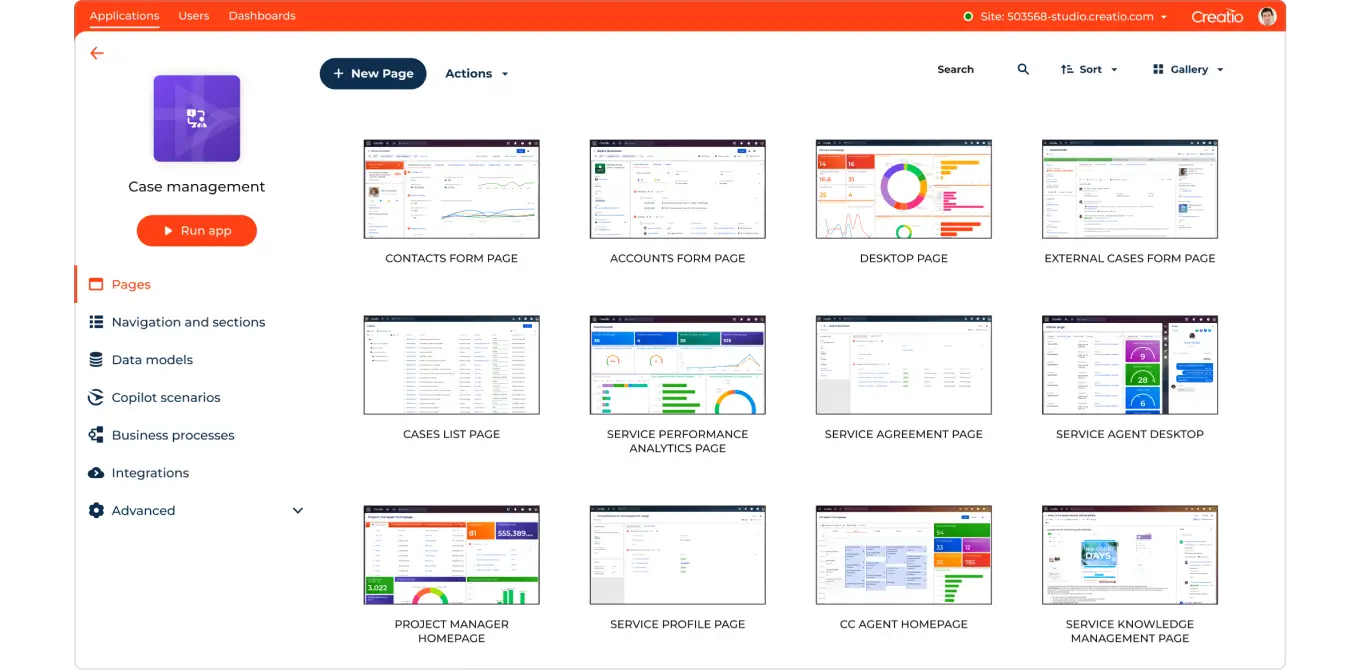
Creatio is a CRM and workflow platform that leans heavily into building processes with a no-code approach. For Salesforce users, it’s often considered when you want structured workflows around sales operations that go beyond simple rules and triggers.
You can map out processes with approvals, routing, and handoffs that match how your organization actually sells. It’s also relevant when teams want to standardize how work moves across departments, not just within sales.
If your workflow needs are complex and changing often, a process-first platform can be worth exploring.
Pros:
- Strong workflow design capabilities
- Supports complex sales processes
- Encourages consistency
Cons:
- Setup takes planning
- More than some teams may need
Best for:
- Organizations that want formal, process-driven sales workflows.
5. Momentum.io
Momentum.io focuses on automating sales workflows based on customer interactions like calls and meetings. In a Salesforce workflow, that usually means reducing the time reps spend writing summaries, updating fields, and pushing next steps into the CRM.
It can support cleaner pipeline hygiene by capturing details closer to when they happen, rather than relying on late updates. This type of tool is most helpful when your team’s main automation gap is “post-call admin work.”
If your CRM updates lag behind reality, interaction-based CRM automation can reduce that drift.
Pros:
- Reduces manual post-call updates
- Helps maintain cleaner pipeline data
- Improves Salesforce accuracy
Cons:
- Less useful without heavy call activity
- Focused on a narrow part of the workflow
Best for:
- Sales teams that struggle with keeping Salesforce updated after meetings.
Want to save hours by automating repetitive typing & workflows?
Join over 700,000+ others who are automating workflows with Text Blaze.
6. Pipedrive
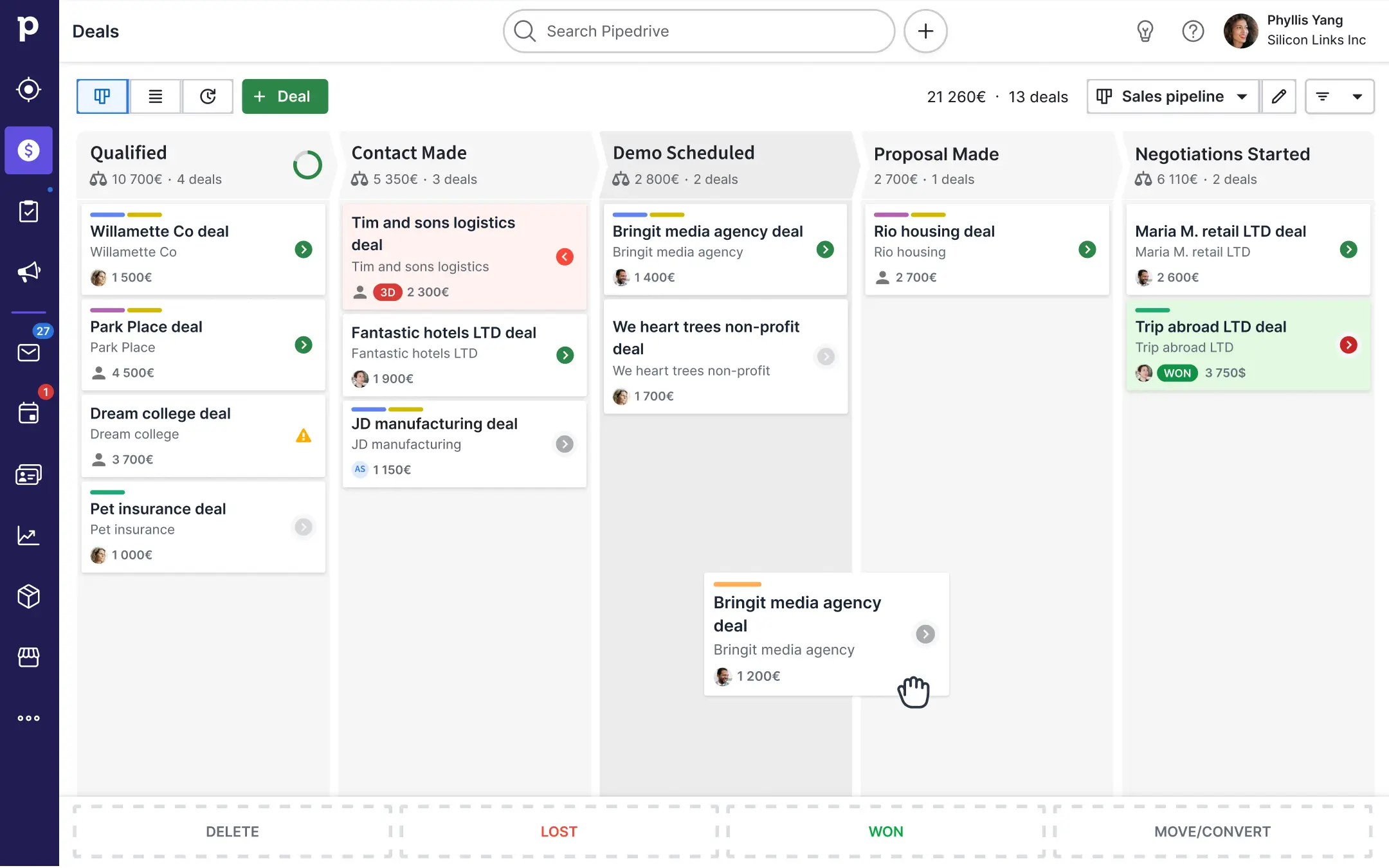
Pipedrive is a sales CRM with built-in automation features for pipeline and deal workflows. While it’s not Salesforce, it’s often compared as an option for teams that want a simpler, more guided workflow experience with automation baked into the pipeline.
Some Salesforce teams look at tools like this when they want a more lightweight system for specific segments, teams, or processes. It can automate steps like moving deals, creating tasks, and sending emails based on pipeline changes.
If you’re evaluating sales automation concepts more broadly, it can be a useful reference point for what “automation-first” CRMs feel like.
Pros:
- Simple automation around pipelines
- Easy to visualize deal movement
- Reduces manual task tracking
Cons:
- Not a Salesforce-native tool
- Limited for complex Salesforce setups
Best for:
- Teams that want a simpler automated pipeline experience or secondary CRM workflows.
7. Zendesk
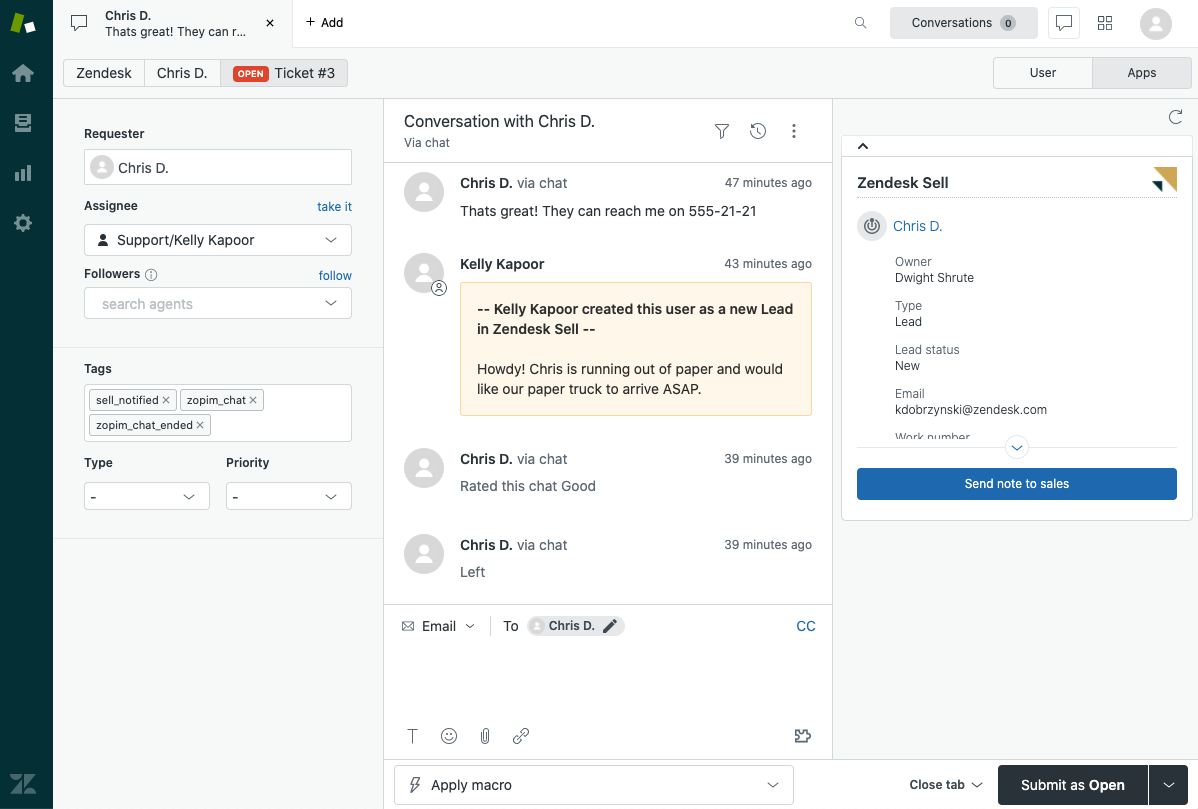
Zendesk is best known for customer support, but it can still matter for sales force automation when your sales team works closely with support or success. A common workflow is syncing customer issues, ticket status, or key account signals into Salesforce so reps have context during renewals and expansions.
Zendesk also supports workflow automation on the support side, which can reduce manual handoffs and help sales teams get updates faster. If your sales process depends on service data, this is worth considering as part of your Salesforce automation setup.
It’s less about automating selling steps and more about automating the information flow that supports selling.
Pros:
- Automates customer data flow
- Improves sales and support alignment
- Reduces information gaps
Cons:
- Not designed for sales automation itself
- More useful in service-heavy businesses
Best for:
- Sales teams that depend on customer support data to manage accounts and renewals.
8. Testsigma
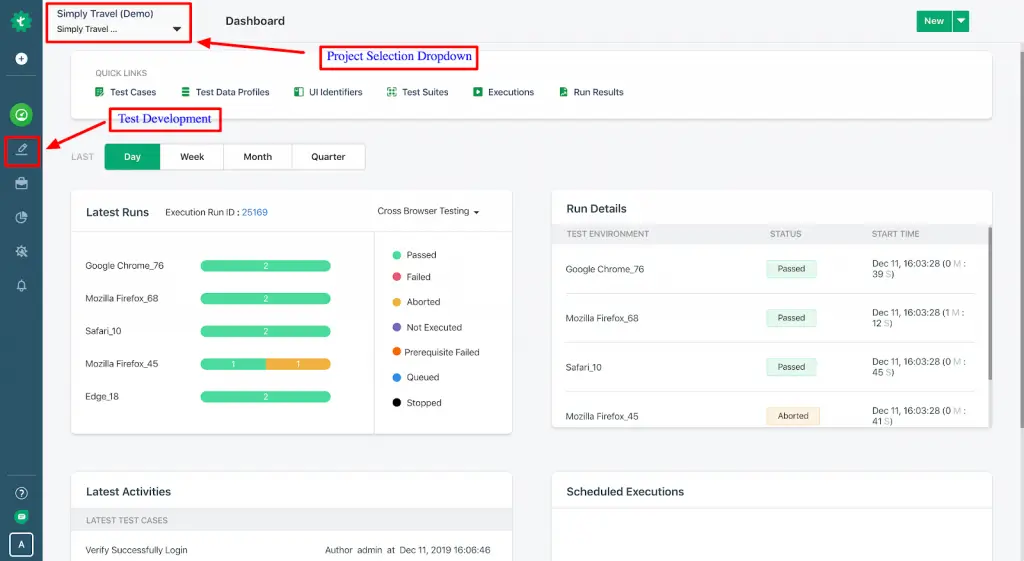
Testsigma is a no-code test automation platform, including support for testing Salesforce. This matters for Salesforce automation because changes to flows, objects, and integrations can introduce errors that slow teams down.
Automated tests can catch breakages early, especially if you deploy Salesforce updates regularly or manage a complex org. It’s a different angle than lead routing or task automation, but it supports reliability, which impacts sales productivity.
If your automation is growing and you’re worried about regressions, testing becomes part of your automation strategy.
Pros:
- Catches automation errors early
- Supports stable Salesforce deployments
- Reduces unexpected breakage
Cons:
- Doesn’t automate sales work directly
- Mainly useful for technical teams
Best for:
- Teams with complex Salesforce automation that need stability and reliability.
9. WeFlow
Weflow is focused on Salesforce productivity, especially capturing activity and keeping Salesforce updated with less manual effort. It can help with auto-logging emails, meetings, and contacts, and mapping that activity to the right records.
That reduces the “I’ll update Salesforce later” problem that makes pipeline reviews messy. Teams also use tools like this to improve visibility into deal health and keep data consistent for forecasting.
If your biggest pain is data hygiene and activity tracking, this one aligns closely with that problem.
Pros:
- Improves data completeness
- Reduces manual logging
- Helps pipeline accuracy
Cons:
- Limited outside activity tracking
- Depends on how teams and businesses communicate
Best for:
- Sales teams that struggle with Salesforce hygiene and missing activity data.
10. Integrate.io

Integrate.io is a data integration platform that helps move and transform data between systems, including Salesforce. It’s useful when your sales automation depends on syncing product, billing, marketing, or warehouse data into Salesforce for better routing, segmentation, and reporting.
Instead of building and maintaining custom pipelines, a managed integration layer can make data flows easier to set up and monitor. This kind of tool is less about automating tasks for reps and more about automating the data foundation behind Salesforce.
If Salesforce is only as good as the data feeding it, data pipelines can be a big part of your automation plan.
Pros:
- Strong data syncing capabilities
- Supports large-scale integrations
- Improves Salesforce data quality
Cons:
- More technical setup
- Not focused on daily sales tasks
Best for:
- Organizations that rely on Salesforce as a data hub across multiple systems.
What is the Best Sales Force Automation Software?
What makes sales force automation software “the best” really depends on what part of Salesforce is slowing you down the most. Some tools focus on moving data between systems so Salesforce always has the right information at the right time. Others focus on communication, like automating emails, follow-ups, and internal alerts so nothing gets forgotten.
No single approach solves every problem, because sales teams struggle with different parts of the process. If bad data is killing efficiency, data automation matters most. If deals stall because follow-ups are inconsistent, communication automation is more valuable.
The best setup is the one that removes the specific friction that’s making your process feel slow and messy. Once those weak spots are automated, Salesforce starts working the way it’s supposed to.
To recap, our suggestion for the best free Sales Force automation software is Text Blaze. Text Blaze helps you automate repetitive typing. data transfer, form-filling, and workflows on any website. Plus, Text Blaze is free forever!
Give Text Blaze a try today!