15 Best Free Writing Apps in 2026 (Tested & Compared)
Discover the best free writing apps that can help you fix grammar, spelling, and voice mistakes and write better in 2026.

Writing can feel slower than it should when you’re constantly stopping to fix grammar, reorganize ideas, or reread the same paragraph to make sure it sounds right. Many writers spend just as much time editing and proofreading as they do drafting, which makes it harder to stay in a productive rhythm.
The right writing apps can help streamline your process by keeping your work organized, suggesting improvements, and catching mistakes before they pile up. Plus, AI writing tools streamline the process even further.
Whether you're drafting something new or polishing a final version, having support built into your workflow can reduce friction and help you focus more on the writing itself.
In this article, we'll cover the 15 best free writing apps you can use in 2026.
How to Choose a Writing App
Choosing a writing app is easier when you focus on what actually slows you down. Think about where you tend to get stuck, whether it’s organizing ideas, fixing mistakes, or simply staying focused long enough to finish a draft.
Here are a few things to keep in mind while choosing a writing app:
Writing style - Start by considering what you typically write. Long-form projects like books and research papers often require stronger organization, while shorter content may benefit more from speed and simplicity.
Proofreading and checking - Consider how confident you feel hitting “publish” or “send.” Tools that catch grammar issues, spelling mistakes, and unclear phrasing can help you clean up drafts faster and reduce the need for multiple rereads.
Organization features - If you regularly manage several drafts at once, having folders, tags, or project views can make your workload feel much more manageable.
AI capabilities - Think about whether brainstorming, rewriting, or overcoming writer’s block is a challenge. AI writers can support your process without taking control of it.
Ease of use - Finally, choose something that feels natural to use. A clean interface helps you stay focused, while overly complex tools can interrupt your momentum.
When a writing app aligns with your habits, it stops feeling like another tool you have to manage. Instead, it becomes part of your process and helps you write with fewer interruptions.
15 Best Free Writing Apps
Whether you want stronger editing, better organization, or AI support, the tools below cover a wide range of writing needs.
Here's our list of the 15 best free writing apps:
1. Grammit
First up on our list of the best free writing apps is Grammit. Grammit is your personal AI grammar checker and writing assistant that helps you catch mistakes and improve your writing anywhere you work.
How it helps with writing:
AI-powered grammar checking - Grammit helps you check your grammar, catch mistakes, and suggest improvements using AI.
AI writing assistant - Use Grammit to paraphrase, rewrite, and improve your writing. Ask questions and give it custom prompts to get the best results.
Grammit works anywhere - Take Grammit with you anywhere you work to improve your writing.
Privacy first - Grammit puts privacy first and checks your writing directly on your computer using a local, on-device LLM, It never sends your writing to external servers.
Price: Grammit is free!
Want a free AI grammar checker?
Use Grammit to improve your writing anywhere with AI.
2. Ulysses
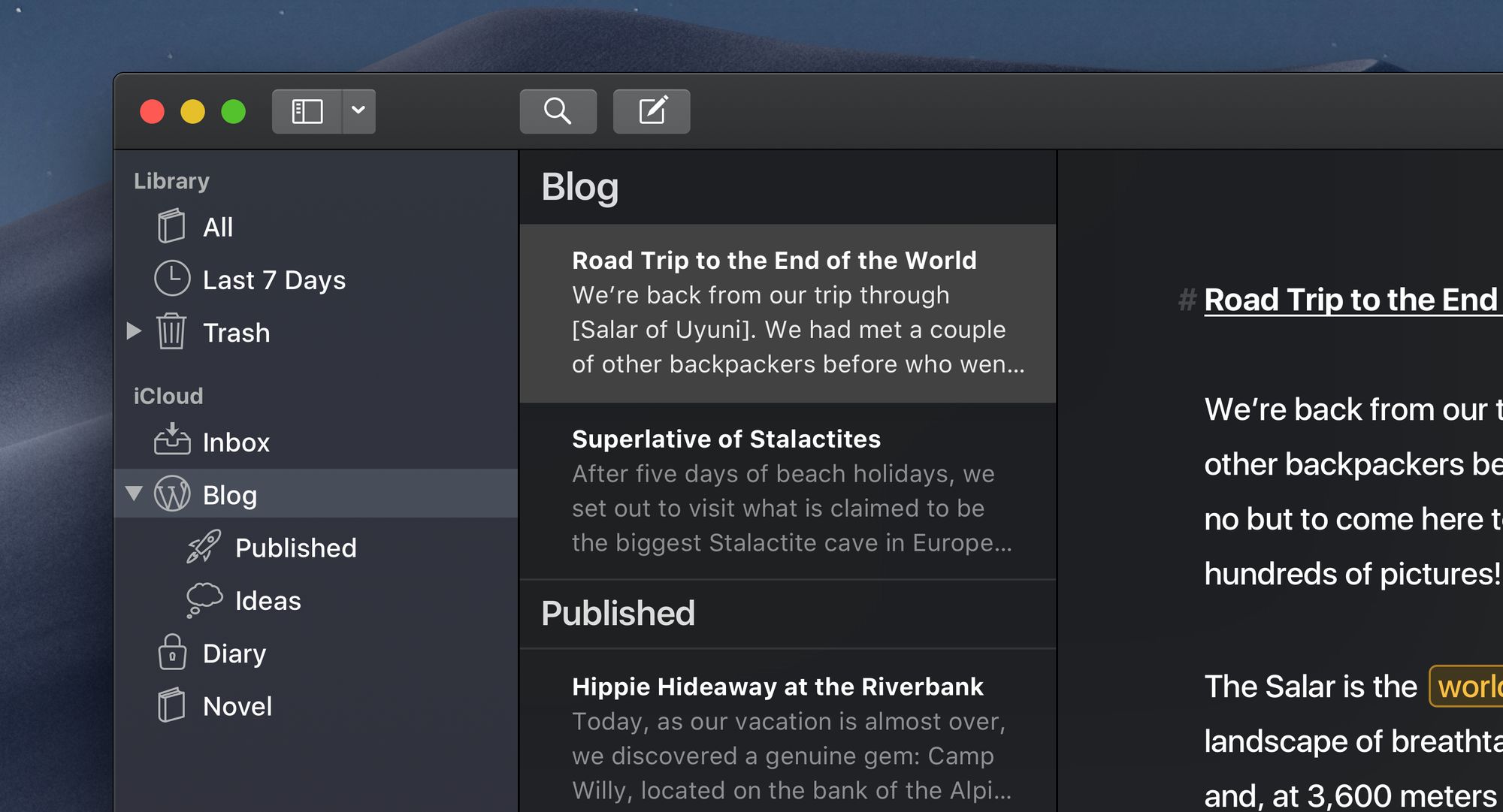
Ulysses for Mac is a distraction-free writing app built for writers who want a clean environment to focus. It combines drafting with strong organizational tools so managing multiple projects feels less chaotic. The layout encourages deeper work, especially for long-form content.
How it helps with writing:
- Keeps the writing space minimal to support concentration
- Organizes drafts into folders and projects
- Lets you set writing goals to stay consistent
- Makes exporting drafts simple for publishing
- Syncs across devices for flexible writing sessions
- Helps track progress on larger pieces
Price: Offers a free trial before moving to a subscription, which is $5.99/month or $39.99/year.
3. Scrivener
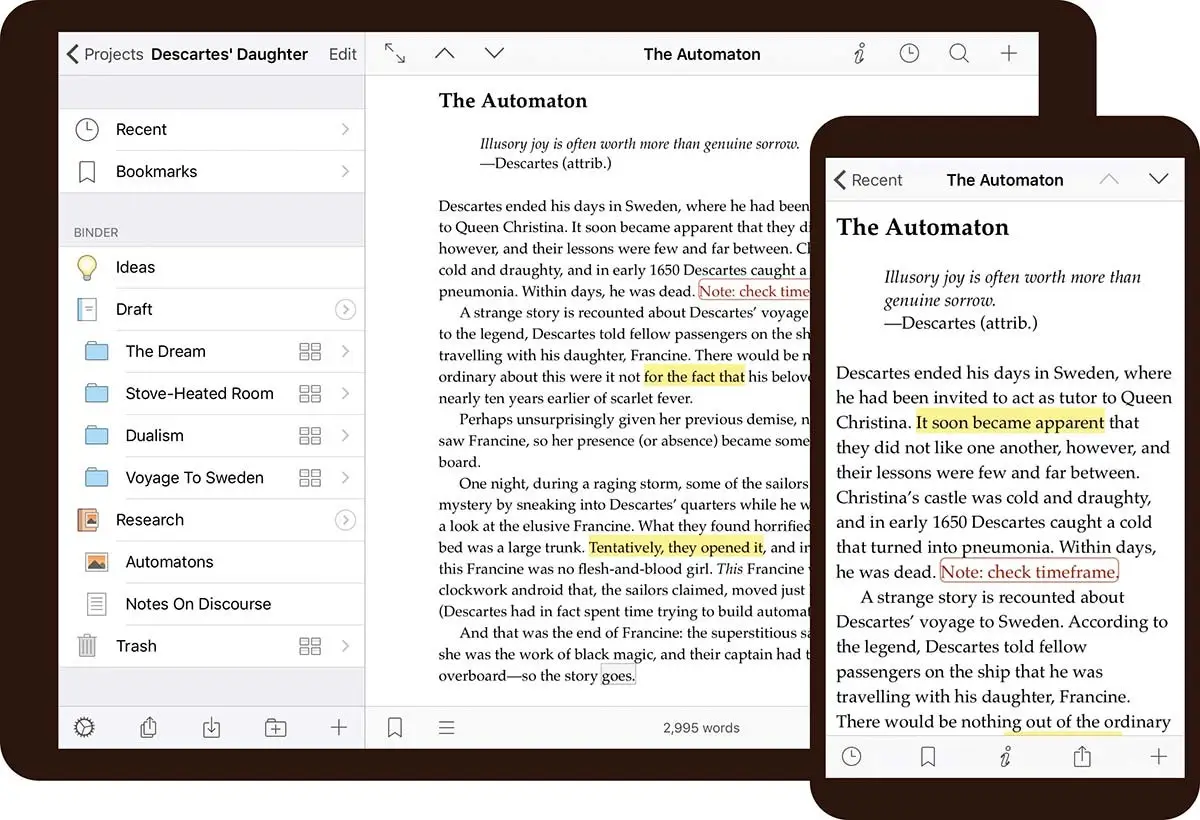
Scrivener is designed for writers working on complex or research-heavy projects. Instead of placing everything in one document, it allows you to divide your work into smaller sections that are easier to manage. Many novelists and academic writers use it for structure and planning.
How it helps with writing:
- Breaks manuscripts into manageable sections
- Provides outlining tools for stronger structure
- Stores research next to your draft
- Makes rearranging chapters simple
- Supports detailed project planning
- Helps visualize your writing flow
Price: Includes a 30-day free trial with a one-time purchase afterward, which costs $59.99.
4. Grammarly
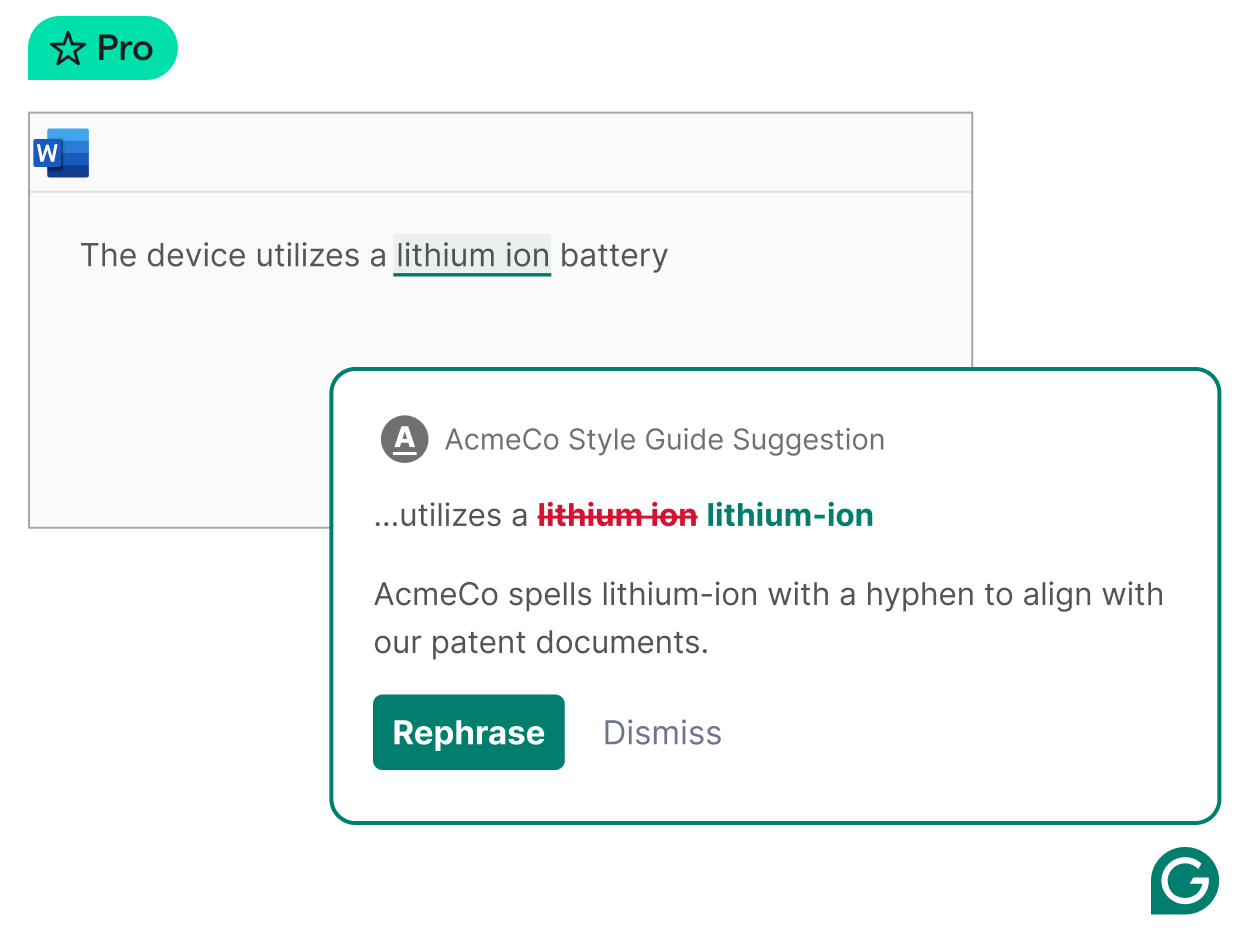
Grammarly is a widely used AI grammar checker that provides real-time feedback while you write. It integrates with browsers and apps, making tools like Grammarly useful for everything from articles to emails. Suggestions are typically easy to apply without interrupting your momentum.
How it helps with writing:
- Detects grammar, spelling, and punctuation errors
- Suggests clarity improvements
- Highlights tone shifts before you publish
- Helps simplify overly wordy sentences
- Works across multiple platforms
- Speeds up the editing process
Price: Offers a free version with limited AI features. Grammarly Pro is $12/month.
5. Jasper AI
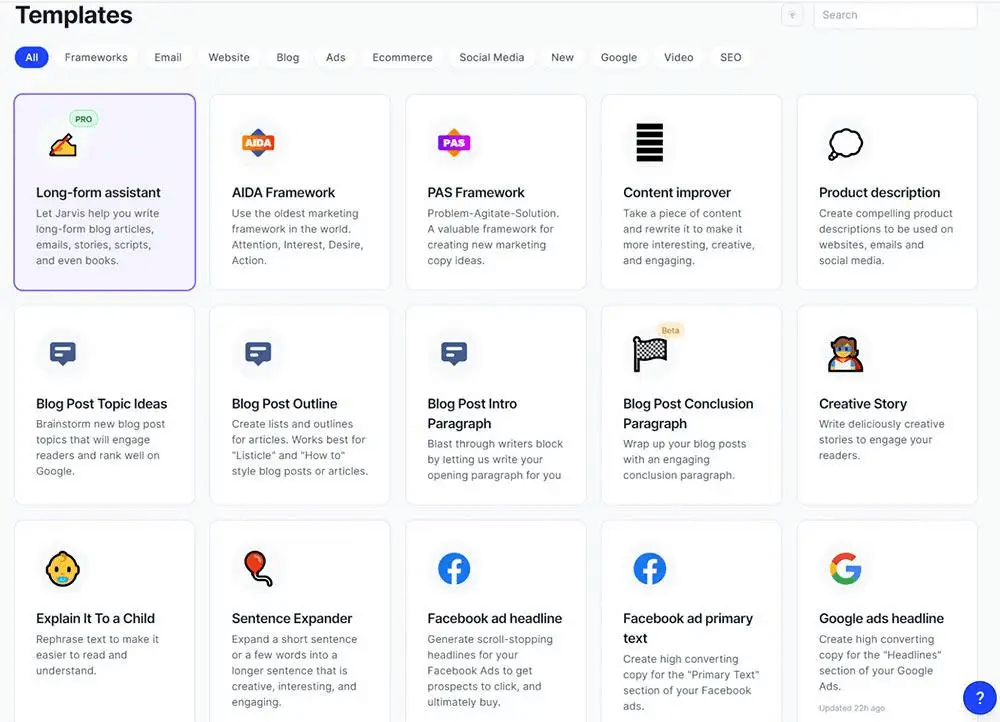
Jasper AI is an AI writer that helps generate ideas, outlines, and drafts when you need a starting point. Writers often use it to build momentum and move past blank-page moments. It works best as a support tool that helps you shape your ideas faster.
How it helps with writing:
- Generates outlines to speed up drafting
- Helps brainstorm fresh angles
- Rewrites sections for clarity
- Expands short ideas into fuller paragraphs
- Supports multiple tones and styles
- Reduces time spent figuring out how to start
Price: Provides a free trial with paid plans available afterward, which start at $69/month/seat.
6. Sudowrite

Sudowrite is built with creative writers in mind, especially those working on fiction. It offers AI tools that help you expand scenes, refine descriptions, and explore alternative directions for your story. The editor stays simple so your creativity remains the focus.
How it helps with writing:
- Expands scenes with additional detail
- Suggests descriptive language when you feel stuck
- Offers alternative phrasing options
- Helps maintain narrative flow
- Supports brainstorming for plot development
- Encourages creative experimentation
Price: Includes a free trial, then paid plans start at $19/month.
7. ProWritingAid
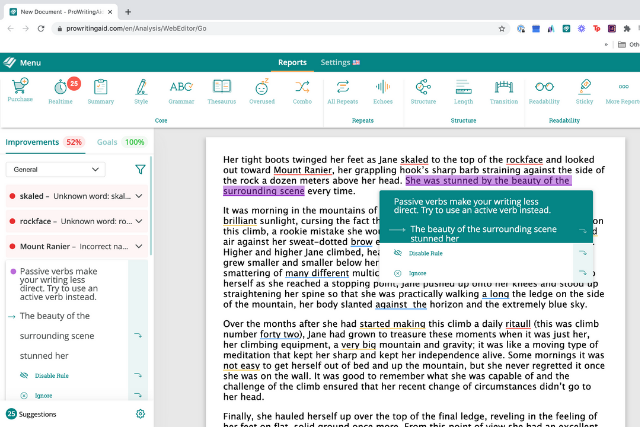
ProWritingAid blends grammar checking with deeper writing analysis. Beyond basic corrections, it evaluates readability, sentence variety, and stylistic patterns that may weaken your work. Tools like ProWritingAid are especially helpful for writers focused on improving their craft over time.
How it helps with writing:
- Identifies grammar and style issues
- Provides detailed readability reports
- Highlights overused words
- Encourages sentence variety
- Offers suggestions to strengthen phrasing
- Helps you recognize writing habits
Price: A free version is available with some limitations on word counts and rephrases. Paid plans start at $30/month.
Want a free AI grammar checker?
Use Grammit to improve your writing anywhere with AI.
8. Flawlessly AI
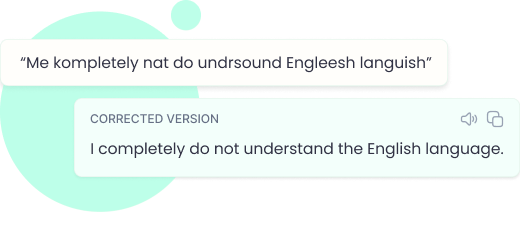
Flawlessly AI focuses on rewriting and clarity improvements so your drafts feel tighter and easier to read. You can paste rough text and receive suggestions that preserve your intent while improving flow. It is particularly helpful during the editing phase.
How it helps with writing:
- Rewrites sentences for clarity
- Tightens paragraphs without changing meaning
- Improves overall flow
- Suggests cleaner wording
- Helps remove unnecessary filler
- Speeds up the revision process
Price: Currently free to use.
9. Ellipsus
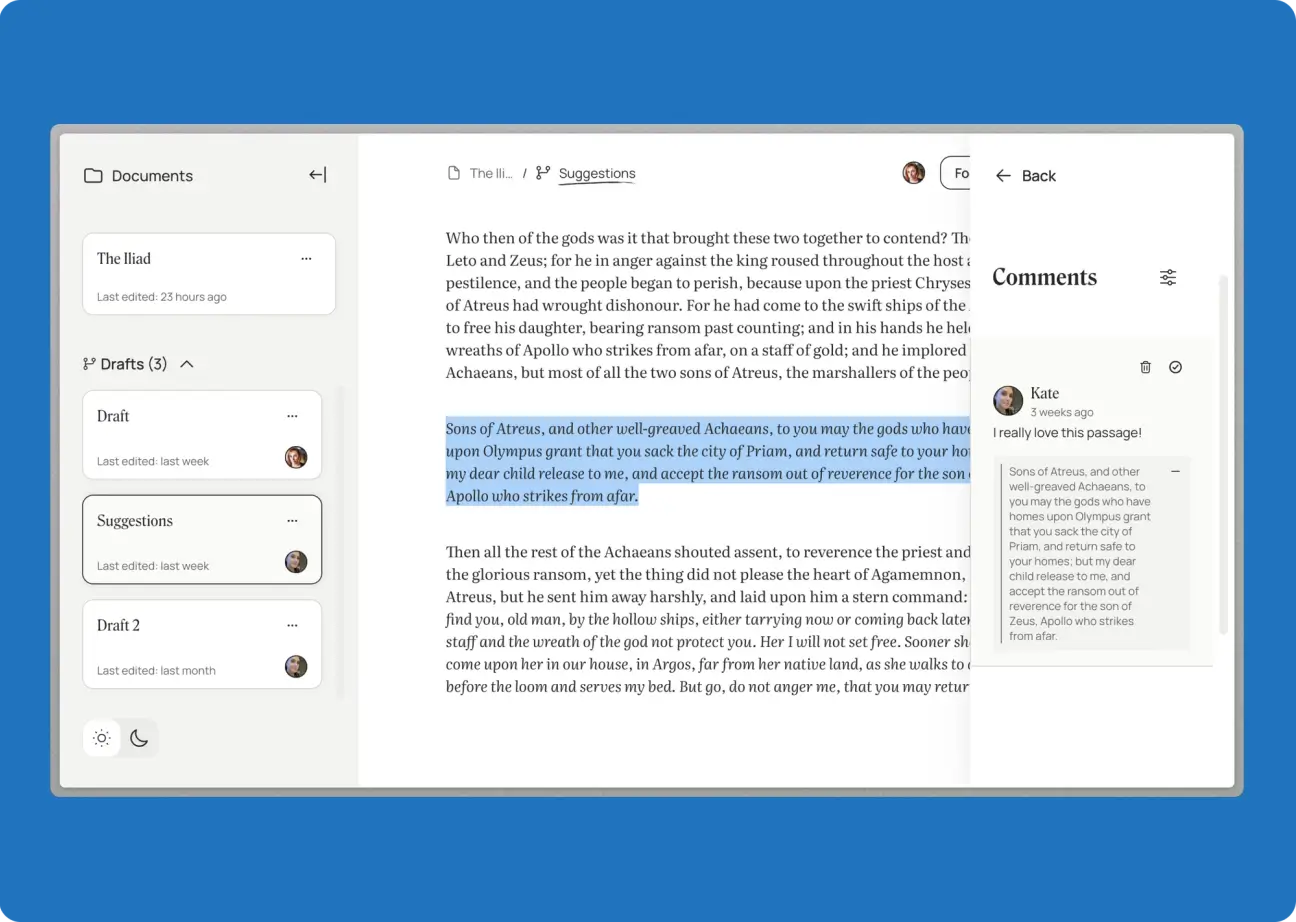
Ellipsus combines writing with collaboration tools, making it a strong option for writers who work with editors or teams. Shared comments and version history help keep feedback organized. The interface remains simple enough for solo sessions.
How it helps with writing:
- Enables collaborative editing
- Tracks version history
- Keeps feedback organized
- Reduces revision confusion
- Supports shared projects
- Helps streamline the editing cycle
Price: Free to use.
10. Craft
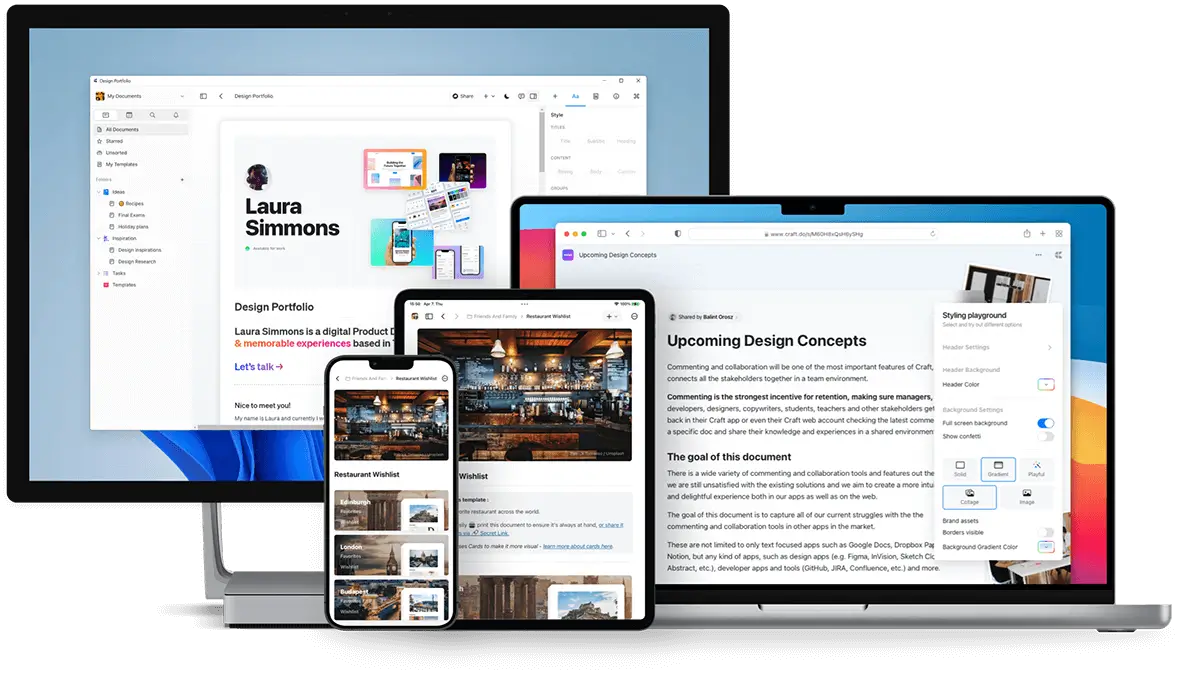
Craft is a flexible writing and note-taking app that works well for writers who like visual organization. Documents can include nested pages and links, which helps when managing research. The layout feels modern without being distracting.
How it helps with writing:
- Organizes notes and drafts visually
- Connects related documents with links
- Supports structured writing workflows
- Keeps research easy to access
- Allows collaborative editing
- Maintains a clean writing environment
Price: The free version supports personal use with limitations. Paid plans start at $6/month.
11. AI Blaze
AI Blaze is an all-in-one AI writing assistant that helps you improve your writing & messages, quickly read & summarize documents, and generate content anywhere you work.
How it helps with writing:
Draft emails & messages with AI - AI Blaze can write context-aware emails & messages to save you time.
Improve your writing & proofread with AI - AI Blaze can rewrite and proofread your writing anywhere you work.
Take AI suggestions with you anywhere - AI Blaze works on any website and can help with writing tasks anywhere you write.
No file uploads necessary! AI Blaze can read your writing without you having to upload a document or file.
Price: AI Blaze is free to use. Get started for free!
Want a free AI assistant that works anywhere?
Use AI Blaze to summarize docs & improve your writing for free!
12. Copy AI
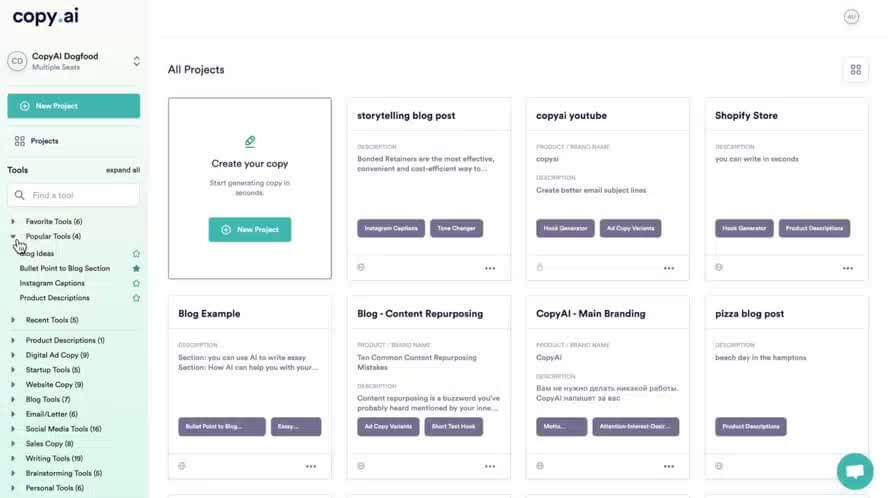
Copy AI is an AI writer often used for brainstorming and early drafts. It can generate outlines, headlines, and content ideas within seconds. Many writers treat it as a starting point before refining the output.
How it helps with writing:
- Produces quick draft ideas
- Generates outlines automatically
- Suggests alternative angles
- Helps overcome writer’s block
- Supports multiple content formats
- Speeds up early-stage writing
Price: Starts at $29/month.
13. Hemingway Editor
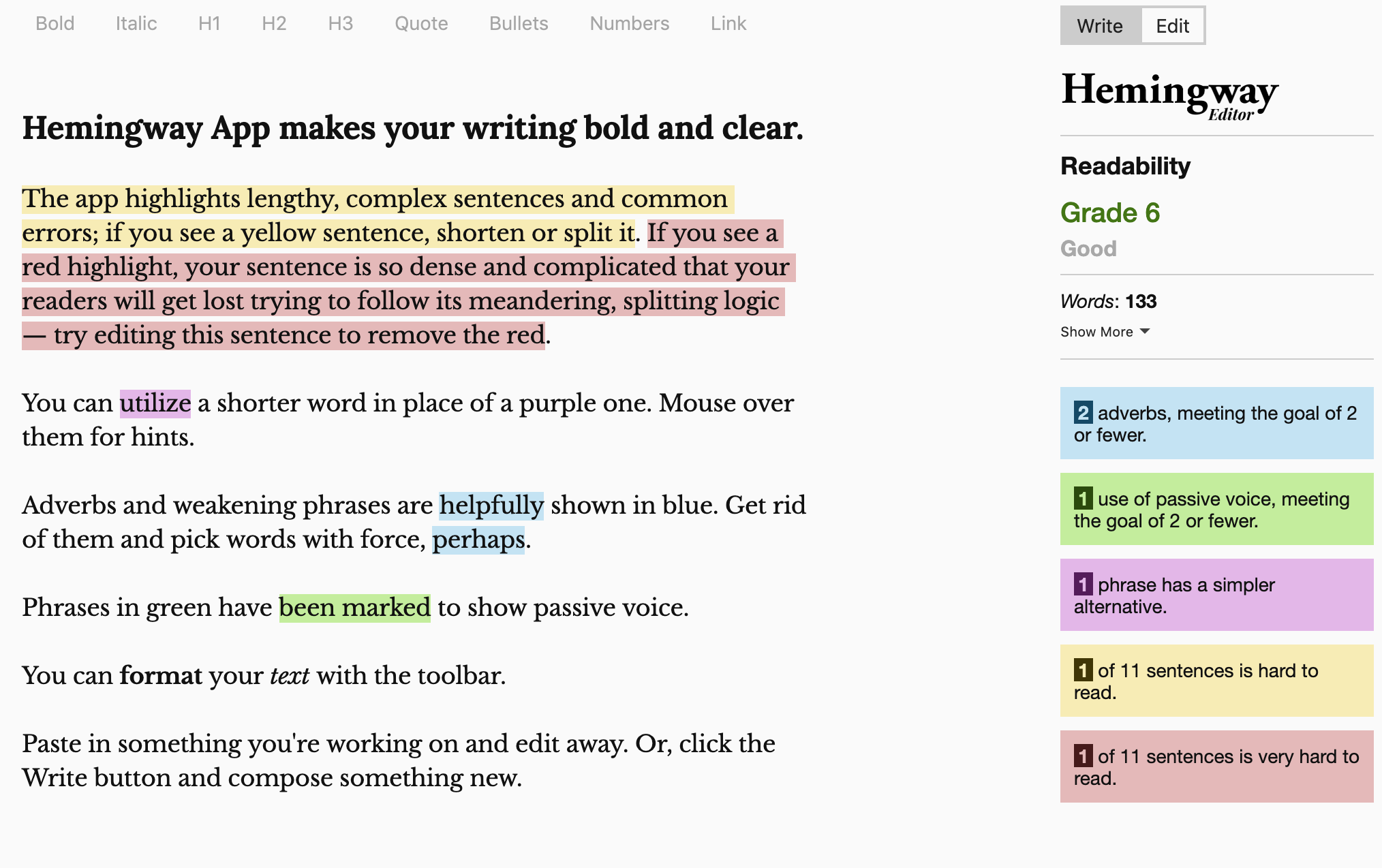
Hemingway Editor focuses on making your writing clear and easy to read. It highlights dense sentences, passive voice, and unnecessary adverbs so you can simplify your message. Many writers use it as a final polishing step.
How it helps with writing:
- Flags hard-to-read sentences
- Identifies passive voice
- Highlights unnecessary adverbs
- Encourages concise phrasing
- Improves readability
- Provides color-coded feedback
Price: Has a free version, but includes limitations. Paid plans unlock AI features and start at $100/year.
14. Reedsy
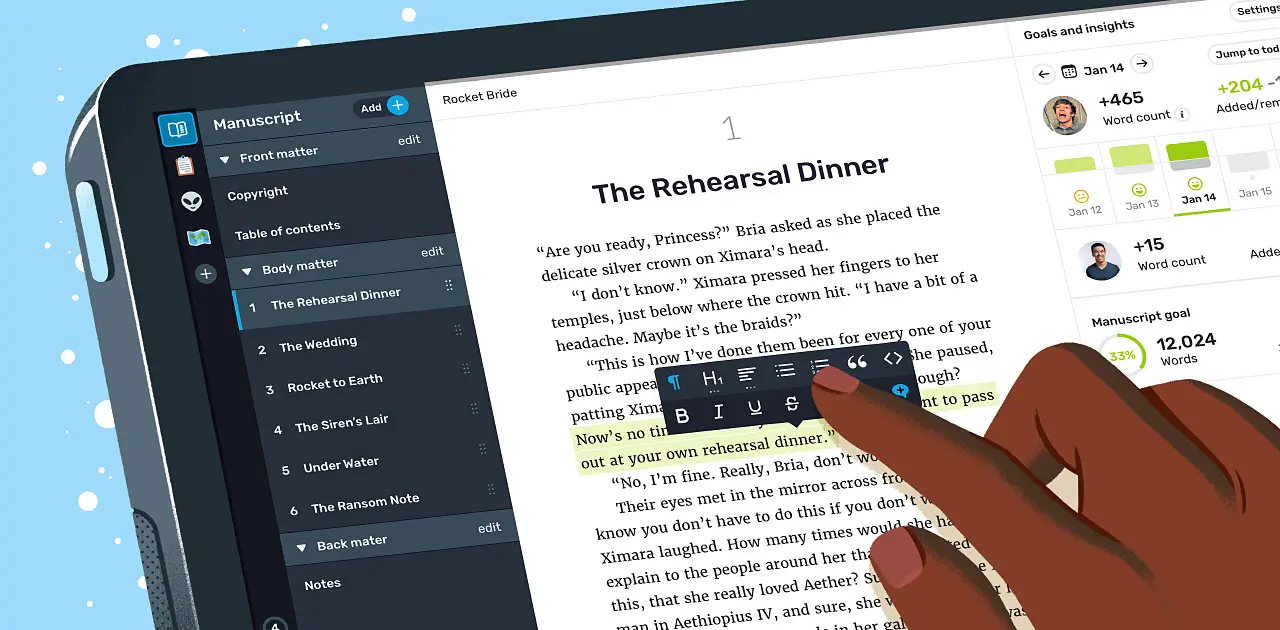
Reedsy provides a browser-based writing environment tailored for authors. It includes formatting tools aligned with publishing standards, which can reduce prep work later. The editor stays clean while supporting collaboration.
How it helps with writing:
- Formats manuscripts automatically
- Supports collaboration with editors
- Tracks writing goals
- Keeps chapters organized
- Simplifies publishing preparation
- Maintains a distraction-free interface
Price: Offers a 30 day free trial, then the Craft add-on is $4.99/month.
Want a free AI grammar checker?
Use Grammit to improve your writing anywhere with AI.
15. Atticus
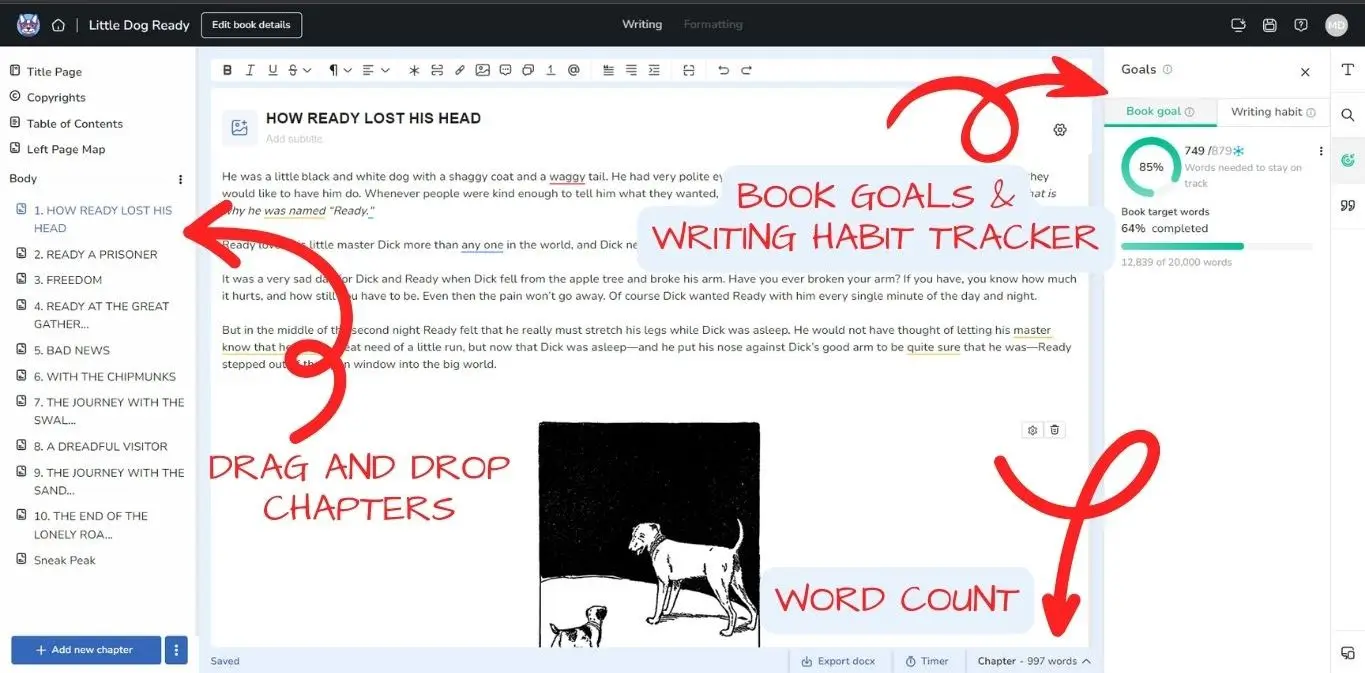
Atticus combines drafting and formatting into one platform so writers can prepare manuscripts for publication without juggling tools. Templates help structure your book while maintaining a professional layout. It is especially useful for self-publishing writers.
How it helps with writing:
- Combines writing and formatting
- Provides ready-to-use templates
- Keeps chapters structured
- Streamlines publishing prep
- Supports long-form projects
- Reduces tool switching
Price: A flat rate of $147.
What is the Best Writing App?
Choosing a writing app often comes down to how much support you want while you work. That can mean a structured dashboard that helps you organize projects and manage your workflow, or a lighter assistant that focuses on catching mistakes and improving your writing as you go.
It also helps to think about how involved you want the tool to be in your process. A more robust platform can guide your workflow from outline to final draft, while a simpler option can quietly speed things up without changing how you naturally write.
When your tools help catch mistakes early and make the writing process faster, you free up more energy for the ideas that actually matter. Writing already takes focus and effort, so give yourself support that makes the work feel smoother.
To recap, our suggestion for the best free writing app is Grammit. Grammit is your personal AI grammar checker and writing assistant that works on any website.
Give Grammit a try for free today!