8 Best Briskine Alternatives for Chrome in 2026
Looking for a Briskine alternative? Compare 8 text expanders for Chrome that help you write faster, save snippets, and cut repetitive typing.

Picking a text expander comes down to a few things: where you work, what you type most, and how much you're willing to spend. Briskine checks a lot of those boxes, but it's worth seeing how it compares to the alternatives before settling in.
The right pick can save you hours each week, and the wrong one can leave you fighting your tools.
In this article, we'll cover the 8 best Briskine alternatives for text expansion in 2026.
What is Briskine?
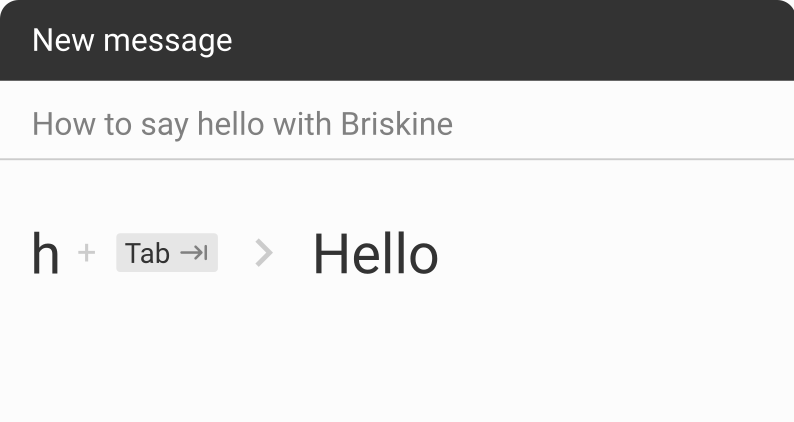
Briskine is a browser extension that lets you save email templates and insert them with keyboard shortcuts. It works on Gmail, Outlook, LinkedIn, and most other websites where you type.
Briskine supports Chrome, Firefox, Safari, Edge, and Opera, and includes features like dynamic variables, template sharing, and a rich text editor.
However, it's browser-only, so it won't help you in desktop apps outside of Chrome or your other browsers, and template expansion is triggered manually rather than automatically as you type, which some users find slower than competing tools.
Briskine Pricing
Briskine has two plans. The Free plan covers one person with up to 30 templates. The Premium plan is $7 per person per month and includes unlimited templates, image uploads, attachments, and team sharing.
That said, if you're looking for a new text expander, there are other options available with different plans that might work better for you.
What to Look for in a Briskine Alternative
Before jumping into the list, it helps to know what separates a good text expander from a frustrating one. The right tool depends on where you work and how much complexity you actually need.
Here are a few things to consider:
Where it works - Browser-only extensions are great for Gmail and LinkedIn, but if you live in Slack, Word, or your code editor, you'll want a desktop app that works system-wide.
How snippets expand - Some tools fire automatically as you type a trigger; others wait for a hotkey. Auto-expansion is faster, but manual triggers prevent accidental insertions.
Dynamic content support - Basic tools paste static text. Better ones handle fill-in fields, dropdowns, dates, math, and conditional logic, which matters more for sales or support templates than for personal signatures.
One-time vs subscription - One-time licenses save money long-term but usually skip cloud sync and team sharing. Subscriptions cost more over time but include updates and multi-device access.
Team collaboration - Solo use and team use are different products. If you need shared snippet libraries, version control, or usage analytics, narrow your search early.
With those in mind, here are eight options to compare.
8 Best Briskine Alternatives
Each of these tools approaches text expansion a little differently, whether that's through a browser extension, a desktop app, or a cross-platform setup.
Here's our list of the 8 best Briskine alternatives to consider in 2026:
| Tool | Platforms | Starting Price | Best For |
|---|---|---|---|
| Text Blaze | Chrome, Edge, Windows, Mac | Free, paid from $2.99/mo | Chrome users who want dynamic templates |
| aText | Mac, Windows | $4.99/yr or $29.99 lifetime | Budget-conscious desktop users |
| Espanso | Windows, Mac, Linux | Free | Developers who want full control |
| PhraseExpress | Windows, Mac, iOS, Android | Free for personal, $99.95+ one-time | Windows users wanting a one-time purchase |
| TextExpander | Mac, Windows, iOS, Chrome | From $3.33/user/mo | Cross-platform teams |
| Snippety | Mac, iOS | Free, paid via in-app purchase | Mac users who want a simple, modern app |
| ProKeys | Chrome | Free | Chrome users who want a free, no-frills option |
| FastKeys | Windows | $29 one-time | Windows users who want automation beyond text |
1. Text Blaze
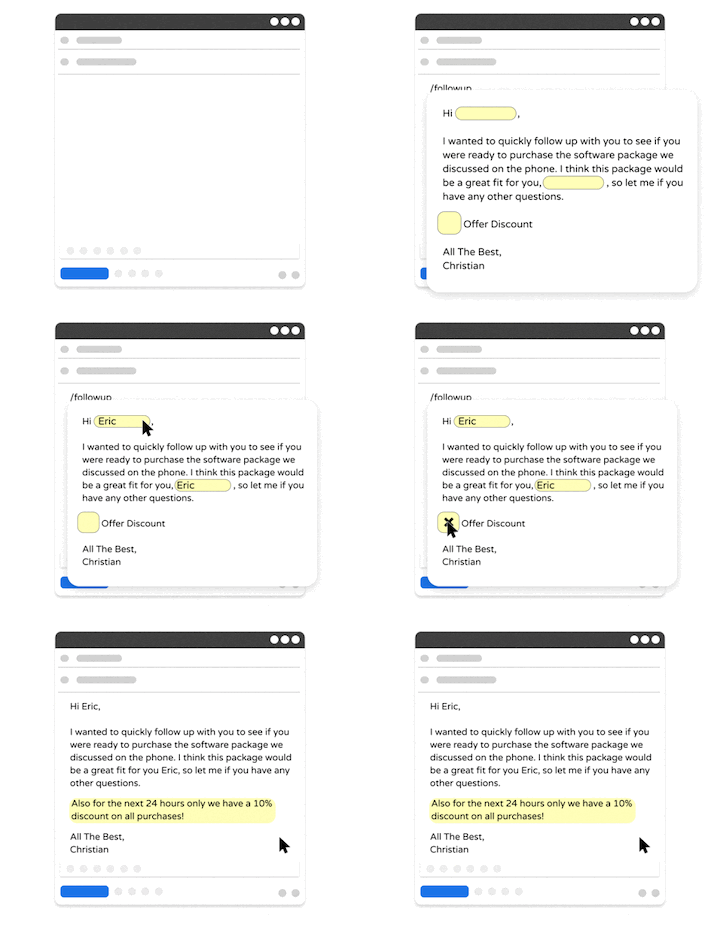
Text Blaze is a text expander and keyboard shortcuts app that allows you to create smart text templates and insert them on any site or app using keyboard shortcuts. Text Blaze can help you automate repetitive typing, streamline workflows, and boost productivity with customizable, dynamic text templates.
Plus, Text Blaze is the #1 rated text expander on the Chrome Web Store (4.9 rating with 1000+ reviews) and is trusted by 700,000+ users.
Here's what makes Text Blaze stand out:
Create dynamic templates with placeholders, drop-down menus, toggle fields, if/else rules, autopilot, data transfer, and more.
Text Blaze works anywhere and is available on Chrome, Windows, and Mac.
Automate workflows by streamlining data transfer, form-filling, repetitive typing, and much more.
Text Blaze is perfect for teams. Guide your team's communication & workflows with shared templates. Learn more here.
Text Blaze is free forever. Get started and save time for free.
Want to automate repetitive typing anywhere for free?
Join 800,000+ who are using Text Blaze templates.
2. aText
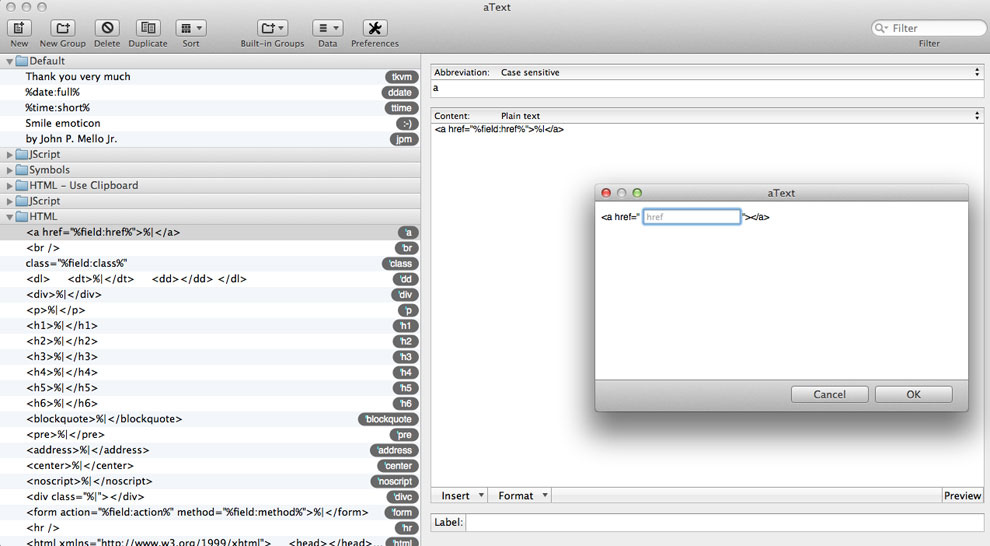
aText is a desktop text expander for Mac and Windows that runs locally without cloud sync. You can create abbreviations that expand into formatted text, signatures, dates, clipboard content, or full email templates. The interface feels older compared to newer tools, and reviewers often note the trade-off between simplicity and a more modern experience.
One-time pricing at $29.99 lifetime, or $4.99 per year
Runs offline with no cloud dependency
No native team sharing; multi-device sync requires manual file syncing
No browser extension, so it relies on system-level expansion
3. Espanso
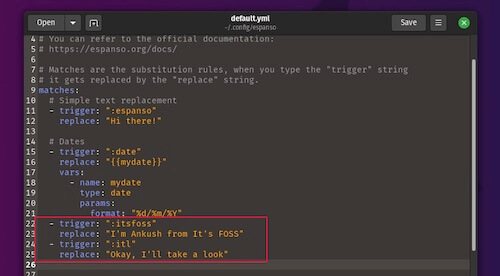
Espanso is a free, open-source text expander written in Rust that works across Windows, Mac, and Linux. It runs entirely locally and uses YAML config files for setup, which means editing text files instead of clicking through a GUI. Once running, it supports forms, regex triggers, scripts, packages, and simple text replacement.
Free and open source under GPL-3.0
Cross-platform across Windows, Mac, and Linux
Setup and configuration require comfort with text-based config files
No built-in team management or cloud sync
4. PhraseExpress
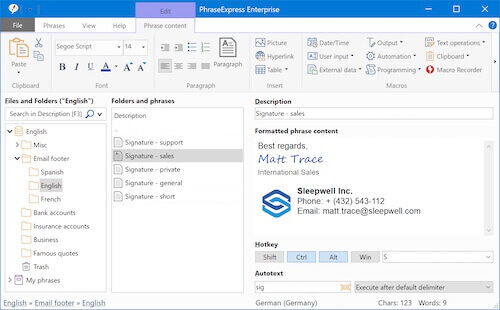
PhraseExpress is a text expander available on Windows, Mac, iOS, and Android. It includes a macro recorder, multi-language phrase libraries, autocomplete, clipboard management, and integrations with Google Drive, Dropbox, OneDrive, and SQL Server for team sharing. Tools like PhraseExpress are good for a good variety of browser or desktop-based workflows.
Free version available for personal, non-commercial use
One-time pricing from $99.95 for Standard up to $249.95 for Enterprise
Strong on Windows, with more limited features on other platforms
Interface is dated and the learning curve is steeper than newer tools
5. TextExpander
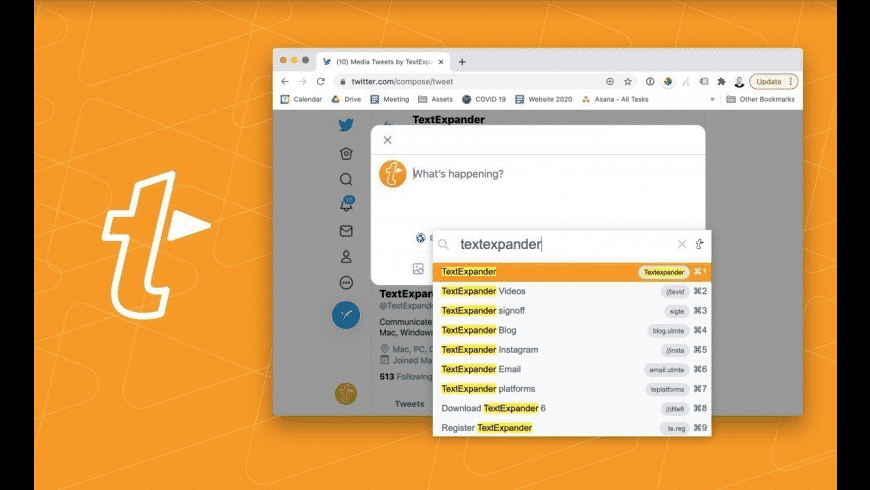
TextExpander is a long-running text expander with cross-platform support across Mac, Windows, iOS, iPad, and Chrome. It includes shared snippet groups, admin controls, real-time updates, usage analytics, and compliance features like SOC 2, HIPAA, SSO, and SCIM provisioning. Snippets with tools like TextExpander can typically use fill-in fields, dropdown menus, and dates.
Cross-platform sync across desktop, mobile, and Chrome
Strong team and enterprise features with compliance certifications
Subscription-only, with no one-time purchase option
Individual plans start at $3.33 per month (billed annually) or $4.16/month
6. Snippety
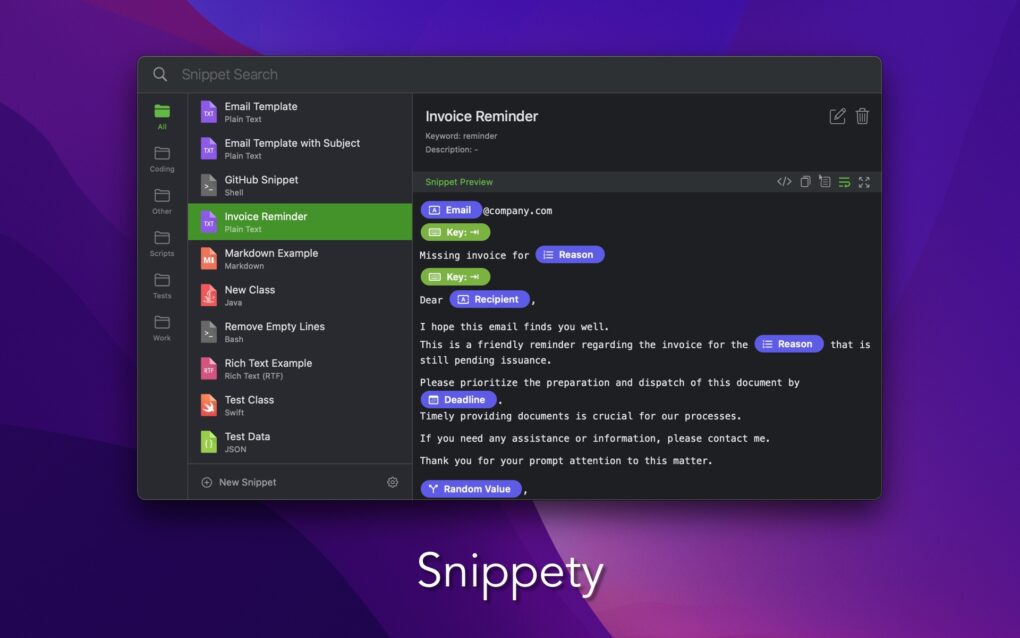
Snippety is a Mac and iOS text expander designed around iCloud sync between devices. It includes 19 smart placeholders covering things like calculated dates, AI assistance, clipboard content, selectable values, and text transformations. Mac users get extra placeholders for scripts, clipboard history, and file content.
Free to download from the App Store
Modern interface with light and dark mode support
Apple-only, with no Windows, Linux, or Android support
Unlimited features and iCloud sync require an in-app subscription
Want to automate repetitive typing anywhere for free?
Join 800,000+ who are using Text Blaze templates.
7. ProKeys
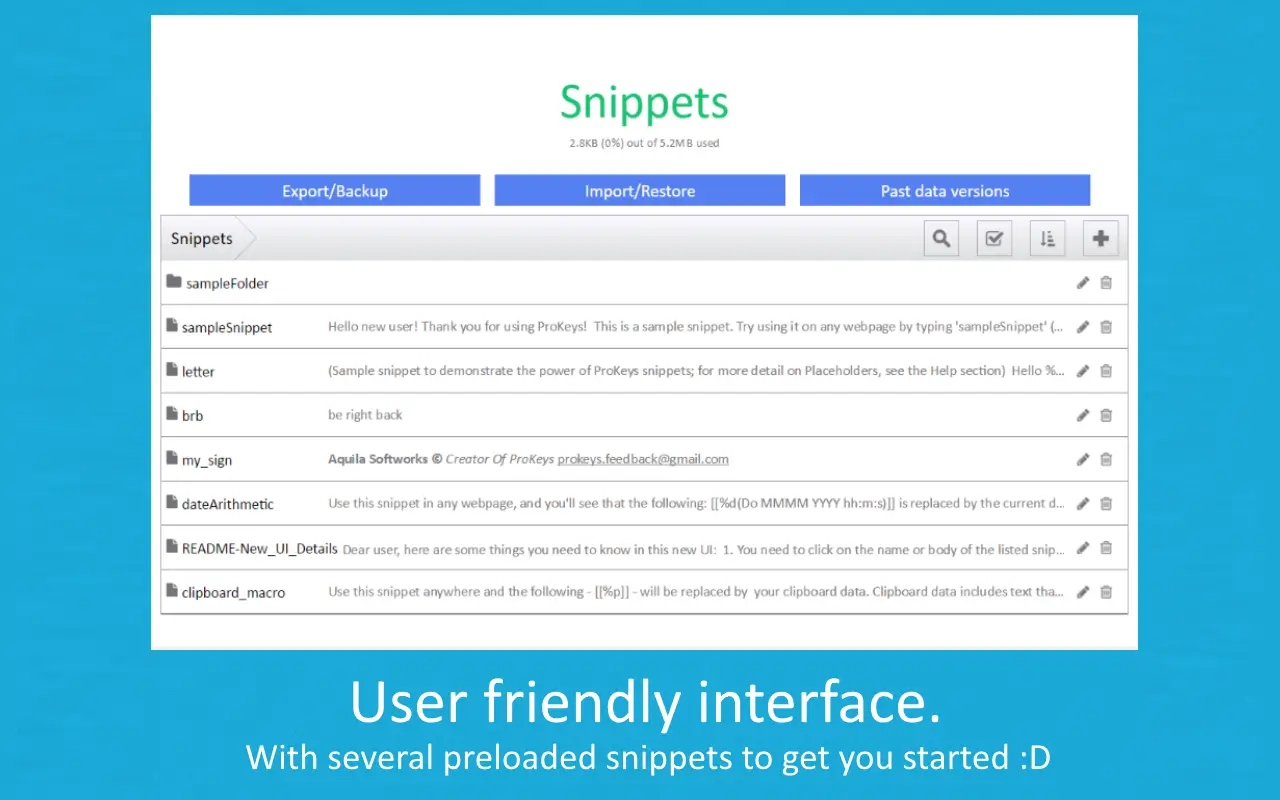
ProKeys is a text expander for Chrome built specifically for browser-based text expansion. It supports custom abbreviations expanded with a hotkey, dynamic placeholders, clipboard macros, date and time arithmetic, in-line math calculations, and omnibox support. Data is stored locally or synced through your Chrome account.
Free with no paid tiers
Works only inside Chrome, not in desktop apps
Reviews mention occasional reliability issues that require reinstalling
Limited team features compared to dedicated team-focused tools
8. FastKeys
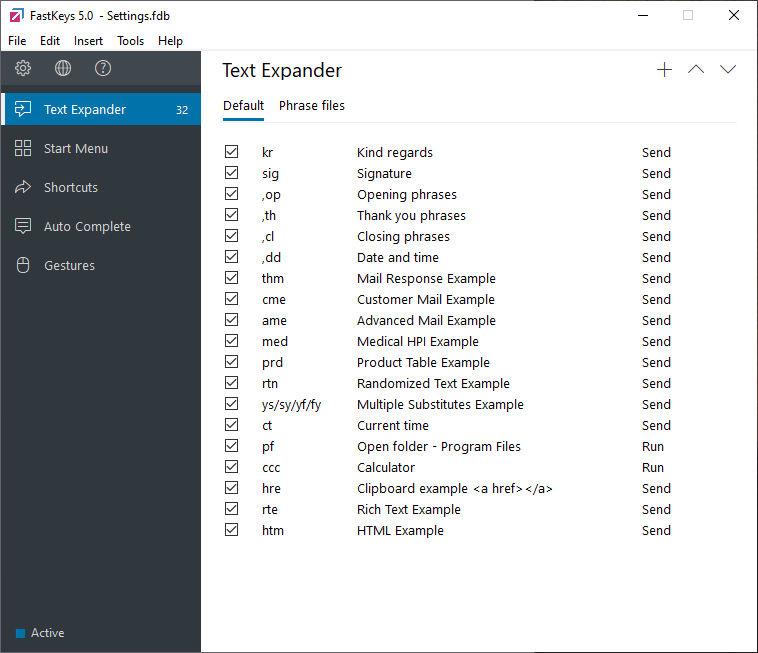
FastKeys is a Windows productivity suite that bundles text expansion with macros, mouse gestures, a launcher, clipboard manager, and keyboard shortcuts. The text expander supports auto-complete, abbreviations, and rich content. Automation features run on AutoHotkey-style scripting under the hood with a GUI on top.
One-time license at $29 for personal use, $39 for professional use
Combines text expansion with broader Windows automation
Windows-only, with no Mac, iOS, or browser-only version
Setup takes longer than simpler text expanders due to feature breadth
What is the Best Briskine Alternative?
The best Briskine alternative depends on where you spend most of your time typing and how much complexity you actually need. If most of your work happens in the browser, a Chrome-based tool is usually enough.
Though, if you bounce between desktop apps, a system-wide expander will save you more time. Teams should prioritize shared snippet libraries, while solo users can focus on pricing and ease of setup.
If you want a tool that covers most of those needs in one place, Text Blaze is a strong starting point. It works in Chrome and on the desktop, is free forever, supports dynamic templates, and scales up to team use without forcing you to switch tools later.