Top 8 Clipboard History Pro Alternatives in 2026
Compare the best Clipboard History Pro alternatives for organizing clipboard history, saving snippets, and reducing repetitive typing.

Looking for a better way to manage everything you copy and paste can get frustrating fast. Clipboard History Pro works for basic needs, but it can feel limiting if you want more control, better organization, or faster ways to reuse content.
If you're like others, you might've ended up searching for alternatives that offer stronger clipboard history, text expansion, or both. If so, you're in the right place.
In this article, we’ll break down the best Clipboard History Pro alternatives, what to look for, and how to choose the right tool for your workflow.
What is the Clipboard History Pro Extension?
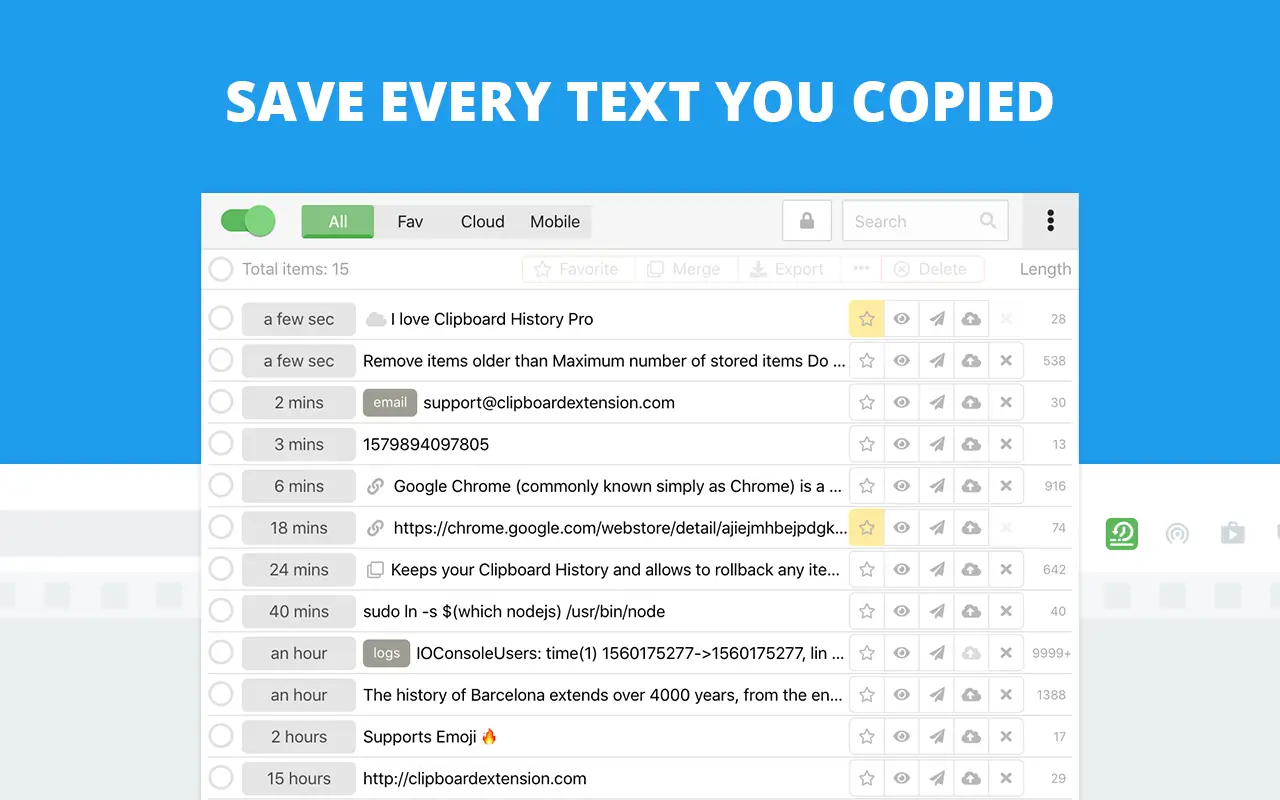
Clipboard History Pro is a Chrome extension that is a clipboard manager and text expander that saves the text you copy so you can reuse it later. Instead of losing copied content when you overwrite your clipboard, it keeps a running history that you can search and access.
It’s mainly used by people who work in browsers and need a simple way to manage copied text. While it covers the basics, it doesn’t go much further in terms of automation or advanced organization.
What Does Clipboard History Pro Do?
Clipboard History Pro focuses on storing and retrieving copied text within your browser. It tracks your clipboard history and lets you search through past entries.
Plus, you can assign hot keys that you can type to insert links, clipboard contents, and more. This is also known as text expansion.
However, it’s limited to browser use and doesn’t offer deeper functionality like templates, automation, or cross-platform syncing.
Top 8 Clipboard History Pro Alternatives
If you’re exploring alternatives, it usually means you want more than basic clipboard history. The tools below cover a mix of clipboard managers and text expanders so you can find something that fits how you work.
Here's our list of the best Clipboard History Pro alternatives in 2026:
1. Text Blaze
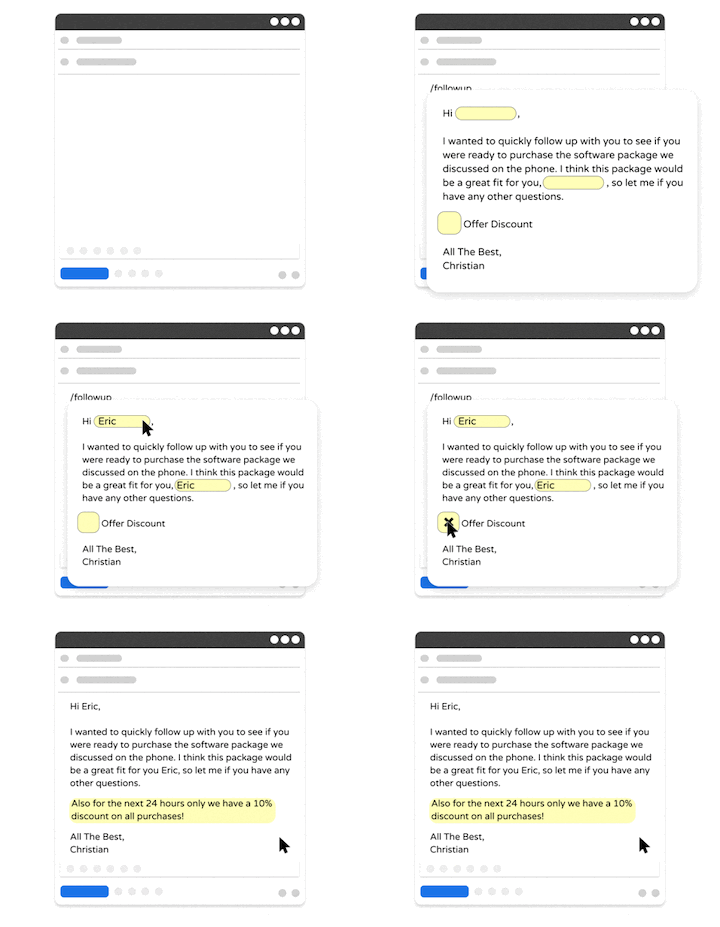
Text Blaze is a text expander that allows you to create smart text templates and insert them on any site or app using keyboard shortcuts.
Text Blaze can help you automate repetitive typing, streamline workflows, and boost productivity with customizable, dynamic text templates.
Plus, Text Blaze is the #1 rated text expander on the Chrome Web Store (4.9 rating with 1,800+ reviews) and is trusted by 800,000+ users.
Key features:
Save & re-use repetitive phrases, links, and messages with keyboard shortcuts.
Create dynamic templates with placeholders, drop-down menus, toggle fields, if/else rules, autopilot, data transfer, and more.
Automatically use clipboard contents with text shortcuts. Extract clipboard contents and use formulas to extract only parts that you need.
Automate workflows by streamlining data transfer, form-filling, repetitive typing, and much more.
Text Blaze works anywhere and is available on Chrome, Windows, and Mac!
Text Blaze is free forever. Get started and save time for free.
Type of tool: Text expander with browser-based automation features.
Best fit for: People who want to reuse and customize text quickly while working in web apps.
Want to automate repetitive typing anywhere for free?
Join 800,000+ who are using Text Blaze templates.
2. CopyQ
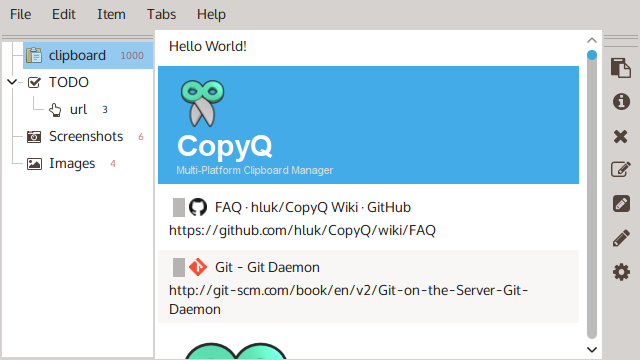
CopyQ is a clipboard manager that stores copied content, including text, images, and files. It offers searchable history and lets you organize clips into tabs, though the interface can feel a bit technical at first.
There are also options for editing clips and triggering actions with shortcuts. It has a lot of flexibility, but it may take some time to get comfortable with.
Type of tool: Desktop clipboard manager with advanced history and organization.
Best fit for: Users who want full control over clipboard history on Windows or Linux.
3. ClipboardFusion
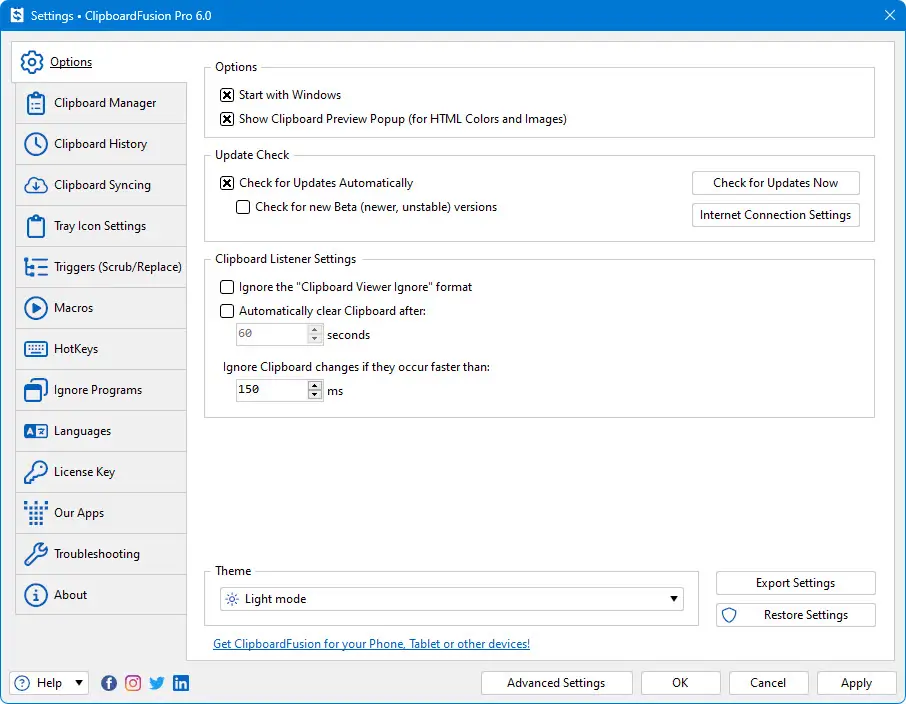
ClipboardFusion adds features on top of basic clipboard tracking, such as removing formatting or running simple macros on copied text.
It also supports syncing clipboard data across devices, depending on your setup. Some features require additional configuration to fully use. It’s more useful if you frequently deal with formatted or structured text.
Type of tool: Clipboard manager with automation and syncing features.
Best fit for: People who frequently copy formatted text and want to clean or automate it.
4. PasteBot
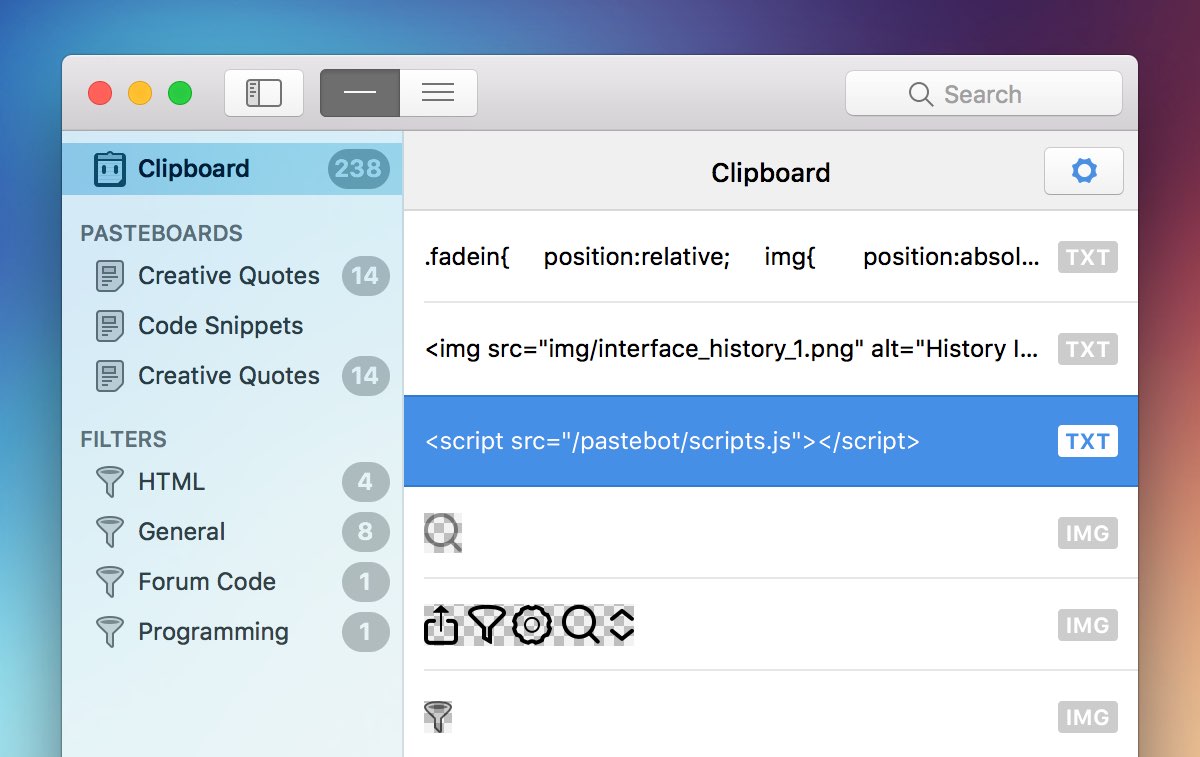
PasteBot is a macOS clipboard manager that focuses on storing and organizing copied content. It includes filters that can modify text before pasting, which can be helpful in some workflows.
The interface is clean, but the feature set is fairly focused compared to more complex tools. It’s designed mainly for Mac users who want a simple clipboard experience.
Type of tool: Clipboard manager for macOS with filtering and organization tools.
Best fit for: Mac users who want a simple, well-designed clipboard manager.
5. PastePal
PastePal is a clipboard manager built for Apple devices, with support for Mac, iPhone, and iPad.
It offers clipboard history, basic organization, and syncing through iCloud. The feature set is relatively simple, but it covers common use cases. It’s more focused on convenience than deep customization.
Type of tool: Cross-device clipboard manager for Apple ecosystems.
Best fit for: Users who want clipboard syncing across Mac and iOS devices.
6. PhraseExpress
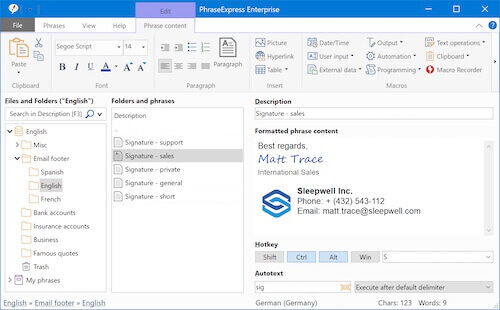
PhraseExpress combines text expansion with some clipboard-related features. It allows you to create reusable snippets and organize them into categories for easier access.
While some tools like PhraseExpress include clipboard functionality, most of their value comes from structured text reuse. It can feel more complex if you only need basic features.
Type of tool: Hybrid text expander and clipboard manager.
Best fit for: Users who want both clipboard history and reusable text templates in one tool.
7. TextExpander
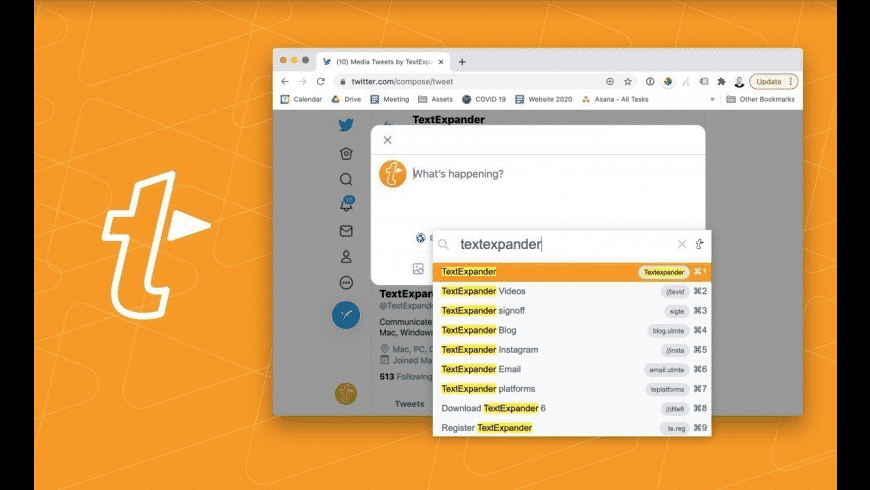
TextExpander is a text expander designed for creating reusable snippets that expand into full text. It supports shared snippet libraries, which can be useful for teams.
The focus is on consistency and speed rather than clipboard history. Tools like TextExpander may feel unnecessary to some people if you only need basic copy-paste tracking.
Type of tool: Text expander for creating reusable text snippets.
Best fit for: Teams or individuals who want consistent, repeatable messaging.
Want to automate repetitive typing anywhere for free?
Join 800,000+ who are using Text Blaze templates.
8. Auto Text Expander
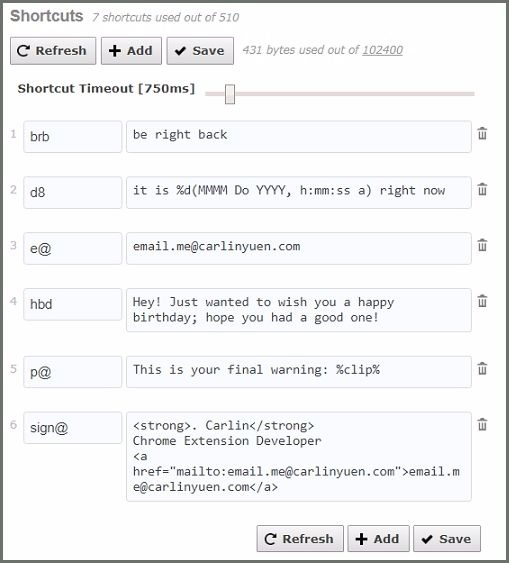
Auto Text Expander is a Chrome extension that lets you create simple shortcuts for repeated phrases. It’s lightweight and easy to set up, but it doesn’t include advanced features like automation or deep organization.
It works well for basic use cases but may feel limited over time. It’s primarily designed for quick, simple text replacement.
Type of tool: Browser-based text expander extension.
Best fit for: Users who want a simple, lightweight alternative inside Chrome.
What to Look for in Clipboard History Pro Alternatives
If Clipboard History Pro feels too limited, the right alternative should give you more control over how you save and reuse content. Not all tools work the same way, so it’s worth focusing on features that actually improve your workflow.
Here are a few things to look for in Clipboard History Pro alternatives:
Clipboard history and storage - A good tool should save multiple copied items and make it easy to access them later instead of losing them after one copy.
Search and quick access - Being able to quickly find past clips or frequently used content can save a lot of time, especially if you copy often throughout the day.
Organization and management - Features like folders, tags, or pinned items help keep your clipboard from turning into a long, hard-to-navigate list.
Cross-app or cross-device support - Some tools work only in specific environments, while others let you access your content across apps or devices.
Reusable text or snippets - Some alternatives go beyond history and let you save text intentionally for repeated use instead of relying on what you copied recently.
Choosing the right combination of these features will make a noticeable difference in how useful the tool feels day to day.
Clipboard Managers vs Text Expanders
Clipboard managers and text expanders solve similar problems, but they work in different ways. Understanding the difference helps you choose the right type of tool.
Here's a quick break down of each type of tool:
Clipboard managers - Store everything you copy so you can access it later. They focus on history, retrieval, and organization.
Text expanders - Let you create shortcuts that expand into full text. They focus on preventing repetitive typing before it happens.
Some tools combine both, but most lean toward one category. If you often reuse copied content, a clipboard manager makes sense. If you repeatedly type the same messages, a text expander is usually more efficient.
In many workflows, using both types together can give you the best results.
What is the Best Clipboard History Pro Alternative?
The best alternative depends on how you work and what you need to improve. If you just want a better way to store and search clipboard history, there are tools for that. Though, there are tools that can do a lot more as well.
If your main goal is to reuse and generate text faster across different websites and tools, Text Blaze is the strongest option. It goes beyond clipboard history by helping you create reusable templates and workflows that save time every day.