7 Best Cotypist Alternatives for Mac in 2026
Searching for a Cotypist alternative for Mac? Compare 7 AI autocomplete tools and text expanders that fit different workflows and budgets.

Picking the right writing tool on Mac comes down to a few things: how you write, what apps you live in, and whether you want AI-generated suggestions or pre-written snippets you control.
Cotypist is one option, but it's not the only one, and it's worth seeing how it compares to the alternatives before settling in.
The right pick can save you hours each week, and the wrong one can leave you fighting your tools.
In this article, we'll cover the 7 best Cotypist alternatives for text expansion in 2026.
What is Cotypist for Mac?
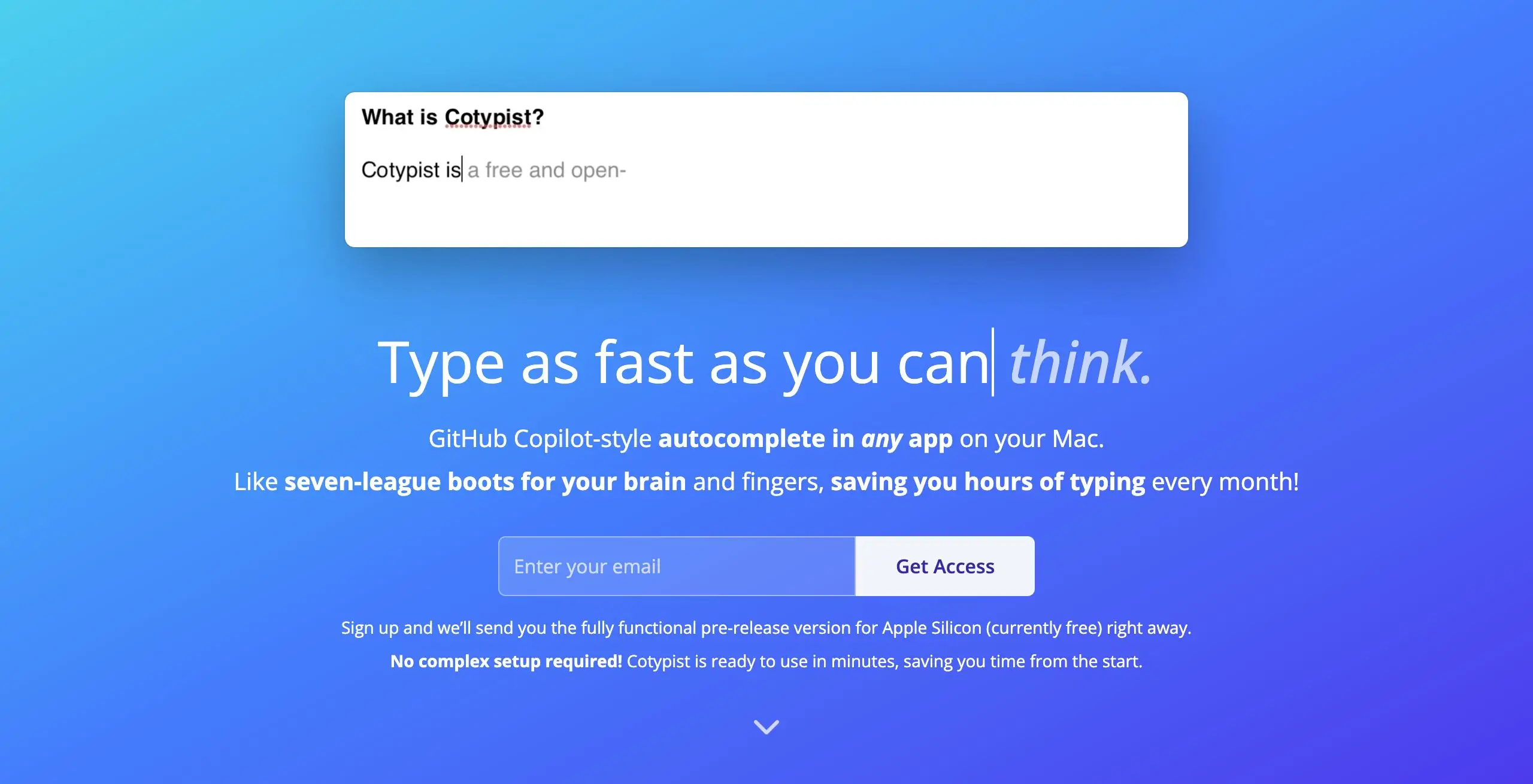
Cotypist is an AI autocomplete tool for Mac that predicts the rest of your sentence as you type. It works across most Mac apps, including Safari, Chrome, Apple Mail, Word, Apple Notes, and Messages, by inserting inline suggestions you can accept with the Tab key.
All processing happens locally on your device, which keeps your text private but also means the app needs significant system resources. It runs only on Apple Silicon Macs (M1 and newer) with macOS 14 or later, and the team recommends at least 16 GB of memory for a smooth experience.
It's aimed at people who write a lot across many apps and want suggestions without switching contexts. The trade-offs are worth knowing: it's Mac-only, requires Apple Silicon, doesn't work in code editors like VS Code or Cursor's main editor, and the suggestion quality depends on your hardware.
As an AI tool, output also varies from prompt to prompt, which some users find less reliable than the consistency of a traditional text expander.
Cotypist Pricing
Cotypist is currently in beta and free for early access users. The team has announced tentative paid tiers (Casual, Plus, Pro) for after the beta, but pricing has not been finalized.
On the free plan, users will be limited to a limited amount completed words on a recurring basis.
That said, if you're looking for a new text expander or AI writing tool for Mac, there are other options with clearer pricing and broader workflows that might work better for you.
AI Autocomplete vs Text Expansion
Before comparing alternatives, it helps to understand the two categories these tools fall into. They solve different problems, and picking the right one depends on what you're typing most.
AI Autocomplete
- Predicts your next words based on context
- Output varies, even for similar prompts
- No setup required; learns from your writing over time
- Best for varied or original writing
Text Expansion
- Inserts the exact snippet you saved, every time
- Output is consistent and predictable
- Requires building a snippet library upfront
- Best for repetitive content like email templates, replies, signatures, or code blocks
Many people use both: AI for original writing, and a text expander for content they type the same way every time.
What to Look for in a Cotypist Alternative
The right Cotypist alternative depends on how you write and how much you want to set up.
Here are a few things to consider:
AI vs deterministic output - AI tools generate suggestions in real time, while text expanders insert the exact text you saved. If consistency matters (support, sales, legal), lean toward expansion. If variety matters, lean toward AI.
Where it works - Some tools run system-wide on Mac, others are limited to the browser, and a few only work inside specific apps. Map this to where you actually type most.
Privacy and data handling - Cotypist processes everything locally. If that's important to you, look for tools that match (open source or local-only). Cloud-based AI tools may send your text to external servers.
Pricing model - Subscriptions cover ongoing AI costs and updates, but add up over time. One-time licenses cost less long-term but usually skip cloud features. Free and open-source tools are an option if you're willing to handle setup yourself.
Setup effort - Some tools work immediately after install. Others, especially open-source or launcher-based ones, need configuration before they're useful.
With those in mind, here are seven options to compare.
7 Best Cotypist Alternatives for Mac
Each of these tools approaches writing assistance a little differently, whether through AI autocomplete, text expansion, or a launcher with snippet features.
Here's our list of the 7 best Cotypist alternatives to consider in 2026:
| Tool | Type | Starting Price | Best For |
|---|---|---|---|
| Text Blaze | Text expander | Free, paid from $2.99/mo | Mac users who want dynamic templates |
| Rocket Typist | Text expander with AI | Free, Pro at $19.99 one-time | Apple users who want a hybrid tool |
| Compose AI | AI autocomplete | Free, paid from $9.99/mo | Browser-based AI writing |
| Typinator | Text expander | $29.99/yr or $49.99 one-time | Speed-focused Mac users |
| Raycast | Launcher with snippets | Free, Pro at $8/mo | Mac power users |
| Alfred | Launcher with snippets | Free, Powerpack ~$40 one-time | Long-time Mac users |
| Espanso | Text expander | Free | Developers who want full control |
1. Text Blaze
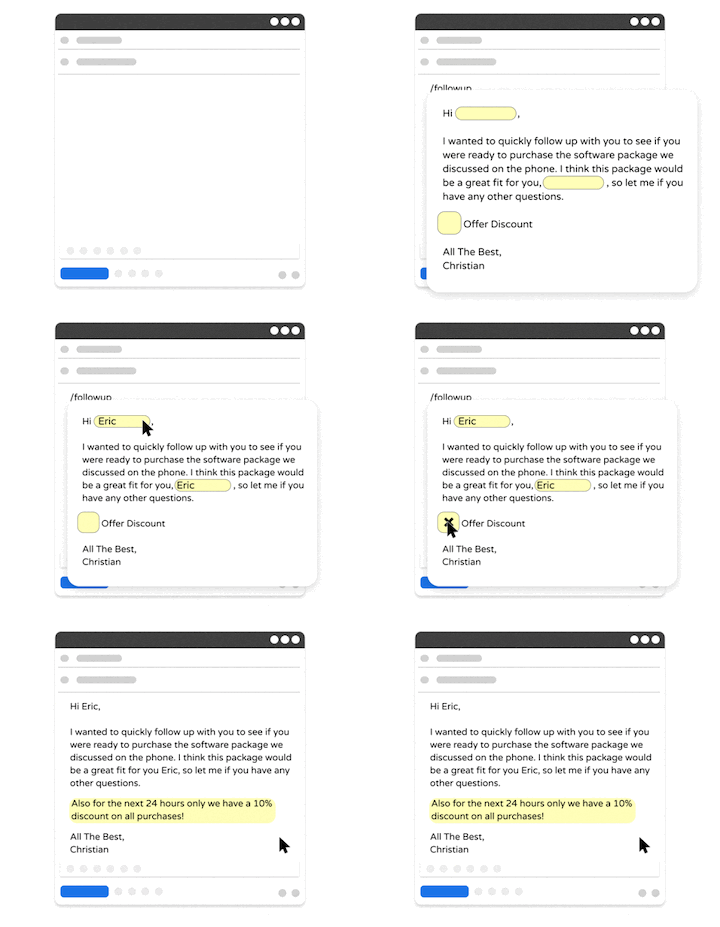
Text Blaze is a text expander and keyboard shortcuts app that allows you to create smart text templates and insert them on any site or app using keyboard shortcuts. Text Blaze can help you automate repetitive typing, streamline workflows, and boost productivity with customizable, dynamic text templates.
Unlike AI autocomplete tools that guess what you might want to say, Text Blaze inserts the exact text you saved, every time. That means consistent messaging, no editing AI suggestions, and 100% reliable output every time.
Plus, Text Blaze is the #1 rated text expander on the Chrome Web Store (4.9 rating with 1,900+ reviews) and is trusted by 800,000+ users.
Here's what makes Text Blaze stand out:
Automate repetitive typing and insert text snippets to save time on any website or app.
Text Blaze works anywhere and is available on Chrome, Windows, and Mac.
Automate workflows by streamlining data transfer, form-filling, repetitive typing, and much more.
Text Blaze is perfect for teams. Guide your team's communication & workflows with shared templates. Learn more here.
Text Blaze is free forever. Get started and save time for free.
Want to automate repetitive typing anywhere for free?
Join 800,000+ who are using Text Blaze templates.
2. Rocket Typist
Rocket Typist is a text expander for Mac and iOS that combines traditional snippet expansion with AI-powered Smart Snippets. Smart Snippets use OpenAI to proofread, adjust tone, summarize text, or generate alternatives based on prompts. The app uses a modern SwiftUI interface with live snippet previews, and snippets sync across Apple devices via iCloud.
One-time pricing at $19.99 for the Mac Pro version, with a free tier limited to 10 snippets
Includes AI Smart Snippets via a free OpenAI account (you bring your own API key)
Apple-only, with no Windows, Linux, or Chrome extension
iOS version has limitations on auto-inserting formatted text and images
3. Compose AI
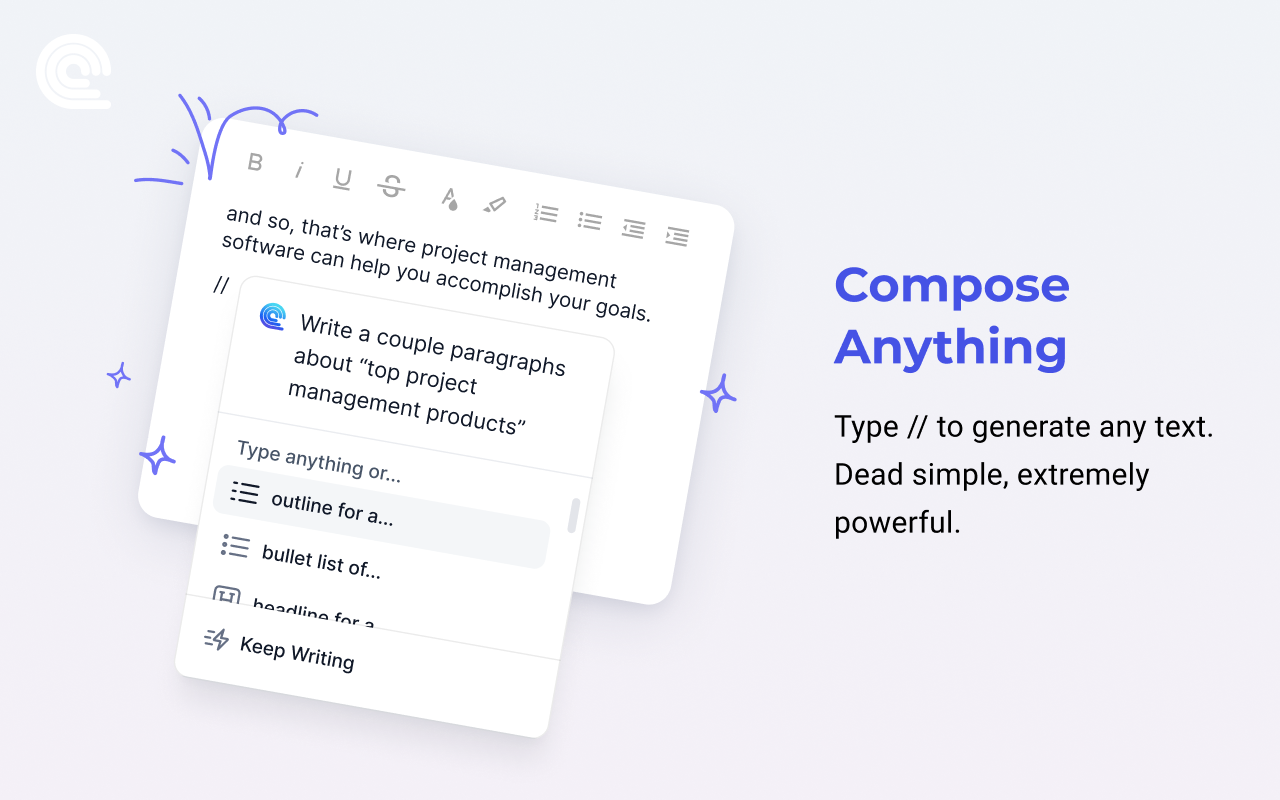
Compose AI is an AI writing assistant that runs as a Chrome extension and works inside web apps like Gmail, Google Docs, LinkedIn, and Notion. It offers autocomplete suggestions as you type, generates entire emails from short prompts, replies to messages with a single click, and rephrases highlighted text. Tools like Compose AI are useful when most of your writing happens in the browser.
Free plan includes 1,500 words per month with basic autocomplete
Premium plans start at $9.99 per month (billed annually) for unlimited usage
Browser-only, so it won't help you in desktop apps like Apple Mail or Notion's desktop client
Cloud-based, meaning your text is processed on external servers
4. Typinator
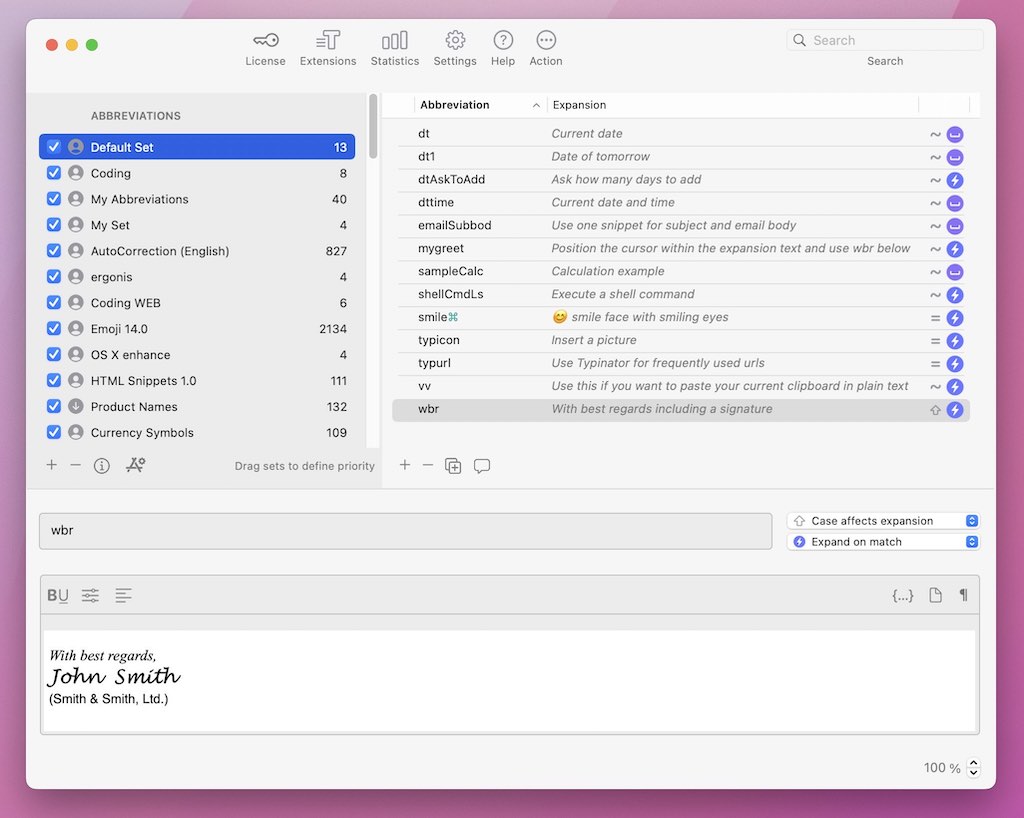
Typinator is a Mac-native text expander known for its speed and reliability. Recent versions added a redesigned interface, an iOS companion app, and Apple Intelligence integration. Tools like Typinator typically support formatted text, images, dynamic dates, calculations, regex triggers, and auto-correction.
Pricing is $29.99 per year or $49.99 for a one-time license
Fast expansion with zero noticeable lag, especially on Apple Silicon
Mac and iOS only, with no Windows or Linux support
Interface improved in recent versions, but the app focuses on power-user features over simplicity
5. Raycast
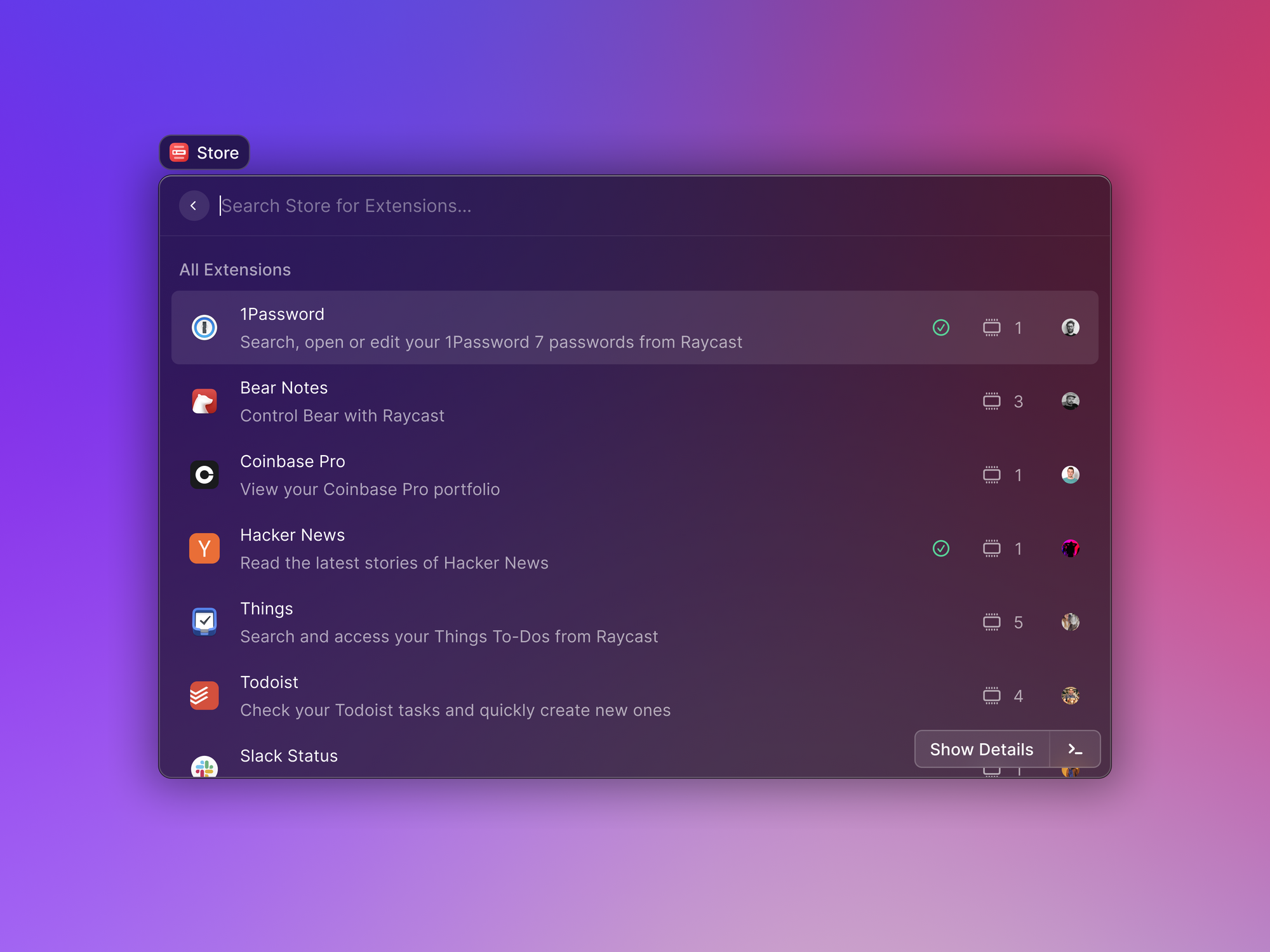
Raycast is a keyboard-driven launcher for Mac that includes snippets, clipboard history, window management, and AI features alongside its app launcher. Snippets support dynamic placeholders for dates, times, and clipboard content. The Pro tier adds AI commands powered by GPT-4 and Claude, cloud sync across Macs, and unlimited clipboard history.
Free tier covers core launcher, snippets, clipboard history, and 2,000+ extensions
Pro is $8 per month billed annually, $10 per month billed monthly
Snippet expansion has noticeable lag compared to dedicated text expanders
Mac-first, with a Windows version in beta as of 2026
Want to automate repetitive typing anywhere for free?
Join 800,000+ who are using Text Blaze templates.
6. Alfred
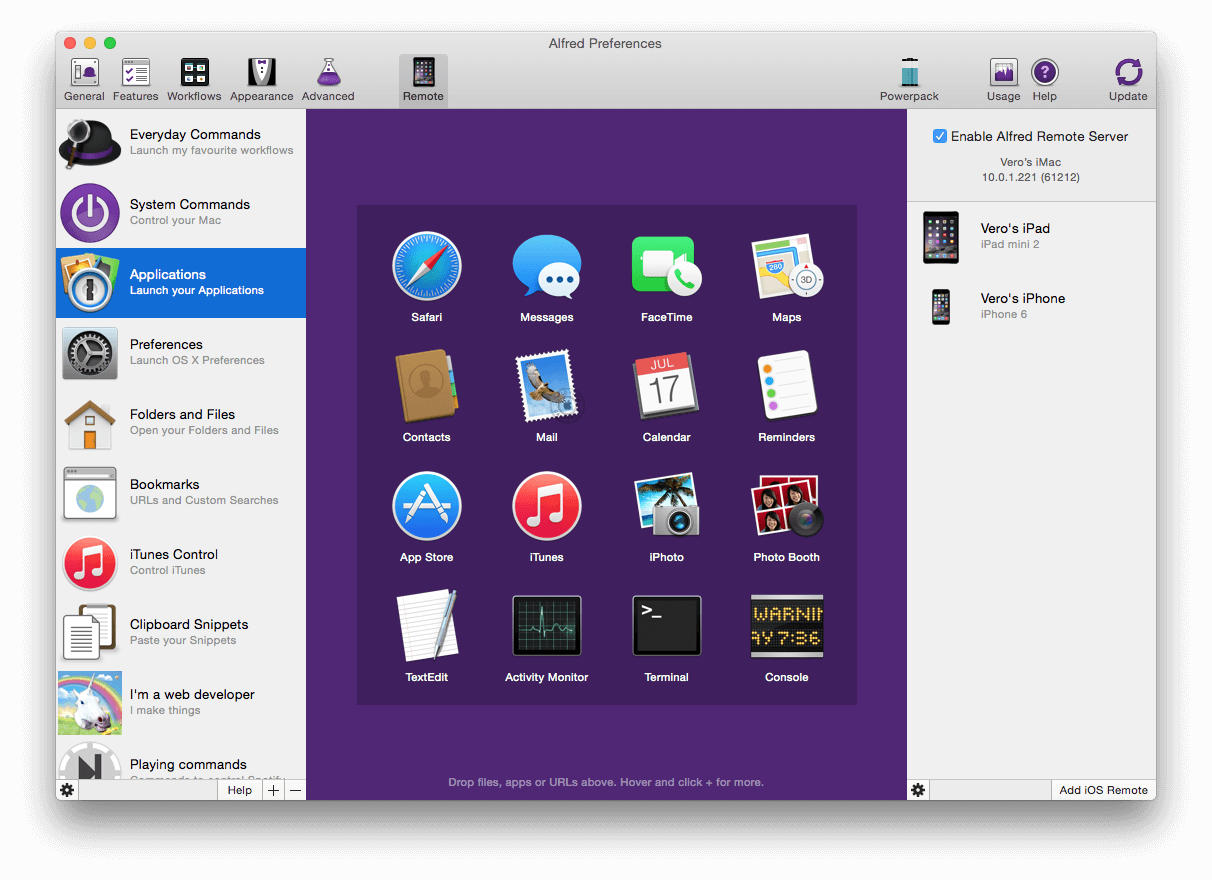
Alfred is one of the longest-running Mac launchers, with a free tier covering app launching and basic search, and a paid Powerpack that unlocks snippets, clipboard history, workflows, and automation features. Snippets support dynamic placeholders, cursor positioning, and folder organization. Workflows let you chain triggers and actions visually or via scripts.
Free version covers basic launcher functionality
Powerpack costs around $40 USD (£34) for a single-user, single-version license; lifetime upgrade options are available
Mac-only, with no mobile or cross-platform versions
Tools like Alfred can have a learning curve to fully use workflows and automation features
7. Espanso
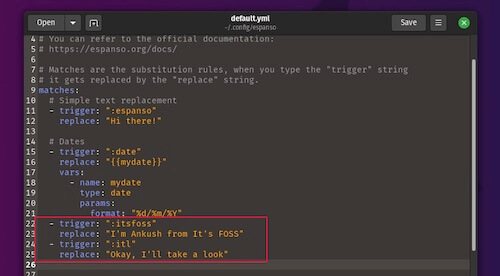
Espanso is a free, open-source text expander written in Rust that works across Mac, Windows, and Linux. It runs entirely locally and uses YAML config files for setup, which means editing text files instead of clicking through a GUI. Once running, it supports forms, regex triggers, scripts, packages, and dynamic content like dates and clipboard data.
Free and open source under GPL-3.0
Cross-platform across Mac, Windows, and Linux
Setup and configuration require comfort with text-based config files
No built-in team management or cloud sync
What is the Best Cotypist Alternative for Mac?
The best Cotypist alternative depends on what kind of writing you do and where you do it. If you want AI suggestions as you type, an AI-focused tool will feel closest to Cotypist. If you find yourself typing the same things over and over, a text expander will save more time than autocomplete ever could.
Mac power users who already live in keyboard shortcuts may get the most value from a launcher with snippet features, while developers who want full control without a subscription should consider an open-source option.
If you want a tool that covers most of those needs in one place, Text Blaze is a strong starting point. It works on Mac and across the web, is free forever, supports dynamic templates with logic and forms, and scales up to team use without forcing you to switch tools later.