15 Best Data Automation Software for Better Workflows in 2026
Discover the best data automation software to help you transfer data, automate data entry, and set up better workflows in 2026.

Manual data tasks have a way of quietly taking over your day. What starts as a quick spreadsheet update or a simple copy-and-paste job can turn into hours spent fixing errors, moving information between tools, and double-checking that everything is accurate.
It is frustrating, especially when you know your time could be better spent on work that actually moves things forward, not boring, repetitive tasks.
Data automation software helps remove that constant friction by handling repetitive processes for you. Instead of chasing down information or worrying about mistakes, you can rely on structured workflows that keep data organized, updated, and flowing where it needs to go.
In this guide, we'll cover what data automation is and the 15 best software you can use to create better workflows in 2026.
What is Data Automation Software?
Data automation software uses rules, triggers, and integrations to handle how information is collected, processed, and shared across systems with minimal manual involvement. By standardizing these processes, you can reduce inconsistencies and keep your usual workflows running more smoothly.
Here are a few different types of data automation software:
Data entry automation - Automatically captures information from forms, emails, documents, and websites so you spend less time typing and correcting mistakes.
Data extraction and scraping - Pulls relevant data from sources like PDFs, invoices, web pages, and attachments, then converts it into usable formats. It removes the need to manually search through files for key details.
Data transfer - Moves information between apps, databases, CRMs, and internal systems without requiring manual updates.
Data analysis - Prepares datasets, refreshes reports, and highlights trends automatically so decisions are based on current data.
Data pipeline automation - Manages how data flows from ingestion to transformation and storage, ensuring information is processed consistently.
Data privacy automation - Helps enforce security policies, manage permissions, and support compliance requirements with less manual oversight, which lowers risk while protecting sensitive information.
When data moves reliably without constant supervision, workflows become easier to manage and scale. The result is less time spent on repetitive tasks and more confidence in the information your team depends on.
15 Best Data Automation Software
If you're looking to reduce manual data entry, streamline data transfers, improve extraction accuracy, or build automated workflows, the tools below can help support those goals.
Here's our list of the 15 best data automation software for better workflows in 2026:
1. Text Blaze

First up on our list of the best free data automation software is Text Blaze. With Text Blaze, you can automate form-filling and data transfer on any website with dynamic templates!
Text Blaze allows you to create smart text templates and insert them anywhere you work to automatically fill out forms, transfer data, automate repetitive typing, and much more.
With Text Blaze, you can:
Automate repetitive typing anywhere you work! Text Blaze works on Chrome, Windows, and Mac.
Streamline workflows like transferring data, filling out forms, sending an email, or any other repetitive workflow.
Automate data entry, transfer, and extraction on any website. Read data from any open tab and use it on any other page!
Save time for free! Text Blaze is free forever, no licenses or upgrades necessary.
Data automation features:
- Automate repetitive typing with smart templates.
- Streamline workflows and automate processes.
- Automate form-filling and common tasks.
- Quickly pull data from any open tab and use it on any page in seconds.
- Standardize repeatable processes across teams.
Who should use it: Teams that frequently enter structured data and want a simple way to automate everyday workflows without heavy implementation. Easy for teams to implement. Learn more here.
Want to save hours by automating repetitive typing & workflows?
Join over 700,000+ others who are automating workflows with Text Blaze.
2. Workato
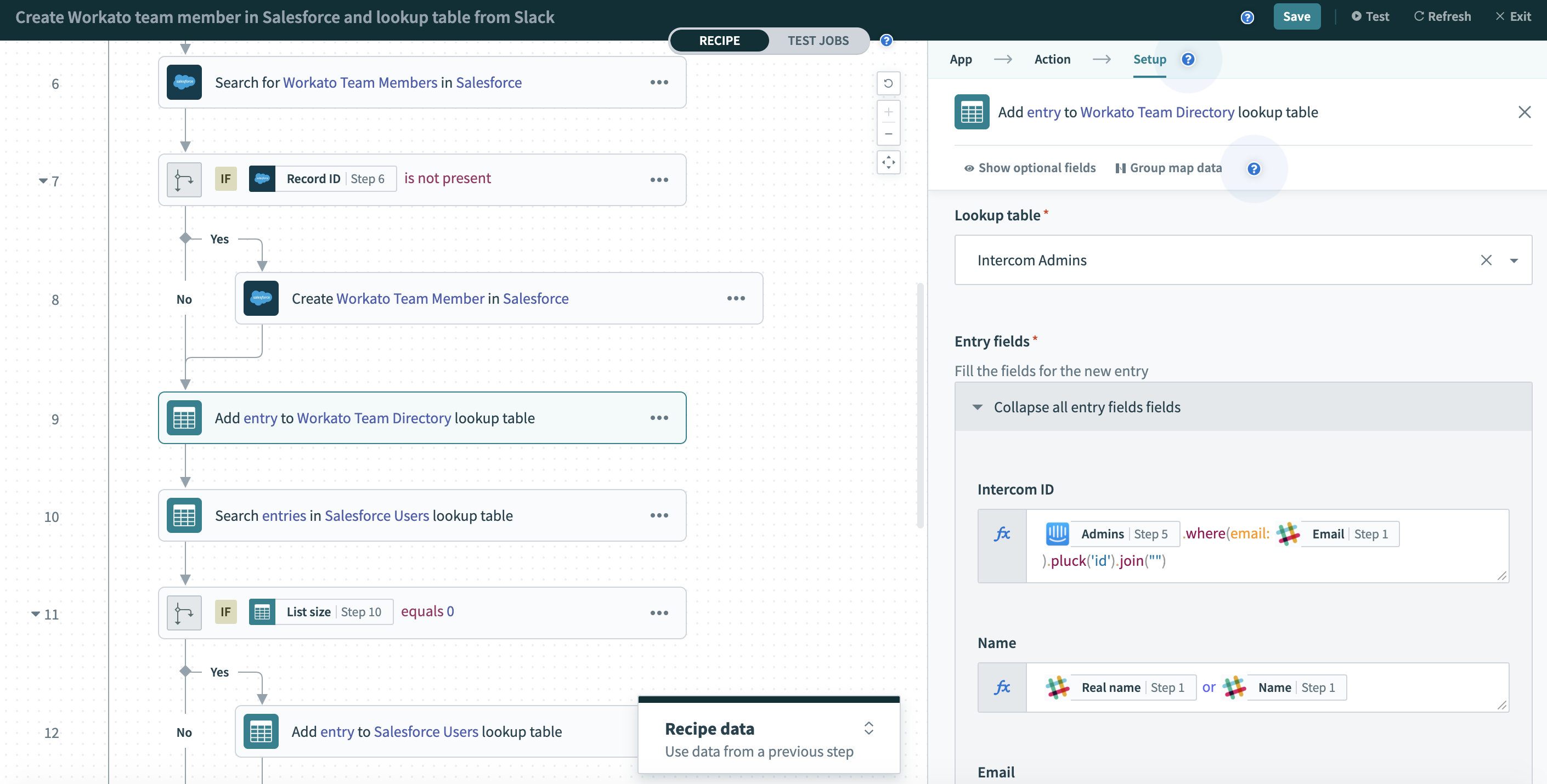
Workato is an enterprise automation platform that connects apps, data, and processes in one environment. It supports complex workflows while still offering a builder that business teams can navigate.
Data automation features:
- Trigger workflows that automatically move data between systems.
- Synchronize records in real time to prevent inconsistencies.
- Transform and map data as it travels between applications.
- Connect custom systems through API-based automation.
- Monitor workflows with built-in governance tools.
Who should use it: Mid-sized to large organizations that need scalable automation across multiple departments and data sources.
3. Bedrock Data Automation
Bedrock Data Automation by Amazon focuses on keeping business data aligned across platforms without requiring constant oversight. After setup, it continuously syncs information so teams can rely on accurate records.
Data automation features:
- Sync customer and operational data across connected platforms.
- Reflect updates in both directions to maintain accuracy.
- Match fields automatically between systems.
- Detect duplicate records before they spread.
- Monitor sync activity to catch issues early.
Who should use it: Companies that depend on reliable cross-platform data and want to minimize reconciliation work. Not as great for small businesses.
4. Zapier

Zapier is a popular automation platform that connects thousands of apps without requiring code. With tools like Zapier, users build workflows that trigger actions when specific events occur, allowing data to move seamlessly between tools.
Data automation features:
- Move data automatically when defined triggers occur.
- Route information through multi-step workflows.
- Filter data so only relevant records continue through a process.
- Schedule automations to run at specific times.
- Connect with a large ecosystem of business applications.
Who should use it: Small to mid-sized teams looking for accessible automation with strong integration coverage.
5. Parseur
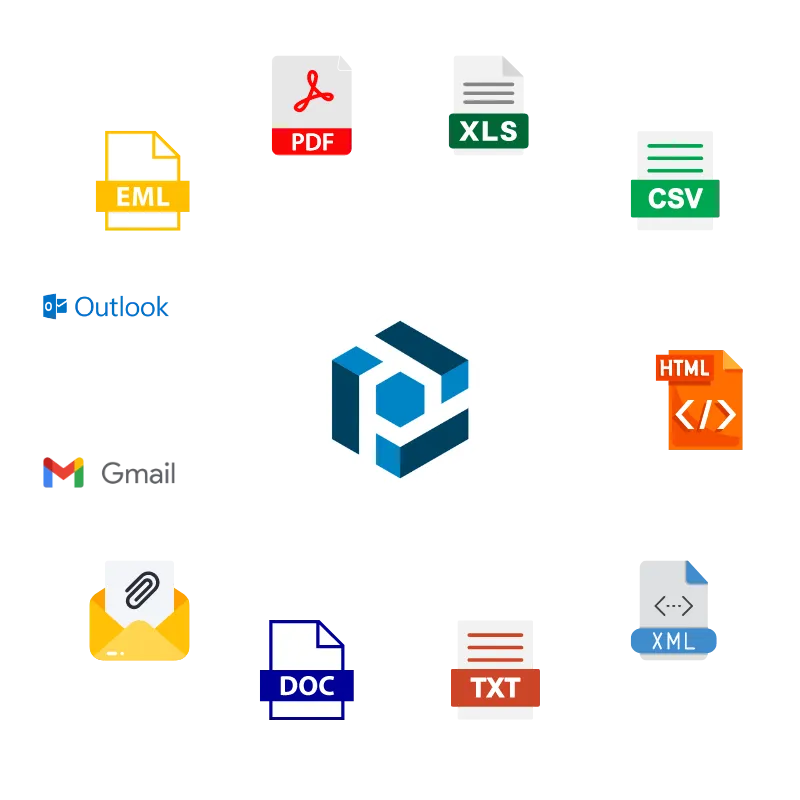
Parseur is a data extraction platform designed to pull structured information from emails and documents. Apps like Parseur use templates to identify key fields and export them where needed.
Data automation features:
- Extract important data points from incoming emails.
- Capture structured details from PDFs and attachments.
- Train templates to recognize specific fields.
- Export parsed data to spreadsheets or business tools.
- Read text from scanned documents using OCR.
Who should use it: Organizations that process high volumes of documents and want faster, more accurate data capture.
6. TextMine

TextMine helps teams convert unstructured text into structured datasets that are easier to analyze. It processes documents and identifies relevant entities so information can feed directly into workflows.
Data automation features:
- Identify key entities within large text datasets.
- Structure extracted information for downstream systems.
- Automate document processing workflows.
- Integrate processed data into analytics environments.
- Support large-scale text analysis.
Who should use it: Teams working with contracts, reports, or other text-heavy files that need to become usable data.
Want to save hours by automating repetitive typing & workflows?
Join over 700,000+ others who are automating workflows with Text Blaze.
7. Peliqan

Peliqan combines data pipeline automation with analytics capabilities in a single platform. It allows teams to centralize data sources and prepare them for reporting without extensive engineering effort.
Data automation features:
- Consolidate data from multiple sources.
- Transform datasets before analysis.
- Schedule automatic data refreshes.
- Build pipelines without heavy coding.
- Prepare data for dashboards and reporting tools.
Who should use it: Growing companies that want both pipeline automation and accessible analytics in one environment.
8. Databricks

Databricks is a data platform built for large-scale processing, analytics, and machine learning workflows. It supports automated pipelines that ingest and transform data while maintaining consistency.
Data automation features:
- Automate ingestion from structured and unstructured sources.
- Transform large datasets within managed pipelines.
- Orchestrate workflows across data engineering tasks.
- Maintain versioned datasets for reliability.
- Schedule jobs to keep data environments updated.
Who should use it: Organizations managing significant data volumes that require dependable pipeline automation.
9. Quadratic AI
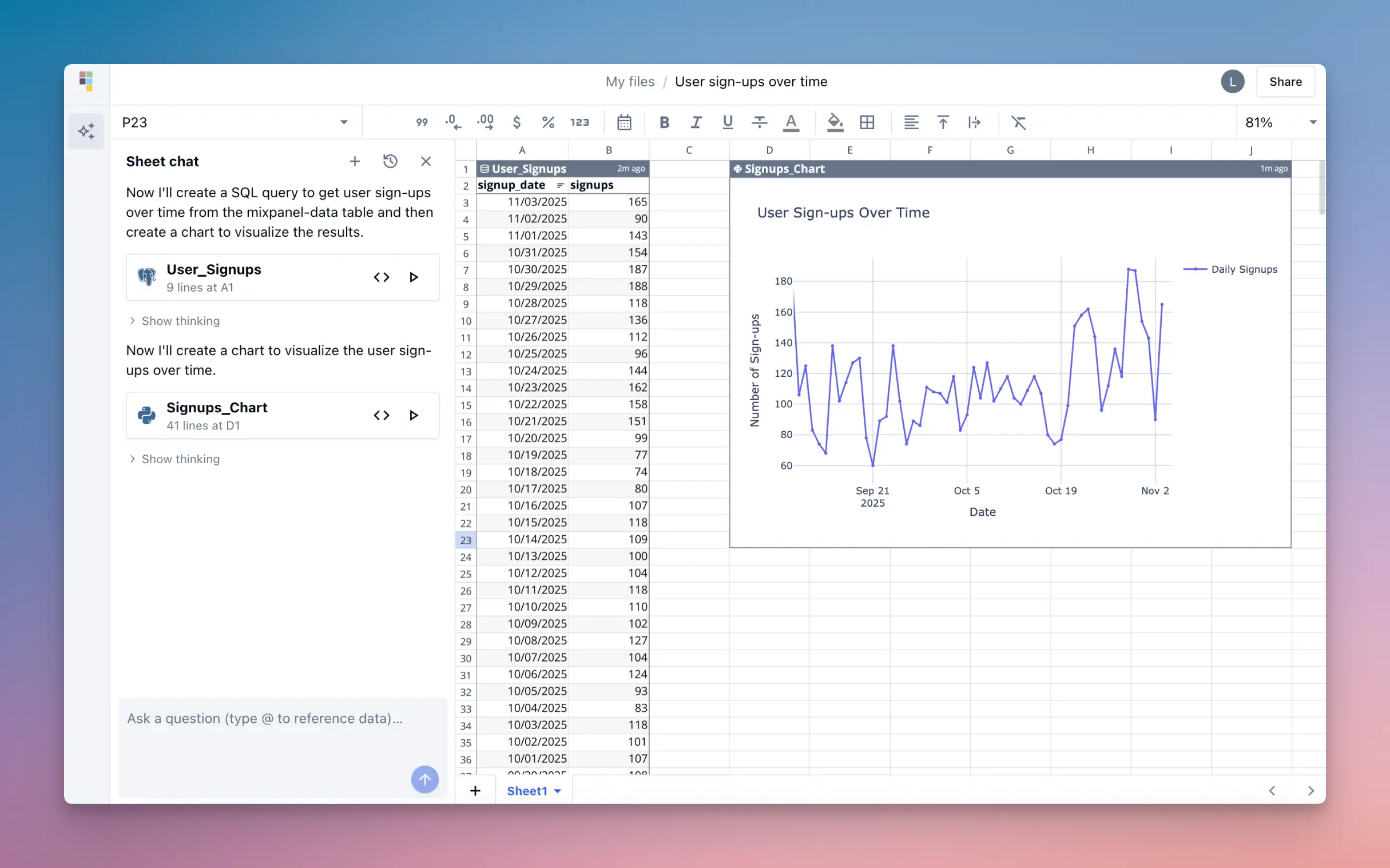
Quadratic AI brings automation into a spreadsheet-style interface, making it approachable for operational teams. Users can analyze, transform, and update datasets within a familiar grid environment.
Data automation features:
- Automate calculations across structured datasets.
- Update tables dynamically as new data arrives.
- Run data transformations without manual formulas.
- Analyze datasets directly within the platform.
- Maintain live data views.
Who should use it: Teams comfortable with spreadsheets that want stronger automation without moving into highly technical tools.
10. WhereScape

WhereScape focuses on automating the design and deployment of data infrastructure. It accelerates warehouse creation and pipeline development so teams can launch projects faster.
Data automation features:
- Generate data pipelines automatically.
- Accelerate warehouse deployment.
- Document workflows without manual effort.
- Test pipeline changes before release.
- Manage infrastructure from a centralized environment.
Who should use it: Technical teams modernizing their data architecture and looking to reduce development time.
11. Alteryx
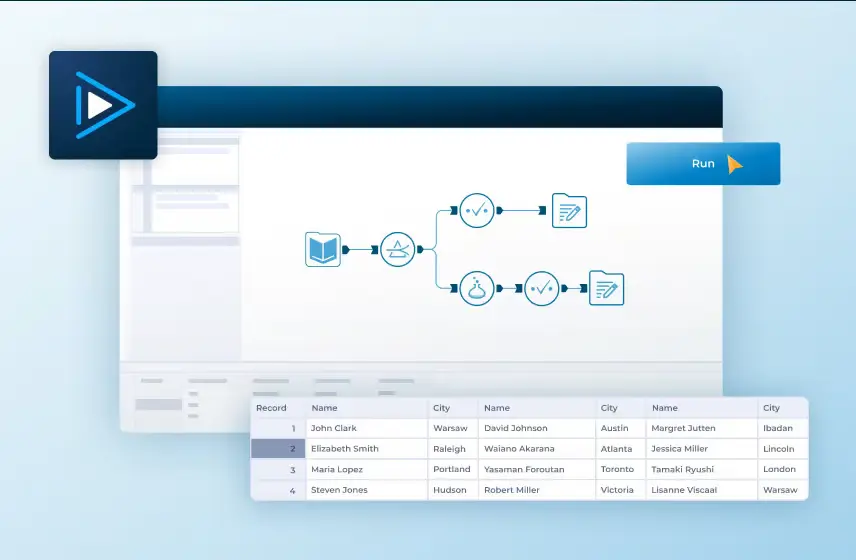
Alteryx is a data automation and analytics platform that supports preparation, blending, and reporting workflows. Its visual builder allows users to automate processes without relying entirely on code.
Data automation features:
- Prepare and blend data from multiple sources.
- Automate repeatable analytics workflows.
- Schedule updates so reports stay fresh.
- Clean datasets to improve accuracy.
- Share automated workflows across teams.
Who should use it: Organizations that want to combine analytics with repeatable data processes.
12. Axiom AI
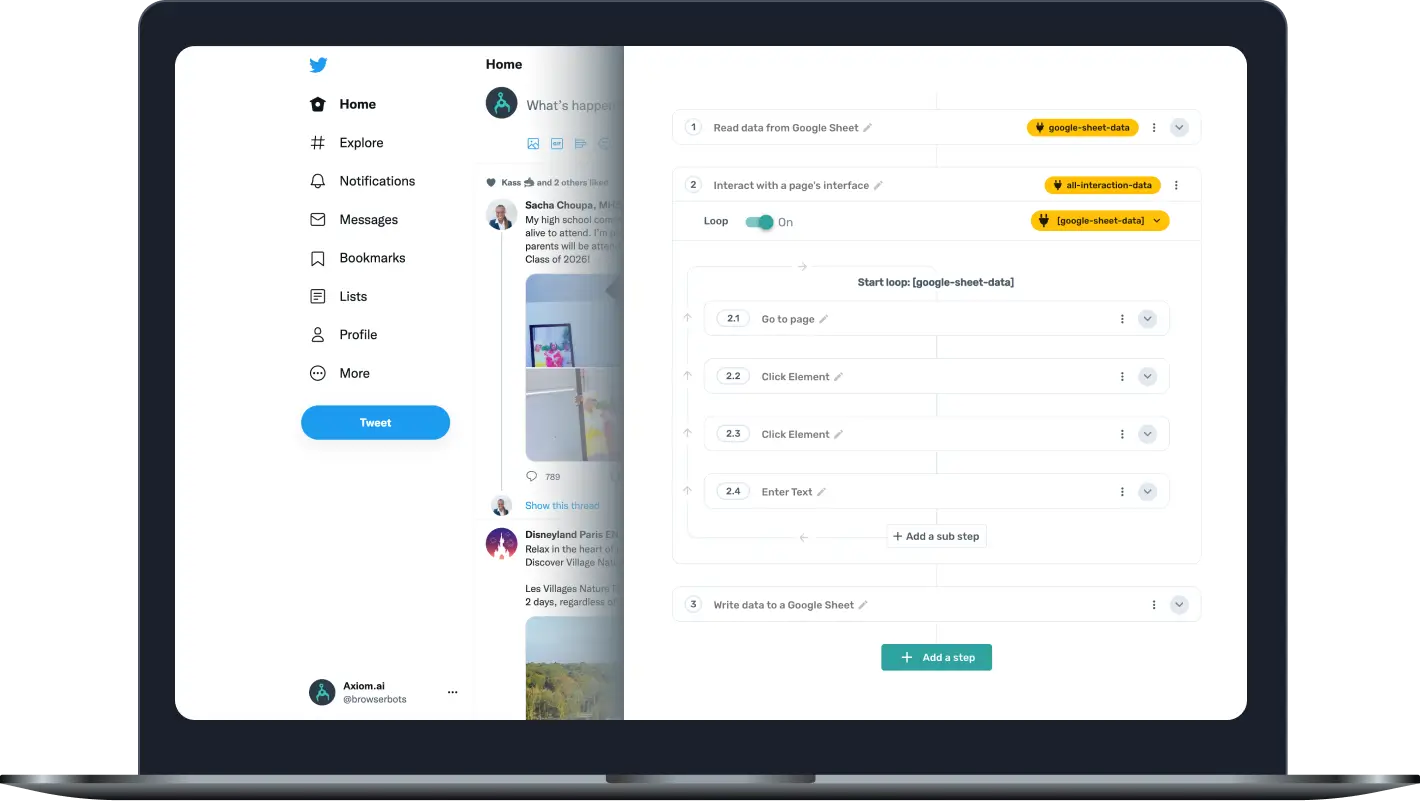
Axiom AI automates browser-based tasks such as data entry, scraping, and system updates. Users create bots that replicate repetitive online actions, which is useful when direct integrations are unavailable.
Data automation features:
- Automate repetitive actions across websites.
- Extract data directly from online sources.
- Populate systems without manual typing.
- Run bots on scheduled intervals.
- Build workflows without requiring code.
Who should use it: Teams that rely heavily on browser workflows and want to eliminate manual online tasks.
Want to save hours by automating repetitive typing & workflows?
Join over 700,000+ others who are automating workflows with Text Blaze.
13. Make
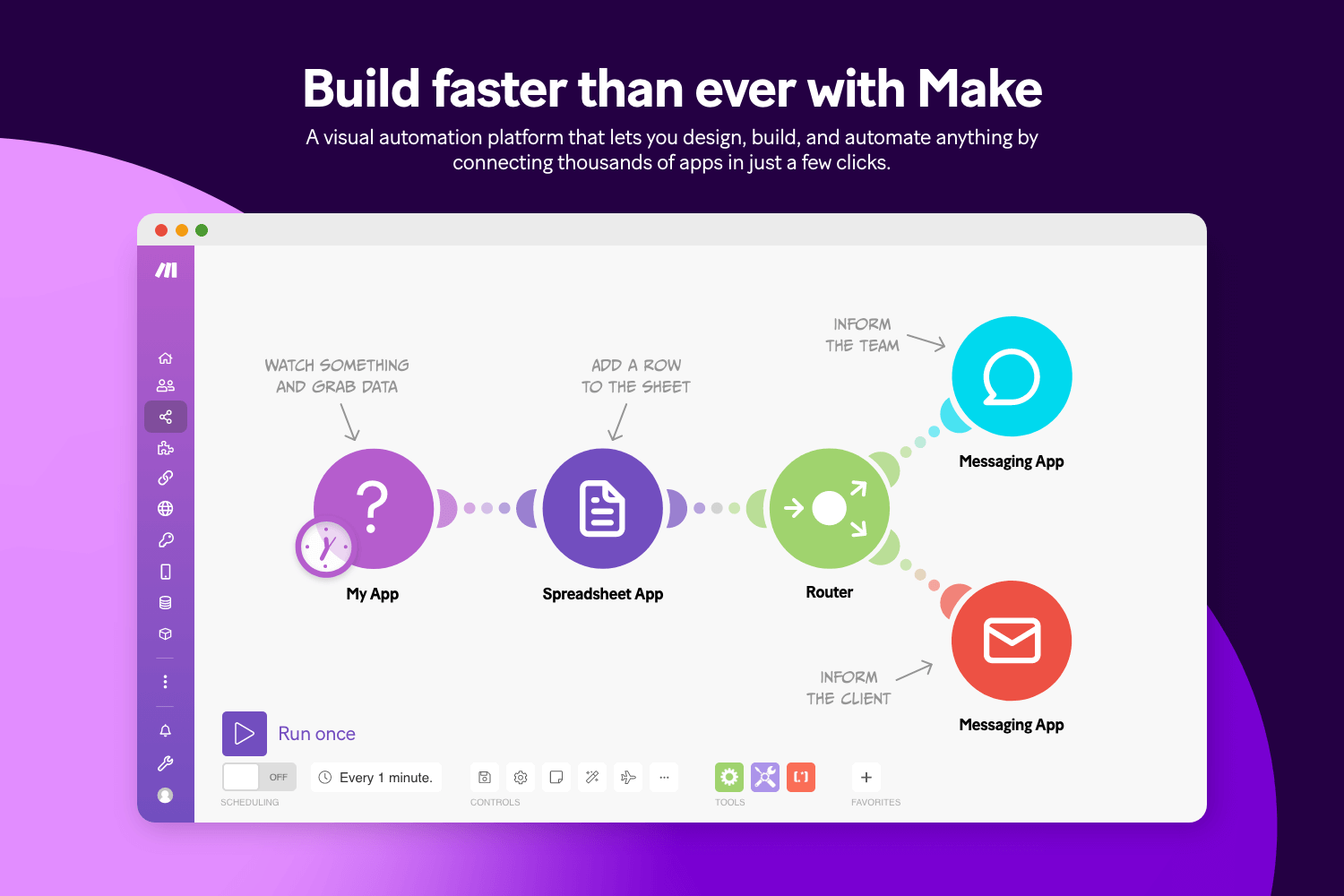
Make.com (formerly Integromat) is a visual automation platform that lets users design workflows using a drag-and-drop interface. Tools like Make typically support branching logic, allowing teams to create customized data paths.
Data automation features:
- Design workflows visually without scripting.
- Route data through conditional paths.
- Transform information during transfers.
- Monitor executions in real time.
- Connect across a wide range of apps.
Who should use it: Users who want flexible automation with more customization than entry-level platforms.
14. Tray AI

Tray AI provides automation capabilities with a focus on orchestration and scalability. It enables teams to coordinate workflows across multiple systems while maintaining oversight. For example, it can help with automating data from Salesforce and other platforms.
Data automation features:
- Orchestrate complex workflows across systems.
- Automate data movement between business tools.
- Apply logic to control how information flows.
- Monitor processes from a centralized dashboard.
- Support scalable automation strategies.
Who should use it: Businesses that view automation as core infrastructure and need strong control over workflows.
15. Ascend.io

Ascend.io is designed to automate data pipelines from ingestion through transformation. It continuously monitors workflows to maintain reliability and detect issues early.
Data automation features:
- Build pipelines that run with minimal intervention.
- Detect workflow issues automatically.
- Manage dependencies across datasets.
- Transform data as it moves through pipelines.
- Maintain consistent delivery to analytics environments.
Who should use it: Organizations prioritizing dependable pipeline performance and reduced operational overhead.
How to Choose a Data Automation Software for Your Team
Choosing data automation software becomes much easier when you focus on the challenges slowing your workflows down. Asking the right questions upfront helps you invest in a tool that supports both your current processes and future growth.
Ask these questions to choose the data automation software that works best for you and your team:
Where is your workflow breaking down?
Identify the tasks that consume the most time or require the most manual effort. Automation delivers the most value when it removes the friction your team deals with every day.
How many systems need to work together?
If your data lives across multiple platforms, strong integrations should be a priority. Smooth connections prevent information from getting stuck in silos.
How quickly does your team need to get started?
Some tools require longer implementation cycles, while others are designed for faster setup. Choosing software that matches your timeline helps you see results sooner.
Will your data volume increase over time?
Workflows that function well today may struggle as your organization grows. Look for software that can handle larger datasets without forcing you to rebuild processes later.
What level of visibility do you need?
Monitoring tools, logs, and alerts make it easier to understand how data moves through your workflows. This transparency helps teams resolve issues before they escalate.
Is your data properly protected?
Security features such as encryption, permissions, and compliance support should be built into the platform. Automation should improve efficiency without introducing unnecessary risk.
Taking a few minutes to think through these questions can prevent costly platform changes later. The right choice should make your workflows feel more manageable, not more complex.
What is the Best Data Automation Software?
Choosing data automation software starts with understanding your current data environment. Where your data is stored, whether that is spreadsheets, forms, databases, or internal systems, plays a major role in determining what you need. It is just as important to think about where that data should go next and how quickly it needs to move between systems.
Volume matters too. A smaller team handling moderate data may prioritize simplicity and ease of setup, while organizations processing large amounts of information often need stronger reliability and scalability.
Instead of searching for the most advanced option, focus on the solution that removes friction from your day. Data entry can bog down your productivity, especially when it pulls attention away from higher-value work.
The right automation setup should help your processes run quietly in the background so your team can stay focused on what actually drives progress.
Once your data moves where it needs to without constant oversight, you create more space to work strategically and with confidence.
To recap, our suggestion for the best free data automation software is Text Blaze. Text Blaze helps you automate repetitive typing. data transfer, form-filling, and workflows on any website. Plus, Text Blaze is free forever!
Give Text Blaze a try today!