16 Best Ecommerce Automation Tools to Try in 2026
Learn what ecommerce automation is and compare 16 ecommerce automation tools to streamline marketing, fulfillment, and workflows.

Ecommerce work adds up quickly. One minute you are answering customer questions, the next you are checking orders, updating inventory, and launching campaigns. Before long, too much of your day is spent on repeat tasks that should not require manual effort.
Ecommerce automation reduces that manual load. With the right setup, routine work across your store can run in the background while your team focuses on growth and customer experience.
In this guide, you will learn what ecommerce automation is, where it delivers the most impact, and the best ecommerce automation tools to consider in 2026.
What Is Ecommerce Automation?
Ecommerce automation is the use of software to automatically handle repetitive tasks across an online store, including marketing, fulfillment, customer support, and internal workflows. Instead of manually sending emails, routing orders, or updating data, automation rules trigger actions in the background.
In practice, ecommerce process automation connects your store, marketing tools, and operations systems so work moves forward without constant manual input.
Common areas teams automate include:
Marketing automation - Abandoned cart emails, post-purchase flows, and customer segmentation.
Process automation - Support workflows, data entry, tagging, and internal task routing.
Fulfillment automation - Order routing, shipping label creation, and inventory sync.
Operations automation - Support replies, data entry, tagging, and internal notifications.
When implemented well, ecommerce automation reduces manual workload while improving consistency and speed.
16 Best Ecommerce Automation Tools
If you are evaluating ecommerce automation tools, the goal is usually the same: reduce repetitive work while keeping your store running smoothly.
To help you compare your options, here is our list of the 16 best ecommerce automation tools across marketing, fulfillment, support, and workflow automation:
1. Text Blaze
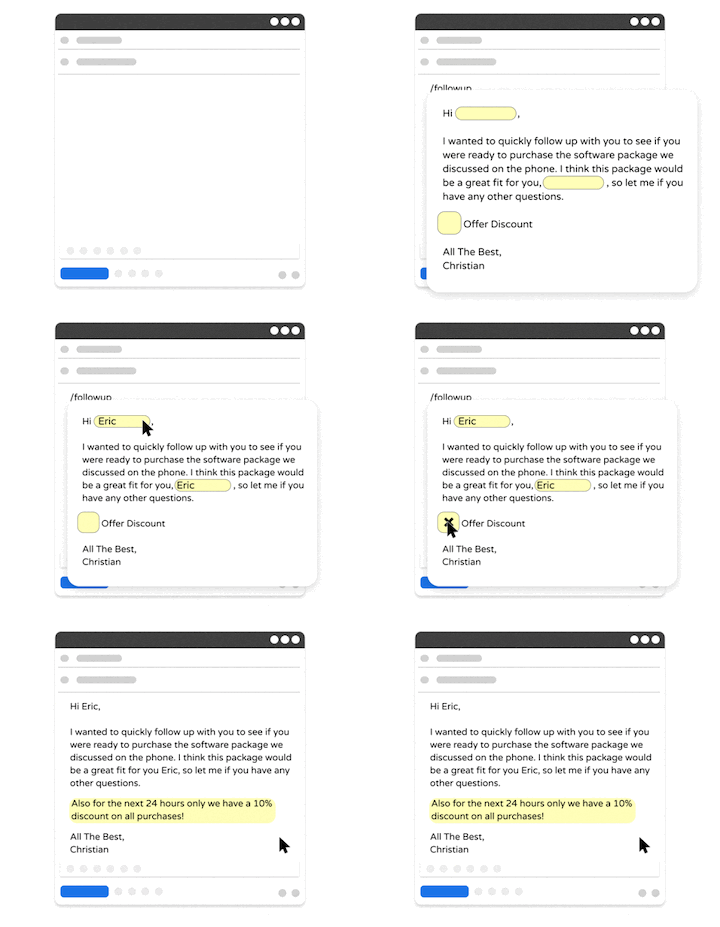
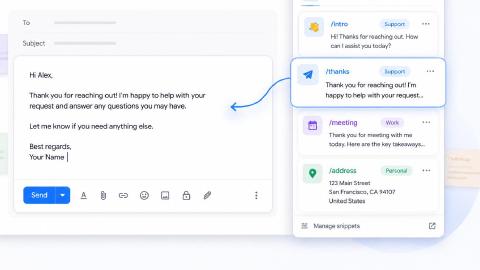
Text Blaze is a workflow automation tool that helps you automate repetitive typing and processes with keyboard shortcuts & dynamic text templates that work on any site or app.
How Text Blaze works for ecommerce automation:
Automate repetitive typing & communications anywhere - Text Blaze works on Chrome, Windows, and Mac.
Streamline repetitive marketing workflows - Text Blaze can automate: transferring data, filling out forms, sending an email, or any other repetitive workflow.
Get the right message every time - Text Blaze helps marketing teams stay on-brand, consistent, and get the right message in every interaction.
Personalization at scale - With Text Blaze, you can use placeholders and logic to create dynamic templates that help you personalize your communication for any situation.
Text Blaze is free forever - Give Text Blaze a try for free and start saving time at no cost.
Best for: Teams that want lightweight ecommerce process automation without heavy setup.
Want to automate ecommerce workflows and save time?
Join over 800,000+ others who are using Text Blaze templates.
2. Shopify Flow
Shopify Flow is Shopify’s built-in automation engine designed to automate store workflows using trigger-based logic.
It allows merchants to create rules that respond to events like new orders, customer actions, or inventory changes. Because it is native to Shopify, setup is usually straightforward for stores already on the platform.
How Shopify Flow works for ecommerce automation:
- Automatically tag customers based on behavior or purchase activity.
- Trigger internal alerts for high-risk or high-value orders.
- Route orders or apply rules when inventory thresholds change.
- Automate repetitive store management tasks inside Shopify.
Best for: Shopify merchants that want native store automation.
3. Zapier

Zapier is a widely used workflow automation platform that connects thousands of apps through trigger-based automations called Zaps.
Ecommerce teams often use tools like Zapier to move data between their store, marketing tools, and internal systems. Its large integration library makes it a flexible choice for many workflows.
How Zapier works for ecommerce automation:
- Send new customers to email platforms automatically.
- Sync order data to spreadsheets, CRMs, or databases.
- Trigger internal notifications when key events occur.
- Connect ecommerce tools that do not have native integrations.
Best for: Teams that need cross-app workflow automation.
4. Make (Integromat)
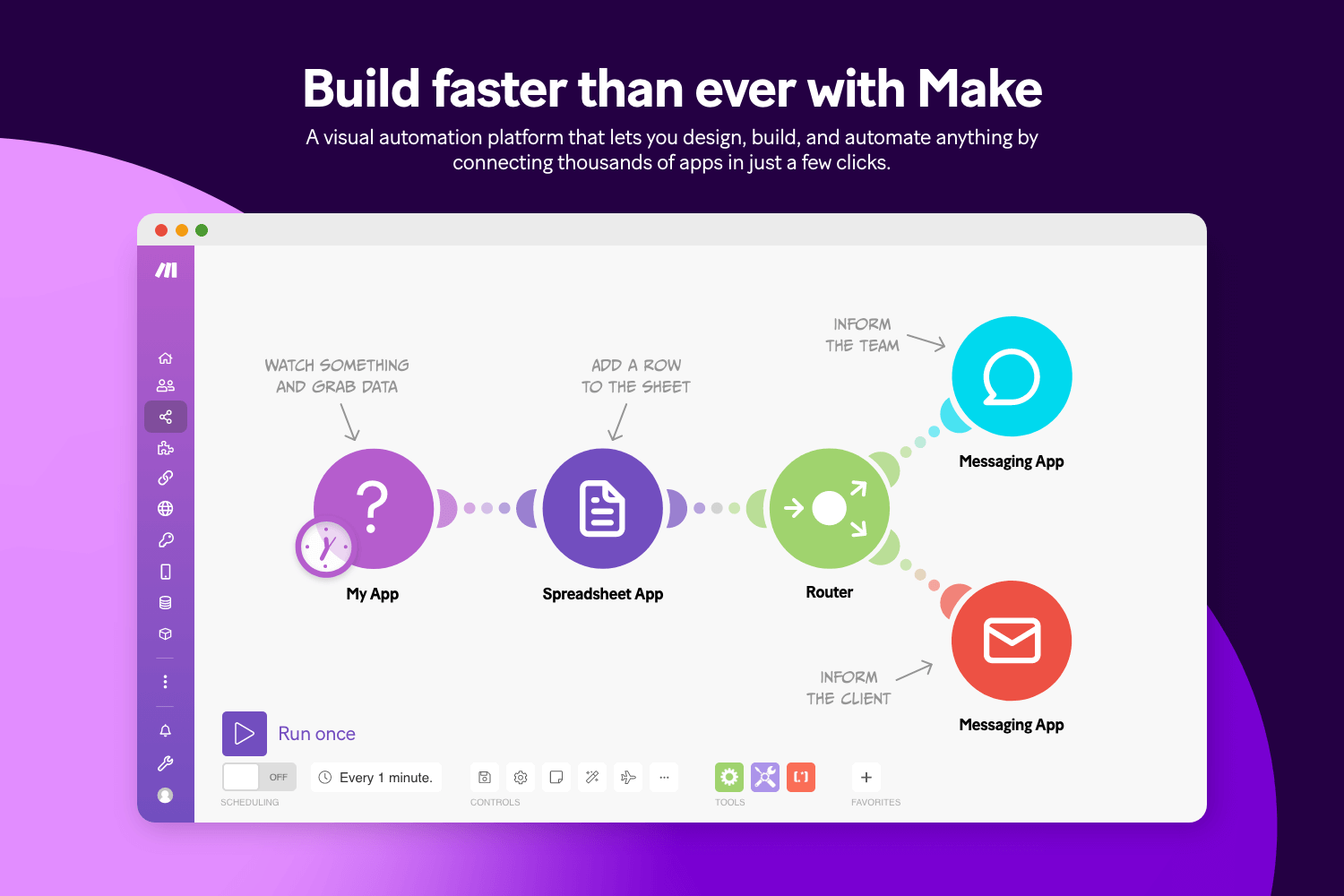
Make.com is a visual workflow automation platform that supports multi-step automations with advanced logic and branching.
Tools like Make give ecommerce teams more control over how data moves between systems. The visual scenario builder is especially useful for mapping complex workflows.
How Make works for ecommerce automation:
- Build multi-step automations across ecommerce and marketing tools.
- Transform and route order data between platforms.
- Trigger conditional workflows based on customer behavior.
- Sync data across systems with detailed control.
Best for: Teams that need advanced workflow automation with visual control.
5. n8n
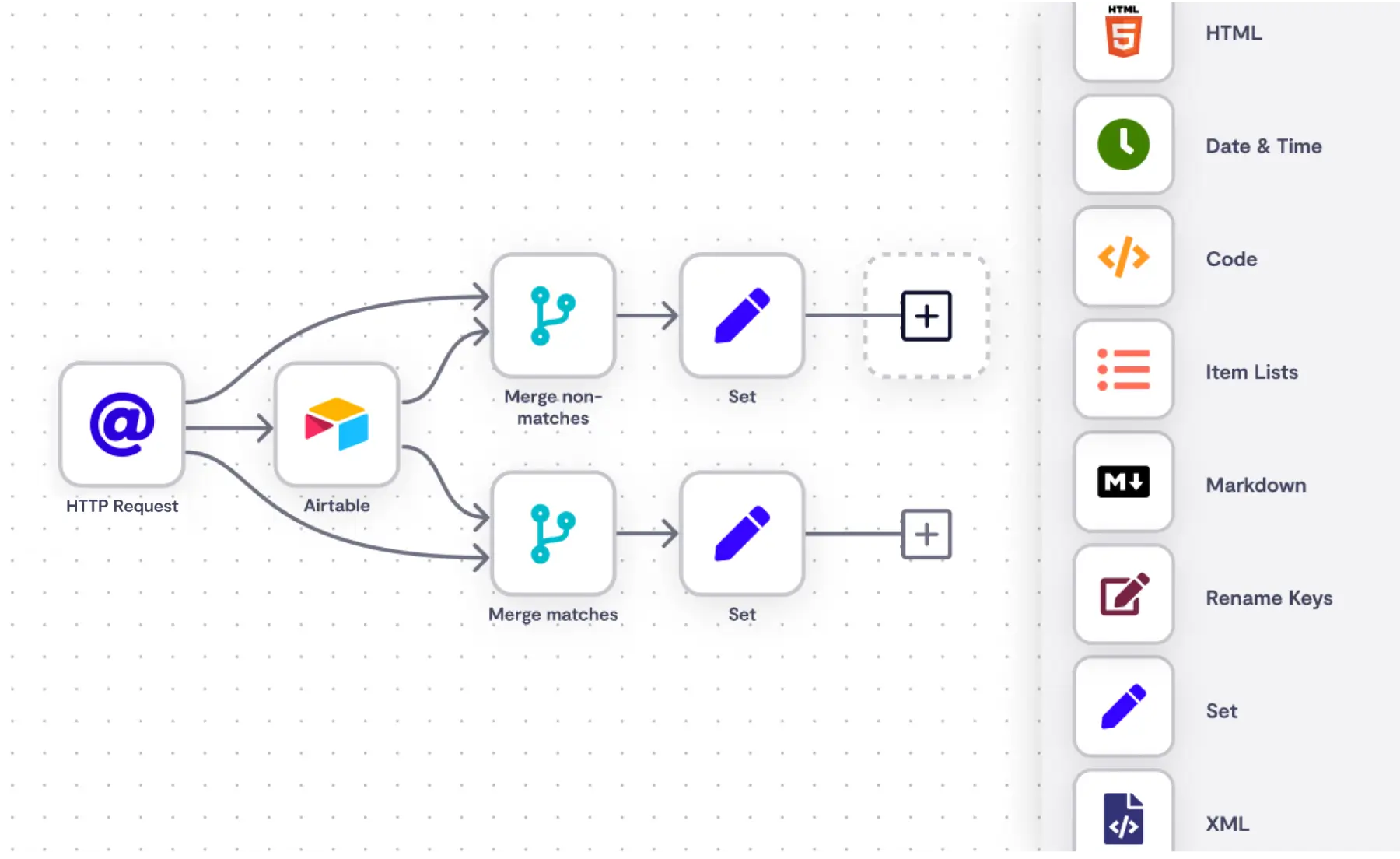
N8N is an open-source workflow automation platform that can be self-hosted and heavily customized. It is often used by technically capable teams that want full control over their automation environment.
Ecommerce teams use apps like N8N to build tailored integrations and backend workflows. It's useful, but it's not exactly a low-code automation tool, as the learning curve is steep.
How n8n works for ecommerce automation:
- Create custom integrations between ecommerce systems.
- Automate backend data flows and internal processes.
- Orchestrate multi-step workflows across tools.
- Self-host automations for greater control and flexibility.
Best for: Technical teams that want customizable automation.
6. HubSpot Marketing Hub
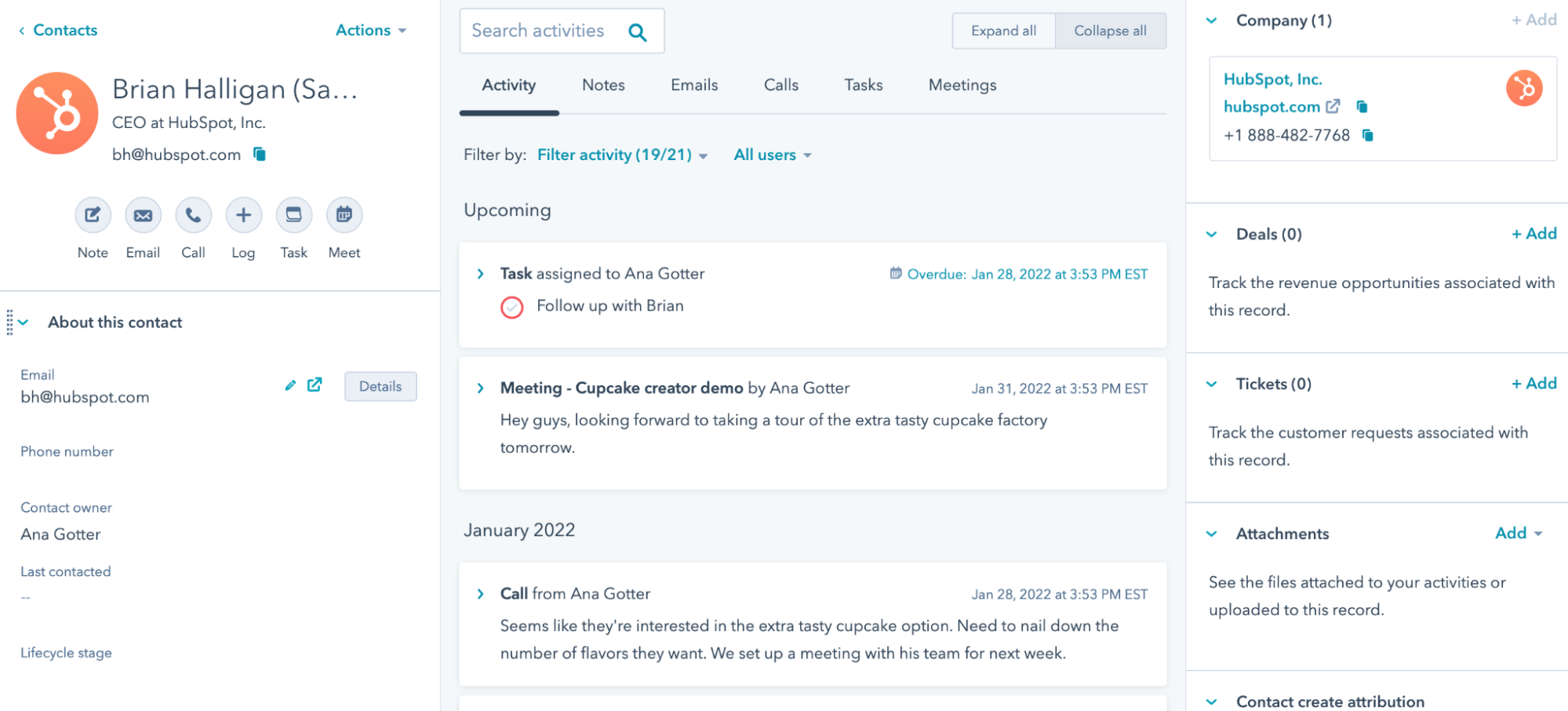
HubSpot's Marketing Hub is a marketing automation platform that combines marketing automation, CRM automation, and customer journey workflows in one platform.
Ecommerce teams use it to personalize messaging and manage lifecycle marketing at scale. Its tight CRM integration helps unify customer data.
How HubSpot Marketing Hub works for ecommerce automation:
- Automate lifecycle email campaigns based on behavior.
- Segment customers using CRM and purchase data.
- Trigger follow-ups after key customer actions.
- Manage multichannel marketing workflows in one place.
Best for: Teams that want a tool that helps with data automation.
Want to automate ecommerce workflows and save time?
Join over 800,000+ others who are using Text Blaze templates.
7. Klaviyo
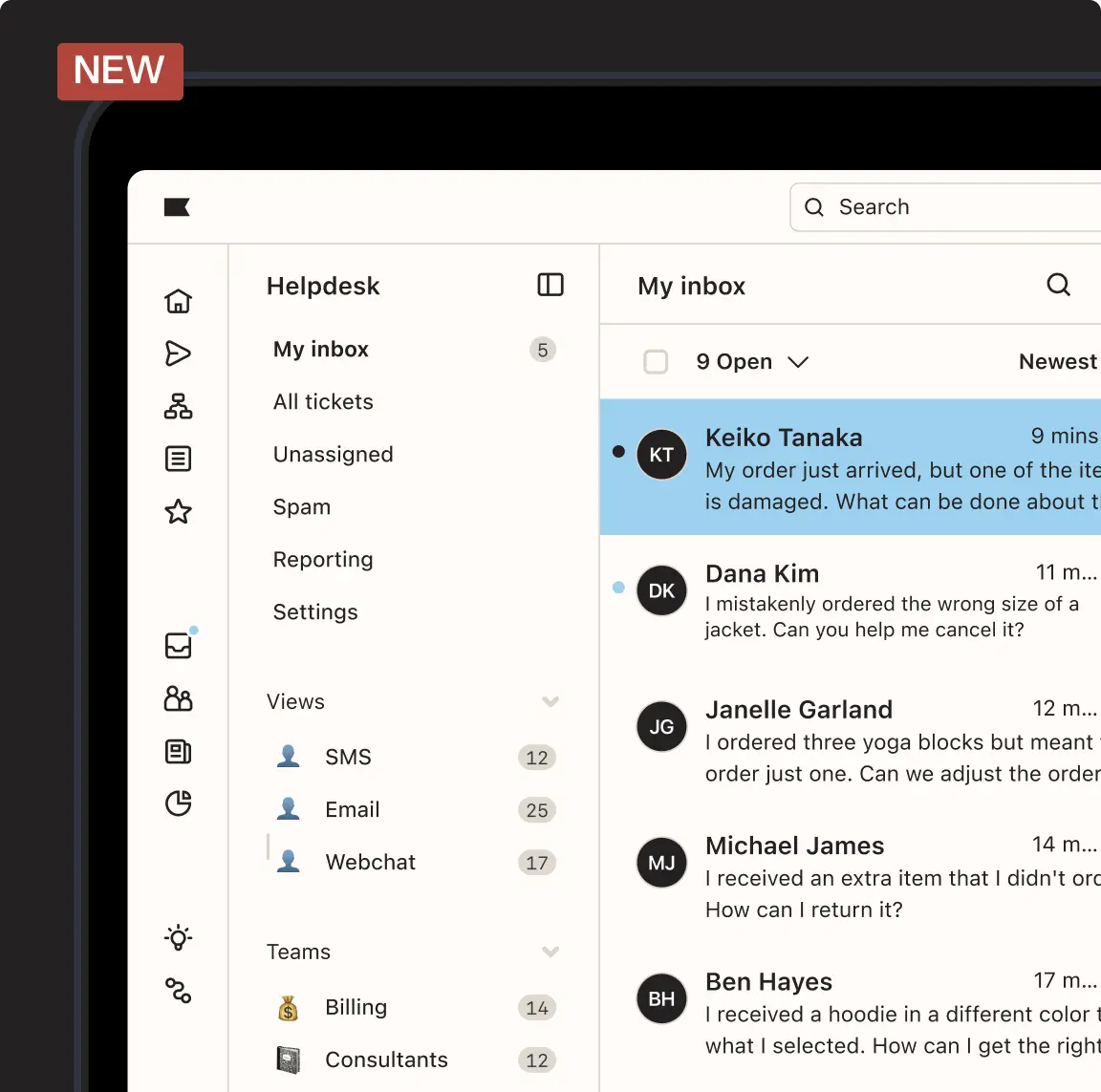
Klaviyo is a popular ecommerce marketing automation platform focused on email and SMS revenue generation.
It is widely used by online stores that prioritize retention and lifecycle marketing. The platform is built specifically around ecommerce data.
How Klaviyo works for ecommerce automation:
- Launch abandoned cart and browse abandonment flows.
- Send post-purchase and replenishment campaigns automatically.
- Segment customers based on purchase behavior.
- Personalize email and SMS campaigns at scale.
Best for: Ecommerce brands focused on retention marketing.
8. Omnisend

Omnisend is a multichannel ecommerce marketing automation platform that combines email, SMS, and push notifications. It includes prebuilt workflows designed for online stores. .
How Omnisend works for ecommerce automation:
- Deploy prebuilt ecommerce automation workflows quickly.
- Coordinate email, SMS, and push messaging.
- Trigger campaigns based on shopping behavior.
- Automate business communication across channels.
Best for: Growing ecommerce brands wanting multichannel automation.
9. ActiveCampaign

ActiveCampaign is a customer experience and marketing automation platform with strong behavioral targeting capabilities.
Ecommerce teams use it to build personalized journeys and automated follow-ups. Its automation builder supports complex logic.
How ActiveCampaign works for ecommerce automation:
- Build behavior-based customer journeys.
- Automate follow-up campaigns after purchases.
- Segment audiences using detailed conditions.
- Personalize messaging across the customer lifecycle.
Best for: Teams that want flexible, behavior-driven automation.
10. Mailchimp
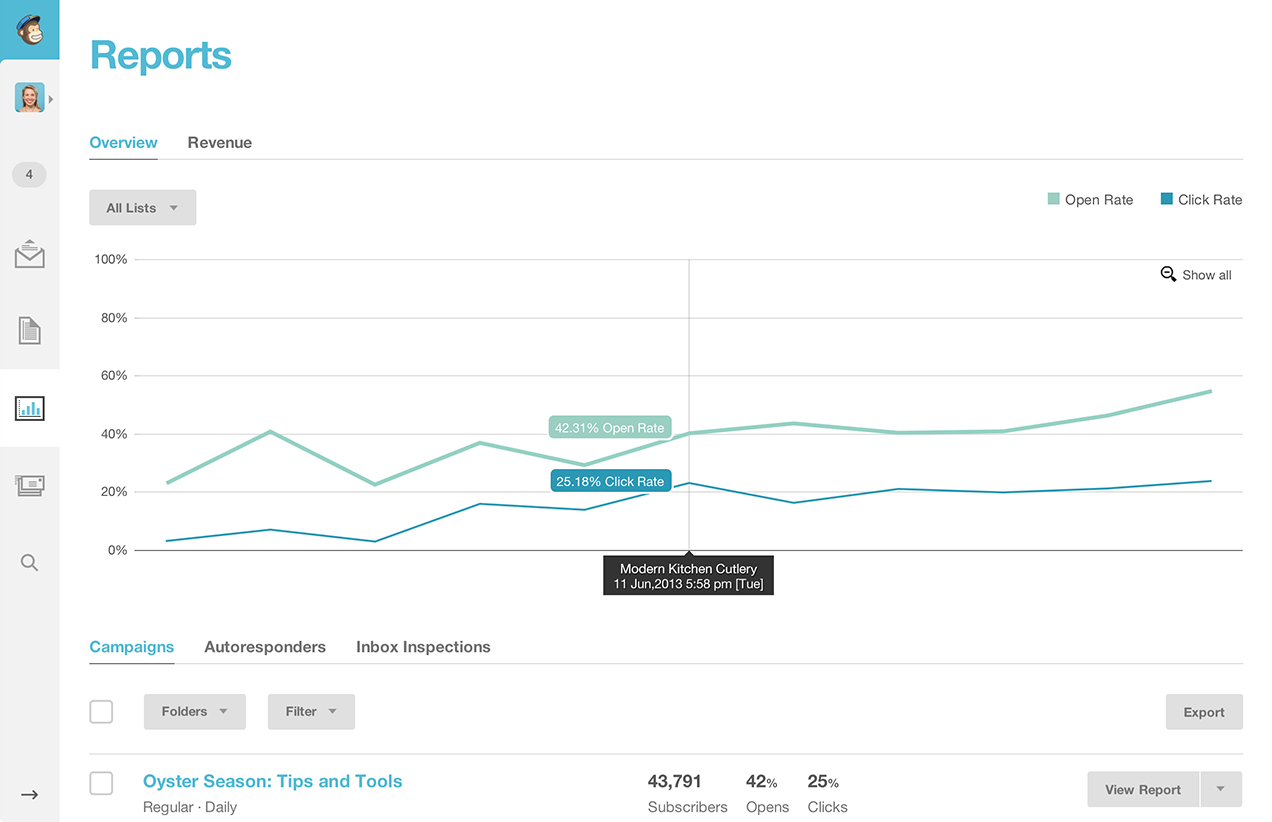
MailChimp is a widely known email marketing platform that includes basic marketing automation features.
E-commerce teams start with it because of its familiarity and ease of use. It supports common ecommerce email workflows.
How Mailchimp works for ecommerce automation:
- Send automated welcome and post-purchase emails.
- Recommend products based on customer activity.
- Trigger simple customer journeys.
- Manage email campaigns from one dashboard.
Best for: Smaller stores needing straightforward marketing automation.
11. ShipStation
ShipStation is a fulfillment automation platform focused on shipping and order management. It helps ecommerce teams process high order volumes efficiently. Many merchants use it to reduce manual shipping work.
How ShipStation works for ecommerce automation:
- Import and organize orders automatically.
- Generate shipping labels in bulk.
- Apply shipping rules based on order criteria.
- Sync tracking information back to the store.
Best for: Teams managing high-volume shipping operations.
12. Easyship
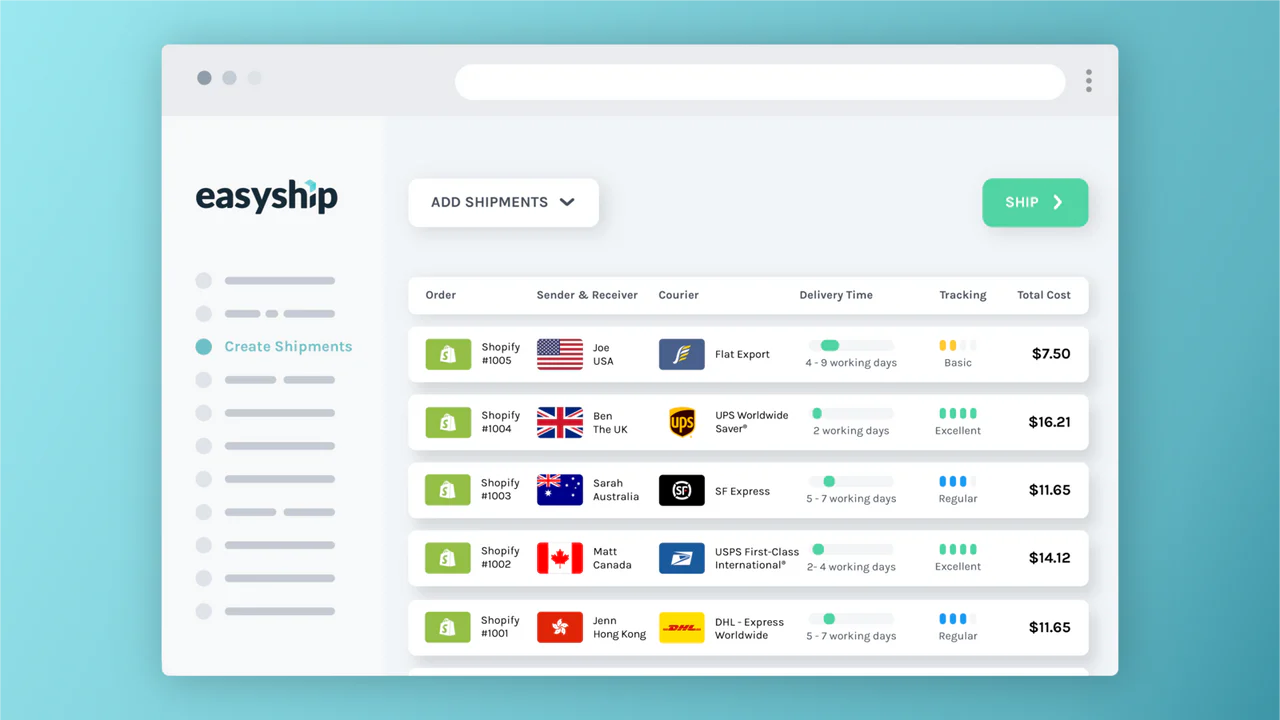
Easyship is a shipping automation platform designed to simplify domestic and international fulfillment. It automates rate comparisons, tax calculations, and label generation. This helps teams reduce manual shipping decisions.
How Easyship works for ecommerce automation:
- Compare shipping rates automatically at checkout.
- Generate labels and documentation.
- Calculate duties and taxes for international orders.
- Automate delivery option selection.
Best for: Ecommerce businesses shipping internationally.
13. Cin7

Cin7 is an inventory and order management platform that automates stock control across multiple sales channels.
It helps ecommerce teams keep inventory accurate while reducing manual updates. The platform is commonly used by growing operations and automating sales processes.
How Cin7 works for ecommerce automation:
- Sync inventory across ecommerce channels.
- Automate purchase order creation.
- Track stock levels in real time.
- Prevent overselling with automated updates.
Best for: Growing brands needing stronger inventory automation.
14. Gorgias

Gorgias is a customer support platform built specifically for ecommerce brands. It centralizes customer conversations and automates common help desk workflows. Many Shopify stores rely on it for support efficiency.
How Gorgias works for ecommerce automation:
- Automatically tag and route support tickets.
- Suggest responses using order data.
- Trigger actions directly from the help desk.
- Centralize ecommerce customer conversations.
Best for: Ecommerce teams handling high support volume.
15. Zendesk
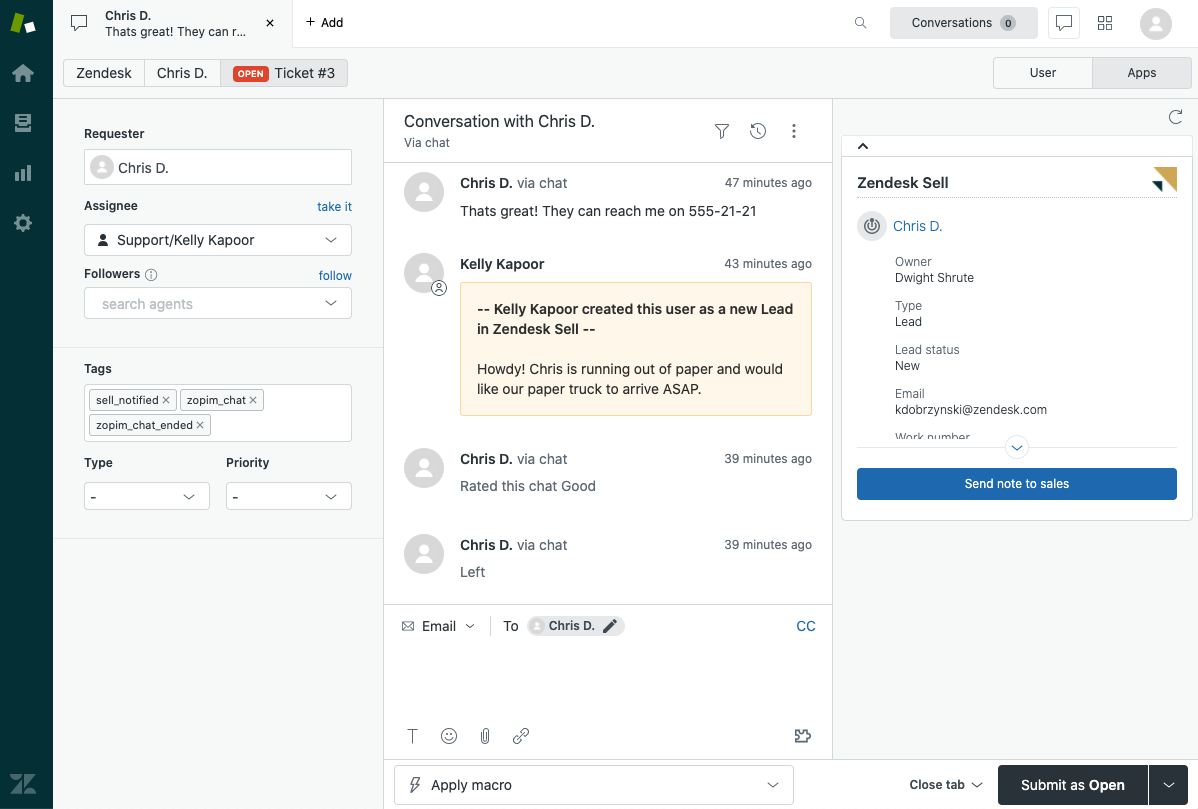
Zendesk is a widely used customer service platform that supports ticketing automation and workflow routing in an all-in-one service desk.
Larger ecommerce teams often use it to manage support at scale. It integrates with many ecommerce systems.
How Zendesk works for ecommerce automation:
- Route tickets to the right agents automatically.
- Prioritize urgent customer issues.
- Standardize support workflows.
- Track and manage conversations across channels.
Best for: Larger teams needing robust support infrastructure.
Want to automate ecommerce workflows and save time?
Join over 800,000+ others who are using Text Blaze templates.
16. eDesk

eDesk is an ecommerce-focused help desk platform designed for multi-channel sellers. It brings marketplace and store messages into one unified inbox. Automation features help teams manage support more efficiently.
How eDesk works for ecommerce automation:
- Centralize messages from marketplaces and stores.
- Automate ticket routing and prioritization.
- Pull order data into support conversations.
- Streamline responses across your sales stack.
Best for: Multi-channel ecommerce sellers.
Types of Ecommerce Automation
Ecommerce automation can cover many parts of your business. Understanding the main categories helps you choose the right tools for your stack.
Ecommerce marketing automation
Marketing automation focuses on customer communication and revenue generation. It's great for automating common emails.
- Email flows - Welcome series, abandoned cart, and post-purchase campaigns.
- Customer segmentation - Target users based on behavior or purchase history.
- Retention campaigns - Win-back and re-engagement messaging.
This category is typically handled by tools like Klaviyo, Omnisend, and ActiveCampaign.
Ecommerce fulfillment automation
Fulfillment automation reduces manual work in order processing and shipping.
- Order routing - Automatically send orders to the correct warehouse.
- Shipping label creation - Generate labels without manual steps.
- Inventory sync - Keep stock levels accurate across channels.
Tools like ShipStation, Easyship, and Cin7 focus heavily on this layer.
Ecommerce process automation
Process automation covers internal workflows and repetitive operational work.
- Support workflows - Ticket tagging, response templates, and triage.
- Data entry automation - Move and format data across systems.
- Internal notifications - Trigger alerts for orders or issues.
- Workflow automation - Standardize repeatable team processes.
Platforms like Text Blaze, Zapier, Make, and n8n are commonly used here.
How to Automate Your Ecommerce Business (Quick Steps)
If you are just getting started with ecommerce automation, follow a structured approach so you do not over-automate too quickly.
1. Audit repetitive tasks
List the workflows your team handles manually each day. Look for high-volume, rule-based work that consumes time but follows predictable patterns.
2. Prioritize high-impact wins
Start with areas like abandoned cart emails, support replies, or order routing where automation quickly saves time and reduces errors.
3. Choose the right ecommerce automation tools
Match tools to the category you need most, whether that is marketing automation, fulfillment automation, or workflow automation.
4. Build and test workflows
Launch automations in stages and validate that triggers, conditions, and outputs behave the way you expect.
5. Monitor performance
Track errors, edge cases, and customer impact to ensure your automations are actually improving operations.
6. Expand gradually
Once your core workflows are stable, layer in more advanced ecommerce automation software as your processes mature.
Want to automate ecommerce workflows and save time?
Join over 800,000+ others who are using Text Blaze templates.
How to Choose the Right Ecommerce Automation Tool
With so many ecommerce automation tools available, the best choice depends on your workflow complexity and growth stage.
Here's how to choose the right E-commerce automation tool for your team:
Business size - Smaller stores often need simple marketing automation first, while larger teams benefit from full workflow automation.
Tech stack compatibility - Choose tools that integrate cleanly with your ecommerce platform and existing systems.
Automation depth - Some tools handle basic triggers, while others support complex branching logic.
Ease of maintenance - Automations require monitoring, so usability matters long term.
Budget fit - Pricing varies widely across ecommerce automation software, especially at scale.
The right approach is usually to start with one high-impact automation layer, then expand as your operations mature.
What is the Best Ecommerce Automation Tool?
There is no single ecommerce automation tool that fits every business. The right choice depends on where your biggest bottleneck is, whether that is marketing, fulfillment, customer support, or internal workflows.
Most ecommerce teams see the best results when they start by automating one high-volume, repetitive process. From there, they can expand their automation stack in a controlled way that does not add unnecessary complexity.
If your team spends a lot of time on repetitive typing, support responses, or internal workflow steps, Text Blaze is a strong place to start. It is especially useful for quickly reducing manual work without requiring heavy technical setup.