10 Best Financial Process Automation Software (2026)
Compare the best financial process automation software to automate approvals, reporting, reconciliation, and other finance workflows.

Finance teams deal with a large number of repetitive tasks every day. Processing invoices, reconciling accounts, approving expenses, and preparing reports can quickly consume hours of manual work.
Financial process automation helps reduce that workload. By automating routine finance workflows, teams can move faster, reduce errors, and spend more time on analysis and strategic work.
In this guide, we'll outline what financial process automation is, the types of processes it can streamline, real examples of how it works, and the 10 best financial process automation software to consider in 2026.
What is Financial Process Automation?
Financial process automation refers to using software to automate repetitive finance tasks and structured workflows. Instead of manually entering data, routing approvals, or sending follow-up messages, automation tools handle these steps based on predefined rules.
Many finance workflows involve both system tasks and communication steps. For example, invoice approvals often require messages to managers, payment reminders must be sent to customers, and internal updates are shared with finance or operations teams.
Tools used for financial workflow automation often connect accounting systems, payment platforms, spreadsheets, and communication tools. This allows processes such as invoice processing, expense approvals, reconciliation, and financial reporting to run through consistent workflows.
The goal is to reduce manual work, maintain accurate financial records, and ensure finance-related communication and approvals happen reliably within each process.
Types of Financial Process Automation
Financial automation can apply to many different workflows within a finance department. Most automation initiatives focus on repetitive processes that require consistent steps, approvals, and communication.
Some of the most common types include:
Accounts payable automation - Capture invoice data, route invoices through approval workflows, and trigger communication with approvers or vendors when action is needed.
Accounts receivable automation - Send invoices, track payment status, and automate payment reminders or follow-up messages with customers.
Expense management automation - Route expense submissions to managers for approval and notify employees when expenses are approved or rejected.
Financial reporting automation - Automatically generate reports and share updates with finance leaders or stakeholders.
Reconciliation automation - Match transactions across bank accounts and accounting systems while flagging mismatches that require review.
Approval workflow automation - Route financial requests such as payments, purchases, or reimbursements through predefined approval paths.
Finance communication automation - Standardize recurring financial communication such as payment reminders, invoice follow-ups, approval requests, and internal updates.
Automating these workflows helps finance teams maintain consistent processes while reducing time spent on manual coordination.
Financial Process Automation Examples
Financial process automation can simplify many day-to-day workflows across finance teams. These examples show how automation can streamline both operational steps and the communication that supports them.
Invoice processing and approvals
When an invoice is received, automation tools can capture the invoice data and route it to the correct approver based on predefined rules. Once the invoice is approved, the system schedules payment and records the transaction automatically. The workflow can also notify stakeholders when approvals are required or completed.
Payment reminders and collections
Accounts receivable workflows often require repeated communication with customers. Automation tools can send payment reminders when invoices become overdue and follow up with additional reminders based on predefined schedules.
Expense approvals
Employees submit expense reports through a digital form. The system routes the request to the appropriate manager and sends notifications when approval is required. Once approved, the expense syncs with accounting systems and confirmation messages can be sent automatically.
Financial reporting updates
Finance teams often share recurring updates with leadership or internal teams. Automation can generate reports and distribute updates to stakeholders on a scheduled basis.
Customer billing communication
Finance teams frequently communicate with customers about invoices, payments, and account status. Automation tools can send invoice confirmations, payment reminders, and responses to common billing questions using standardized templates.
Want to streamline your team's communication & workflows?
Join over 700,000+ others who are automating workflows with Text Blaze.
Benefits of Financial Process Automation
Automating finance workflows helps teams reduce manual work while improving accuracy and efficiency. The biggest benefits usually appear in processes that involve repetitive data entry and approvals.
Here are some of the biggest benefits of automating financial workflows:
Reduced manual work - Automation eliminates repetitive tasks such as copying data between systems or sending approval emails.
Fewer human errors - Automated workflows reduce the risk of human mistakes in financial records or communications.
Faster processing times - Tasks such as invoice approvals and reconciliations can move through workflows more quickly.
Improved financial visibility - Automation tools often provide dashboards and reports that make financial data easier to track.
Consistent workflows - Defined automation rules ensure processes follow the same steps every time.
Better compliance tracking - Automated records help maintain clear documentation for approvals and transactions.
As finance teams scale, these benefits become more important. Automation allows teams to manage higher transaction volumes without increasing manual workload.
How to Automate Financial Processes and Workflows
Implementing financial process automation usually starts by identifying repetitive workflows that consume significant time. Most finance teams begin with tasks that involve approvals, data entry, or recurring communication.
Here's how to automate financial processes and workflows:
Identify repetitive finance tasks - Look for workflows that require frequent manual work, such as invoice approvals, expense reviews, reconciliation, reporting updates, or customer payment reminders.
Map the current workflow - Document how the process currently works, including the systems involved, approval steps, and communication required between finance teams, managers, and customers.
Standardize inputs and templates - Automation works best when processes follow consistent formats. Standardize invoice fields, approval steps, reporting structures, and communication templates used in financial workflows.
Choose financial process automation software - Select software that integrates with your accounting tools, payment systems, and internal platforms so workflows can move automatically between systems.
Start with one process - Instead of automating everything at once, begin with a single workflow such as invoice approvals, expense reviews, or payment reminders. This allows your team to test the process and refine it.
Monitor results and expand automation - Track improvements in processing time, error reduction, and workflow efficiency. Once the first process works smoothly, expand automation to additional finance workflows.
Financial automation typically grows step by step as teams identify more opportunities to streamline both financial operations and the communication that supports them.
10 Best Financial Process Automation Software
Financial processes often involve multiple steps such as approvals, reporting, data entry, and communication with colleagues, vendors, or customers. When these steps are handled manually, workflows can become slow and inconsistent.
Here’s our list of financial process automation software that helps finance teams automate workflows, manage approvals, and standardize communication across financial operations.
Text Blaze
Text Blaze is a different kind of financial process automation tool. Text Blaze goes with you wherever you (or your team) works. Text Blaze helps you create dynamic, interactive, smart templates that help guide your team's workflows and decision-making.
With Text Blaze, you can automate repetitive typing & communications, and get to the right message or decision in every interaction.
Key features:
100% seamless integration. Automate emails & messages to customers with dynamic, smart templates that work in any site, app, help desk, email platform, CRM, etc.
Create SOP templates that integrate right where you already work. Text Blaze integrates into your tech stack seamlessly.
Get the correct response & decision in every interaction. Text Blaze helps you get the right message every time.
Reduce mistakes with templates that help agents stay consistent and on-brand.
Streamline repetitive workflows, like transferring data, filling out forms, sending an email, or any other repetitive workflow.
Text Blaze is perfect for support teams! Learn more about using Text Blaze for teams to supercharge your team's communication and productivity!
Free forever. Text Blaze has a free plan that you can use forever.
Want to streamline your team's communication & workflows?
Join over 700,000+ others who are automating workflows with Text Blaze.
Bill.com
Managing accounts payable and receivable often requires coordinating invoices, approvals, and payments across multiple systems. Bill.com centralizes these workflows so finance teams can process invoices, approve payments, and track vendor activity in one place.
By structuring these financial processes into automated workflows, teams can reduce manual coordination and maintain clearer oversight of vendor transactions.
Key features:
- Automated invoice capture and processing
- Approval workflows for invoice and payment reviews
- Vendor management and payment tracking
- Payment scheduling and syncing with accounting software
- Notifications for payment status and approvals
Nominal
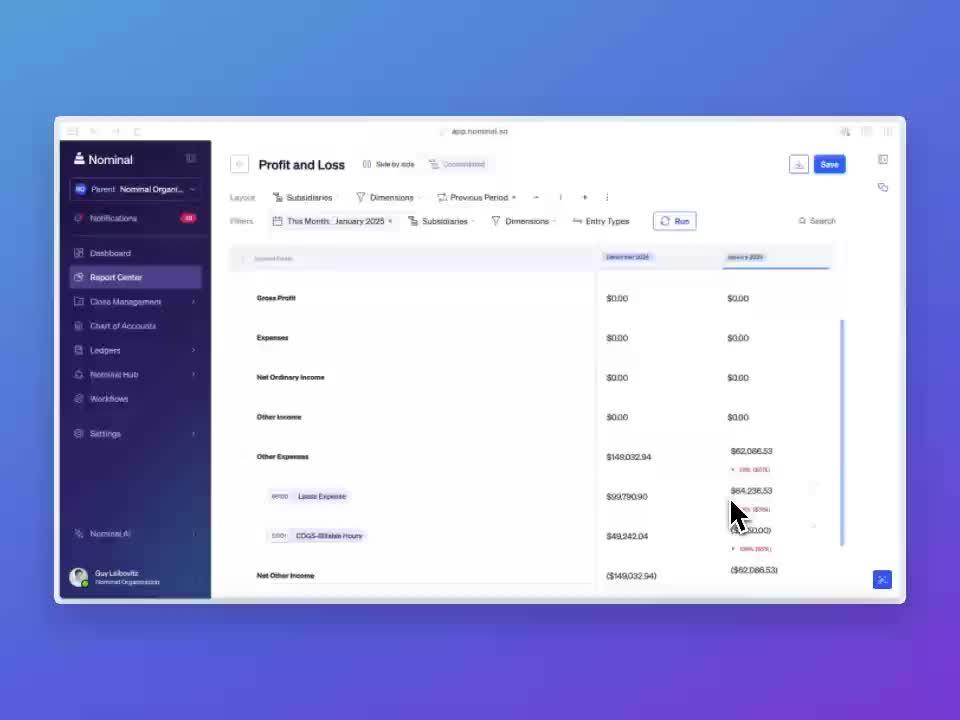
For teams that want to automate accounting workflows, Nominal helps them manage financial data across systems. It is often used by finance teams that need structured processes for reviewing transactions, monitoring financial activity, and coordinating approvals.
By centralizing financial data and workflows, Nominal helps teams reduce manual work while improving visibility into financial operations and reporting.
Key features:
- Automated transaction monitoring and reconciliation
- Workflow management for financial reviews and approvals
- Real-time financial activity tracking
- Integration with accounting systems and financial tools
- Collaboration and communication tools for finance teams
Stampli
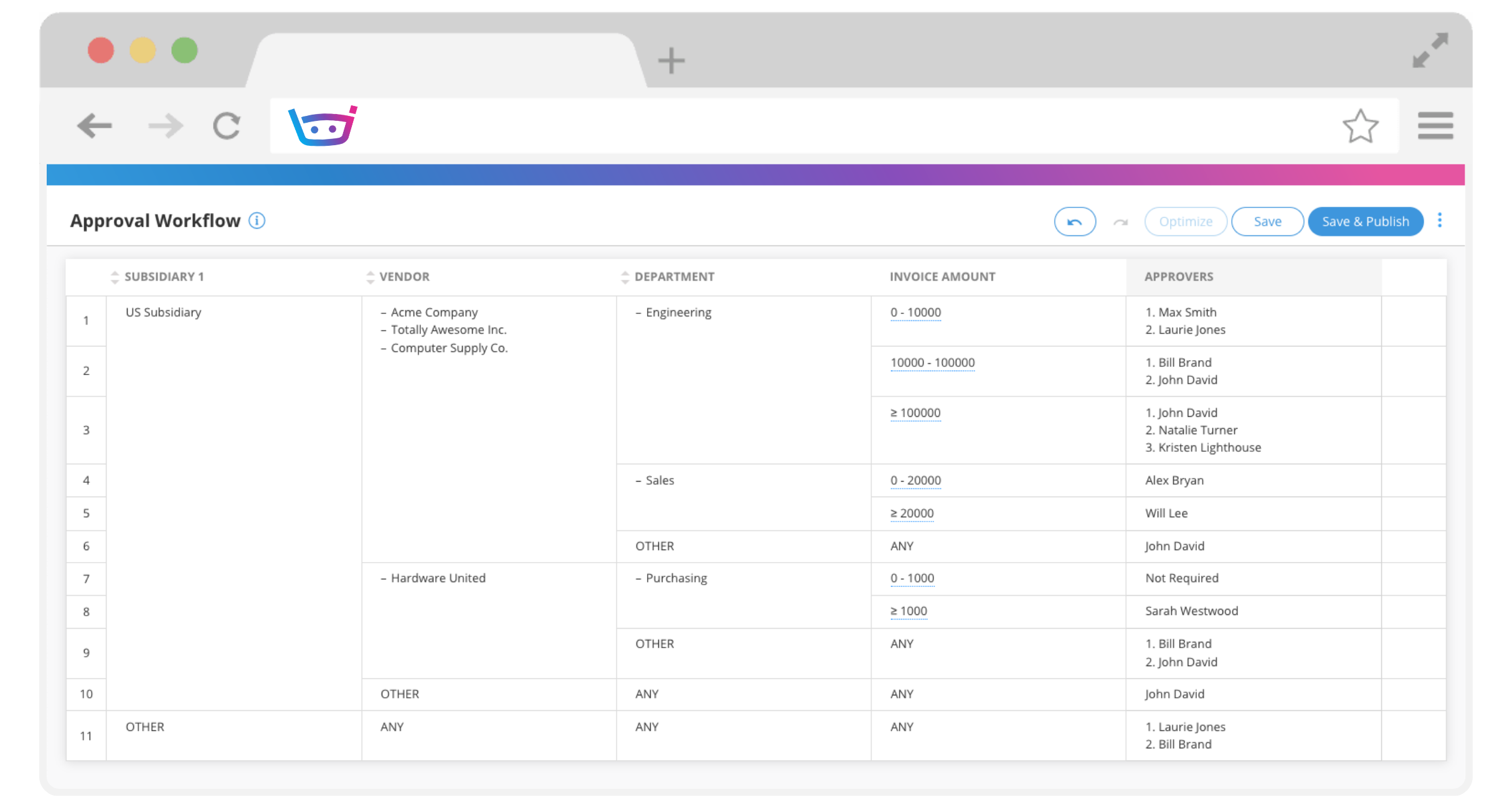
Stampli is an accounts payable automation platform designed to streamline invoice processing and approval workflows. It helps finance teams process invoices while keeping all related discussions and documentation in one place.
The platform connects invoice data with communication between finance teams, approvers, and vendors, helping teams resolve questions quickly and keep invoices moving through the workflow.
Key features:
- Automated invoice capture and data extraction
- Invoice approval workflows with full audit trails
- Communication threads attached directly to invoices
- Real-time invoice status tracking
- Integrations with accounting systems
Tipalti

Global finance teams frequently manage vendor onboarding, tax documentation, and payments across multiple currencies. Tipalti automates these accounts payable workflows while helping finance teams coordinate vendor payments at scale.
The platform manages everything from onboarding vendors to routing invoices for approval and sending payment updates.
Key features:
- Vendor onboarding and payment management
- Global payment support across multiple currencies
- Automated invoice and approval workflows
- Tax documentation collection and compliance support
- Vendor payment notifications and updates
DataSnipper
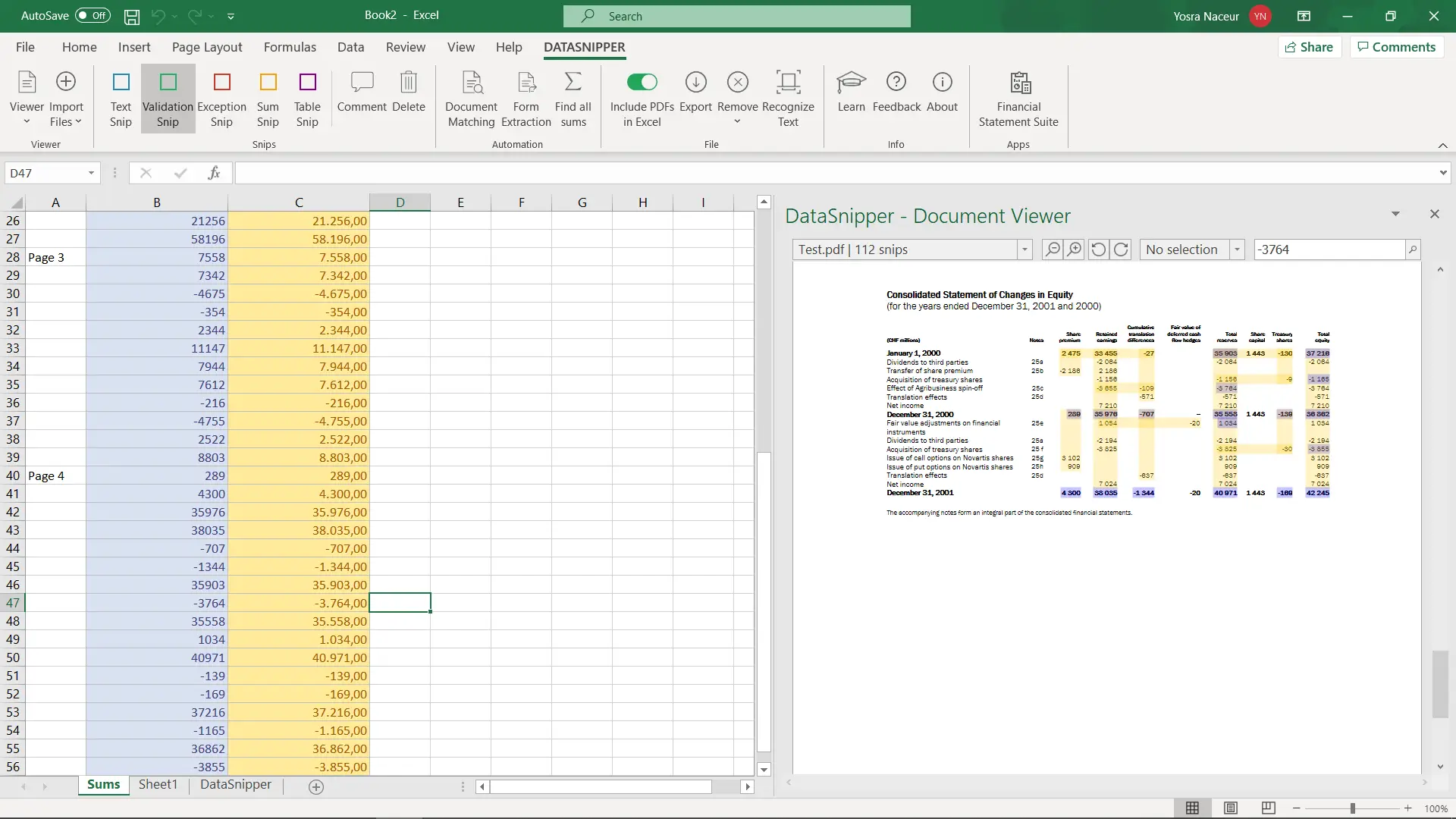
DataSnipper helps finance and audit teams automate financial document review and data extraction. It is commonly used in auditing and financial review workflows where teams need to verify financial data across large volumes of documents.
By reducing manual data matching and documentation work, the tool helps finance professionals complete review processes more efficiently.
Key features:
- Automated data extraction from financial documents
- Document matching and verification tools
- Excel integration for financial analysis workflows
- Audit trail documentation and review tracking
- Collaboration tools for finance and audit teams
Want to streamline your team's communication & workflows?
Join over 700,000+ others who are automating workflows with Text Blaze.
Nintex
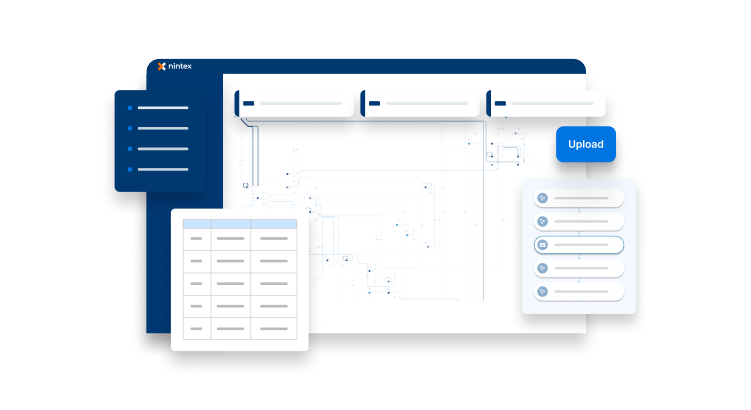
Complex finance processes often require approvals, document routing, and coordination across departments. Nintex provides a workflow automation platform that allows organizations to build structured processes for financial operations.
Using a visual workflow builder, finance teams can automate approval steps, generate documents, and send notifications when actions are required.
Key features:
- Visual workflow builder for finance processes
- Automated approval routing and task assignments
- Document generation and business automation
- Integration with enterprise systems and databases
- Workflow notifications and status updates
FloQast

For teams that want to automate financial close processes, FloQast helps with coordinating work across accounting teams. It helps teams track reconciliations, manage close checklists, and organize documentation required for financial reporting.
By structuring the close process and providing visibility into outstanding tasks, finance teams can reduce delays and improve collaboration.
Key features:
- Financial close management workflows
- Reconciliation tracking and documentation
- Close checklists and task assignments
- Accounting system integrations
- Notifications for task completion and review
Sedric AI

Sedric AI is a compliance and communication monitoring platform designed for financial services organizations. It helps teams ensure that customer communication follows regulatory guidelines while maintaining efficient workflows.
The platform analyzes conversations and messaging across channels to detect compliance risks and maintain records for audits.
Key features:
- Monitoring of customer communication across channels
- AI-based compliance analysis
- Risk detection for regulated financial messaging
- Alerts for compliance reviews and workflow actions
- Reporting and documentation for regulatory audits
Want to streamline your team's communication & workflows?
Join over 700,000+ others who are automating workflows with Text Blaze.
Moxo

Client communication is often a key part of financial processes such as onboarding, document approvals, and payment coordination. Moxo provides a structured environment where finance teams can manage these interactions with customers and partners.
The platform combines messaging, file sharing, and workflow coordination so financial processes involving external stakeholders remain organized.
Key features:
- Secure client communication channels
- Workflow coordination for document reviews and approvals
- File sharing and document collaboration
- Client onboarding and process management workflows
- Activity tracking and communication history
What Is the Best Financial Process Automation Software?
The best financial process automation software depends on which finance workflows your team wants to streamline. Some tools focus on areas such as accounts payable, expense management, financial close processes, or document review, while others help coordinate approvals and financial reporting across teams.
Many finance teams end up using a combination of tools to automate different parts of their operations. For example, one platform might handle invoice processing or reconciliations, while another manages approvals, reporting workflows, or vendor payments.
If you're looking into financial process automation software, consider the communication that supports your financial processes. Tasks such as sending payment reminders, requesting approvals, sharing updates with stakeholders, and responding to common billing questions often require consistent messaging across many workflows.
If your team wants to automate the communication that keeps financial workflows moving, Text Blaze can help standardize payment reminders, approval requests, and internal finance updates while fitting directly into the tools your team already uses.