Best Helpdesk Automation Tools and Examples in 2026
Learn how to use automation tools to streamline workflows and processes within your helpdesk software in 2026.

Managing a help desk often means juggling more requests than your team realistically has time for. Tickets keep coming in, expectations stay high, and maintaining consistent responses can start to feel like a daily challenge.
Many teams reach a point where manual processes slow everything down, making it harder to deliver the level of support people rely on. That's when it's time to make a change.
Helpdesk automation tools can bring structure to that chaos by streamlining workflows, reducing repetitive tasks, and helping your team respond with greater consistency.
In this article, we'll cover the best helpdesk automation tools and examples you can use in 2026.
What is a Help Desk?
A help desk is a centralized place where employees, customers, or users can request support. It helps teams track issues, respond in an organized way, and make sure nothing slips through the cracks.
While many people associate help desks with IT, they are just as valuable for HR teams and customer support teams.
IT help desks handle technical problems such as access issues, device setup, software errors, and security requests.
HR help desks support employees with benefits questions, onboarding tasks, payroll concerns, and policy clarification.
Customer support help desks respond to product questions, troubleshoot issues, and manage service requests.
No matter the department, the goal is the same: provide timely, accurate support while keeping requests organized. As request volume grows, customer support automation becomes one of the most practical ways to maintain that consistency without overloading your team.
What is Helpdesk Automation?
Helpdesk automation uses software to handle repetitive tasks such as routing tickets, sending responses, updating records, and triggering workflows. Instead of relying on manual steps, automation ensures requests move through your system quickly and predictably.
Some common examples of helpdesk automation include:
Automatically assigning tickets based on topic or urgency
Sending confirmation emails when requests are submitted
Suggesting knowledge base articles before a ticket is created
Escalating unresolved tickets after a set time
Updating stakeholders when statuses change
The biggest benefit is consistency. When workflows run automatically, users receive the same level of service every time, and your team spends less energy on administrative work.
8 Best Helpdesk Automation Tools
If your team's response times has increased or manual processes have started to slow everyone down, we recommend looking into automation tools, as they can help streamline processes, decrease response times, and increase consistency.
Here's our list of the 8 best helpdesk automation tools in 2026:
| Tool | Description |
|---|---|
| Text Blaze | Automate your team's communications & workflows anywhere with smart templates. |
| Capacity | Customer support platform that offers AI and real-time assist. |
| Zendesk | Popular customer service platform with AI agents. |
| HelpDesk | Consolidate support into one place and use AI & automations to respond faster. |
| Moveworks | AI-focused workflow building with business in mind. |
| Freshworks | IT & customer service platform that uses AI to automate workflows. |
| Eesel AI | AI for customer service with integrations. |
| Fixify | Automate IT common, repetitive workflows using AI. |
1. Text Blaze
First up on our list of the best helpdesk automation tools is Text Blaze.
Text Blaze is #1 on this list because it is the highest rated productivity app on the Chrome Web Store, with a 4.9 rating and 1,000+ 5-star reviews.
With Text Blaze, you can automate repetitive typing with keyboard shortcuts & dynamic text templates that work on any site or app.
How Text Blaze helps with automation:
Automate emails & messages to customers with dynamic, smart templates that work in any site or app.
Get the correct response in every interaction. Text Blaze helps you get the right message every time.
Reduce mistakes with templates that help agents stay consistent and on-brand.
Streamline repetitive workflows, like transferring data, filling out forms, sending an email, or any other repetitive workflow.
Text Blaze is perfect for support teams! Learn more about using Text Blaze for teams to supercharge your team's communication and productivity!
Why we picked Text Blaze: Teams that want to improve response consistency without replacing their existing helpdesk. It is especially useful for service desks handling repetitive requests.
Want to save hours by automating repetitive typing & workflows?
Join over 700,000+ others who are automating workflows with Text Blaze.
2. Capacity
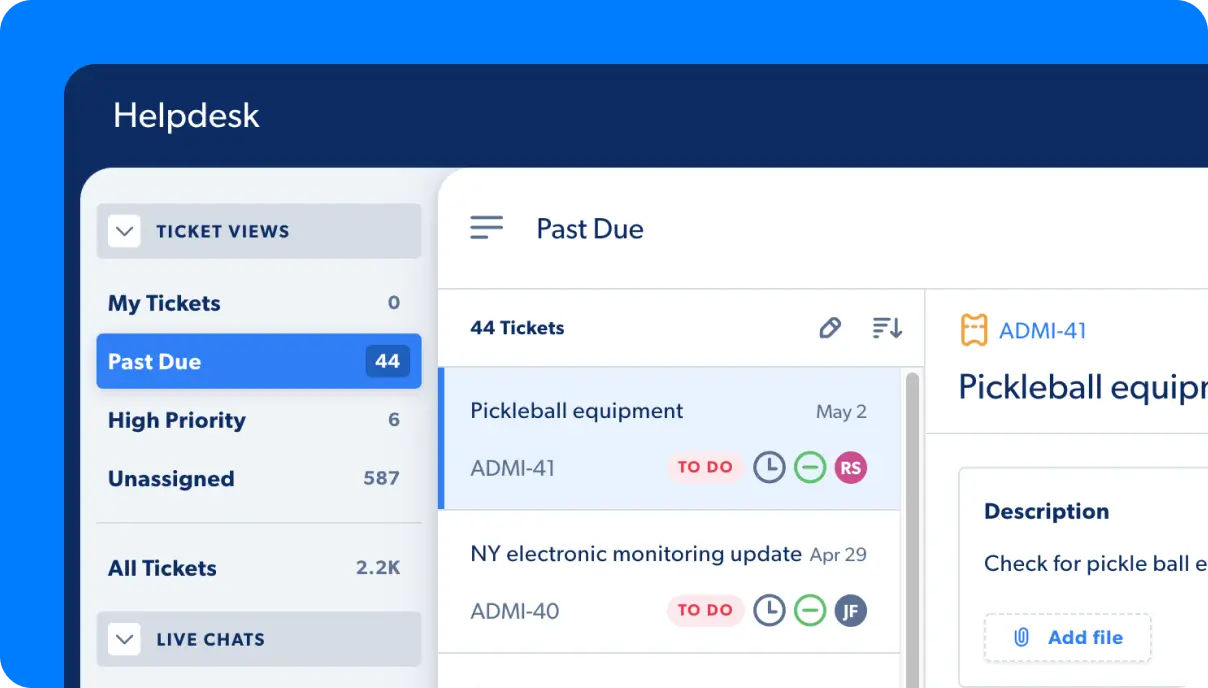
Answering repetitive internal questions can quietly consume a large portion of a help desk’s time. Capacity is designed to automate those interactions by combining a knowledge base with conversational AI tools that guide users toward answers before tickets are created.
It helps centralize information so employees spend less time searching and agents handle fewer routine requests.
How Capacity helps with automation:
- Resolve common requests automatically without agent involvement.
- Route tickets to the right team based on topic or urgency.
- Surface relevant knowledge base resources when users need them.
- Launch follow-ups and reminders without manual steps.
- Encourage self-service so users can solve simple issues independently.
Why we picked Capacity: It focuses heavily on preventing tickets rather than just managing them. That shift alone can make a noticeable difference for teams dealing with high request volume.
3. Zendesk
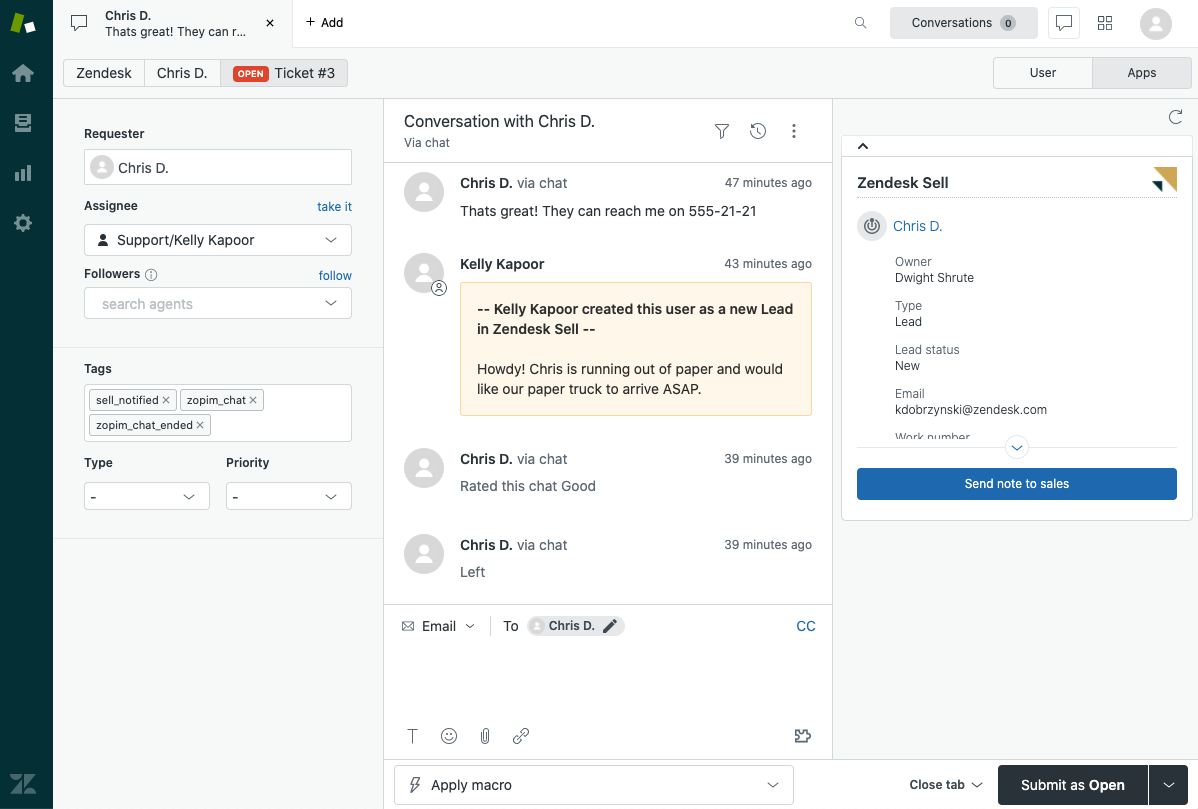
If you have to manage conversations across multiple channels, it gets easier when workflows run automatically behind the scenes. Zendesk provides service desk software that helps teams organize requests, prioritize urgent issues, and maintain visibility across interactions.
Its automation features support structured processes while still allowing teams to customize how tickets move through the system.
How Zendesk helps with automation:
- Automate actions when specific conditions are met using triggers.
- Route requests automatically based on skills, priority, or category.
- Send status updates to users without manual effort.
- Track deadlines and escalate tickets when needed.
- Generate reporting insights without building reports manually.
Why we picked Zendesk: Many teams need automation that can scale as support demand grows, and this platform provides that flexibility. It is often a strong fit for organizations that want structure without limiting future expansion.
4. HelpDesk
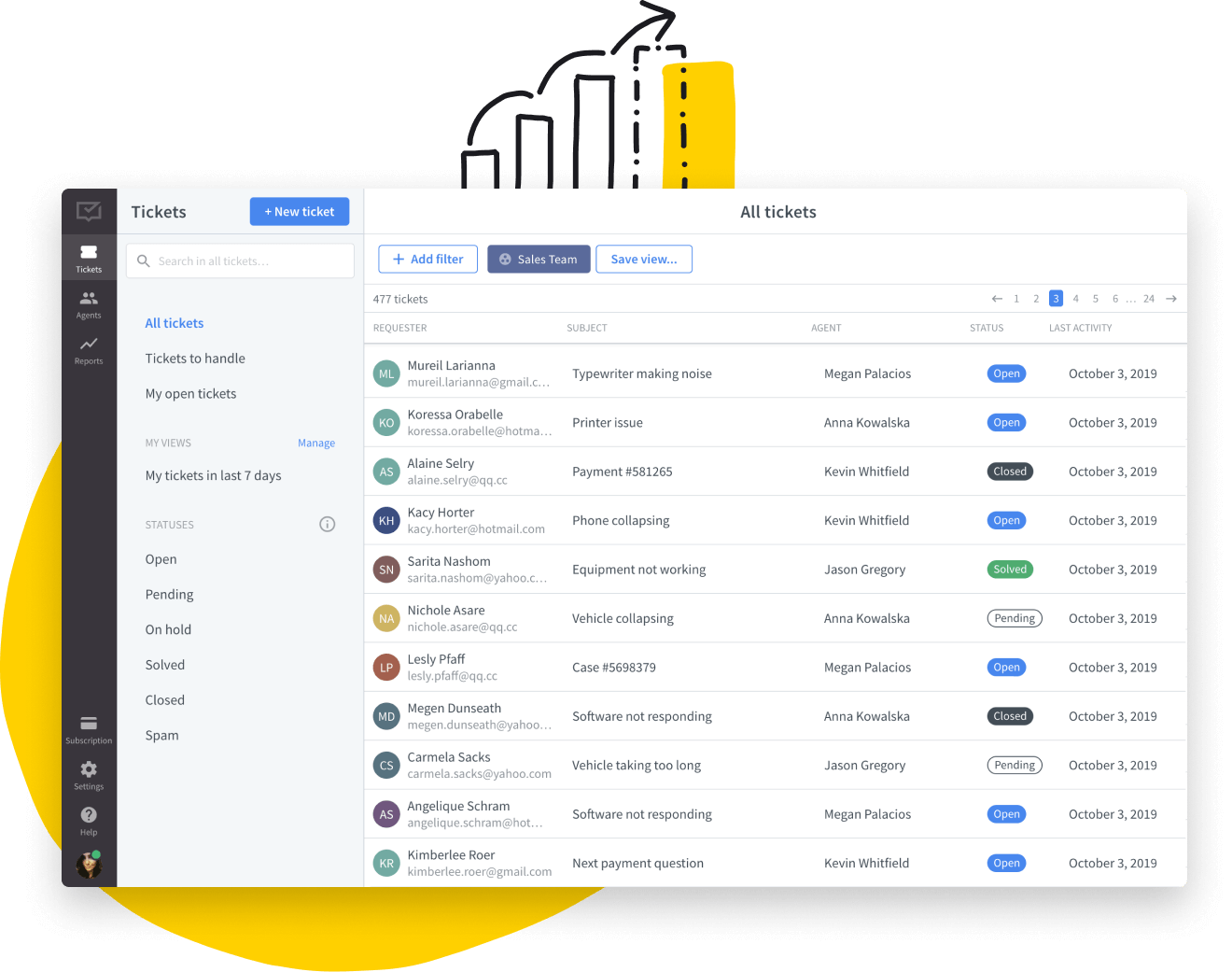
Bringing order to a crowded inbox is often the first step toward a more reliable help desk. HelpDesk focuses on simplifying ticket management with automation rules that categorize requests, assign ownership, and keep conversations progressing.
The interface is approachable, which can make adoption smoother for teams introducing automation for the first time.
How HelpDesk helps with automation:
- Categorize incoming tickets automatically using rule-based sorting.
- Send requests to the right agent without manual review.
- Trigger notifications when action is required.
- Track ticket statuses automatically as conversations evolve.
- Reduce manual triage so agents can focus on resolving issues.
Why we picked HelpDesk: It delivers structure without overwhelming teams with complexity. That balance makes it appealing for organizations looking to automate quickly.
5. Moveworks
Internal support teams often spend hours resolving the same employee issues. Moveworks uses AI to automate many of these requests, helping employees get assistance immediately while reducing ticket volume.
It integrates with workplace tools to support common processes such as password resets and access requests.
How Moveworks helps with automation:
- Resolve employee issues automatically through conversational AI.
- Guide users through step-by-step processes without agent involvement.
- Handle requests directly inside workplace platforms.
- Learn from past interactions to improve future responses.
- Reduce ticket volume by addressing repetitive questions.
Why we picked Moveworks: It shifts a large portion of support work away from agents, which can dramatically improve efficiency for internal teams.
6. Freshworks
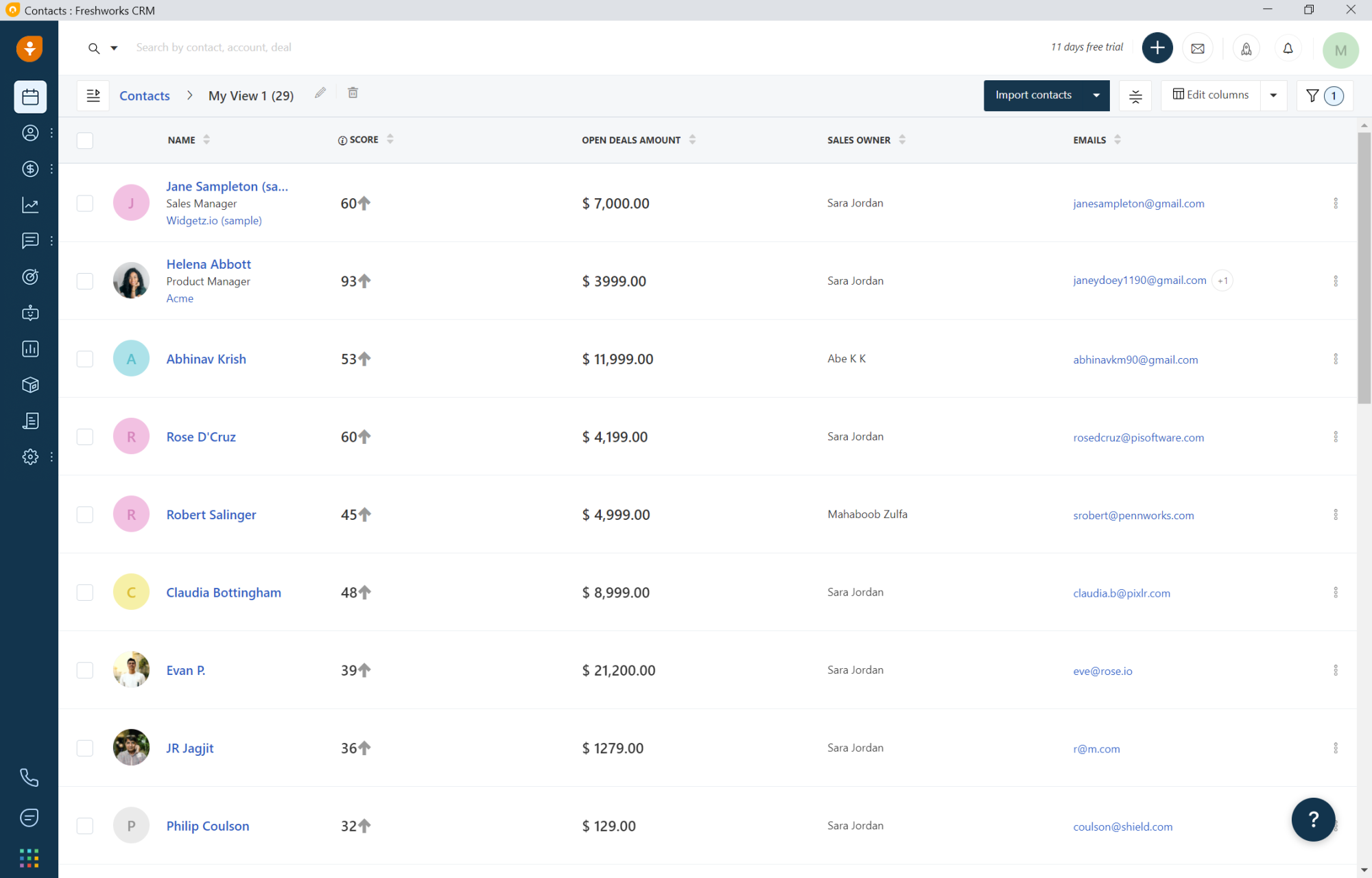
Growing teams often need stronger processes to keep requests organized. Freshworks offers service desk automation tools that help manage approvals, assign tasks, and maintain visibility across workflows.
Its workflow builder allows teams to create processes that reflect how they actually operate.
How Freshworks helps with automation:
- Build automated workflows for approvals and task assignments.
- Route tickets based on predefined rules.
- Trigger alerts when tickets require attention.
- Identify workflow bottlenecks with built-in analytics.
- Standardize processes across departments.
Why we picked Freshworks: It provides enough flexibility to adapt as teams evolve, which is valuable when support needs change over time.
Want to save hours by automating repetitive typing & workflows?
Join over 700,000+ others who are automating workflows with Text Blaze.
7. Eesel AI
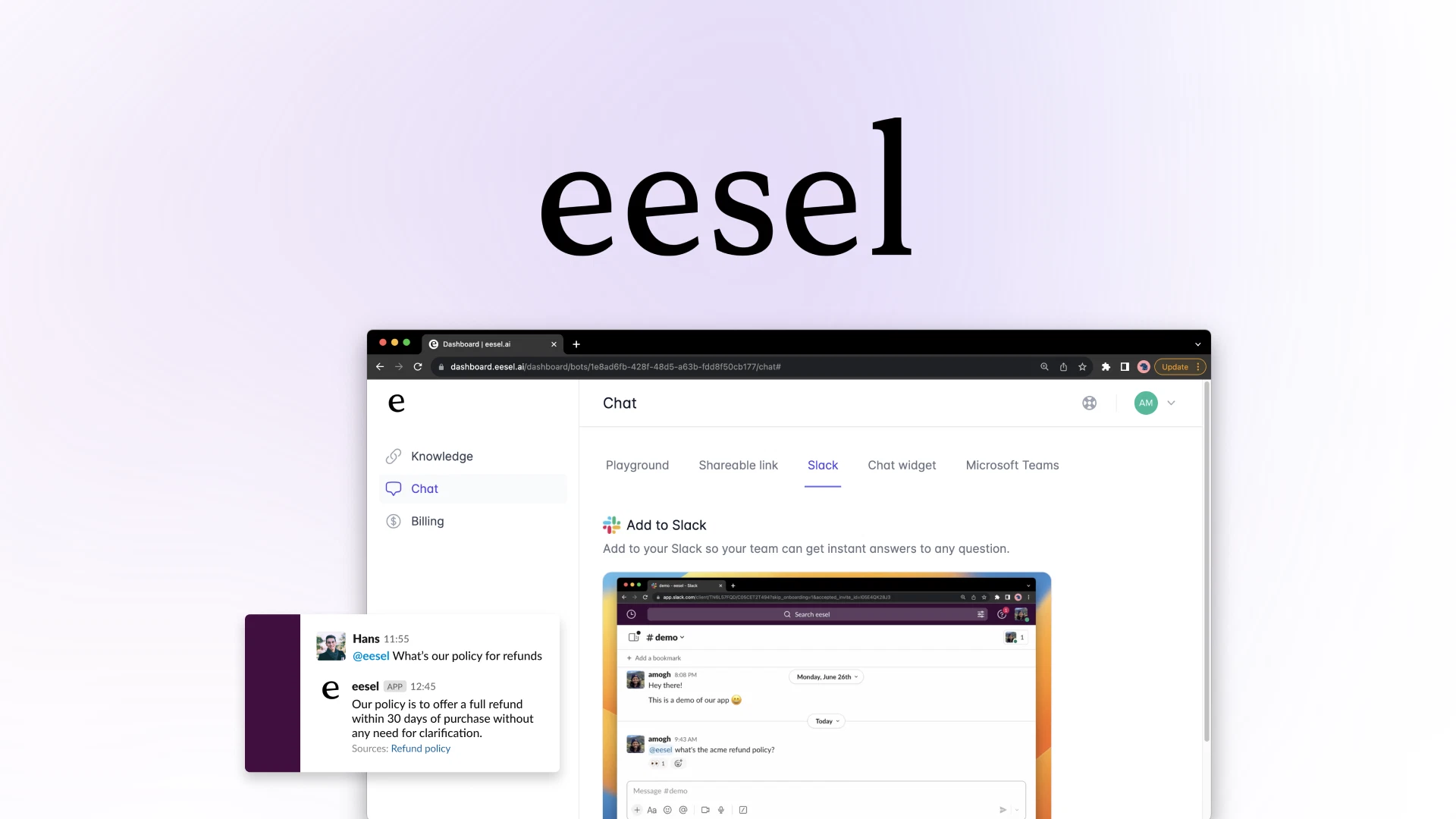
If you're someone that frequently searches through documentation during a busy shift, keep in mind that type of workflow can slow response times. Eesel AI connects knowledge sources directly to your help desk so agents receive contextual suggestions while replying. This helps teams respond faster without sacrificing accuracy.
How Eesel AI helps with automation:
- Surface relevant knowledge automatically during conversations.
- Suggest replies based on existing documentation.
- Reduce time spent searching for internal resources.
- Help newer agents ramp up faster with guided answers.
- Improve consistency across responses.
Why we picked Eesel AI: It supports agents in real time rather than replacing them, which makes automation feel practical instead of disruptive.
8. Fixify
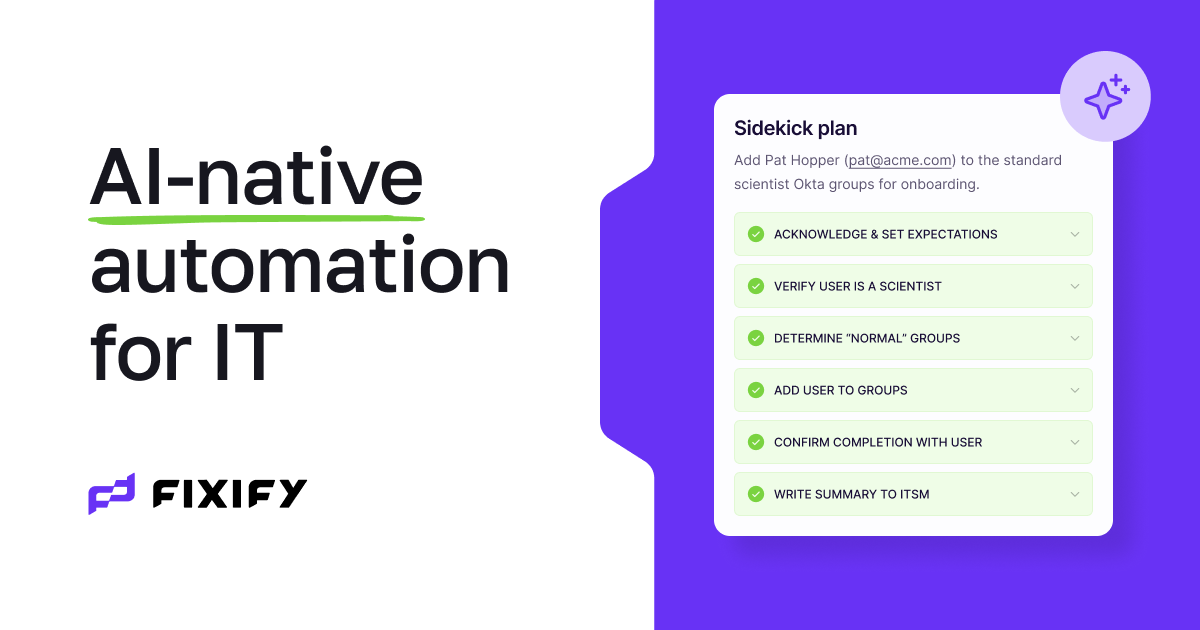
Some organizations want automation but are not ready to redesign their entire help desk. Fixify combines workflow automation with operational support to help teams stabilize their processes while improving service delivery.
It works alongside existing tools, making the transition less disruptive for IT teams.
How Fixify helps with automation:
- Automate repeatable workflows without rebuilding your tech stack.
- Improve ticket handling with structured processes.
- Provide operational guidance alongside automation tools.
- Reduce manual coordination between teams.
- Strengthen overall service reliability.
Why we picked Fixify: It offers a practical path toward automation for teams that want improvement without a major overhaul.
How to Measure the ROI of Helpdesk Automation
Before investing in automation, it helps to understand how you will evaluate success. Measuring ROI ensures your workflows are not just faster, but also delivering meaningful results.
Here are a few things you can check to measure the ROI of helpdesk automation tools:
Ticket resolution time - Track how long it takes to close requests before and after automation. Shorter timelines usually indicate smoother workflows.
Ticket volume - Monitor whether self-service tools and automated responses reduce incoming requests. Fewer tickets often mean users are finding answers faster.
Agent productivity - For agent productivity, look at how many tickets each team member handles and whether administrative work has decreased. This can reveal where automation is creating breathing room.
Consistency of responses - Review whether users receive accurate, standardized information across interactions. Consistency builds trust and reduces follow-up questions.
Operational costs - Compare staffing needs and overtime hours over time. Automation often helps teams scale without immediately increasing headcount.
When you measure these areas regularly, it becomes easier to justify your investment and identify where additional business automation could help.
What is the Best Helpdesk Automation Tool?
Choosing a helpdesk automation tool usually becomes a priority when your team starts feeling the weight of too many manual steps. If tickets are piling up, responses are inconsistent, or agents are spending more time managing requests than resolving them, it is often a sign that your current processes are slowing everyone down.
In our opinion, the right tool should adapt to your team’s workflows and support the places where work already happens, not force you to rebuild everything from scratch.
Start by looking closely at how your team operates day to day. Where are requests getting stuck? Which tasks feel repetitive? And what work is pulling agents away from actually helping people?
It is also worth thinking about flexibility. Your help desk will evolve as your organization grows, so choosing a solution that can adjust alongside your processes will save you from having to rethink your system later.
When you find a tool that aligns with your workflows and quietly handles the repetitive work, you create space for your team to focus on what really matters: providing reliable, thoughtful support.
To recap, our suggestion for the best helpdesk automation tool is Text Blaze. Text Blaze helps you automate repetitive typing. data transfer, form-filling, and workflows on any website. Plus, Text Blaze is free forever!
Give Text Blaze a try today!