How to Improve Agent Productivity (15 Strategies) in 2026
Improve agent productivity with 15 practical strategies for support teams. Learn how automation, templates, and better workflows help agents work faster in 2026.

Support teams deal with a constant flow of customer questions, tickets, and conversations. When agents spend too much time searching for information, typing repetitive replies, or switching between tools, productivity drops quickly.
Improving agent productivity helps support teams resolve issues faster, reduce backlog, and deliver better customer experiences. Small workflow improvements can make a significant difference in how efficiently agents handle requests.
In this guide, we'll cover practical strategies to improve agent productivity, the metrics that matter most, and the tools that help support teams work more efficiently.
What is Agent Productivity?
Agent productivity refers to how efficiently customer support or call center agents handle customer requests and resolve issues. It reflects how effectively agents use their time to manage conversations, tickets, and follow-up tasks.
For support teams, productivity is not just about speed. It also includes accuracy, quality of responses, and customer satisfaction. Highly productive agents can resolve issues quickly while still providing clear and helpful support.
Agent Productivity Definition
Agent productivity measures how effectively support agents complete customer interactions and support tasks within a given period of time. This often includes metrics like tickets resolved, response times, and issue resolution rates.
Organizations track agent productivity to understand how efficiently their support operations run and where improvements can be made.
Why Agent Productivity Matters for Support Teams
Improving agent productivity benefits both customers and internal teams.
Here are a few reasons why it matters:
Faster response times - Customers receive help sooner when agents can handle requests efficiently.
Higher resolution rates - Agents with better workflows can solve problems without repeated follow-ups.
Lower support backlog - Efficient teams clear tickets faster and prevent queues from growing.
Better customer experience - Clear, timely responses increase customer satisfaction.
When productivity improves, support teams can handle higher volumes without increasing staffing.
How Do You Measure Agent Productivity?
Agent productivity is typically measured using a combination of operational metrics and customer experience indicators. These metrics help managers understand how efficiently agents are working and where support workflows may need improvement.
Here are a few different ways that agent productivity is typically measured:
Average handle time (AHT)
Average handle time measures how long it takes an agent to complete a customer interaction from start to finish. This includes the time spent speaking with the customer as well as any follow-up work required afterward.
Lower handle times often indicate efficient workflows, but the goal should always be balanced with quality support.
First response time
First response time measures how quickly a support agent replies to a new customer request. Faster response times and more proactive support responses show that the support team is keeping up with incoming tickets and prioritizing customer communication.
First contact resolution (FCR)
First contact resolution measures how often agents resolve customer issues in the first interaction without requiring follow-ups or escalations.
Higher FCR rates usually indicate that agents have the tools, information, and workflows needed to solve problems quickly.
Tickets resolved per agent
This metric tracks how many tickets or conversations each agent resolves during a specific time period. It helps managers understand workload distribution and identify productivity trends.
Customer satisfaction (CSAT)
Customer satisfaction measures how customers rate their support experience after an interaction. Even if agents resolve tickets quickly, low CSAT scores may indicate issues with response quality or communication.
Tracking these metrics together provides a more complete picture of support team productivity.
Want to streamline your team's communication & workflows?
Join over 800,000+ others who are automating workflows with Text Blaze.
15 Ways to Improve Agent Productivity
Improving agent productivity usually comes down to removing friction from daily support work. When agents spend less time searching for answers, typing repetitive messages, or switching between tools, they can focus on resolving customer issues.
Here are 15 ways to improve agent productivity:
1. Set clear productivity KPIs for support agents
Clear expectations help agents understand what success looks like in their role. Without defined benchmarks, it becomes difficult for agents and managers to measure productivity or identify areas for improvement.
Support teams typically track metrics such as response times, ticket resolution rates, and customer satisfaction scores. When these KPIs are visible and consistently monitored, agents can prioritize their work more effectively and managers can spot workflow issues early.
Examples of common support productivity KPIs include:
- Average handle time (AHT) – how long it takes to resolve a request
- First response time – how quickly agents respond to new tickets
- First contact resolution – how often issues are solved in the first interaction
- Tickets resolved per agent – how many requests agents handle in a shift
Clear KPIs also make coaching easier because managers can identify exactly where agents need support.
For most industries, a "good" AHT is about six minutes.
2. Track and review agent performance regularly
Setting metrics is only useful if teams actively review them. Regular performance reviews help support managers understand how agents are handling workloads and where bottlenecks appear in the workflow.
Instead of waiting for monthly reports, many teams now monitor productivity dashboards in real time. This allows managers to detect issues such as rising ticket backlogs, slower response times, or uneven ticket distribution across agents.
Common ways teams review performance include:
- Weekly performance reports for each agent
- Real-time support dashboards
- Queue monitoring to identify bottlenecks
- Reviewing difficult tickets during team meetings
These reviews help teams adjust workflows before productivity drops.
3. Celebrate high agent performance
Recognition is one of the simplest ways to improve motivation and productivity across a support team. When agents see their work recognized, they are more likely to maintain strong performance.
High-performing teams often create systems that highlight achievements such as top CSAT scores, fastest resolution times, or most tickets resolved in a shift.
Examples of simple recognition programs include:
- Highlighting top performers during team meetings
- Sharing positive customer feedback internally
- Creating monthly productivity awards
- Offering small incentives for performance milestones
Celebrating wins reinforces productive behaviors across the team.
4. Invest in self-service tools for customers
Many support tickets involve common questions such as password resets, billing updates, or product setup instructions. Self-service tools allow customers to solve these issues on their own without contacting support.
A well-maintained help center or knowledge base can significantly reduce incoming ticket volume, allowing agents to focus on more complex problems.
Common self-service tools include:
- Knowledge bases and help centers
- FAQ pages
- Customer community forums
- AI-powered support chatbots
Businesses that invest in self-service often see a meaningful reduction in ticket volume.
Businesses with knowledge bases report around a 30% reduction in support tickets.
5. Use automation to handle repetitive support tasks
Many parts of the support workflow are repetitive. Ticket tagging, routing, follow-up reminders, and status updates can often be automated.
When automation handles these tasks, agents spend less time on administrative work and more time solving customer problems.
Examples of support automation include:
- Automatically routing tickets to the correct team
- Tagging tickets based on keywords
- Sending automated follow-up emails
- Escalating unresolved tickets
Process automation also reduces human error and helps keep workflows consistent across the team.
A Stanford–MIT study found that generative AI tools increased customer support agent productivity by about 14%.
Want to streamline your team's communication & workflows?
Join over 800,000+ others who are automating workflows with Text Blaze.
6. Reduce manual typing with response templates
Support agents often answer the same questions repeatedly throughout the day. Writing those responses from scratch slows agents down and creates inconsistencies across replies.
Response templates allow teams to create standardized replies for common situations such as refund requests, password resets, or account updates.
Templates help support teams:
- Respond faster
- Maintain consistent messaging
- Reduce typing time
- Minimize errors in responses
Most support platforms allow teams to store shared templates that agents can insert into replies quickly.
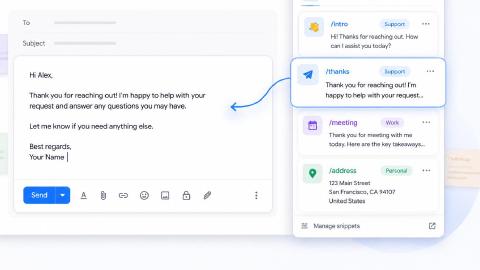
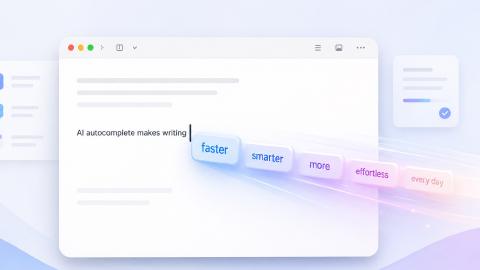
Text expansion tools help support teams respond faster, reduce mistakes, and improve agent productivity. Plus, they integrate into your existing tech stack.
7. Use text expansion tools for faster replies
Text expansion tools take templates a step further by allowing agents to insert full responses using short shortcuts.
For example, an agent could type a short trigger such as /refund and automatically insert a complete response explaining the refund process.
This dramatically reduces the time spent typing repetitive responses.
Text expansion tools are commonly used to:
- Insert full support replies instantly
- Add personalized responses with dynamic fields
- Share standardized messaging across teams
- Reduce repetitive typing
Even small time savings per ticket can add up across hundreds of daily conversations.
8. Provide agents with full customer context
When agents lack visibility into a customer’s history, they often need to ask additional questions before resolving the issue. This slows down resolution time and creates frustration for customers.
Providing agents with full customer context allows them to immediately understand the problem.
Important context typically includes:
- Previous support conversations
- Order or account history
- Subscription details
- Product usage information
With this information available, agents can resolve issues much faster and avoid repetitive questions.
9. Centralize support tools in a unified workspace
Many support teams rely on multiple systems such as help desks, CRMs, billing systems, and internal knowledge bases. Switching between these tools slows down agents and interrupts their workflow.
A unified workspace brings these systems together so agents can access everything they need in one interface.
Benefits of a unified workspace include:
- Less tab switching
- Faster automated access to customer data
- Easier collaboration across teams
- Improved workflow efficiency
When tools are centralized, agents spend less time navigating software and more time helping customers.
10. Improve internal collaboration between teams
Some customer issues require help from product teams, engineers, or billing specialists. If agents cannot quickly reach those teams, tickets may remain unresolved for longer periods.
Improving internal collaboration helps support teams resolve complex issues faster.
Teams often improve collaboration by:
- Creating shared Slack or Teams channels for support questions
- Building internal escalation workflows
- Maintaining shared documentation for complex issues
- Assigning subject-matter experts to assist agents
Faster collaboration leads to faster resolution times and improved customer satisfaction.
11. Use AI to assist with drafting responses
AI-powered tools can help agents draft responses, summarize conversations, and suggest solutions. Agents can quickly review these suggestions before sending them to customers.
These tools reduce the time spent writing replies and searching for information.
Common AI support features include:
- Suggested replies for common questions
- Automatic conversation summaries
- AI-generated troubleshooting steps
- Knowledge base search assistance
AI is increasingly used as a productivity assistant rather than a replacement for human agents.
Support agents using AI tools can handle 35–40% more tickets per shift without reducing quality.
12. Create SOPs for common support scenarios
Standard operating procedures help agents resolve common issues consistently and efficiently.
Without clear processes, agents may approach similar problems differently, which can slow down support operations.
Support teams often create SOPs for scenarios such as:
- Refund requests
- Billing disputes
- Account access problems
- Product troubleshooting
Clear SOPs give agents confidence and reduce the time spent figuring out how to handle specific requests.
Want to streamline your team's communication & workflows?
Join over 800,000+ others who are automating workflows with Text Blaze.
13. Use workforce management to balance workloads
Uneven ticket distribution can cause productivity issues across a support team. Some agents may become overwhelmed while others have idle time.
Workforce management tools help distribute workloads more evenly by monitoring queue volume and agent availability.
Common workforce management features include:
- Automatic ticket distribution
- Queue prioritization
- Shift scheduling based on demand
- Forecasting support volume
Balancing workloads helps prevent burnout while keeping response times consistent.
14. Provide ongoing training for support agents
Product updates, new workflows, and evolving customer needs all require continuous learning.
Regular training helps agents stay confident in their ability to resolve issues quickly and accurately.
Effective training programs often include:
- Knowledge base updates
- Product training sessions
- Ticket review workshops
- Mentorship programs for new agents
Well-trained agents can resolve issues faster and reduce escalations.
AI-assisted support tools can reduce onboarding time for new agents by about 50%.
15. Prioritize agent well-being to prevent burnout
High workloads and constant customer interactions can quickly lead to burnout in support roles. When agents become overwhelmed, productivity and service quality both suffer.
Improving productivity should focus on reducing friction in workflows rather than pushing agents to work faster.
Ways to support agent well-being include:
- Maintaining manageable ticket queues
- Providing breaks between conversations
- Rotating responsibilities within the team
- Reducing repetitive tasks through automation
When agents have sustainable workloads and efficient tools, productivity improves naturally.
About 56% of customer service agents report experiencing burnout due to workload and complexity of issues.
Tools That Help Improve Agent Productivity
Many support teams rely on tools to streamline workflows and reduce manual work. Customer support tools help agents respond faster, access information easily, and automate repetitive tasks.
Here are a few tools that your team can use to improve agent productivity:
Text Blaze
Text Blaze helps you create dynamic, interactive, smart templates to improve agent productivity anywhere you work.
With Text Blaze, you can automate repetitive typing & communications, and get to the right message or decision in every interaction.
Features
100% seamless integration. Automate emails & messages to customers with dynamic, smart templates that work in any site, app, help desk, email platform, CRM, etc.
Create smart templates that integrate right where you already work. Text Blaze integrates into your tech stack seamlessly.
Get the correct response & decision in every interaction. Text Blaze helps you get the right message every time.
Reduce mistakes with templates that help agents stay consistent and on-brand.
Streamline repetitive workflows, like transferring data, filling out forms, sending an email, or any other repetitive workflow.
Text Blaze is perfect for support teams! Learn more about using Text Blaze for teams to supercharge your team's communication and productivity!
Text Blaze is free forever. You can use Text Blaze's free plan & save time forever.
Want to streamline your team's communication & workflows?
Join over 800,000+ others who are automating workflows with Text Blaze.
Zendesk
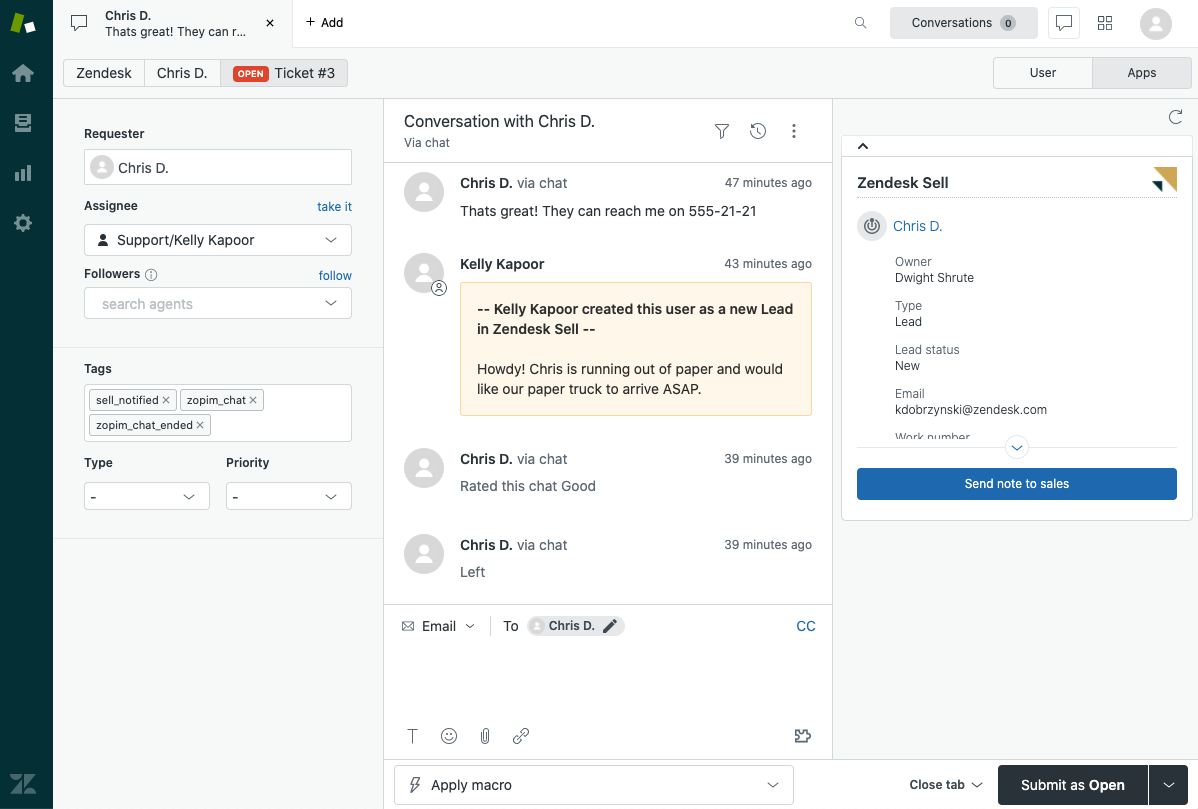
Zendesk is a customer support platform that acts as a service desk and is designed to manage conversations across email, chat, and other channels. It provides a centralized workspace where agents can view tickets, customer history, and internal notes.
The platform includes automation features that route tickets, organize requests, and help teams prioritize work efficiently.
Zendesk also includes reporting tools that help managers track productivity metrics and support performance.
Intercom
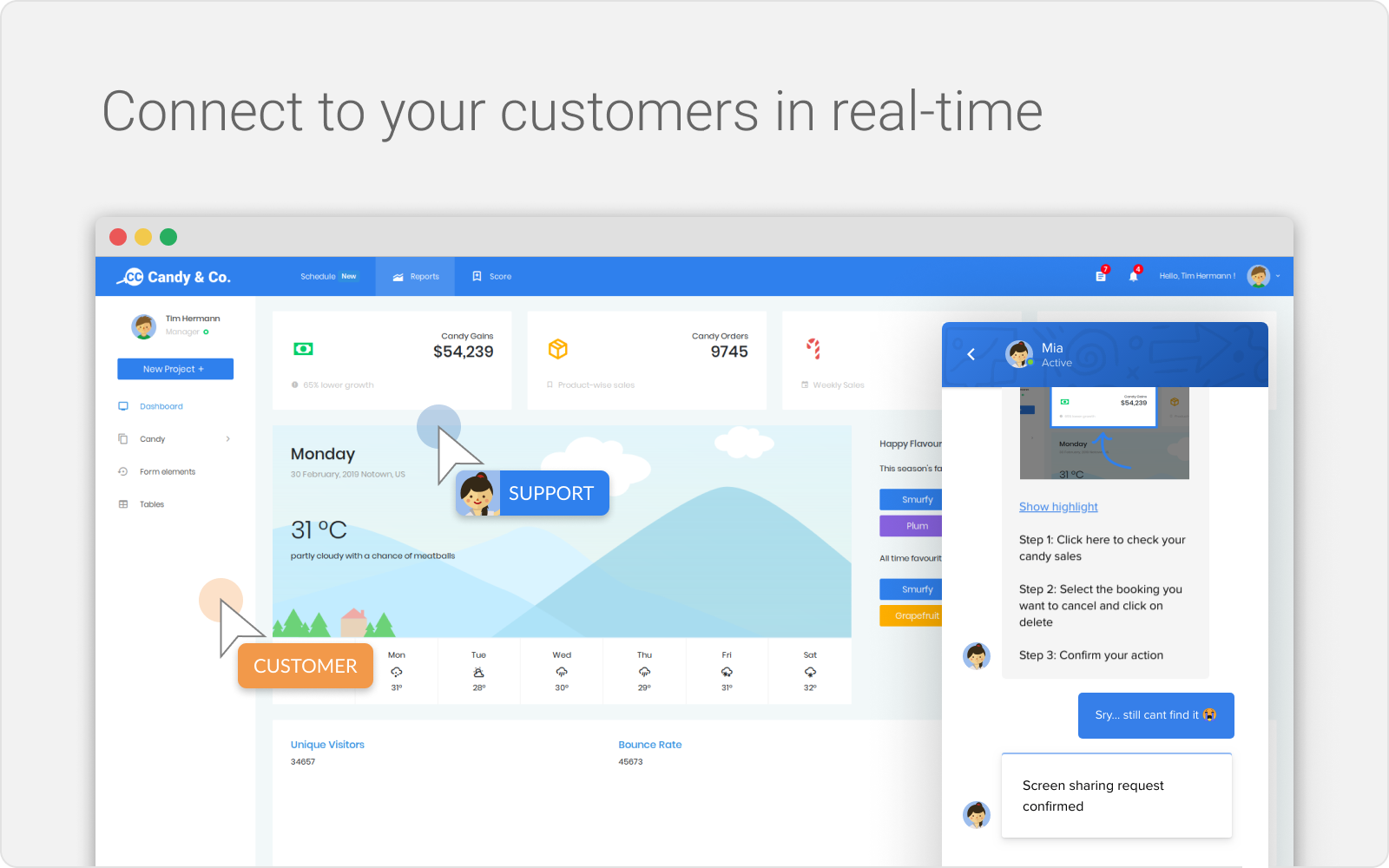
Intercom is a customer messaging platform that helps support teams manage real-time conversations with customers. It supports live chat, automated messaging, and help center integrations.
Intercom’s automation tools can route conversations, suggest answers, and handle simple customer requests automatically.
This allows agents to focus on more complex issues while routine questions are handled by automated workflows.
Common Challenges That Reduce Agent Productivity
Even experienced support teams face obstacles that slow down daily work. Identifying these challenges is the first step toward improving productivity.
Here are a few challenges that can reduce agent productivity:
Too much manual typing - Agents often spend significant time writing similar responses repeatedly.
Searching for answers during conversations - When documentation is scattered, agents must pause conversations to find information.
Switching between multiple tools - Constantly changing platforms interrupts workflow and reduces focus.
Inconsistent support workflows - Without clear processes, agents may handle similar issues in different ways.
Addressing these problems can significantly improve how quickly support teams resolve customer requests.
Want to streamline your team's communication & workflows?
Join over 800,000+ others who are automating workflows with Text Blaze.
How to Improve Agent Productivity Without Causing Burnout
Improving productivity should not mean pushing agents to work faster at the expense of quality or well-being. The goal is to remove unnecessary friction so agents can do their work more efficiently and sustainably.
Here are some implementation tips to help you learn how to improve agent productivity:
1. Reduce repetitive work first
Start by identifying the tasks that waste the most agent time, such as typing the same replies, updating fields manually, or switching between tools. Reducing this kind of work improves productivity without adding pressure.
Look for repetitive activities like writing similar responses, tagging tickets manually, or copying information between systems. Automating or simplifying these tasks allows agents to focus on resolving customer issues instead of administrative work.
2. Give agents clear workflows to follow
When agents know exactly how to handle common situations, they can work faster with less stress. SOPs, templates, and internal guides reduce guesswork and make support work feel more manageable.
Clear workflows also create consistency across the support team. Agents can quickly follow documented steps instead of trying to figure out how to handle each situation individually.
3. Focus on efficiency instead of constant speed
Agents should not feel like they need to rush through every interaction. A better approach is to improve the systems around them so they can respond quickly while still giving accurate and helpful support.
Efficient workflows, better documentation, and automation tools allow agents to resolve issues faster without sacrificing quality.
4. Balance workloads across the team
If some agents are overloaded while others have capacity, burnout becomes much more likely. Uneven ticket distribution can create stress and slow down the entire support operation.
Better ticket routing, scheduling, and queue management help distribute work more evenly so agents can handle requests at a sustainable pace.
5. Use automation to remove administrative work
Automation is most helpful when it handles repetitive support tasks in the background. Tasks like ticket tagging, routing, follow-up reminders, and status updates can often be automated.
This reduces the amount of administrative work agents need to complete during each interaction.
6. Make well-being part of productivity planning
Breaks, realistic performance expectations, and manageable queue volumes all affect how productive agents can be over time. Teams usually perform better when support processes are built to be sustainable.
When agents have efficient workflows and manageable workloads, productivity tends to improve naturally without creating additional pressure.
What Is the Best Way to Improve Agent Productivity?
The best way to improve agent productivity is to remove the small tasks that slow agents down throughout the day. When agents spend less time typing the same replies, searching for answers, or switching between tools, they can focus more on actually helping customers.
Start by looking at the work your team repeats every day. Most support teams answer the same types of questions over and over, such as billing issues, password resets, or product setup.
Many teams also see quick improvements by reducing repetitive typing. Tools that automate common responses make it much easier for agents to move through tickets without rewriting the same messages repeatedly.
For example, tools like Text Blaze allow agents to insert full replies instantly using shortcuts, which helps them respond faster while keeping responses consistent across the team.