7 Best Instant Data Scraper Alternatives & Similar Tools (2026)
Find the best Instant Data Scraper alternatives and similar tools for web scraping in 2026. Compare features, use cases, and pick the right tool for your workflow.

Finding a simple way to extract data from websites sounds easy until you actually try to scale it. Many tools either break on dynamic pages, miss important data, or require more setup than expected.
Instant Data Scraper is a popular Chrome extension for quick scraping, but it has limits. That’s why many users start looking for Instant Data Scraper alternatives that offer more flexibility, better handling of dynamic content, or easier ways to move data into their workflow.
In this guide, we’ll cover the 7 best Instant Data Scraper alternatives and similar tools in 2026, including options for simple scraping, advanced automation, and faster data transfer.
What is the Instant Data Scraper Chrome Extension?
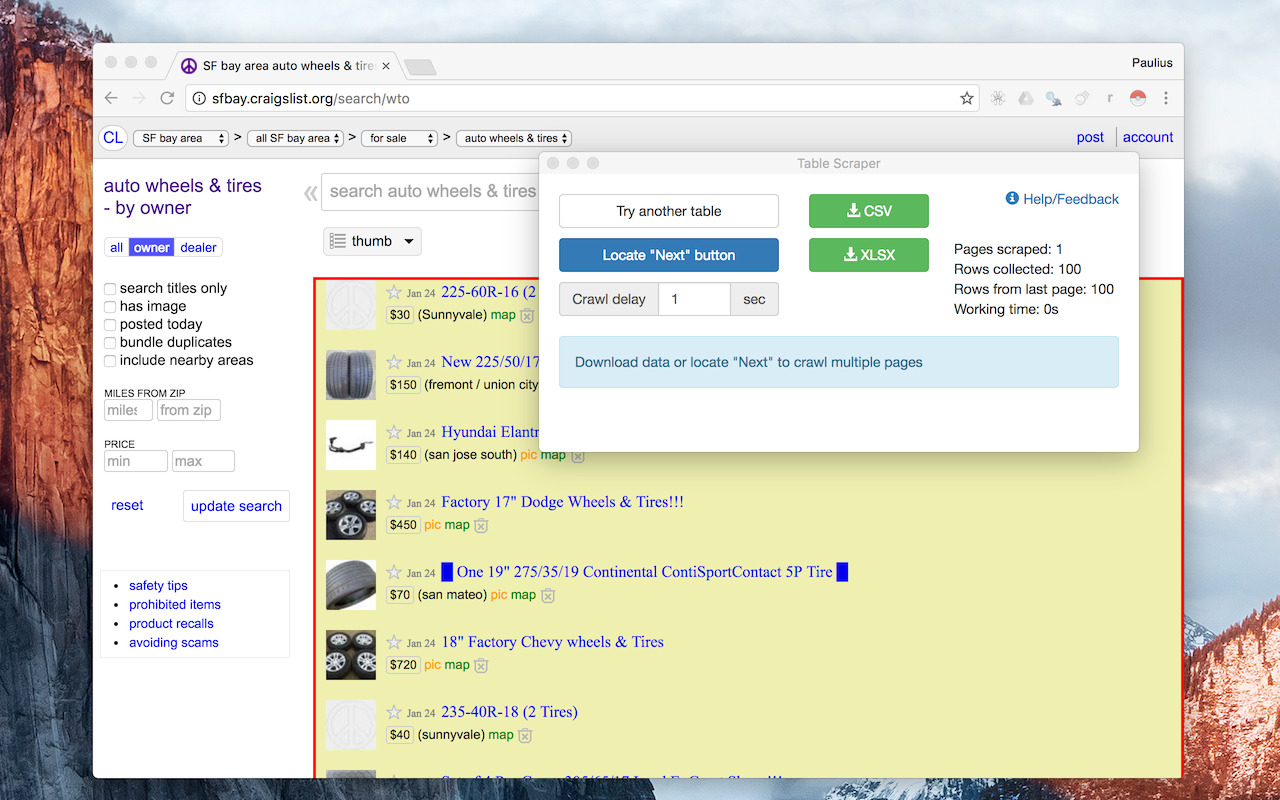
Instant Data Scraper is a data automation tool and Chrome extension designed to scrape data from web pages automatically.
It allows users to extract tables, lists, and structured data with minimal configuration. Once installed, the extension identifies patterns in the data and starts scraping without requiring custom settings.
However, it does have its limitations. For more complex scraping needs, or if you want to extract data from websites with dynamic content, it may not perform as effectively.
Why Look for an Instant Data Scraper Alternative?
Instant Data Scraper is a popular option because it’s simple to use and works well for quickly extracting data from structured pages. However, depending on your workflow, you may find yourself looking for tools with different capabilities.
Here are a few reasons you might look for an Instant Data Scraper alternative:
Handle more complex websites – Some workflows involve dynamic content, multi-page navigation, or interactive elements that require more flexibility.
Support repeatable workflows – If you’re collecting data regularly, having more control or automation can make the process more efficient.
Improve how data is used afterward – In many cases, the value comes from how easily you can transfer, reuse, or integrate data into other tools.
Match your workflow needs – Different tools are better suited for quick extraction, automation, or structured data transfer depending on how you work.
7 Best Instant Data Scraper Alternatives
Not all Instant Data Scraper alternatives work the same way, so it helps to compare them side by side.
Here's our list of the 7 best Instant Data Scraper alternatives in 2026:
| Tool | Key Feature | Ease of Use | Best For |
|---|---|---|---|
| Text Blaze | Automate repetitive typing & workflows anywhere | Easy | Moving data between websites and tools quickly |
| Web Scraper | Custom scraping with sitemaps and multi-page flows | Moderate | Structured scraping across multiple pages |
| Magical | One-click data capture into spreadsheets | Easy | Simple, quick data extraction |
| Browse AI | No-code bots with automation and monitoring | Easy | Automated scraping and change tracking |
| ParseHub | Visual scraping for dynamic websites | Moderate | Interactive and JavaScript-heavy sites |
| Octoparse | No-code workflows for large-scale scraping | Moderate | Extracting large datasets |
| Apify | Scalable scraping with APIs and automation | Advanced | Developer-focused automation and scaling |
1. Text Blaze

The best overall web scraper & data transfer tool is Text Blaze. Text Blaze helps you read data from across tabs & use it anywhere with keyboard shortcuts.
The #1 rated productivity extension on the Chrome Web Store, Text Blaze allows you to create smart text templates and insert them anywhere you work to boost productivity and save time.
With Text Blaze, you can automate web scraping, data entry & transfer, and form-filling on any website with dynamic templates.
Key features:
Streamline web scraping, data transfer, and form-filling by reading data from any page & using it anywhere, filling out long forms with keyboard shortcuts, and instantly transfer data in seconds!
Text Blaze is the #1 rated productivity tool on the Chrome Web Store (4.9 rating, 1,800+ reviews).
Text Blaze is free forever! Say goodbye to those pesky 7-day free trials!
Text Blaze works anywhere via the Text Blaze Chrome Extension, Windows app, and Mac app!
Create dynamic templates with placeholders, drop-down menus, toggle fields, if/else rules, and more!
Use AI to generate templates that help you save time and boost productivity.
Text Blaze is perfect for teams! Guide your team's workflows & communication with shared templates. Learn more here.
Want to save time extracting and reusing data across websites for free?
Join over 800,000+ others who are using Text Blaze templates.
2. Web Scraper
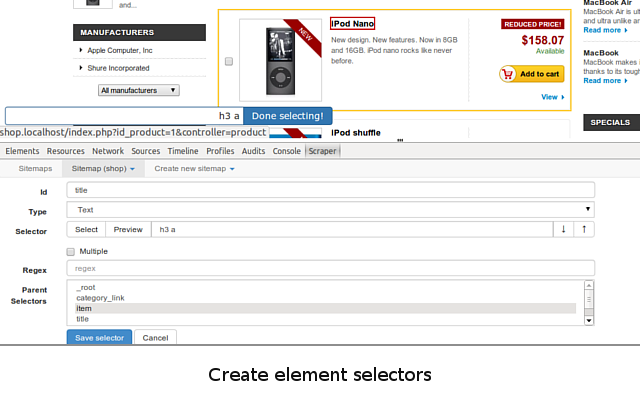
Web Scraper is a browser extension built for users who want more control over how data is extracted from websites. It allows you to create sitemaps and define exactly how data should be collected across multiple pages.
Compared to Instant Data Scraper, it requires more setup, but gives you greater flexibility when working with complex page structures or multi-step scraping workflows.
Key features:
- Create custom scraping sitemaps for structured data extraction
- Navigate across multiple pages and follow links automatically
- Handle dynamic content and JavaScript-heavy websites
- Export data in CSV or other structured formats
- Optional cloud scraping for scheduled jobs
Web Scraper makes sense when you need more control over how data is collected across multiple pages or complex site structures.
3. Magical
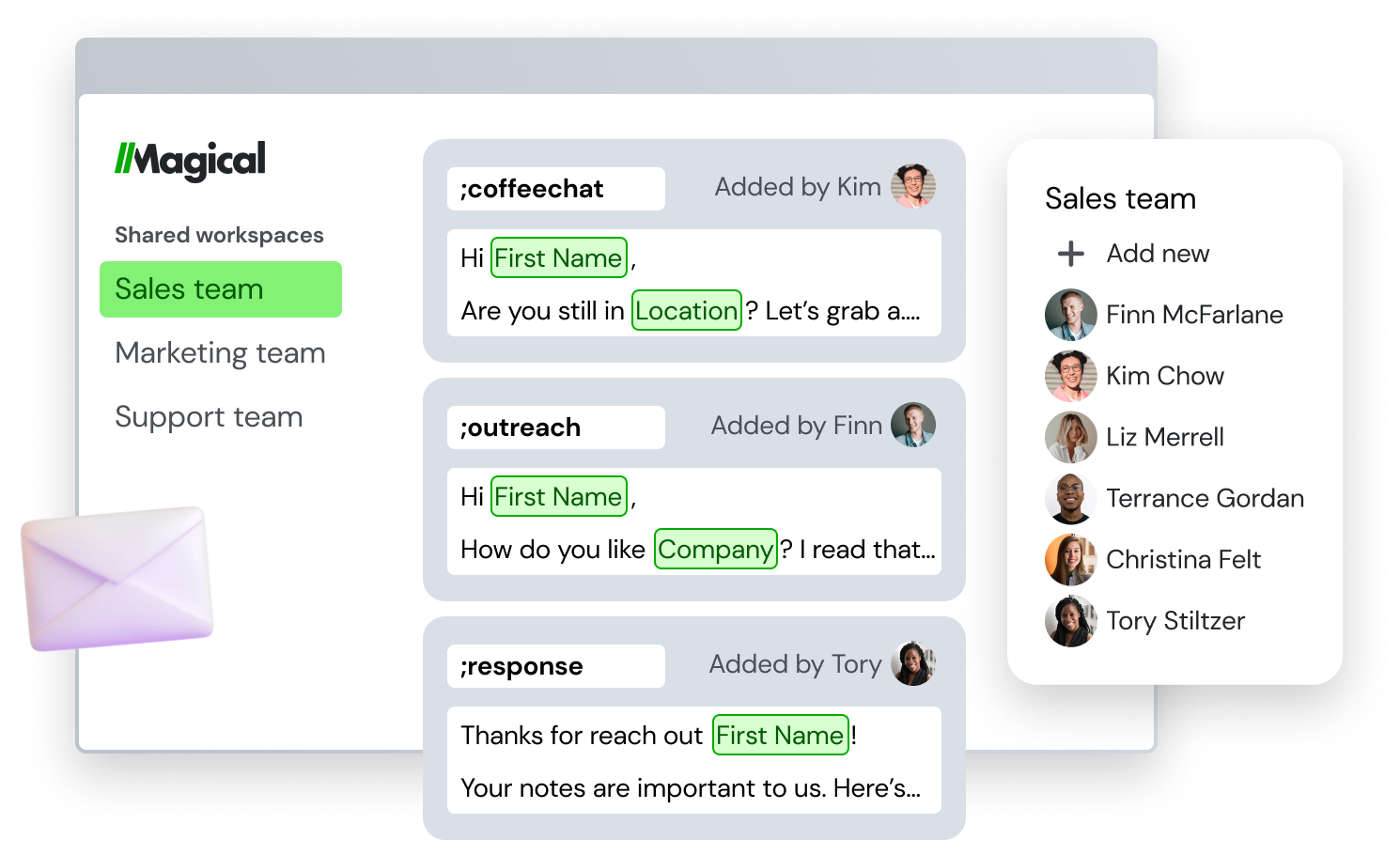
Magical is a lightweight productivity tool that includes simple data extraction features for pulling information from web pages into spreadsheets. It focuses on speed and ease of use rather than complex scraping configurations.
While they don’t offer full scraping capabilities like some tools on this list, tools like Magical work well for quickly capturing visible data and sending it directly to tools like Google Sheets or Airtable.
Key features:
- Extract data from web pages directly into spreadsheets
- Works with tools like Google Sheets and Airtable
- Simple setup with minimal configuration required
- Automates repetitive copy and paste workflows
- Chrome extension with fast on-page usage
Magical is helpful when you want a quick way to grab visible data from pages without configuring a full scraping tool.
4. Browse AI
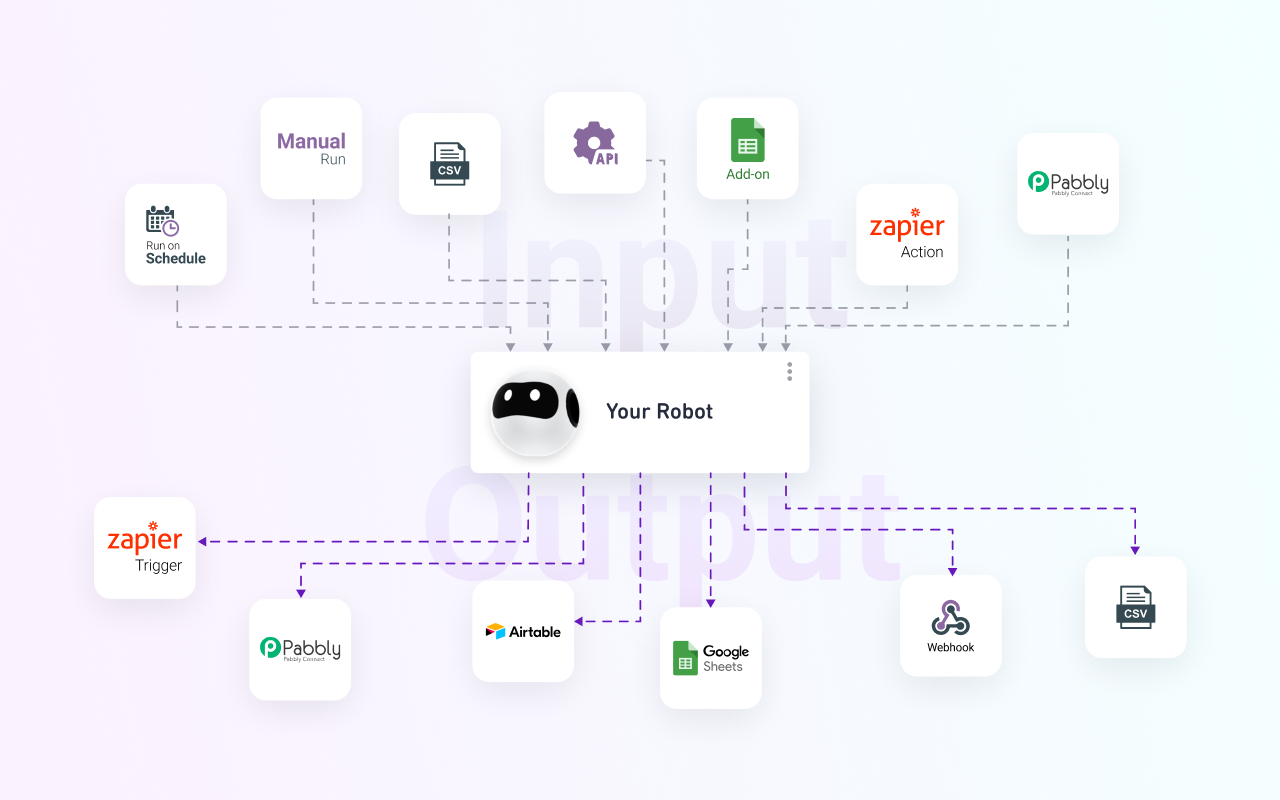
Browse AI is a no-code web scraping and data entry platform designed for users who want to extract and monitor data from websites without writing code. It uses prebuilt robots that can be trained to capture data from specific pages.
Compared to Instant Data Scraper, it offers more workflow automation capabilities, including the ability to track changes and run scraping tasks on a schedule.
Key features:
- Train bots to extract data from specific pages
- Monitor websites for changes and updates
- Schedule scraping tasks automatically
- Export data to spreadsheets and integrations
- Works with dynamic and interactive websites
Browse AI is a good option when you want to automate recurring scraping tasks or monitor data changes over time.
5. ParseHub
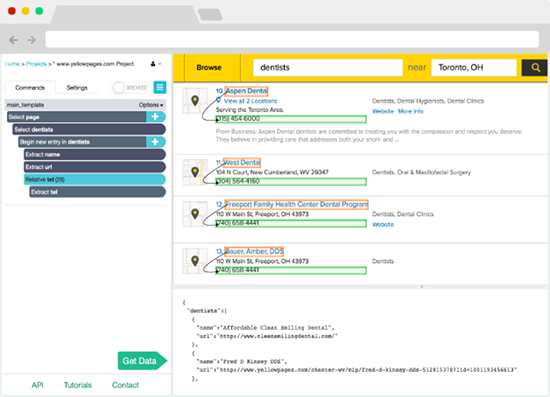
ParseHub is a more advanced web scraping tool designed to handle dynamic websites that rely on JavaScript and AJAX. It uses a visual interface that lets you select elements and build scraping workflows step by step.
It offers more power than Instant Data Scraper, especially for users who need to extract data from complex or interactive web applications.
Key features:
- Visual point-and-click interface for building scrapers
- Handles AJAX, JavaScript, and dynamic content
- Supports multi-page navigation and interactions
- Run scraping jobs locally or in the cloud
- Export data in multiple structured formats
ParseHub works well when you need to scrape data from modern, interactive websites that simpler tools can’t handle.
6. Octoparse

Octoparse is a no-code scraping platform built for users who need to collect large datasets from complex websites. It provides a visual workflow builder that allows you to define scraping steps without coding.
Compared to Instant Data Scraper, it offers more scalability and supports more advanced scraping scenarios, including login flows and pagination.
Key features:
- Visual workflow builder for no-code scraping
- Handles login-protected pages and pagination
- Supports dynamic content and infinite scrolling
- Cloud-based scraping for large-scale jobs
- Export data to multiple formats and integrations
Octoparse is useful when you need to extract large amounts of data from complex websites without writing code.
Want to save time extracting and reusing data across websites for free?
Join over 800,000+ others who are using Text Blaze templates.
7. Apify

Apify is a developer-focused web scraping and automation platform designed for building scalable data extraction workflows. It provides a marketplace of prebuilt scrapers as well as tools for creating custom ones.
Unlike Instant Data Scraper, Apify is built for more technical users who need flexibility, automation, and integration with APIs and other systems.
Key features:
- Large library of prebuilt scraping tools (actors)
- Build custom scrapers using JavaScript or APIs
- Run scraping jobs in the cloud at scale
- Integrate with workflows and external tools
- Handle complex and dynamic websites
Apify makes sense when you need a scalable, programmable solution for automating large or complex data extraction workflows.
How to Choose the Right Instant Data Scraper Alternative
Choosing the right Instant Data Scraper alternative depends on your workflow, the type of data you’re working with, and how much flexibility you need.
Here are a few things to consider while choosing an Instant Data Scraper alternative:
Consider the complexity of the website – Simple, structured pages can be handled by lightweight tools, while dynamic or interactive sites often require more advanced scraping capabilities.
Think about ease of use – Some tools prioritize speed and simplicity, while others offer more control but require additional setup.
Look at automation needs – If you’re collecting data regularly, features like scheduling, monitoring, or repeatable workflows can save time.
Evaluate how you’ll use the data – Export options, integrations, and the ability to reuse data within your workflow can make a big difference.
Match the tool to your scale – One-time scraping tasks have different requirements than ongoing or large-scale data collection.
What Is the Best Instant Data Scraper Alternative?
The best Instant Data Scraper alternative depends on your specific use case and how you plan to extract and use data. Some users only need a quick way to pull structured data from simple pages, while others need more flexibility for handling dynamic content or multi-step workflows.
It’s also important to consider how much setup you’re willing to deal with. Some tools prioritize speed and simplicity, while others require more configuration in exchange for greater control and scalability.
Another factor to think about is what you want to do with the data after it’s collected. In many workflows, the real value comes from how quickly you can move, reuse, or integrate that data into other tools, rather than just extracting it.
If your goal is to quickly transfer structured data between websites, forms, or tools without setting up a full scraping process, Text Blaze is a practical option that focuses on speed and workflow efficiency.