Best IT Process Automation Software & Tools in 2026
Learn what IT process automation is, how it works, and which tools to consider. Includes benefits, examples, and selection tips for IT teams.

If you’re responsible for keeping IT operations running smoothly, you’ve probably felt how quickly manual work can take over the day. Ticket routing, user provisioning, patch coordination, and status updates don’t look heavy on their own, but together they create constant operational drag.
Even in well-run environments, that steady stream of repetitive work can pull attention away from the projects that actually move your infrastructure forward. It becomes harder to stay proactive when your team is constantly reacting.
IT process automation helps remove that friction. By automating repeatable workflows, teams can reduce manual effort, improve consistency, and keep systems running without constant intervention. Many organizations refer to this approach as ITPA, short for IT process automation.
In this guide, you’ll learn what IT process automation is, how it works, the benefits and real-world examples, and which tools can help you automate IT workflows more effectively.
What Is IT Process Automation?
IT process automation (ITPA) is the use of software to automatically execute repeatable IT workflows based on predefined rules and triggers.
ITPA focuses specifically on automating structured IT operations such as incident routing, account provisioning, patch deployment, and system monitoring responses.
While general IT automation can include scripts or one-off automations, ITPA typically emphasizes coordinated, rule-driven workflows across systems.
For IT teams, this means fewer repetitive tasks, more consistent execution, and better visibility into operational workflows.
Key Components of IT Process Automation
Effective IT process automation platforms usually include several core building blocks. Here are some key components:
Triggers - Events that start an automated workflow, such as alerts, form submissions, or system changes.
Workflows - The defined sequence of automated steps that execute after a trigger fires.
Integrations - Connections to IT systems, helpdesks, identity providers, and monitoring tools.
Monitoring and reporting - Visibility into automation performance, failures, and outcomes.
Together, these components allow teams to automate complex IT workflows with minimal manual oversight.
How IT Process Automation Works
At a high level, IT process automation uses event-driven rules to detect changes, evaluate conditions, and execute predefined actions. Once configured, the system continuously monitors for triggers and runs workflows automatically.
Most modern IT process automation tools follow a similar lifecycle that combines rule-based logic with real-time system events.
Typical ITPA workflow
Event detection
The automation platform monitors systems for specific events, such as a new service ticket, a failed server check, or a new employee record. This detection layer is what initiates the workflow.
Rule evaluation
Once an event is detected, the platform evaluates predefined rules and conditions. These rules determine whether the workflow should run and which path it should follow.
Automated action
If conditions are met, the system executes the configured actions. This may include creating tickets, assigning work, provisioning accounts, updating records, or sending notifications.
Logging and feedback loop
Finally, the automation logs the outcome and updates dashboards or reports. This feedback loop helps IT teams monitor performance, audit activity, and refine workflows over time.
Want to streamline your team's communication & workflows?
Join over 700,000+ others who are automating workflows with Text Blaze.
Benefits of IT Process Automation
When implemented thoughtfully, IT process automation can significantly improve operational efficiency. IT teams adopt ITPA to reduce ticket handling time, improve SLA performance, and standardize operations.
Here are some key benefits of IT process automation:
Reduced manual workload - Automation handles repetitive tasks so IT staff can focus on higher-value work.
Faster incident response - Alerts and tickets can be routed and acted on immediately.
Improved consistency and fewer errors - Standardized workflows reduce human mistakes.
Better compliance and visibility - Automated logs and reports support audits and governance.
Lower operational costs - Less manual effort often translates to reduced support overhead.
Improved IT service delivery - Faster, more predictable processes lead to better internal and external service.
Over time, these gains compound as more workflows move from manual to automated execution.
IT Process Automation Examples
IT process automation delivers the most value when applied to repeatable, high-volume workflows. Below are practical examples that show how automation supports common IT operations while improving speed and consistency.
Incident routing automation
When a monitoring system detects an outage or performance issue, the automation platform can automatically create a ticket and assign it to the correct team based on severity, system, or location. This reduces manual triage and helps IT service management teams respond faster to incidents.
User provisioning and deprovisioning
When HR teams add or remove an employee in the HRIS, automation can create or disable accounts across identity providers, email systems, and internal tools. Automating this process improves IT resource management and ensures access changes happen quickly and consistently.
Patch and update management
Automation workflows can schedule patch deployments, verify installation success, and alert teams when systems fall out of compliance. This strengthens IT risk management efforts by reducing the chance of missed updates and improving overall system hygiene.
IT asset lifecycle updates
When new hardware is deployed or retired, automation can update inventory records, assign ownership, and trigger related configuration steps automatically. This keeps IT asset management data accurate and reduces manual record maintenance.
Performance monitoring alerts
If infrastructure metrics cross defined thresholds, the system can trigger remediation scripts, notify stakeholders, or open incidents automatically. This supports proactive IT performance management and reduces the need for constant manual monitoring.
Best IT Process Automation Software & Tools
As IT environments grow more complex, many teams evaluate dedicated IT process automation tools to reduce manual work and standardize workflows. The platforms below cover a range of enterprise, ITSM, and cross-system automation needs.
Here's our list of the best IT process automation software & tools:
1. Text Blaze
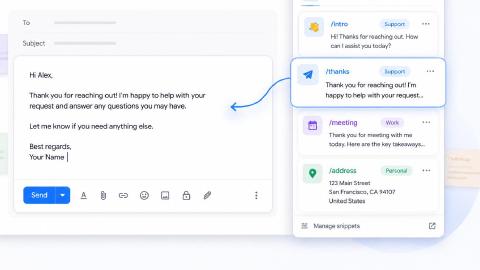
Text Blaze helps you create dynamic, interactive, smart templates that help guide your team's workflows and decision-making.
With Text Blaze, you can automate repetitive typing & communications, and get to the right message or decision in every interaction.
How Text Blaze supports IT process automation:
100% seamless integration. Automate emails & messages to customers with dynamic, smart templates that work in any site, app, help desk, email platform, CRM, etc.
Create SOP templates that integrate right where you already work. Text Blaze integrates into your tech stack seamlessly.
Get the correct response & decision in every interaction. Text Blaze helps you get the right message every time.
Reduce mistakes with templates that help agents stay consistent and on-brand.
Streamline repetitive workflows, like transferring data, filling out forms, sending an email, or any other repetitive workflow.
Text Blaze is perfect for support teams! Learn more about using Text Blaze for teams to supercharge your team's communication and productivity!
Best fit for: Teams that want to enforce SOP execution inside existing systems rather than manage procedures in a separate documentation platform.
Want to streamline your team's communication & workflows?
Join over 700,000+ others who are automating workflows with Text Blaze.
2. ActiveBatch
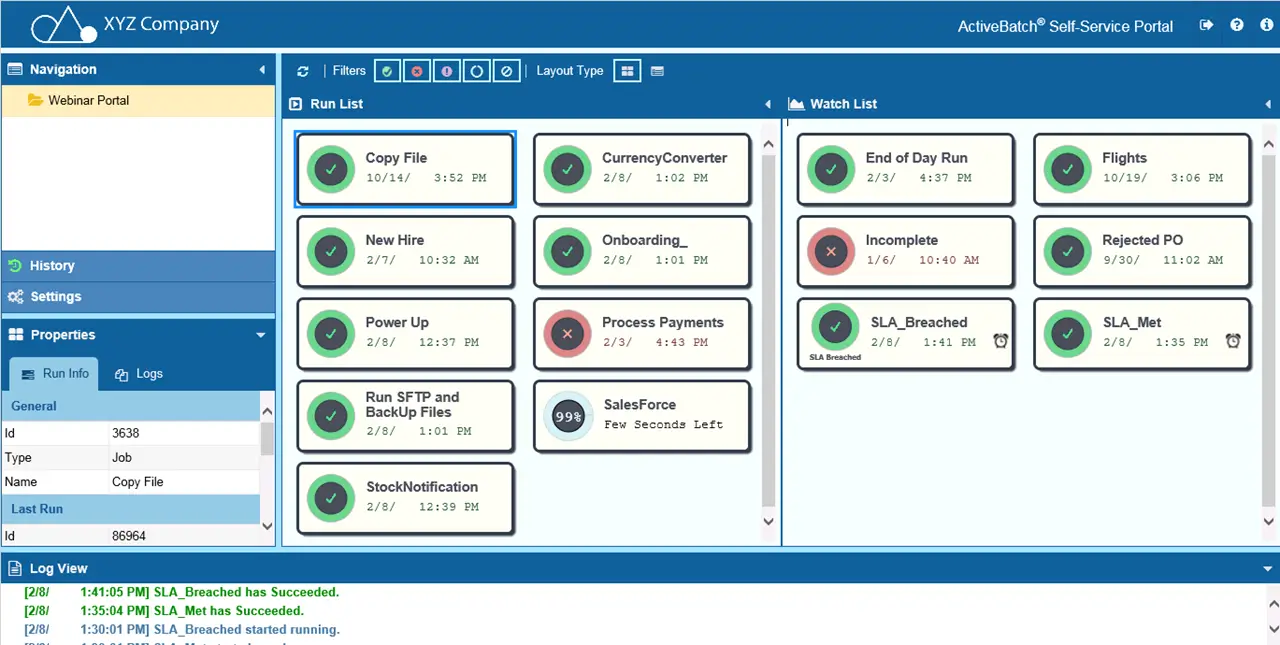
ActiveBatch is an enterprise workload automation platform built to orchestrate complex IT and business workflows across hybrid environments.
It focuses heavily on job scheduling, event-driven automation, and cross-system coordination. The platform includes a visual workflow designer and extensive integration support, making it suitable for large-scale IT operations.
How ActiveBatch supports IT process automation:
- Coordinates multi-step IT workflows across systems
- Provides event-driven job scheduling and orchestration
- Offers a visual workflow builder for complex automation
- Centralizes monitoring and workload management
Best fit for: Enterprises managing large-scale workload automation and job orchestration.
3. Redwood RunMyJobs
Redwood RunMyJobs is a cloud-based workload automation platform designed to manage and orchestrate IT and business processes across distributed systems.
It is commonly used in environments that require reliable job scheduling and SLA-driven automation. The platform emphasizes scalability, real-time visibility, and centralized control. Though, it's not necessarily a low-code automation tool, as the setup is a little complex.
How Redwood RunMyJobs supports IT process automation:
- Automates cross-application and background jobs
- Provides centralized control over distributed workloads
- Supports SLA-based workflow management
- Offers real-time monitoring and reporting
Best fit for: Organizations modernizing legacy schedulers and managing cloud-scale workloads.
4. Stonebranch

Stonebranch provides workload automation and IT orchestration software built for hybrid and multi-cloud environments.
It focuses on coordinating jobs, workflows, and IT processes across complex infrastructures. The platform includes event-driven automation and centralized visibility into workload performance.
How Stonebranch supports IT process automation:
- Orchestrates workloads across hybrid environments
- Supports event-driven automation workflows
- Provides centralized operational visibility
- Manages dependencies across complex job chains
Best fit for: IT teams running hybrid or multi-cloud infrastructure at scale.
5. Jira Automation
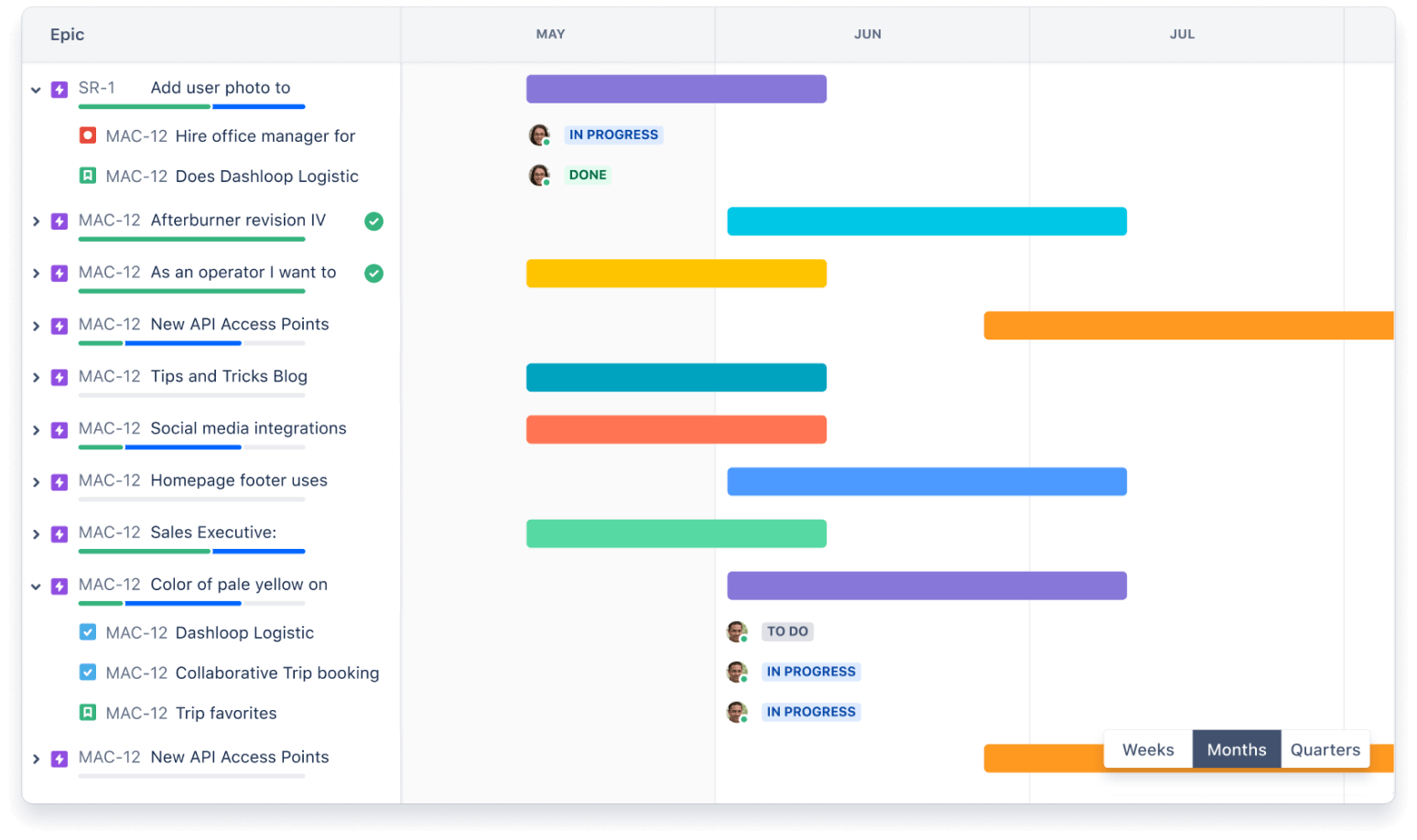
Jira automation is built into the Jira ecosystem and enables teams to automate issue workflows, ticket routing, and operational processes.
Jira automation is widely used by IT service management teams already working inside Jira. The rule builder allows teams to create trigger-based automations without heavy scripting.
How Jira Automation supports IT process automation:
- Automates ticket routing and status updates
- Enforces SLA and workflow rules
- Triggers actions based on issue events
- Integrates directly with Jira Service Management
Best fit for: ITSM teams already operating inside the Atlassian ecosystem.
6. Microsoft Power Automate
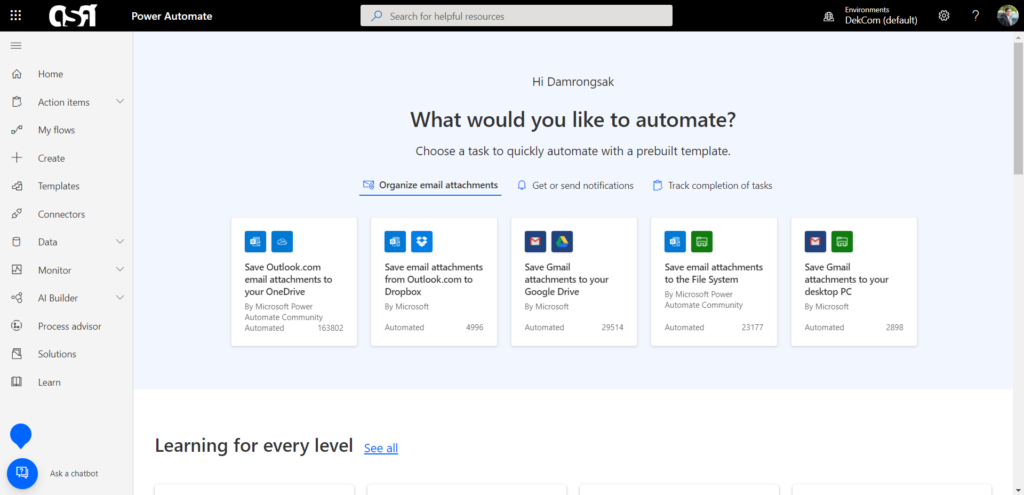
Microsoft Power Automate is a workflow automation platform that connects Microsoft services and third-party applications through event-driven flows.
Tools like Power Automate support both business process automation and IT-focused workflows. The visual flow builder makes it easier to automate approvals, alerts, and cross-system updates.
How Microsoft Power Automate supports IT process automation:
- Automates cross-application workflows and approvals
- Connects Microsoft and third-party systems
- Uses low-code flow builder for automation design
- Supports event-driven triggers and alerts
Best fit for: Organizations heavily invested in the Microsoft ecosystem.
7. Zapier

Zapier is an integration-focused automation platform that connects thousands of web applications through trigger-and-action workflows.
While often associated with business automation, many IT teams use tools like Zapier for lightweight cross-system workflows. Its large integration library makes it easy to automate alerts, notifications, and data automation.
How Zapier supports IT process automation:
- Connects cloud tools through trigger-based workflows
- Automates alerts and cross-system updates
- Supports rapid no-code automation setup
- Provides a large library of app integrations
Best fit for: Small to mid-sized teams needing lightweight cross-app automation.
Want to streamline your team's communication & workflows?
Join over 700,000+ others who are automating workflows with Text Blaze.
How to Choose the Right IT Process Automation Software
Selecting the right IT process automation platform depends on your environment, workflow complexity, and long-term automation goals. Before committing to a tool, evaluate how well it fits your existing systems and operational needs.
If you are evaluating the tools listed above, keep the following in mind:
Integration capabilities - Ensure the platform connects easily with your service desk, identity systems, monitoring tools, and infrastructure.
Ease of workflow creation - Visual builders and low-code tools can reduce implementation time and ongoing maintenance.
Scalability for IT environments - Confirm the platform can handle growing workload volume and infrastructure complexity.
Monitoring and reporting depth - Look for strong visibility into workflow performance and failures.
Security and compliance support - Automation should align with your organization’s governance requirements.
Pricing and total cost of ownership - Consider licensing, infrastructure, and maintenance costs together.
The right choice is the one that fits naturally into your existing IT workflows without creating unnecessary overhead.
Best Practices for Implementing IT Process Automation
Successful IT process automation initiatives usually start small and expand over time. A structured rollout helps IT or support teams avoid unnecessary complexity and build confidence in automated workflows.
If you've chosen a tool from above and want to start implementing it for your team, use these steps:
Start with high-volume repetitive tasks
Focus first on workflows that consume significant manual time, such as ticket routing or account provisioning. Early wins help demonstrate value quickly.
Map workflows before automating
Document the current process and decision points before building automation rules. Clear process maps reduce rework later.
Involve IT and security early
Automation often touches identity, access, and infrastructure systems. Early stakeholder involvement helps prevent compliance issues.
Monitor automations continuously
Track workflow success rates, failures, and exceptions. Continuous monitoring ensures automations remain reliable as systems evolve.
Iterate and expand gradually
After initial success, expand automation into adjacent workflows. Gradual rollout reduces risk and improves long-term adoption.
What is the Best IT Process Automation Tool?
There is no single best IT process automation tool for every organization. The right choice depends on your infrastructure complexity, integration needs, and how deeply you want to automate IT workflows.
Many teams start by automating smaller, high-friction tasks and then expand into broader orchestration as their automation maturity grows. The most effective platforms are the ones that fit naturally into your environment and reduce manual effort without adding unnecessary complexity.
As IT environments continue to scale, teams that invest in thoughtful automation now will be better positioned to deliver fast, consistent, and reliable IT services.
For teams looking to eliminate repetitive manual work inside service desks and web-based tools, Text Blaze can be a practical starting point or complement to larger automation platforms.