8 Legal Workflow Automation Software Picks for Law Firms (2026)
Compare 8 legal workflow automation software options for law firms, plus key features, common workflows to automate, and tips for choosing the right platform.

If you work at a law firm, you’ve probably felt how quickly routine tasks can take over your day. Client intake, document reviews, follow-ups, and internal approvals all need constant attention, and most of it still happens manually.
Legal workflow automation software helps law firms standardize these repetitive processes and keep matters moving without constant manual effort. The right setup can reduce delays, improve client communication, and give your team better visibility across cases.
In this guide, we'll compare eight legal workflow automation software options, see which workflows are easiest to automate, and help you choose the right platform for your firm.
What Is Legal Workflow Automation Software?
Legal workflow automation software is technology that automatically manages repetitive legal processes such as client intake, document routing, task assignments, and follow-up communications.
It uses rules and triggers to move matters forward without manual intervention, helping law firms improve consistency, speed, and visibility across their operations.
Unlike basic legal practice management tools, dedicated workflow automation focuses on how work flows between people, systems, and stages. The goal is to reduce manual handoffs, improve consistency, and make legal operations more predictable.
Most modern law firms use workflow automation to standardize processes across intake, document handling, and client communication.
Benefits of Legal Workflow Automation
When legal workflows run manually, small delays compound quickly. Automation helps firms maintain momentum and reduce administrative overhead.
Here are a few benefits of legal workflow automation:
Reduces repetitive work - Automation handles routine steps like task creation, reminders, and status updates so staff can focus on substantive work.
Improves client response times - Email automation and intake routing help firms respond faster without increasing workload.
Standardizes legal document workflow - Templates and routing rules ensure documents follow the same review and approval path every time.
Increases visibility - Workflow dashboards make it easier to track matter progress and identify bottlenecks.
Supports team scalability - Firms can handle more matters without proportionally increasing administrative staff.
When implemented well, workflow automation creates a more predictable and efficient operating model for legal teams.
Common Legal Workflows That Can Be Automated
Most legal processes follow predictable steps, which makes them strong candidates for automation.
Here are some of the most common workflows law firms automate first:
Client intake and onboarding
Client intake is one of the highest-impact areas for automation. When a prospective client submits a form, automation can trigger conflict checks, create a new matter, assign tasks, and send a welcome email. This reduces intake delays and ensures every new client follows the same structured process.
Legal document workflow
Document-heavy firms benefit significantly from automating document routing and approvals. Automation can generate drafts from templates, route documents to the right reviewer, and track approval status without manual follow-up. This keeps document workflows consistent and easier to audit.
Email automation for client communication
Routine client communication is another strong automation opportunity. Law firms can automatically send status updates, appointment reminders, and follow-ups based on matter activity. This helps maintain responsiveness without requiring staff to manually monitor every case.
Task routing and reminders
Many firms still assign tasks manually, which creates unnecessary overhead. Workflow automation can automatically assign work based on matter type, stage, or team role. Built-in reminders help ensure deadlines are not missed.
Matter status updates
Keeping matter stages current is often inconsistent when done manually. Automation can update matter status as key actions are completed, giving leadership a clearer view of progress across the firm. This improves reporting accuracy and operational visibility.
Deadline and calendar management
Legal deadlines are critical and time-sensitive. Automation can generate calendar events and alerts based on case milestones or court rules. This reduces the risk of missed deadlines and helps teams stay proactive.
Want to save hours by automating repetitive typing & workflows?
Join over 700,000+ others who are automating workflows with Text Blaze.
What to Look For in Legal Workflow Automation Software
Not all legal workflow tools offer the same level of automation. Before choosing a platform, evaluate the capabilities that matter most for your firm.
Here are a few key features to look out for:
Workflow builder - Look for visual or rule-based builders that allow you to automate multi-step legal processes.
Document automation - Strong template support helps standardize legal document workflow across matters.
Email automation - Built-in communication triggers help maintain consistent client outreach.
Integrations - Connections with practice management, email, and document tools reduce manual data entry.
Reporting and visibility - Dashboards should clearly show matter progress and workflow performance.
Security and permissions - Role-based access and audit trails help maintain compliance and data automation.
Ease of setup - No-code or low-code configuration reduces implementation friction.
Scalability - The platform should support growing matter volume and team size.
The right mix depends on your firm’s complexity and automation goals.
8 Best Legal Workflow Automation Software for Law Firms
Many platforms claim to automate legal work, but their strengths vary widely. Look for one that integrates into your existing workflows and helps you save time.
To help you evaluate your options faster, the table below compares the most widely used legal workflow automation software platforms used by modern law firms.
Here's our list of the 8 best legal workflow automation software:
| Tool | Best for | Key automation focus | Free plan | Starting price |
|---|---|---|---|---|
| Text Blaze | Lightweight workflow automation | Templates and email automation | Yes | Free |
| Clio | Full practice management | Matter and task workflows | No | $49/user |
| MyCase | Small firm management | Case and billing workflows | Free trial | $49/user/month |
| Lawmatics | Intake and marketing automation | Client intake workflows | No | Paid plans (request pricing info) |
| Smokeball | Document-heavy firms | Document automation | No | Paid plans (request pricing info) |
| PracticePanther | Solo and small firms | Task and case workflows | Free trial | $59/user/month |
| Checkbox AI | Legal operations teams | Intake and decision workflows | Basic demo | Pricing available with demo |
| Streamline AI | Process-heavy legal teams | End-to-end workflow automation | No | $22,900 |
1. Text Blaze

Text Blaze is the ultimate workflow automation tool that helps law firms & legal teams keep communication on the same page and streamline repetitive workflows.
Text Blaze allows you to create smart text templates and insert them anywhere you work to automatically fill out forms, transfer data, automate repetitive typing, and much more.
How Text Blaze supports legal workflow automation:
Automate repetitive typing anywhere you work! Text Blaze works on Chrome, Windows, and Mac.
Streamline legal workflows & processes like transferring data, filling out forms, sending an email, or any other repetitive workflow.
Get the correct response in every interaction. Text Blaze helps you get the right message every time.
Reduce mistakes with templates that help agents stay consistent and on-brand.
Save time for free! Text Blaze is free forever, no licenses or upgrades necessary.
Best fit for: Firms that want lightweight automation layered on top of existing tools.
Want to save hours by automating repetitive typing & workflows?
Join over 700,000+ others who are automating workflows with Text Blaze.
2. Clio
Clio is one of the most widely used legal practice management platforms, offering built-in workflow automation alongside matter management, billing, and client communication.
It is designed for firms that want a centralized system to manage cases while improving operational consistency. Growing firms adopt Clio as their core system of record.
How Clio supports legal workflow automation:
- Automatically assigns tasks when new matters are created
- Generates key calendar events and deadlines
- Supports structured client communication workflows
- Integrates with a broad ecosystem of legal tools
Best fit for: Firms seeking an all-in-one practice management platform with automation.
3. MyCase
MyCase is a cloud-based case management platform built for small and midsize law firms that want to streamline daily operations.
It combines matter tracking, billing, and communication into a single interface. Its workflow features help reduce manual coordination across cases and improve consistency.
How MyCase supports legal workflow automation:
- Creates tasks automatically based on matter activity
- Keeps client messaging consistent across cases
- Supports structured billing workflows
- Centralizes matter visibility for the team
Best fit for: Small firms that want structured workflows inside a unified system.
4. Lawmatics

Lawmatics is a legal CRM and marketing automation platform focused heavily on client intake and pipeline management.
It is commonly used by firms that want to improve lead conversion and onboarding efficiency. Its automation capabilities are strongest on the front end of the client journey.
How Lawmatics supports legal workflow automation:
- Routes new leads through automated intake pipelines
- Sends follow-ups and nurture emails automatically
- Standardizes data collection with custom intake forms
- Tracks prospects through each stage of the pipeline
Best fit for: Firms focused on improving intake and client acquisition workflows.
5. Smokeball

Smokeball is known for its strong document automation and matter-based workflow capabilities. It is often used by firms that manage a high volume of standardized legal documents.
The platform emphasizes productivity through document-centric automation and detailed activity tracking.
How Smokeball supports legal workflow automation:
- Generates standardized legal documents from templates
- Guides teams through predefined matter workflows
- Automatically tracks work activity
- Keeps document processes consistent across cases
Best fit for: Document-heavy firms that want deeper document workflow control.
6. PracticePanther
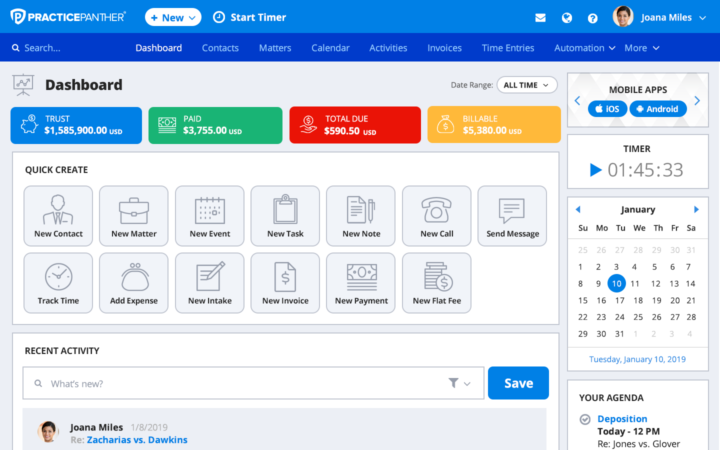
PracticePanther is a cloud legal practice management system designed for ease of use and fast setup.
It includes workflow tools that help solo and small firms stay organized without heavy configuration. The platform balances flexibility with a relatively straightforward learning curve.
How PracticePanther supports legal workflow automation:
- Assigns and tracks tasks automatically across matters
- Keeps deadlines synchronized through calendar automation
- Supports structured client communication
- Allows custom triggers and fields for flexible workflows
Best fit for: Solo and small firms that want straightforward workflow automation.
7. Checkbox AI

Checkbox AI focuses on legal operations and decision workflow automation, often used by in-house teams and larger legal departments.
It helps automate complex intake, approvals, and service delivery processes. The platform is more process-oriented than traditional case management tools.
How Checkbox AI supports legal workflow automation:
- Routes requests using structured decision logic
- Standardizes internal legal service intake
- Provides a no-code builder for complex workflows
- Improves visibility into legal demand and workload
Best fit for: In-house legal teams or firms with complex intake workflows.
Want to save hours by automating repetitive typing & workflows?
Join over 700,000+ others who are automating workflows with Text Blaze.
8. Streamline AI
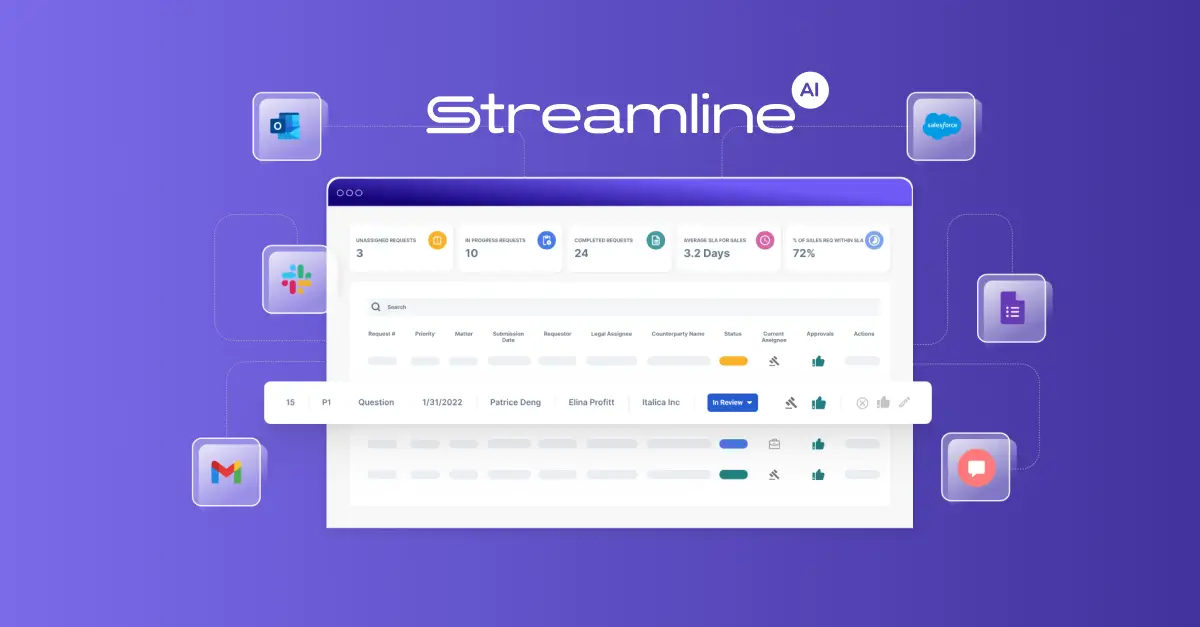
Streamline AI is built for teams that want deeper end-to-end process automation across legal operations.
It focuses on reducing manual handoffs and improving workflow orchestration across systems. Organizations typically use it for more advanced automation initiatives.
How Streamline AI supports legal workflow automation:
- Connects multi-step legal processes end to end
- Reduces manual routing and tracking work
- Integrates across multiple legal systems
- Provides visibility into workflow performance
Best fit for: Process-heavy legal teams pursuing advanced business automation.
When Law Firms Should Invest in Legal Workflow Automation
Many firms wait too long to automate. If manual work is starting to create delays, it is usually time to evaluate workflow tools.
If you're seeing these signs, it's usually a good time to automate workflows:
Rising administrative workload - Staff spend too much time on repetitive coordination.
Slow client response times - Follow-ups and updates are inconsistent.
Inconsistent processes - Different team members handle the same workflow differently.
Growing matter volume - Work is increasing faster than staffing.
Limited visibility into case progress - Leadership lacks clear workflow insight.
Firms that address these signals early typically see faster operational improvements.
What is the Best Legal Workflow Automation Software?
The best legal workflow automation software depends on how complex your firm’s processes are and how quickly you want to improve efficiency. Most law firms see the biggest impact when they start by automating repetitive communication, document preparation, and routine data entry.
For teams looking for a fast, low-friction starting point, Text Blaze is a strong option. It helps legal professionals standardize templates, automate client emails, and reduce repetitive typing directly inside the tools they already use. Plus, it integrates 100% seamlessly where you work.
Ultimately, the right choice is the platform that removes your firm’s biggest bottleneck first and supports your long-term workflow strategy.