5 Best Free Notedly AI Alternatives in 2026
Use these free Notedly AI alternatives to streamline note-taking and study smarter with AI in 2026.

Note-taking can feel like a chore when you're trying to keep up with lectures, assigned readings, and deadlines all at once.
Copying notes word for word takes forever, and it’s easy to miss important details when the professor moves quickly. Then later, studying becomes harder because your notes aren’t as organized or clear as you hoped.
AI note-taking tools can help by turning long content into quick summaries and structured bullet points so you spend less time writing and more time actually learning.
In this article, we'll cover the 5 best free Notedly AI alternatives for note-taking and studying in 2026.
What is Notedly AI?
Notedly.ai is an AI study tool that helps students turn text or articles into simple notes. You can paste content into the tool to get summaries and key points for studying.
It's a useful AI note-taker that makes reviewing course material faster, especially when you have long readings.
Is Notedly Free?
Notedly offers a free plan, but it includes limits on the amount of words you can process every month. To get more, you have to upgrade to a paid plan.
Increased usage for Notedly AI costs $9.99/month for Premium and $24.99/month for Premium Plus.
While it's useful, some students are forced to look for other tools that offer expanded free usage or other features.
Want a free AI note-taker to help with studying?
Use AI Blaze to generate notes anywhere for FREE.
How Does AI Help With Note-Taking?
AI tools make studying easier by turning dense material into something more structured and readable. Instead of writing everything by hand, you can generate notes in seconds and focus more on learning than typing.
Here are a few ways that AI can help you with note-taking:
AI can turn textbook chapters into short, organized notes that highlight the main concepts.
It can turn long articles into summaries so you understand them faster.
You can upload or paste lecture transcripts to get simple bullet notes without rewriting everything yourself.
AI can rewrite or simplify messy notes into something clearer for review later.
Study helpers don't replace studying, but it helps you move faster and stay organized, especially when you have multiple courses to manage at once.
How to Choose a Notedly AI Alternative
Choosing the right tool depends on how you study and what features matter most to you.
Here's how to choose a Notedly AI alternative:
A free plan you can actually use - Look for tools that offer enough daily or monthly usage without forcing you to upgrade quickly.
No uploads needed for quick notes - Helpful when you want to summarize text right from your screen without preparing files first.
Works wherever you're studying online - Tools that function across sites and formats make it easier to grab notes from PDFs, articles, or course pages.
Helps you rewrite and clean up notes - Writing assistance is useful when you want clearer explanations or better-structured notes.
Makes studying easier - Features like summaries, flashcards, and quick breakdowns save time and help you prepare for tests more confidently.
Pick what fits your workflow and try a couple to see which one feels the easiest to use day to day.
5 Best Free Notedly AI Alternatives
Here's our list of the 5 best free Notedly AI alternatives in 2026:
| Tool | Description | Price |
|---|---|---|
| AI Blaze | Free AI note-taking & studying assistant that works on any website. | 100% free for students. |
| TurboLearn AI | Upload files or videos and turn them into notes with AI. | Limited free usage. |
| Knowt | Record lectures and turn them into notes with AI. | Limited free options. |
| Coconote AI | Record or upload files and quickly create notes using AI. | 7 day free pass. |
| Otio AI | AI that helps with research and summarizing. | 50 free monthly credits. |
1. AI Blaze
First up on our list of the best free Notedly AI alternatives is AI Blaze.
AI Blaze is your personal AI note-taking and studying assistant that helps you quickly generate citations, summarize text, articles, and PDFs, and streamline the writing process!
Here's why AI Blaze stands out:
Use AI to answer questions - Answer questions and get detailed explanations on any page or website. No need to upload files or copy/paste!
Take notes & generate summaries with AI - AI Blaze helps you summarize PDFs & articles and take notes using AI!
AI that helps you study your way - AI Blaze can help you study with practice tests and study guides for any subject.
No file uploads necessary - AI Blaze works on any website, so no file uploads or copy/pasting necessary.
AI Blaze is free! - Forget about annoying licenses or tokens. AI Blaze is free for students!
👍
Pros
- 100% free for students.
- Works on any website.
- No file uploads necessary.
👎
Cons
- Only available on Chrome.
Want a free AI note-taker to help with studying?
Use AI Blaze to generate notes anywhere for FREE.
2. TurboLearn AI

TurboLearn AI focuses on speeding up note-taking and creating quick summaries from text. It supports spaced repetition study cards, which helps you review more effectively over time.
Students who like structured study routines often find this useful for exam prep. Tools like Turbo AI are useful if you want summaries plus lightweight study features in one place.
👍
Pros
- Can summarize anything.
- Creates structured notes.
👎
Cons
- Limited free usage.
- File uploads are required.
3. Knowt
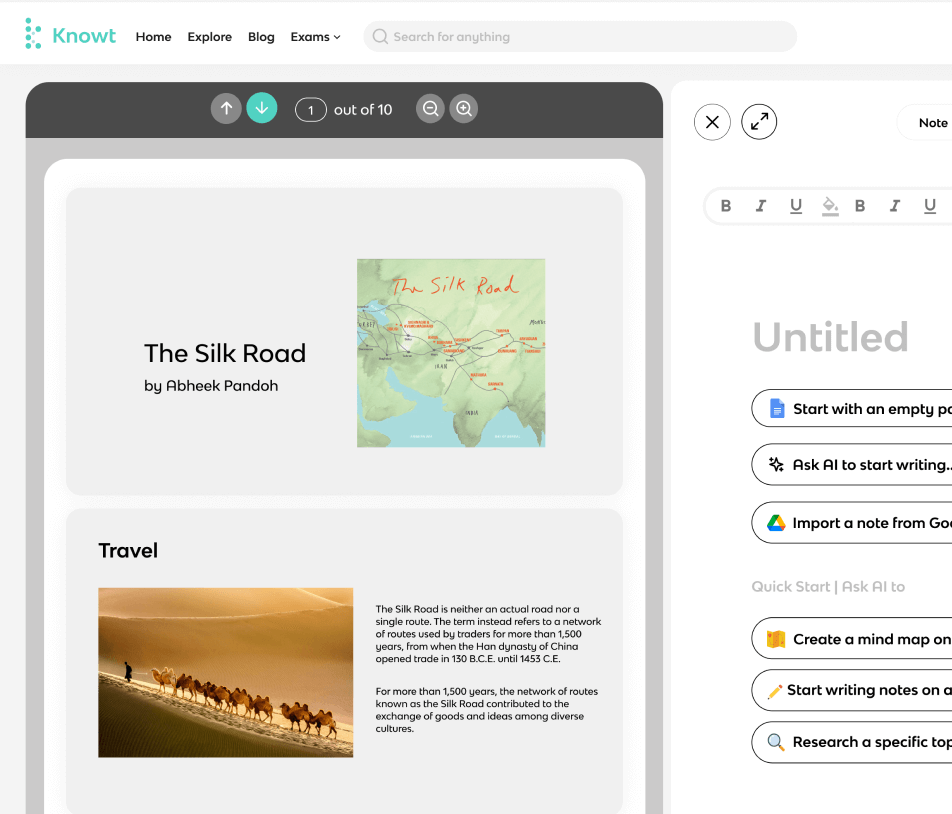
Knowt is known for turning class notes into quizzes automatically. You can store your notes, create flashcards, and study within the same tool.
Many students like using it to prepare for tests because it builds active recall into your routine. Apps like Knowt work well for students who prefer practice-based studying beyond summaries.
👍
Pros
- Transcription is useful.
👎
Cons
- Limited free access.
- Not as portable as other tools.
4. Coconote AI
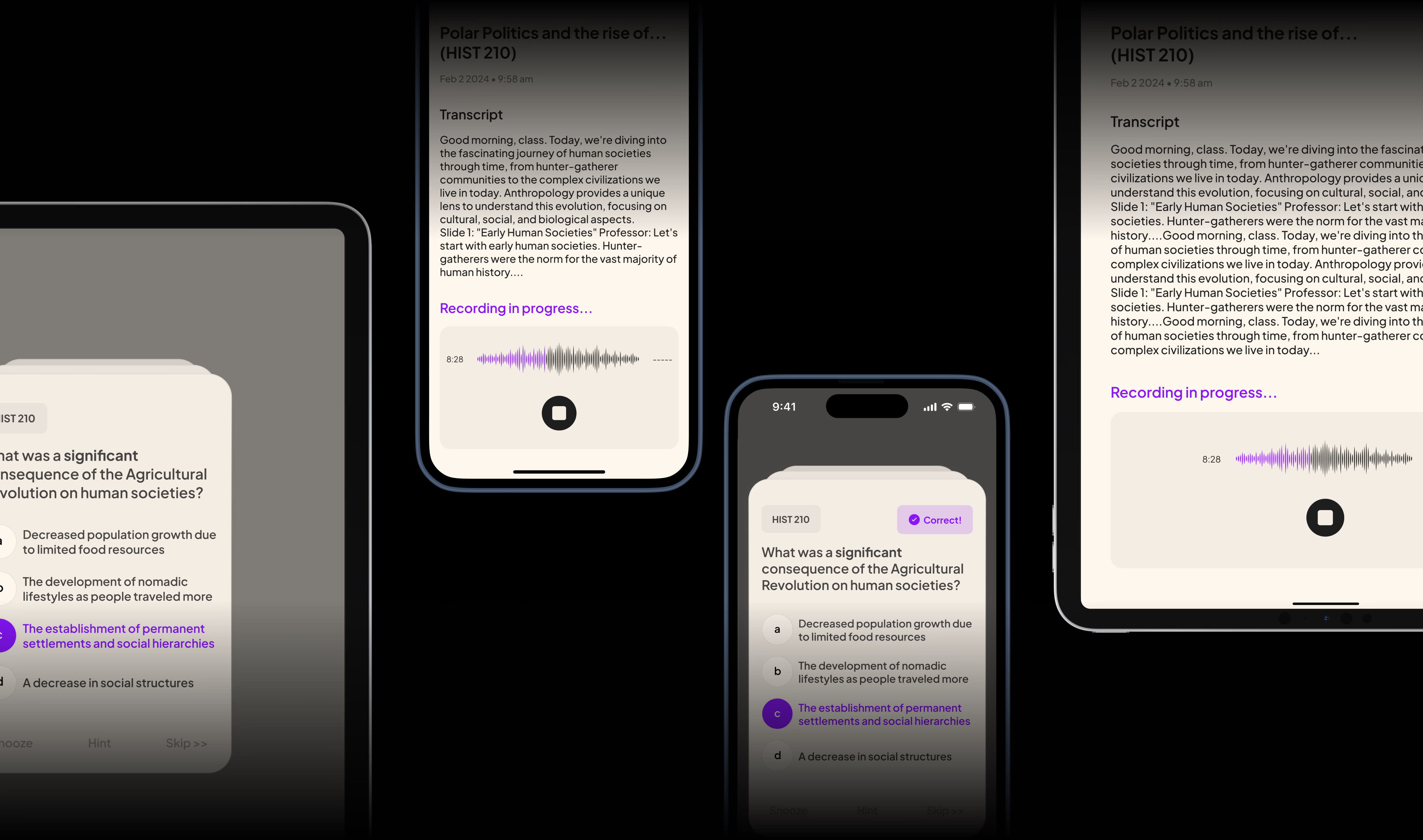
Coconote creates short notes from long text, which helps you study faster. You can paste lecture content, articles, or textbook excerpts to get a simplified version.
It’s useful if you often need quick notes without formatting or extra features. Some students use tools like Coconote for daily assignments when they just want the main points.
👍
Pros
- Works on mobile.
👎
Cons
- Only 7 days free, then upgrade required.
- Not many advanced features.
5. Otio AI
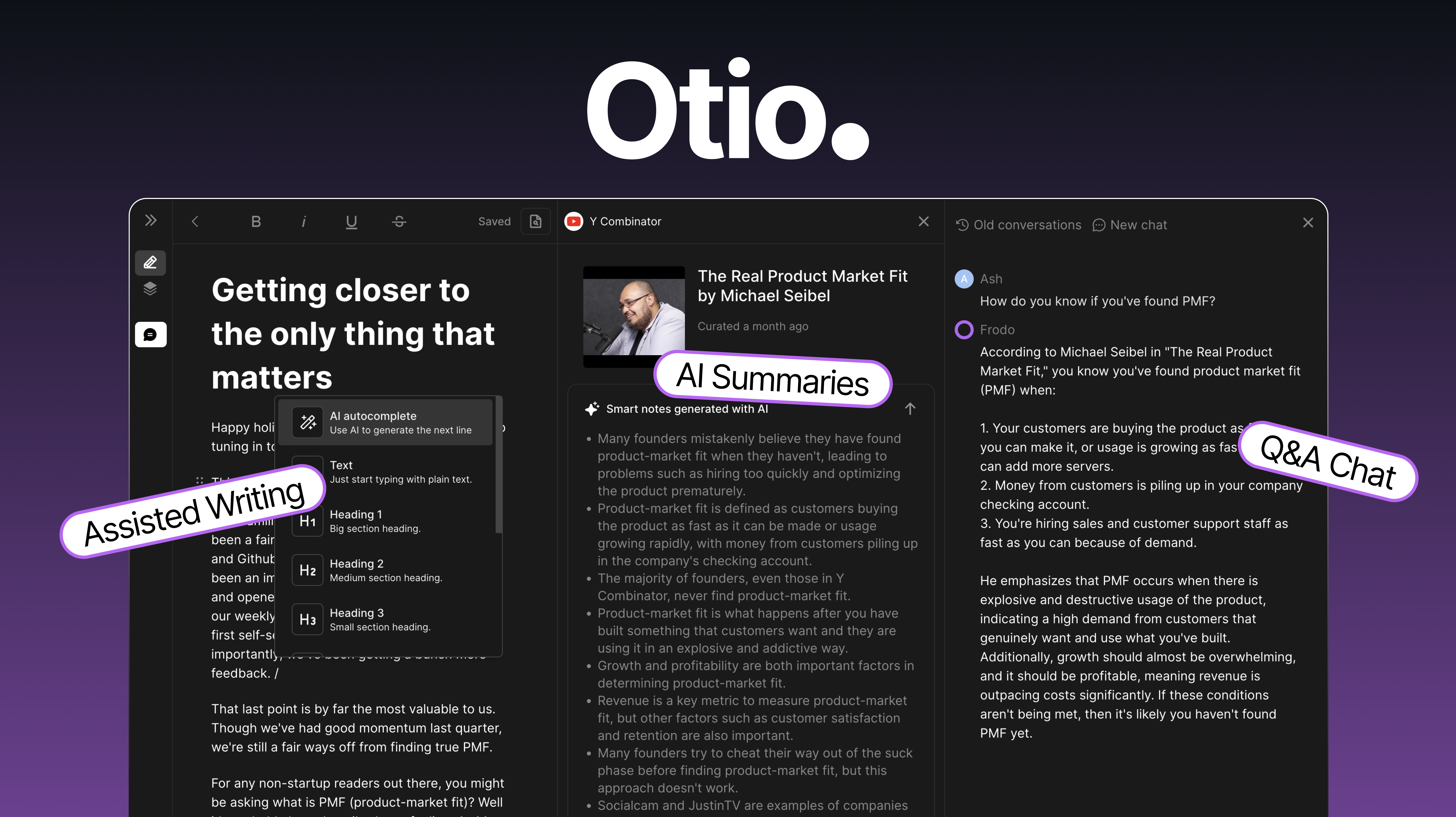
Otio AI helps students summarize documents and chat with their content to understand details better. You can ask questions about your readings and get explanations in plain language.
The rewriting feature also helps clean up messy notes so they’re easier to study later. Students use Otio for research, reading comprehension, and building study guides.
👍
Pros
- Solid for research.
👎
Cons
- Only 50 free credits/month.
- Not super portable.
What is the Best AI Note-Taker?
The best AI note-taker really depends on what you need it for. If you just want quick notes from readings or lecture text, a simple note generator might be all you need.
If you like building study materials, you might prefer something that creates summaries, flashcards, or key point lists for review. And if writing assignments take up most of your time, tools that rewrite or simplify notes can make the process smoother.
The right choice is the one that supports the way you already study and makes schoolwork feel a little easier.
To recap, our suggestion for the best AI note-taker and free alternative to Notedly AI is AI Blaze. AI Blaze is your personal AI note-taking and studying assistant that works on any website.
Give AI Blaze a try for free today!