10 Best Onboarding Automation Tools for Smoother Processes in 2026
Discover the best onboarding automation tools and software to help you set up smoother processes for your team in 2026.

Onboarding sets the tone for every new relationship, whether you're welcoming a customer, bringing on a new employee, or guiding someone through an HR process.
Yet, onboarding often becomes a mix of scattered emails, missing paperwork, manual follow-ups, and last-minute tasks that pull your attention away from more important work. When the process feels disorganized behind the scenes, people notice.
Onboarding automation helps you create a more structured experience without increasing your team’s workload. Automating communication, document collection, and task management makes it easier to stay consistent while giving people a smoother introduction to your business.
In this guide, we'll cover what onboarding automation is, outline some best practices, and discuss the 10 best onboarding automation tools & software that you can use for smoother processes in 2026.
What is Onboarding Automation?
Onboarding automation is the use of software to manage the steps involved in introducing new customers, employees, or internal team members to your business.
Instead of relying on manual emails, scattered documents, and constant follow-ups, automation creates structured workflows that keep everything moving without requiring hands-on oversight.
Here are a few common types of onboarding automation:
Customer onboarding - Automatically guide new clients through setup, training, document collection, and early touchpoints so they can start seeing value faster.
Employee onboarding - Assign tasks, deliver training materials, collect required forms, and coordinate across departments before and after a new hire’s first day.
HR onboarding - Streamline HR workflows such as policy acknowledgments, benefits enrollment, and payroll setup while reducing administrative work.
Email automation - Trigger timely messages like welcome emails, reminders, and progress updates so communication stays consistent without manual effort.
When these processes run automatically, your team spends less time managing logistics and more time helping people succeed from the start.
10 Best Onboarding Automation Tools
Businesses often look for onboarding automation tools when manual processes start limiting growth. The tools below support everything from HR workflows to customer onboarding journeys.
1. Text Blaze
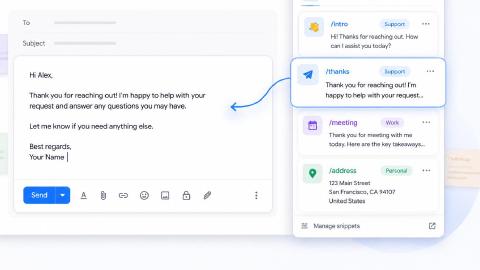
First up on our list of the best free onboarding automation tools is Text Blaze. With Text Blaze, you can automate form-filling and data transfer on any website with dynamic templates!
Text Blaze Features:
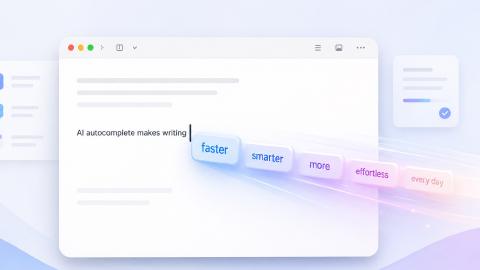
Automate repetitive typing anywhere you work! Text Blaze works on Chrome, Windows, and Mac.
Streamline onboarding workflows & processes like common communications & messages, transferring data, filling out forms, and more.
Follow the correct steps every time - Text Blaze helps teams stay on-brand, consistent, and get the right message in every interaction.
Save time for free! Text Blaze is free forever, no licenses or upgrades necessary.
Why we picked Text Blaze: Text Blaze helps teams automate repetitive typing, workflows, and processes. Create smart templates & share them with your team. Get the right message & follow the correct process in every interaction. Learn more here.
Want to save hours by automating repetitive typing & workflows?
Join over 800,000+ others who are automating workflows with Text Blaze.
2. Workato
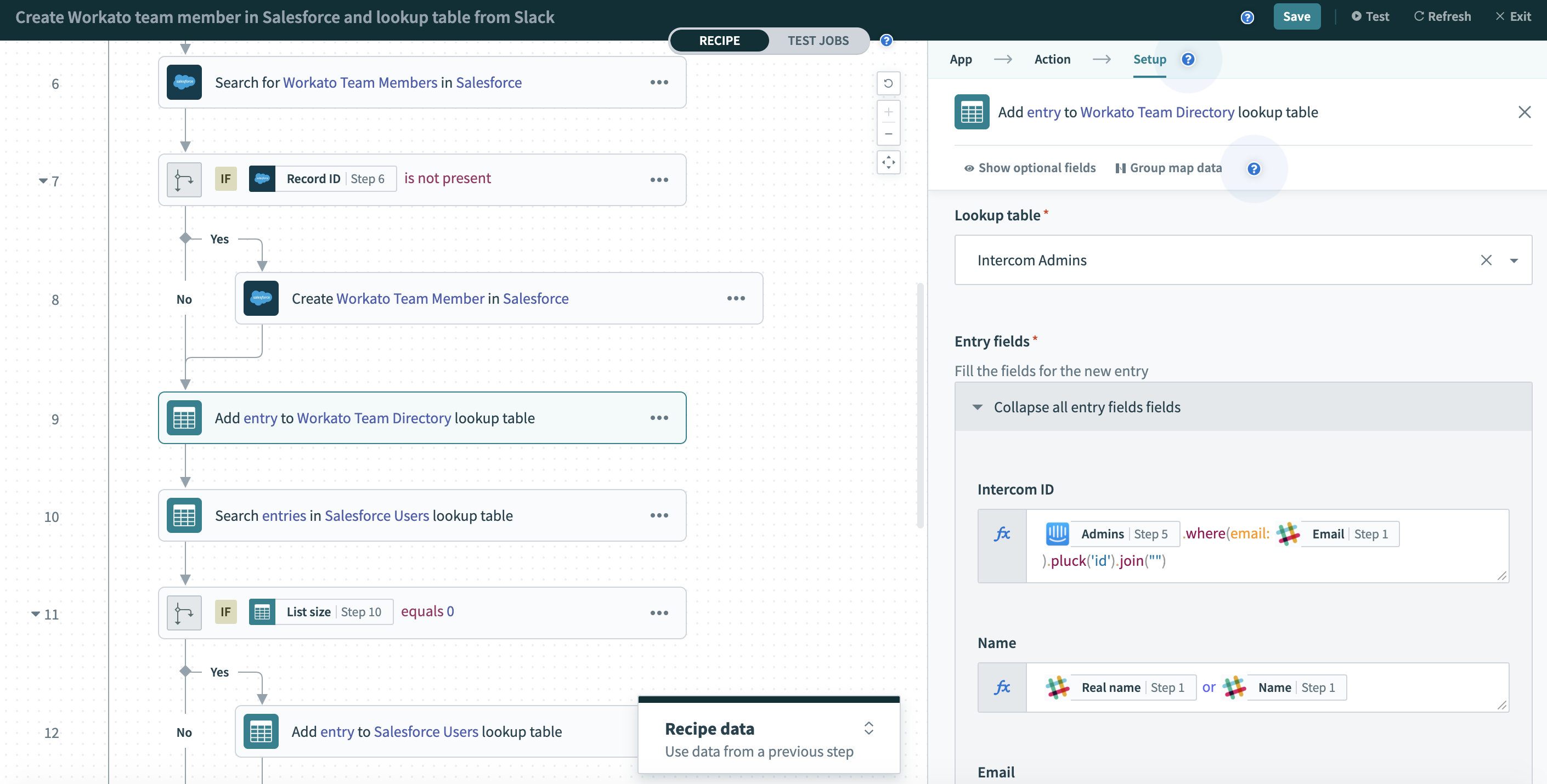
Workato is an integration and business automation platform designed to connect business systems and orchestrate workflows across departments. It is commonly used by organizations that need onboarding processes to span multiple tools.
Workato Features:
App integrations - Connect HR systems, CRMs, payroll tools, and collaboration platforms.
Workflow automation - Trigger tasks automatically when onboarding milestones are reached.
Low-code builder - Create workflows without heavy technical resources.
Data syncing - Keep employee and customer data accurate across platforms.
Security controls - Support compliance requirements with governance features.
Why we picked Workato: It works well for businesses managing complex onboarding across several systems. The automation depth supports both employee and customer workflows.
3. Automation Anywhere
Automation Anywhere focuses on robotic process automation to handle high-volume, rules-based tasks. Tools like Automation Anywhere are often used by enterprises looking to reduce manual administrative work.
Automation Anywhere Features:
Bot automation - Automate repetitive onboarding tasks such as data entry.
Process discovery - Identify workflows suitable for automation.
Document processing - Extract information from forms and contracts.
Analytics dashboard - Track automation performance.
Scalability - Expand automation as onboarding needs grow.
Why we picked Automation Anywhere: It helps organizations reduce operational workload by automating structured processes. This can be especially useful when onboarding involves large amounts of documentation.
4. Enboarder

Enboarder is designed specifically for employee onboarding with a strong focus on engagement and structured experiences. It helps HR teams guide new hires through each stage of their transition.
Enboarder Features:
Journey templates - Create step-by-step onboarding experiences.
Automated reminders - Keep employees and managers on track.
Mobile access - Allow new hires to complete tasks from anywhere.
Feedback collection - Gather insights throughout onboarding.
Manager workflows - Assign responsibilities to supervisors automatically.
Why we picked Enboarder: Its structured approach helps HR teams deliver consistent onboarding while keeping employees engaged from day one.
Want to save hours by automating repetitive typing & workflows?
Join over 800,000+ others who are automating workflows with Text Blaze.
5. OnRamp
OnRamp is a customer support automation and onboarding platform built to help businesses guide clients through setup and early adoption. It provides visibility into progress so teams can intervene when needed.
OnRamp Features:
Client portals - Give customers a centralized onboarding hub.
Task tracking - Monitor completion of onboarding steps.
Automated communication - Send updates and reminders and streamline business communication.
Progress dashboards - View onboarding status in real time.
Template workflows - Launch repeatable onboarding programs.
Why we picked OnRamp: It provides clarity into customer onboarding progress, making it easier to reduce delays and improve early relationships.
6. Moxo

Moxo supports client interaction workflows with tools for team communication, document sharing, and approvals. It is commonly used in industries that require structured client onboarding.
Moxo Features:
Secure messaging - Communicate with clients in a controlled environment.
Workflow builder - Automate multi-step onboarding processes.
File sharing - Collect and organize required documents.
Approval flows - Speed up decision-making.
Activity tracking - Maintain visibility into each interaction.
Why we picked Moxo: It brings communication and workflow management into one place, which helps reduce confusion during onboarding.
7. WalkMe

WalkMe focuses on digital adoption by guiding users through software with interactive prompts. It is often used when onboarding requires learning new platforms.
WalkMe Features:
In-app guidance - Walk users through tasks step by step.
Smart tips - Provide contextual support.
Automation triggers - Launch help when users reach certain actions.
User analytics - Understand where people struggle.
Self-service support - Reduce reliance on training sessions.
Why we picked WalkMe: It helps shorten the learning curve by guiding users directly within the tools they need to use.
8. Zapier

Zapier connects thousands of apps and automates workflows without requiring technical expertise. Many businesses rely on tools like Zapier to move onboarding data between systems.
Zapier Features:
App connections - Link HR platforms, CRMs, and email tools.
Trigger-based workflows - Start processes automatically.
Multi-step automations - Build layered onboarding sequences.
Templates - Launch workflows quickly.
Error alerts - Stay informed when something breaks.
Why we picked Zapier: It offers flexibility for teams that want to automate workflows without investing in complex infrastructure.
9. Docubee
Docubee focuses on document workflow automation, helping businesses manage agreements, forms, and approvals efficiently.
Docubee Features:
Document generation - Create onboarding paperwork automatically.
E-signatures - Speed up approvals.
Workflow routing - Send documents to the right stakeholders.
Audit trails - Maintain compliance records.
Secure storage - Keep documents organized and accessible.
Why we picked Docubee: It simplifies one of the most time-consuming parts of onboarding by making document handling faster and more structured.
Want to save hours by automating repetitive typing & workflows?
Join over 800,000+ others who are automating workflows with Text Blaze.
10. Moveworks
Moveworks uses AI to automate employee support tasks, often integrating with IT and HR systems to resolve requests quickly.
Moveworks Features:
AI support assistant - Answer common onboarding questions.
Ticket automation - Resolve requests without manual routing.
System integrations - Connect with enterprise tools.
Knowledge search - Help employees find resources instantly.
Workflow automation - Trigger tasks based on employee needs.
Why we picked Moveworks: It reduces the burden on internal teams by helping new employees get answers without waiting on support queues.
How to Use Onboarding Automation Software
Using onboarding automation successfully starts with understanding where your current process creates extra work. A thoughtful setup can help you stay organized, improve consistency, and give new customers or employees a better overall experience.
Follow these steps to start automating your onboarding processes:
Identify the steps in your onboarding process
Begin by mapping out every stage of your onboarding workflow from start to finish. Look at what happens after someone signs a contract, accepts an offer, or enters your system, and document each task, email, and approval.
This makes it easier to spot gaps, delays, or duplicate work that may be slowing your team down. Once you have a clear picture, you can decide which steps should be automated first.
Standardize your workflows
Automation works best when your processes are consistent. Create repeatable templates for communication, document requests, training materials, and task lists so everyone follows the same structure.
Standardization reduces confusion internally and creates a more reliable experience for the people going through onboarding. It also makes future updates much easier since you only need to adjust the template rather than rebuild the process.
Automate communication early
One of the easiest ways to start using onboarding automation is by scheduling key messages in advance. Welcome emails, next-step instructions, reminders, and status updates can all be triggered automatically based on milestones.
This helps prevent delays and ensures no one is left wondering what to do next. Your team spends less time chasing responses and more time focusing on meaningful interactions.
Assign tasks automatically
Onboarding often requires coordination across multiple teams, which is where automation becomes especially valuable. Set up workflows that assign responsibilities as soon as certain conditions are met, such as confirming a start date or completing required paperwork.
Automatic task assignments improve accountability and help everyone stay aligned without constant check-ins. Over time, this can significantly reduce operational friction.
Connect your existing systems
Most businesses already rely on several tools, so your onboarding software should work alongside them rather than create another silo. Integrations allow data to flow between platforms, which minimizes manual entry and reduces the risk of errors.
When systems stay in sync, your team can trust the information they are working with. This creates a smoother process for both internal staff and the people being onboarded.
Review and refine your process
After launching automated workflows, schedule regular check-ins to evaluate how they are performing. Look at completion rates, feedback, and any steps where people tend to get stuck.
Small adjustments can make a noticeable difference in efficiency and overall experience. Treat onboarding as an evolving process that improves as your business grows.
Onboarding Automation Best Practices
A thoughtful approach to automating your onboarding can make it more effective without making the experience feel impersonal.
Here are a few best practices for automating onboarding processes:
Start with high-impact workflows - Focus on processes that create delays or require frequent follow-ups.
Keep communication human - Use automation to support relationships, not replace them.
Set clear expectations - Let employees and customers know what steps are coming next.
Limit tool sprawl - Choose platforms that integrate well to avoid fragmented workflows.
Measure outcomes - Track completion rates, time to productivity, and feedback.
When you combine automation with intentional communication, onboarding becomes smoother for both your team and the people joining your organization.
What is the Best Onboarding Automation Tool?
Finding the right onboarding automation tool depends largely on the type of onboarding your business handles, whether that involves customers, employees, or HR workflows. Each brings different operational needs, but the goal is the same: create a structured, repeatable process that keeps everything moving without forcing your team to manage every detail manually.
Success with onboarding automation is less about picking a single “perfect” platform and more about building effective systems around it. When workflows are clearly defined, responsibilities are automated, and communication happens at the right time, onboarding becomes far more predictable.
It may help to think about where onboarding currently adds pressure to your day. The right solution should simplify coordination, reduce administrative work, and support a smoother experience without increasing your team’s workload.
To recap, our suggestion for the best free onboarding automation tool and software is Text Blaze. Text Blaze helps you automate repetitive typing, data transfer, form-filling, and onboarding workflows on any website. Plus, Text Blaze is free forever!
Give Text Blaze a try today!