
8 Best Free Phrase Express Alternatives in 2026
Looking for a PhraseExpress alternative? Compare the 8 best free text expanders for 2026, including cross-platform options, team-friendly tools, and open-source picks.

PhraseExpress is one of the most established text expanders on the market, with deep customization options and powerful macro support. But it's not for everyone. Its paid licenses, Windows-first design, and learning curve push many users to look for simpler or more flexible alternatives.
This guide compares the 8 best free PhraseExpress alternatives in 2026, including cross-platform options, browser-based tools, and open-source picks. Each tool here is a real text expander, evaluated on platforms, features, pricing, and ease of use.
What Is Phrase Express?
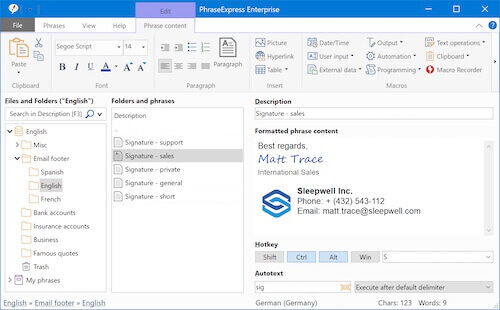
PhraseExpress (sometimes written as Phrase Express) is a text expander developed by Bartels Media. It manages text templates and inserts them into any program through keyboard shortcuts, abbreviation triggers, or a popup snippet menu.
PhraseExpress has been on the market for 20+ years and is feature-dense, with support for macros, multi-language phrase libraries, dynamic fill-in forms, and integrations with Outlook, EMR systems, and Microsoft SQL Server.
It's a Windows-first product. The Mac and iOS versions are secondary, with most features developed for Windows first.
Users coming from a Mac, mobile, or browser-heavy workflow often find PhraseExpress harder to set up and use than competing tools, which is one of the most common reasons people search for alternatives.
Phrase Express Pricing
Phrase Express uses a one-time lifetime license model rather than a subscription:
Free version: Personal use only, with prompts on paid features
Standard: From $80 (lifetime license, single machine)
Professional and Enterprise: Higher tiers with advanced features and team licensing
The lifetime licensing is in some ways more favorable than subscription competitors like TextExpander, but the upfront cost is higher than free or freemium alternatives.
How to Choose a PhraseExpress Alternative
If you're looking for a PhraseExpress alternative, you might have run into one of these common issues: the upfront license cost, the Windows-first design, the macro depth, or something that is more user friendly.
Whatever the reason for switching, the right alternative depends on what matters most to your workflow. Here are the criteria worth weighing as you compare options:
Platforms you actually use. If your work happens primarily on a Mac, on mobile, or in a browser, prioritize tools built natively for those environments. Cross-platform syncing matters too if you regularly switch between devices.
Pricing model. Decide whether you'd rather pay once, pay monthly, or use a free tool with optional paid upgrades.
Ease of setup and use. Some alternatives focus on simpler shortcut-based expansion with a setup time of a few minutes. If you don't need macros, conditional logic, or SQL Server integration, a simpler tool is likely faster to adopt and easier to maintain.
Team and collaboration features. If shared snippet libraries, version control, or usage analytics matter for your team, evaluate how each alternative handles collaboration and what that costs.
Where you actually type. Text expanders vary a lot in what they integrate with. Some are desktop-first and work everywhere you type on your computer. Others are browser extensions purpose-built for web workflows like Gmail, Zendesk, or Salesforce.
The 8 alternatives below cover the full range of these tradeoffs, from free open-source desktop tools to paid cross-platform suites with team features.
8 Best Free PhraseExpress Alternatives
Here's our list of the 8 best free PhraseExpress alternatives:
| Tool | Best for | Platforms | Pricing |
|---|---|---|---|
| Text Blaze | Text expansion & workflow automation, works anywhere | Chrome, Edge, Windows, Mac | Free with paid team tiers |
| PhraseExpander | Power users wanting PhraseExpress depth with easier setup | Windows | Paid (lifetime license from $59) |
| TextExpander | Established cross-platform teams | Windows, Mac, iOS, Chrome | Subscription (paid only) |
| Magical | Browser-based automation and AI-assisted templates | Chrome, Edge | Free with paid tiers |
| aText | Affordable lifetime license on Mac and Windows | Windows, Mac | Paid (lifetime license from $5) |
| espanso | Open-source, cross-platform, developer-friendly | Windows, Mac, Linux | Free and open source |
| Beeftext | Free open-source text expansion on Windows | Windows | Free and open source |
| Typedesk | Customer support and sales teams sending canned replies | Windows, Mac, browser | Paid with free trial |
1. Text Blaze
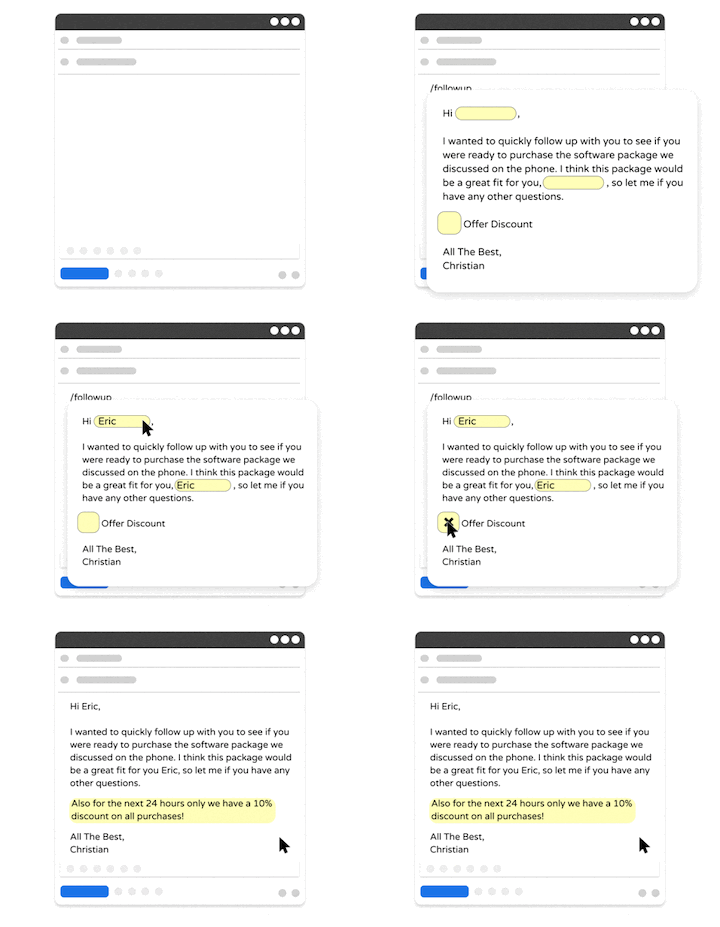
Text Blaze is the strongest free pick for users switching from PhraseExpress, and the #1 rated productivity extension on the Chrome Web Store with 1,900+ five-star reviews and a 4.9 overall rating.
It works across Chrome, Edge, Mac, and Windows as a browser extension and desktop app, with shortcuts and templates that sync automatically between devices. Snippets can be plain text or fully dynamic templates with placeholders, drop-down menus, toggle fields, and if/else logic.
Unlike PhraseExpress, the free tier covers individual use without restrictions on phrase count or commercial use, and team features are included in lower-cost paid tiers rather than requiring an enterprise license.
Text Blaze Features
Automate repetitive typing with text snippets and autotext that works anywhere online.
Text Blaze works anywhere and is available on Chrome, Windows, and Mac.
Create dynamic templates with placeholders, drop-down menus, toggle fields, if/else rules, autopilot, data transfer, and more.
Automate workflows by streamlining data transfer, form-filling, repetitive typing, and much more.
Text Blaze is free forever. Get started and save time for free.
Join 800,000+ who are using Text Blaze templates.
2. PhraseExpander
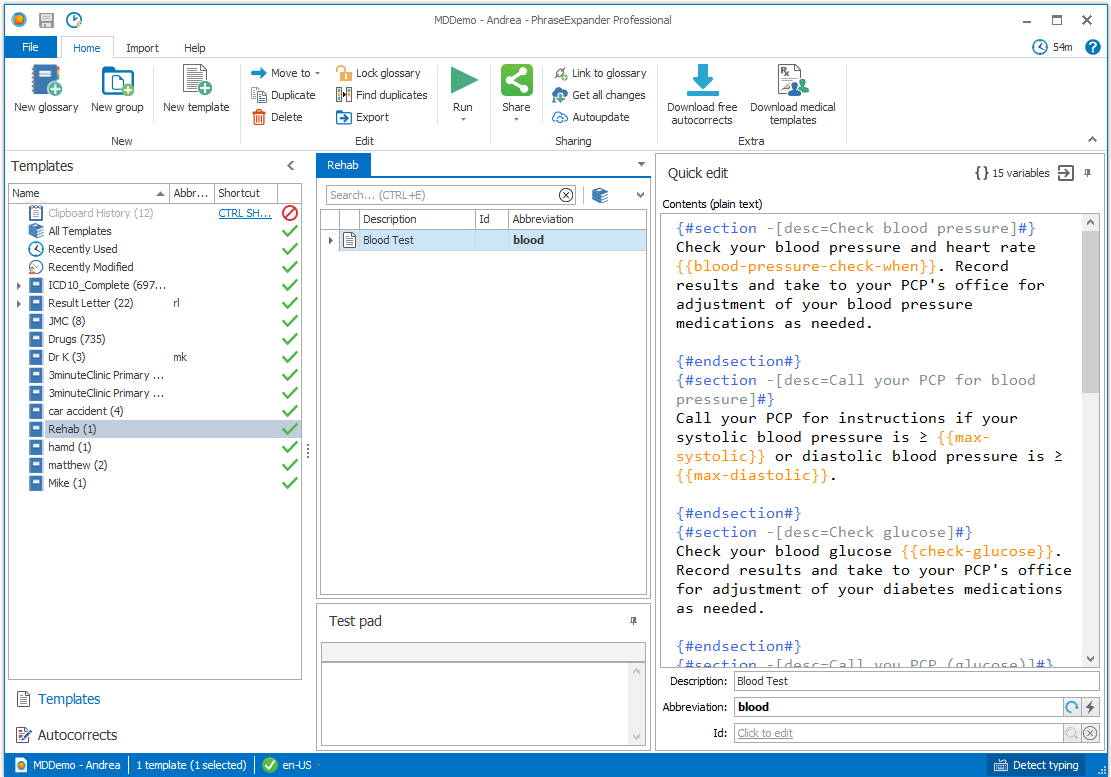
PhraseExpander is the most direct head-to-head competitor to PhraseExpress and is often the first alternative power users consider.
The name similarity is intentional. PhraseExpander positions itself explicitly as the PhraseExpress alternative, even offering a "competitive upgrade coupon" for switching users and a built-in migration tool that imports existing PhraseExpress phrase libraries.
PhraseExpander is Windows-only and focused narrowly on medical, legal, and enterprise teams that need advanced templates with fill-in forms. It uses a one-time lifetime license starting at $59 for individual use, with higher tiers for teams.
The G2 community rating is also lower than most competitors on this list (4.1/5 from a small review base), and the product hasn't seen significant updates as frequently as cross-platform alternatives.
Features
- Advanced fill-in-the-blank templates with dynamic placeholders
- Direct import from PhraseExpress libraries with a built-in migration tool
- Integrated spell checker and abbreviation suggestions
- Cloud storage and team phrase sharing
- One-time lifetime license (no recurring subscription)
- 21-day free trial of all paid features
3. TextExpander
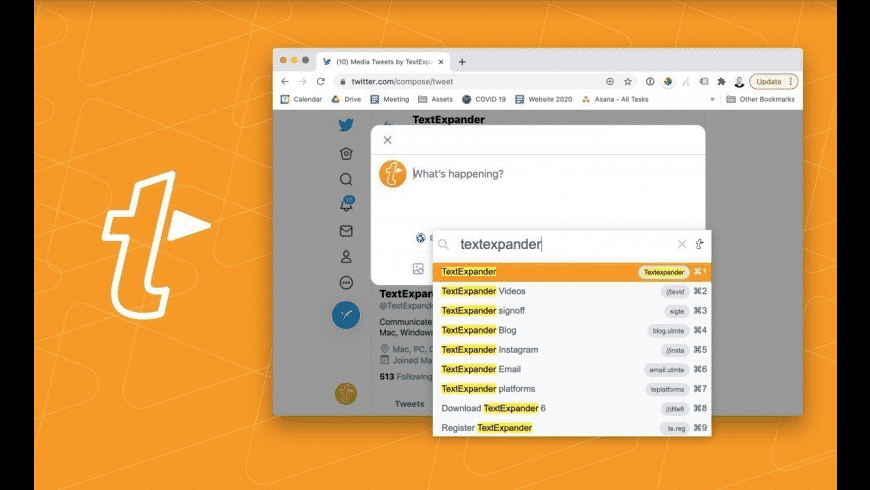
TextExpander is the most established name in the text expansion category and is often the first paid alternative people consider after outgrowing PhraseExpress. It's been on the market since 2006, has a 4.8/5 G2 rating from 450+ reviews.
TextExpander is subscription-only, with no free tier and no lifetime license option. Pricing starts at $4.16 per user per month for individuals and scales up for teams. The trade-off for switchers from PhraseExpress is that you'll pay every month indefinitely rather than once.
Over a few years, the total cost can exceed PhraseExpress's lifetime license. For team use, TextExpander's snippet sharing, version control, and usage analytics are mature and well-tested, but the per-seat pricing adds up quickly for larger teams.
Features
- Cross-platform support for Windows, Mac, iOS, iPadOS, and Chrome
- Team snippet sharing with version control and access permissions
- Fill-in templates with dynamic placeholders
- Snippet groups and usage analytics
- Subscription-only pricing (no free tier or lifetime license)
- 30-day free trial
4. Magical
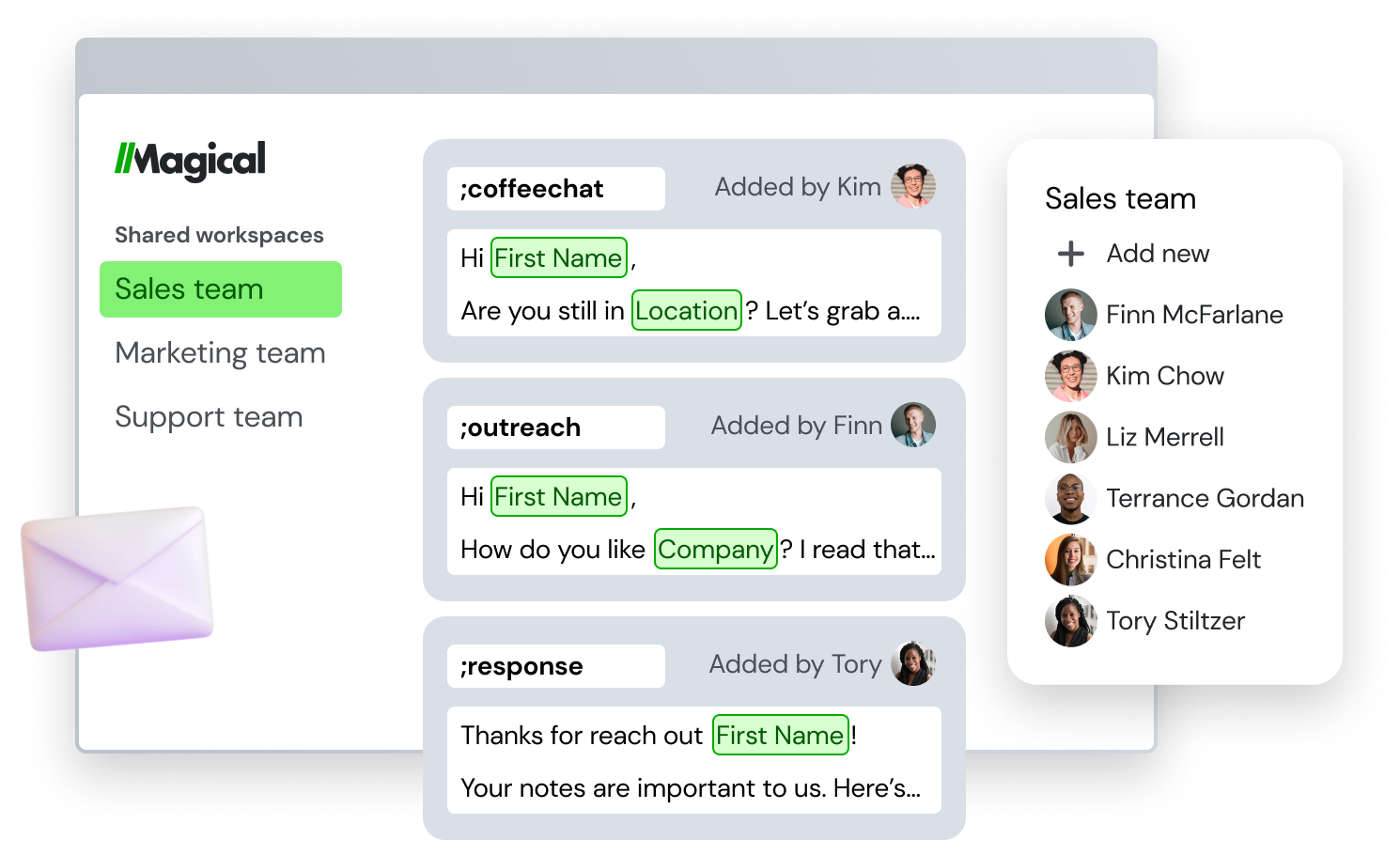
Magical is a browser-based text expander that has increasingly positioned itself as an AI-powered automation tool. It runs as a Chrome text expander and is popular with sales, recruiting, and operations teams that work primarily inside web apps like Gmail, LinkedIn, Salesforce, and Outreach.
Magical is free for individual use, with paid tiers for team features. The trade-off is that Magical is browser-only. It doesn't have a desktop app, so it won't work in native programs like Word, Outlook desktop, Slack desktop, or any non-browser context.
If your work is primarily in the browser this is fine, but users who switch between browser and desktop workflows often find this limiting.
The product's recent pivot toward AI features (auto-generated messages, GPT-style writing assistance) is helpful for some use cases and feels like bloat for others who want simple, fast text expansion.
For an in-depth look at how Magical compares to similar tools, see our Magical Text Expander alternatives post.
Features
- Browser-only via Chrome and Edge extensions (no desktop app)
- AI-generated message templates and writing assistance
- Variable fields and dynamic templates for personalization
- Team snippet sharing on paid plans
- Free for individual use with paid team tiers
5. aText
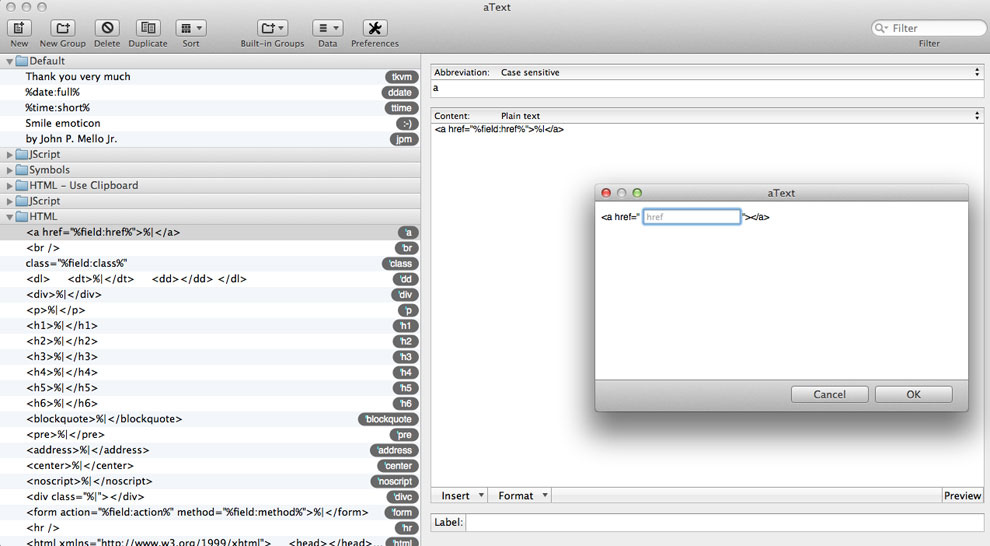
aText is a lightweight text expander developed by a single developer (Trankynam), available for Mac and Windows. It's one of the most affordable paid options on the market, with a lifetime license priced at around $5 per platform.
The Mac version is the more mature and popular of the two, with the Windows version following the same feature set but trailing slightly in polish.
aText is a deliberate counterpoint to feature-heavy tools like PhraseExpress. It focuses on the basics: shortcut-based expansion, simple text replacement, application-specific snippets, and integration with the system clipboard.
The trade-off is that tools like aText aren't browser extensions, don't have cloud sync between devices (snippets are stored locally), and don't offer team collaboration features or AI capabilities.
Features
- Mac and Windows desktop apps (Mac is the primary, Windows is secondary)
- Shortcut-based text expansion with basic macro support
- Application-specific snippets and abbreviations
- Local storage only (no cloud sync between devices)
- No browser extension and no team features
- Lifetime license at approximately $5 per platform
Join 800,000+ who are using Text Blaze templates.
6. Espanso
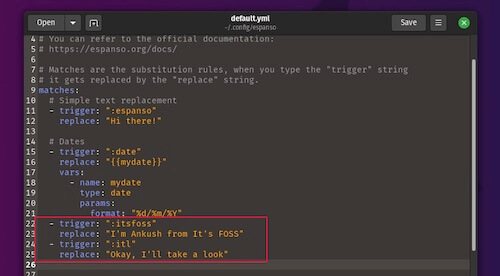
Espanso is a free, open-source text expander that runs on Windows, macOS, and Linux. It's a popular choice among developers and technical users. It's also the only entry on this list with full Linux support, which is relevant if you split time between Linux and another platform.
Espanso is meaningfully different from the other tools on this list. Snippets are managed through YAML configuration files rather than a graphical interface, which means there's no built-in app for adding or editing phrases.
You edit text files in a code editor, and Espanso watches those files for changes. This gives advanced users enormous flexibility (variables, dates, shell commands, custom scripts) but is a significant barrier for non-technical users who would expect to click "add new snippet" in a UI.
There are also no team collaboration features. For technical users who want a powerful free tool and don't mind the configuration overhead, tools like Espanso are hard to beat. For everyone else, they're likely too involved to be worth the setup.
Features
- Free and open source (MIT license)
- Cross-platform: Windows, macOS, and Linux (the only tool on this list with Linux support)
- YAML config-file-based snippet management (no GUI)
- Variables, dates, shell commands, and custom scripts in snippets
- Community-contributed packages hub for common use cases
- No built-in cloud sync (set up Git or Dropbox manually)
- No team or collaboration features
- Community support via GitHub (no commercial support tier)
7. Beeftext
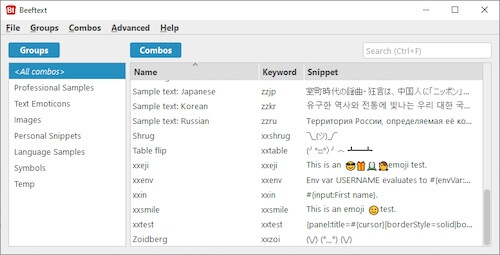
Beeftext is a free, open-source text expander built specifically for Windows. It's a popular pick among users who want a simple, free Windows tool without the configuration overhead of espanso or the limitations of free trial versions.
Beeftext uses a copy/paste mechanism rather than simulating keyboard input. When you type a shortcut, Beeftext copies the expansion to your clipboard, pastes it, and restores whatever was on your clipboard before.
This approach works in most Windows applications, but it has trade-offs: it briefly clobbers your clipboard contents, may not work in apps that restrict paste operations, and can be unreliable in some games or restricted-input fields.
For a single Windows user who wants free text expansion and doesn't need cross-device sync or team collaboration, Beeftext is a reasonable choice. For anyone needing more, the active maintenance, cross-platform support, or team features of other options on this list will be a better fit.
Features
- Free and open source (GPL license, maintained on GitHub)
- Windows-only desktop application
- Copy/paste-based expansion mechanism (works in most but not all Windows apps)
- Local snippet storage with no cloud sync
- No team or collaboration features
- Stable but slowly maintained (limited recent updates)
8. Typedesk
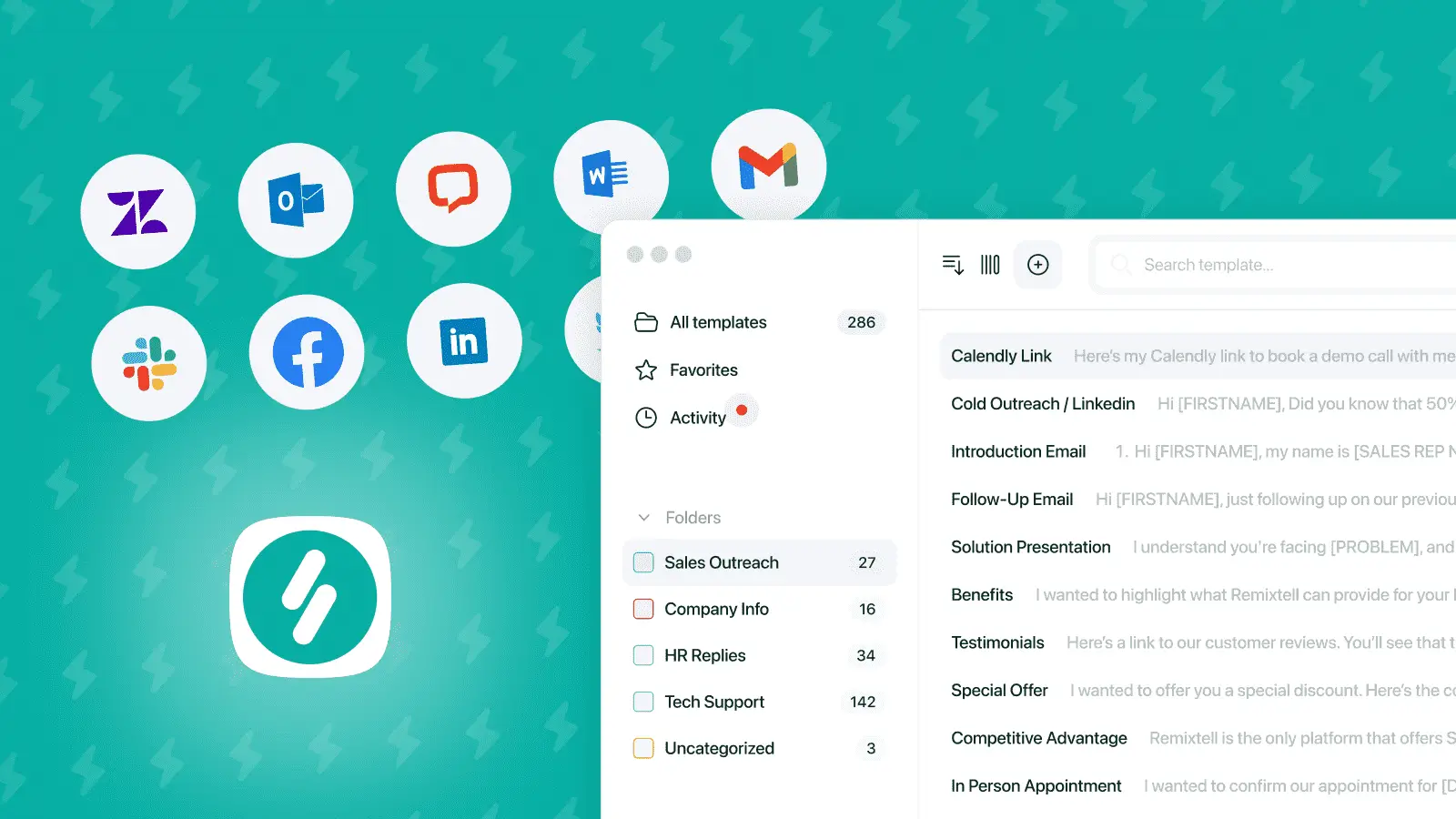
Typedesk is a canned-response tool built specifically for customer support and sales teams. Unlike general-purpose text expanders, Typedesk is designed around the idea of reusable replies sent across email, helpdesks (Zendesk), and social platforms (Gmail, Facebook, Twitter).
Typedesk is narrower in scope than the other tools on this list. It's optimized for support and sales workflows, with features like team-shared reply libraries, version control on canned messages, and AI-assisted reply suggestions added in 2024.
However, it's not a great fit for non-reply use cases: code snippets, technical templates, document boilerplate, or anything that isn't conversational.
It's also paid-only, with no free tier (only a free trial), and has a smaller user base than the more established options on this list (20+ G2 reviews vs. hundreds for TextExpander or Magical).
Features
- Cross-platform: Windows, Mac, browser extensions
- Specifically designed for canned responses (email, helpdesks, chat, social)
- Team-shared response libraries with version control
- AI-assisted reply suggestions (added in 2024)
- Variables and dynamic fields for personalization
- Paid product with free trial (no free tier)
The Best PhraseExpress Alternative for You
The right PhraseExpress alternative depends on your platforms, your budget, and how much depth you actually need. The clearest matches:
For most users switching from PhraseExpress, Text Blaze is the strongest free option. It works across Chrome, Edge, Mac, and Windows, has a real free tier, and includes team features on paid plans.
For Windows users who want a near-identical PhraseExpress replacement, PhraseExpander is the closest like-for-like swap (it even has a built-in migration tool).
For teams that don't mind a subscription, TextExpander is the most established and mature option.
For technical users who want a free open-source tool, espanso is the most powerful choice if you're comfortable with config files.
Use the comparison table above for the full breakdown. For most users coming from PhraseExpress, Text Blaze is the best balance of features, platform support, and price.
Join 800,000+ who are using Text Blaze templates.
PhraseExpress FAQ
Is PhraseExpress free?
PhraseExpress has a free version, but it's limited to personal use only. The free version also prompts users when they try to access paid features, and it can't be used commercially. For full functionality including team features, macros, and enterprise integrations, you'll need a paid lifetime license starting at $80.
Can I migrate my snippets from PhraseExpress to another tool?
It depends on the destination tool. Text Blaze has a built-in snippet import feature that imports existing phrase libraries directly. Other text expanders require manual export and re-import (PhraseExpress can export to formats like CSV or TXT, which most modern tools can ingest).
If migration is a priority, factor in the format compatibility of your target tool before switching.
Does PhraseExpress work on Mac?
Yes, but the Mac version is secondary to the Windows version. The company behind PhraseExpress develops features for Windows first and ports them to Mac and iOS afterward. Mac users often find the experience less polished than the Windows version, which is one of the most common reasons Mac users look for alternatives.
What's the difference between PhraseExpress and PhraseExpander?
Despite the similar names, PhraseExpress and PhraseExpander are separate products from different companies. PhraseExpress is developed by Bartels Media and is a broader text expansion tool with macros, AI integration, and enterprise features. PhraseExpander is developed by Nagarsoft and is more focused on fill-in-the-blank templates for medical, legal, and enterprise users.
Both are Windows-first paid products, but PhraseExpander positions itself explicitly as the PhraseExpress alternative.