20 Best Productivity Software & Examples in 2026
Discover the best productivity software and examples that you can use to boost productivity and communication in 2026.

If you feel like your day disappears before you get through your to-do list, you’re not alone. Between emails, messages, tasks, and meetings, it’s easy to feel busy without actually making progress.
That’s usually a sign that your systems need support, not that you need to work harder. Productivity software helps you organize work, automate small tasks, and stay focused so your time goes where it matters most.
In this article, we'll cover the 20 best productivity software that you can use to give your productivity a boost in 2026. Let's dive in!
What is Productivity Software?
Productivity software is any tool that helps you work faster, stay organized, and reduce unnecessary effort. It can help with writing, task management, communication, time tracking, scheduling, and workflow automation.
Instead of switching between dozens of tabs and apps, productivity tools help bring structure to your workflow.
Most people use more than one type of productivity software at the same time. You might use one tool for tasks, another for writing, and another for automation. Together, they help you build a system that supports how you actually work.
Productivity Software Examples
Productivity software comes in many forms, depending on what you need help with. Some common examples include:
Task managers - Tools that help you organize projects, assign work, and track progress.
Writing and editing tools - Apps that help you write faster, fix mistakes, and improve clarity.
Automation tools - Software that connects apps and removes repetitive manual steps.
Time tracking tools - Apps that show where your time goes and help with planning.
Note-taking tools - Tools for capturing ideas, organizing research, and storing knowledge.
Most people end up mixing several of these categories to build their own productivity system.
How Can Software Boost Productivity?
Productivity software works best when it removes friction from your day. Instead of thinking about what to do next or repeating the same small tasks, you can focus on meaningful work.
Some of the main ways software boosts productivity include:
Better organization - You always know what needs to be done and when.
Less repetition - Common actions can be automated or turned into templates.
Clear priorities - Tasks become easier to sort and manage.
Fewer mistakes - Tools catch errors and keep work consistent.
More focus - Fewer distractions mean better concentration.
The goal is not to add more tools, but to reduce mental clutter and make your workflow smoother.
20 Best Productivity Software in 2026
If you're tired of the same boring and repetitive workflows, you're not alone. That's why so many people look into productivity software and ways to get things done more efficiently.
Here's our list of the 20 best productivity software in 2026:
1. Text Blaze
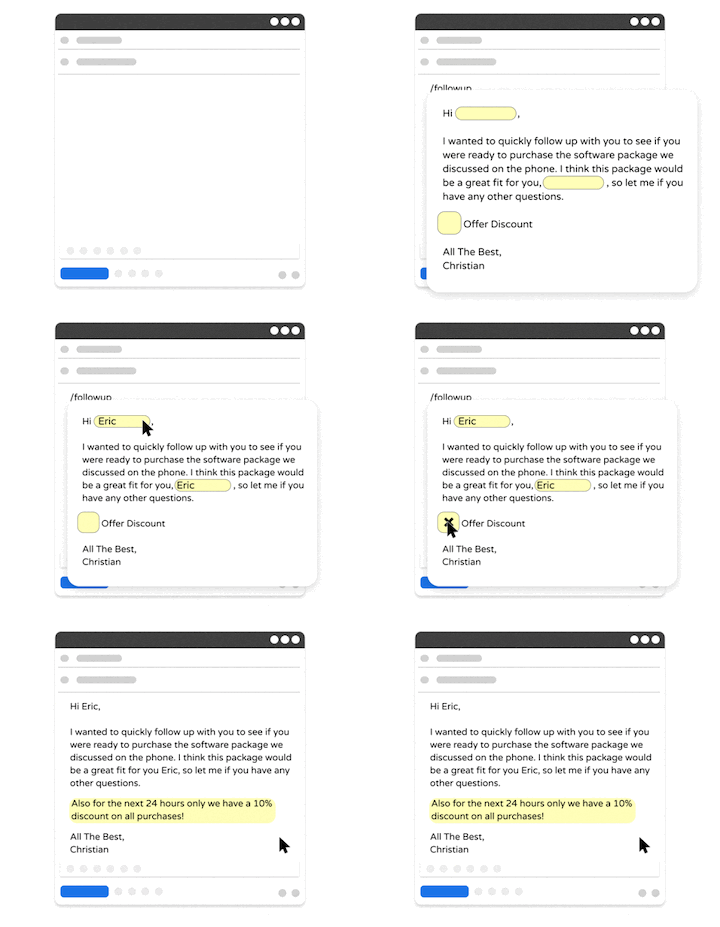
First up on our list of the best free productivity software is Text Blaze, the ultimate productivity and automation tool.
Text Blaze is #1 on this list because it is the highest rated productivity app on the Chrome Web Store, with a 4.9 rating and 1,000+ 5-star reviews.
With Text Blaze, you can automate repetitive typing with keyboard shortcuts & dynamic text templates that work on any site or app.
Here's how Text Blaze stands out:
Automate repetitive typing & boost productivity with keyboard shortcuts & dynamic text templates that work anywhere (we mean it).
Text Blaze is free forever! Say goodbye to frustrating licenses or 7-day trials.
Text Blaze works anywhere you do via the Text Blaze Chrome Extension, Windows app, and Mac app!
Streamline repetitive workflows, like transferring data, filling out forms, sending an email, or any other repetitive workflow.
Text Blaze is perfect for teams! Learn more about using Text Blaze for teams to supercharge your team's communication and productivity!
Best for: Individuals or teams who want to spend less time on repetitive typing, emails, and communication.
Want to save hours of repetitive typing for free?
Join over 700,000+ others who are using Text Blaze templates.
2. monday.com

monday.com is a work management platform that helps teams organize projects and workflows. It uses boards, timelines, and automation to track tasks and collaboration.
You can customize it for marketing, engineering, HR, or sales workflows. The interface is visual and flexible, which helps teams see progress quickly. It works well when multiple people need visibility into the same work.
Best for: Keeping team projects organized and easy to track. Helpful when you need everyone to see progress at a glance.
3. Zapier

Zapier is an automation tool that connects different apps together. It lets you trigger actions in one tool based on activity in another, like saving email attachments to cloud storage automatically.
This removes a lot of manual steps from daily workflows. Tools like Zapier are helpful for people who use many web apps at once. Once set up, automations quietly run in the background.
Best for: Automating busywork between different apps. Perfect if you are tired of doing the same manual steps again and again.
4. Grammarly
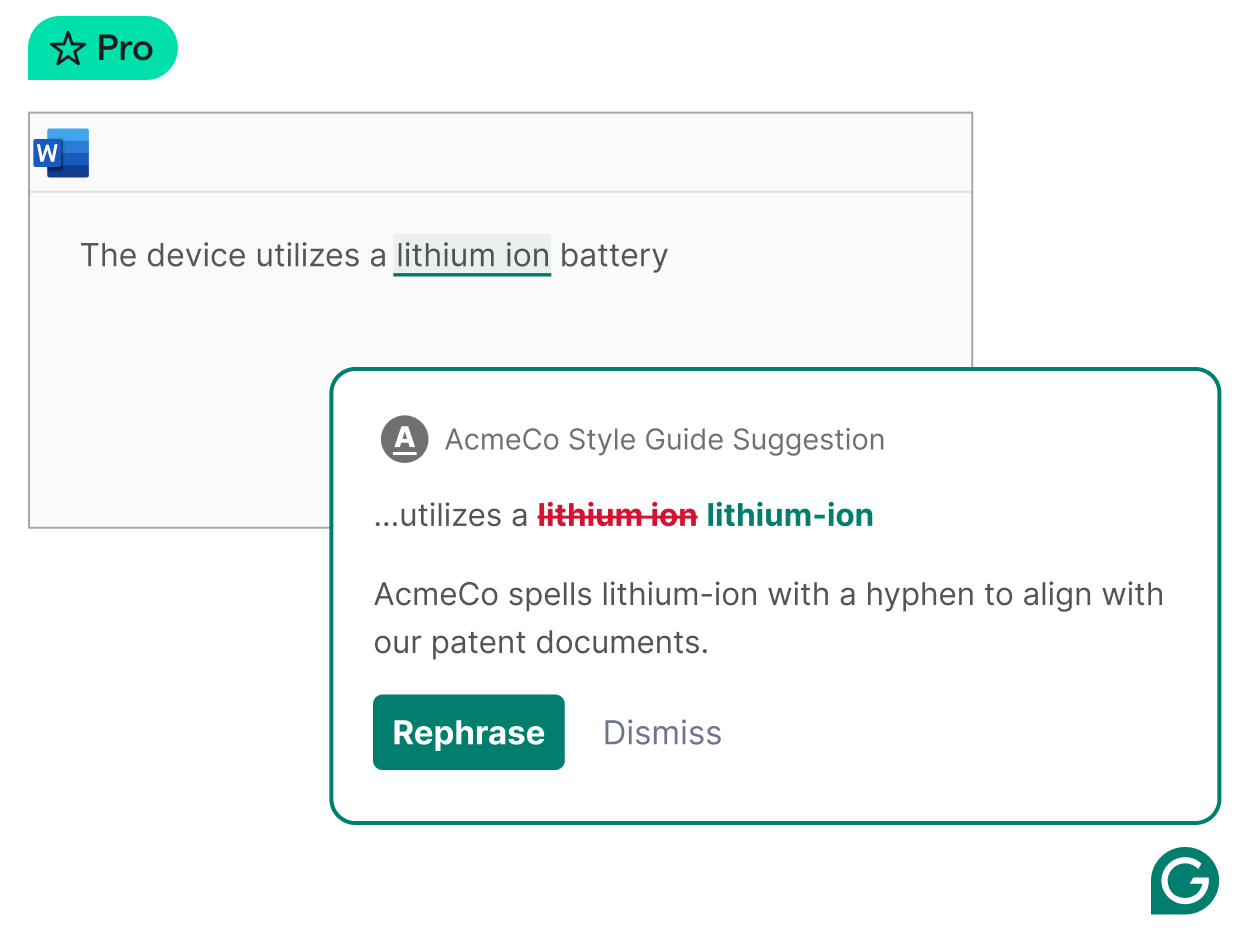
Grammarly helps with writing by catching grammar mistakes and improving clarity. It works in browsers, email tools, and document editors.
You can use it for professional writing, casual messages, or long documents. Some tools like Grammarly also offer suggestions about tone and structure. This makes writing faster and more confident.
Best for: Writing with fewer mistakes and more confidence. Useful when you want your messages to sound polished without spending extra time editing.
5. Asana
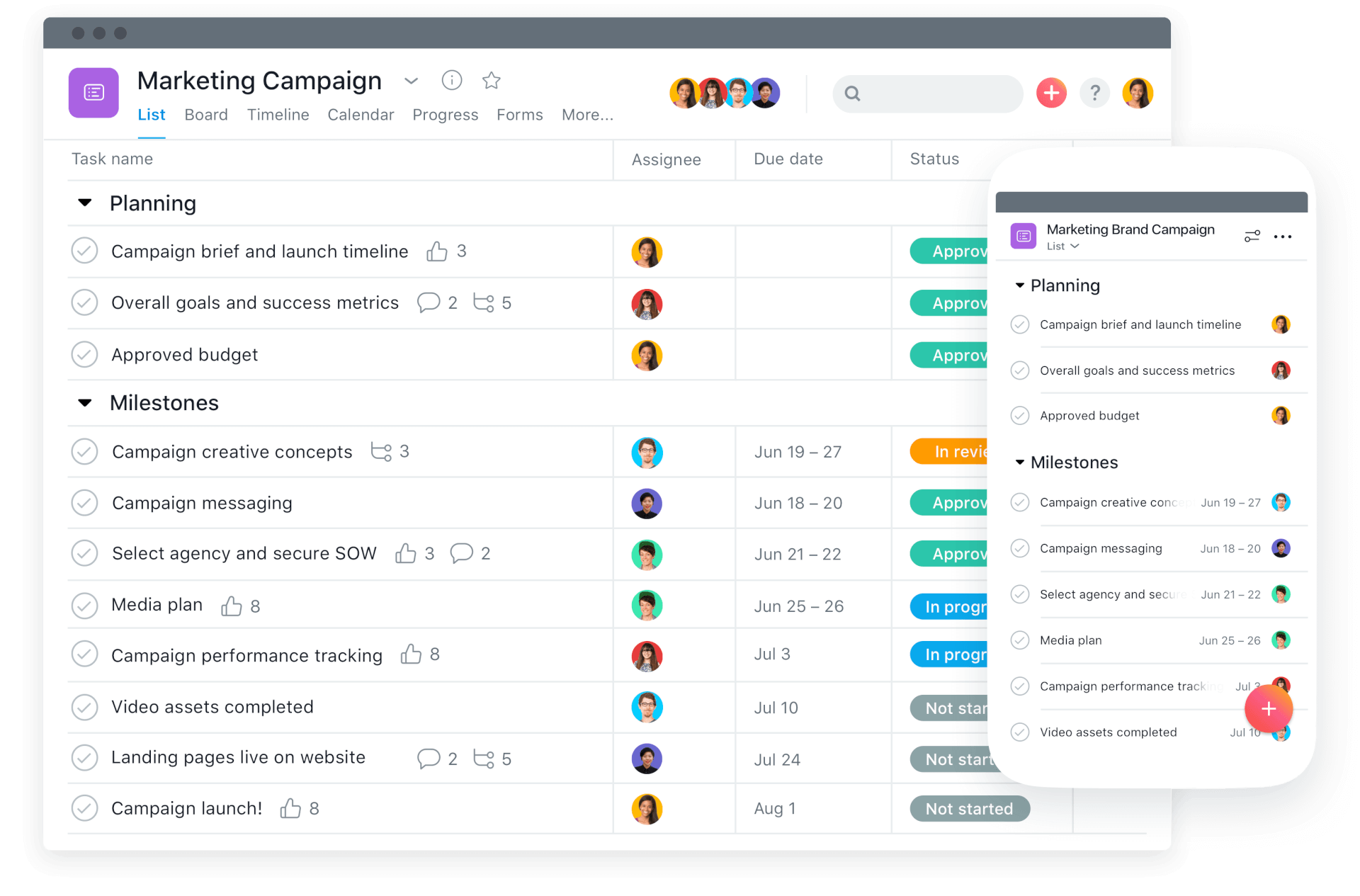
Asana is a task and project management tool built for teams. It helps break work into tasks, set deadlines, and track ownership. You can view projects as lists, boards, or timelines.
This flexibility makes it easier to adapt to different working styles. It is especially useful for business communication and managing complex projects with many steps.
Best for: Managing complex projects with lots of moving parts. Works well when multiple people are involved and deadlines matter.
6. Todoist
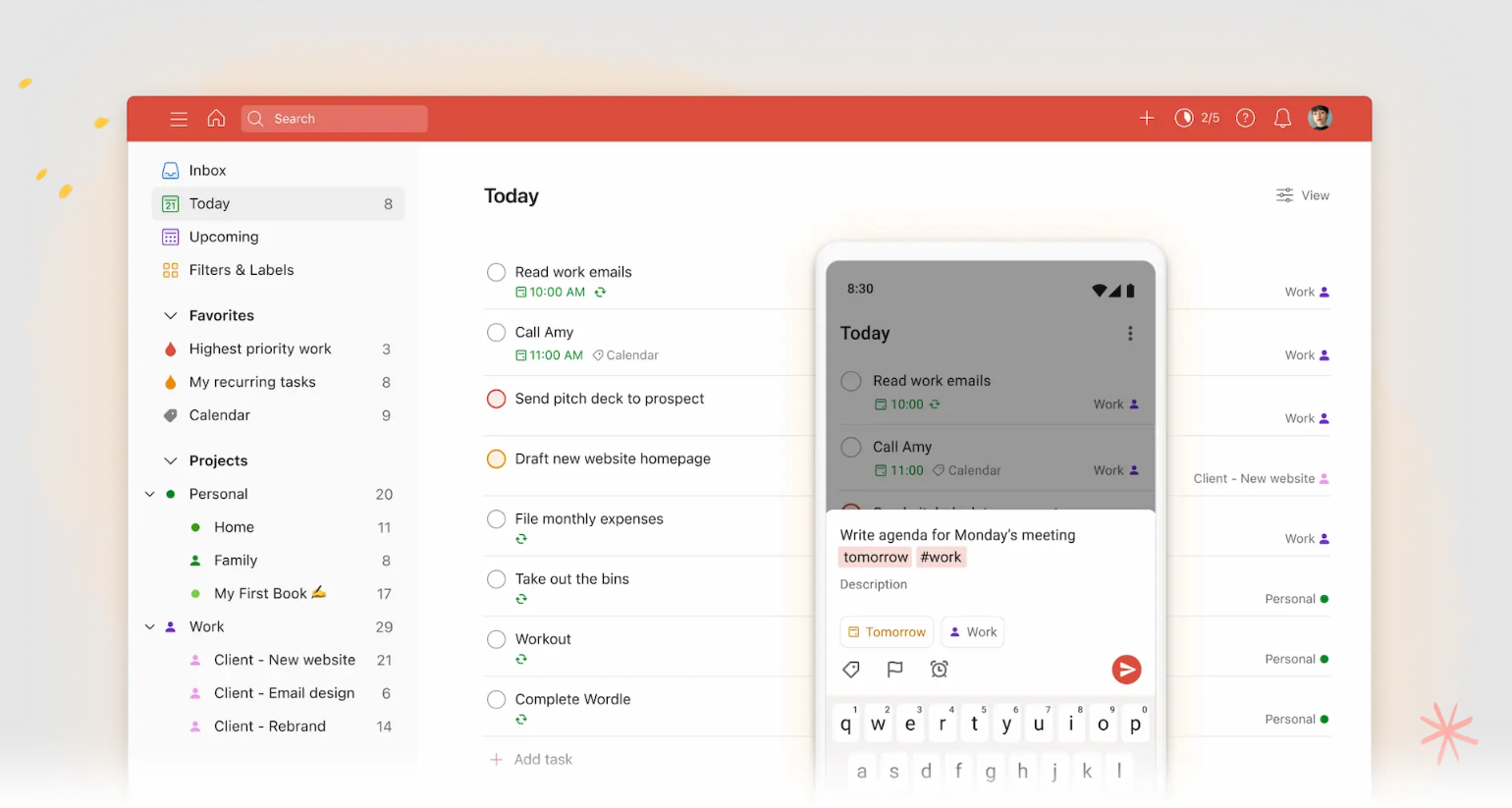
Todoist is a simple and reliable task manager for personal productivity. It helps you capture tasks quickly and organize them with priorities and due dates.
The interface is clean and easy to use. It works well for both work and personal planning. Many people use it as their daily task hub.
Best for: Staying on top of your personal to-do list. Ideal if you want a simple place to manage daily tasks.
7. Trello
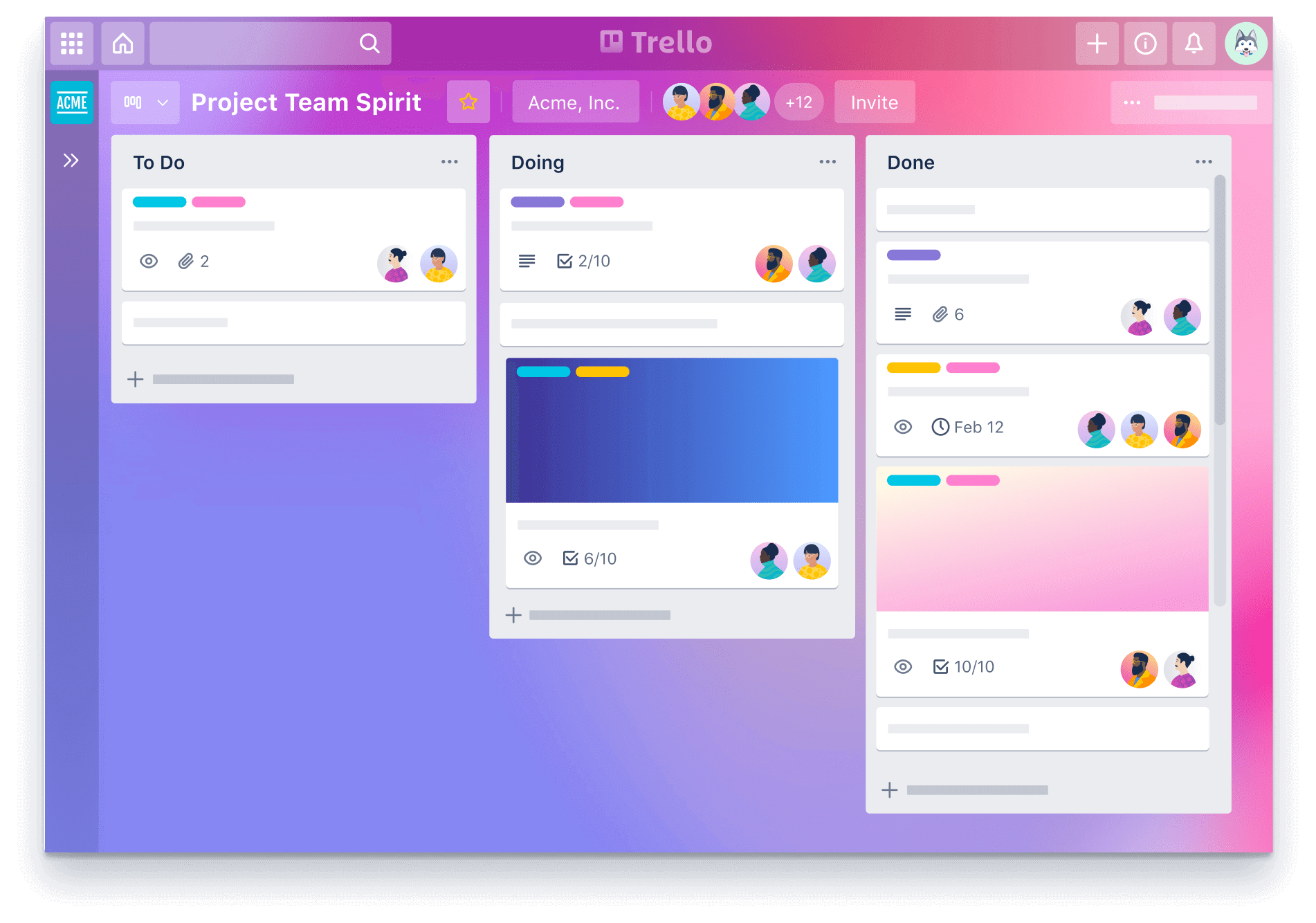
Trello uses boards and cards to organize work visually. Each card represents a task, and boards represent projects or workflows. It is easy to learn and flexible for many use cases.
Teams often use it for content planning, product development, or simple task tracking. The visual layout makes progress easy to see.
Best for: Visualizing your workflow in a simple way. Great if you like seeing tasks move from start to finish.
8. Toggl Track
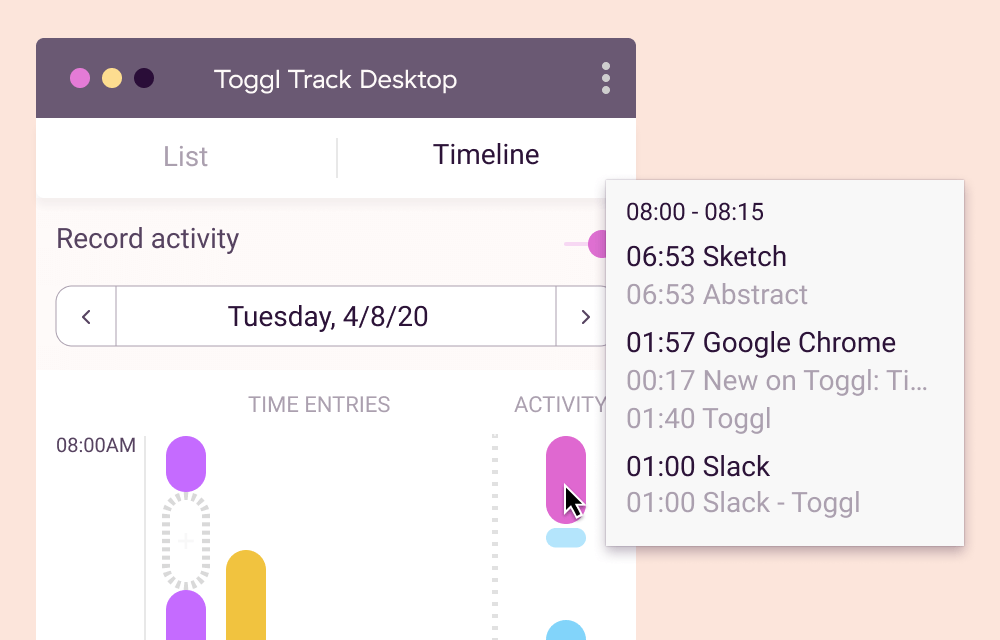
Toggl Track is a time tracking tool that shows how your time is spent. You can track tasks, projects, and clients with a simple timer. This helps identify where time is lost and where focus is strongest.
It is useful for freelancers, teams, and anyone trying to manage their schedule better. Reports make planning more realistic.
Best for: Understanding how you actually spend your time. Helpful if you want to be more intentional with your work hours.
9. Akiflow
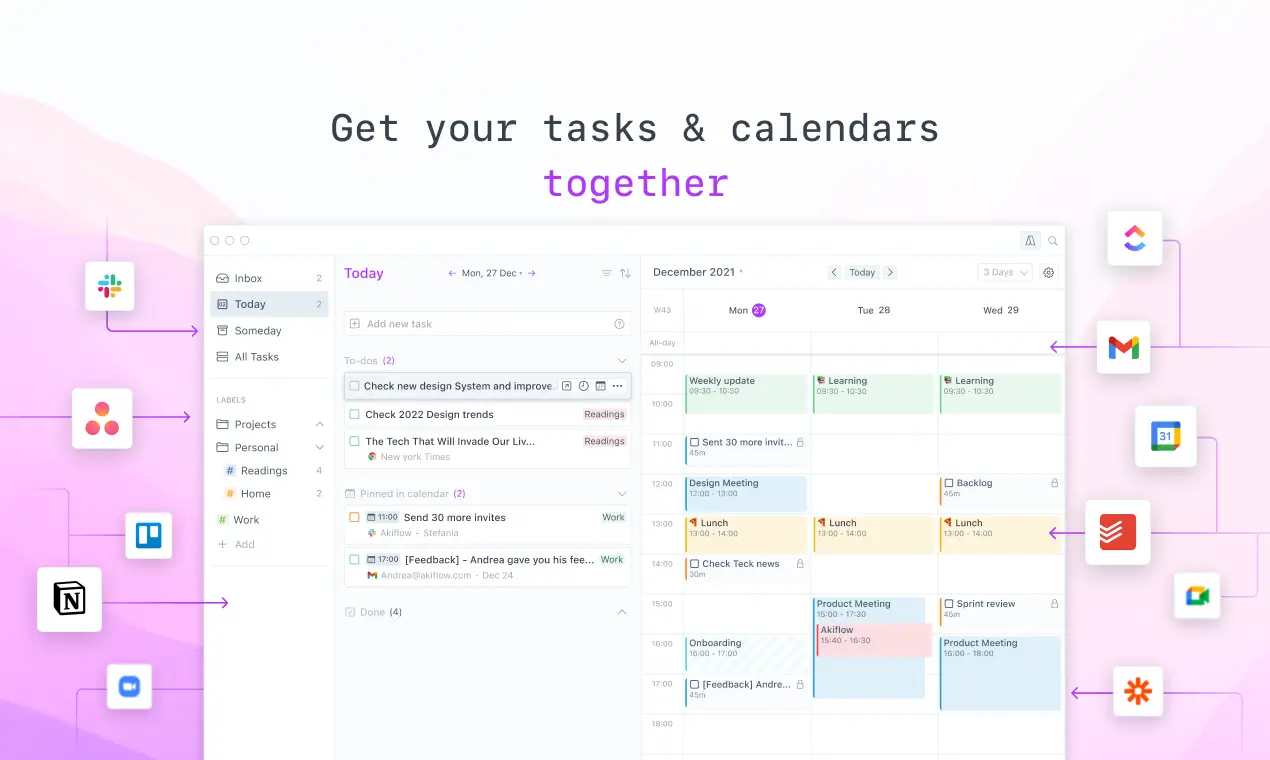
Akiflow combines task management and calendar planning in one place. It pulls tasks from different tools and helps schedule them into your day.
This makes planning more intentional and structured. It is helpful for people who want tighter control over daily time blocks. The goal is to reduce task overload.
Best for: Turning tasks into a realistic daily schedule. Good if you struggle with overloading your day.
10. Notion

Notion is an all-in-one workspace for notes, tasks, and databases. You can use it to create documentation, track projects, or manage personal knowledge.
It is very flexible, which makes it powerful but sometimes complex. Many teams build internal systems inside it. It works well when you want everything in one place.
Best for: Keeping everything from notes to projects in one place. Nice if you like building your own system.
11. Grammit
Grammit is an AI grammar checker and writing assistant that helps you catch mistakes and improve your writing anywhere you work.
Here's how Grammit stands out:
AI-powered grammar checking - Grammit helps you check your grammar, catch mistakes, and suggest improvements using AI.
AI writing assistant - Use Grammit to paraphrase, rewrite, and improve your writing. Ask questions and give it custom prompts to get the best results.
Grammit works anywhere - Take Grammit with you anywhere you work to improve your writing.
Privacy first - Grammit puts privacy first and checks your writing directly on your computer using a local, on-device LLM, It never sends your writing to external servers.
Price - Grammit is free!
Want a free AI grammar checker?
Use Grammit to improve your writing anywhere with AI.
12. Obsidian

Obsidian is a note-taking app that stores your notes locally. It uses links between notes to help build a personal knowledge base.
This works well for research, studying, and long-term thinking. Many people like having full control over their data. It is ideal for structured note systems.
Best for: Organizing long-term notes and ideas. Great if you like connecting thoughts and building a knowledge base.
13. Zoho
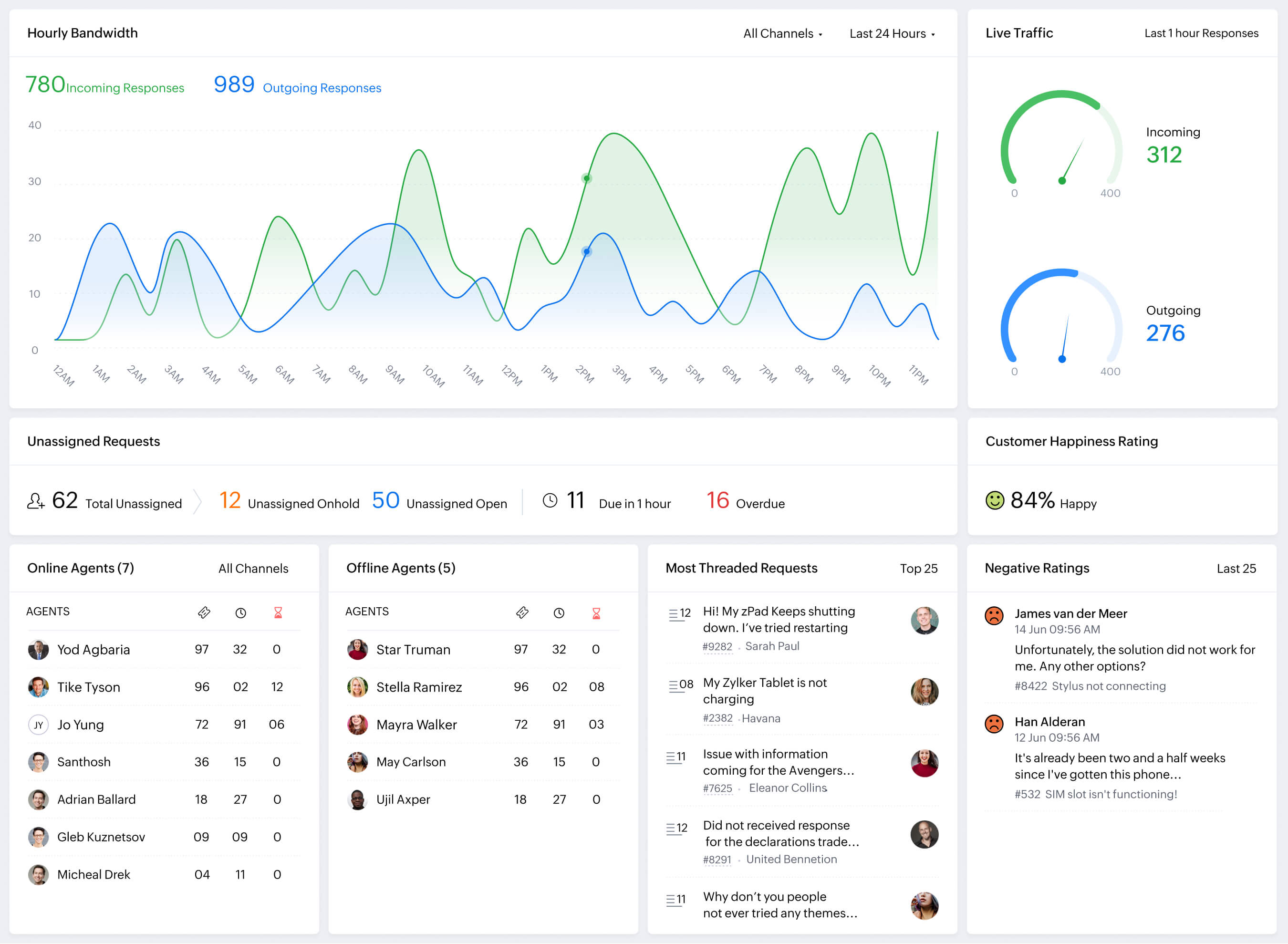
Zoho Desk offers a suite of business productivity tools. These include email, CRM, project management, and accounting software. It is useful for teams that want everything under one ecosystem.
The tools integrate well with each other. This reduces the need to manage many separate platforms.
Best for: Running business operations without juggling many tools. Helpful if you want one ecosystem for daily work.
14. Superhuman

Superhuman is an email productivity app designed to speed up inbox workflows. It uses shortcuts, smart sorting, and fast navigation.
This helps people handle large volumes of email more efficiently. It works best for users who live in their inbox. The focus is on speed and clarity.
Best for: Getting through your inbox faster. Ideal if email is a big part of your workflow.
15. Motion
Motion AI is a scheduling tool that uses AI to plan your tasks automatically. It adjusts your calendar based on priorities and deadlines. This reduces decision fatigue around what to work on next.
It is useful for people with packed schedules. The goal is to keep tasks realistic and balanced.
Best for: Letting your schedule adjust itself based on priorities. Helpful when your day feels unpredictable.
16. Hive
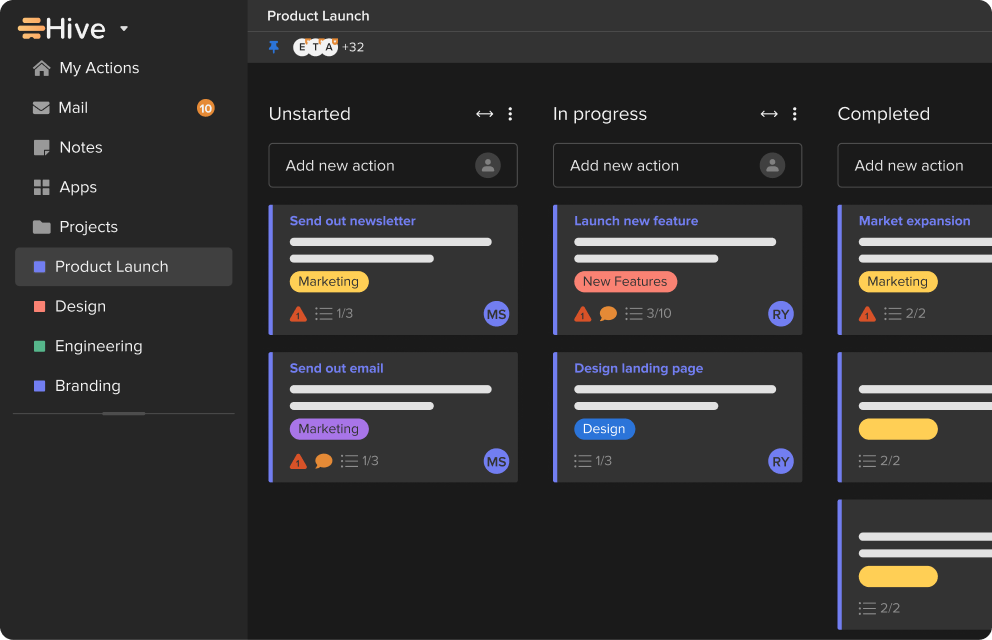
Hive is a project management platform designed for teams. It combines tasks, messaging, and automation in one place. You can track work across multiple projects at once.
It supports different views depending on how you like to work. It's a solid team communication tool that helps keep everyone aligned and on the same page.
Best for: Managing projects while keeping team communication simple. Good if your team wants fewer tools.
17. Clockify
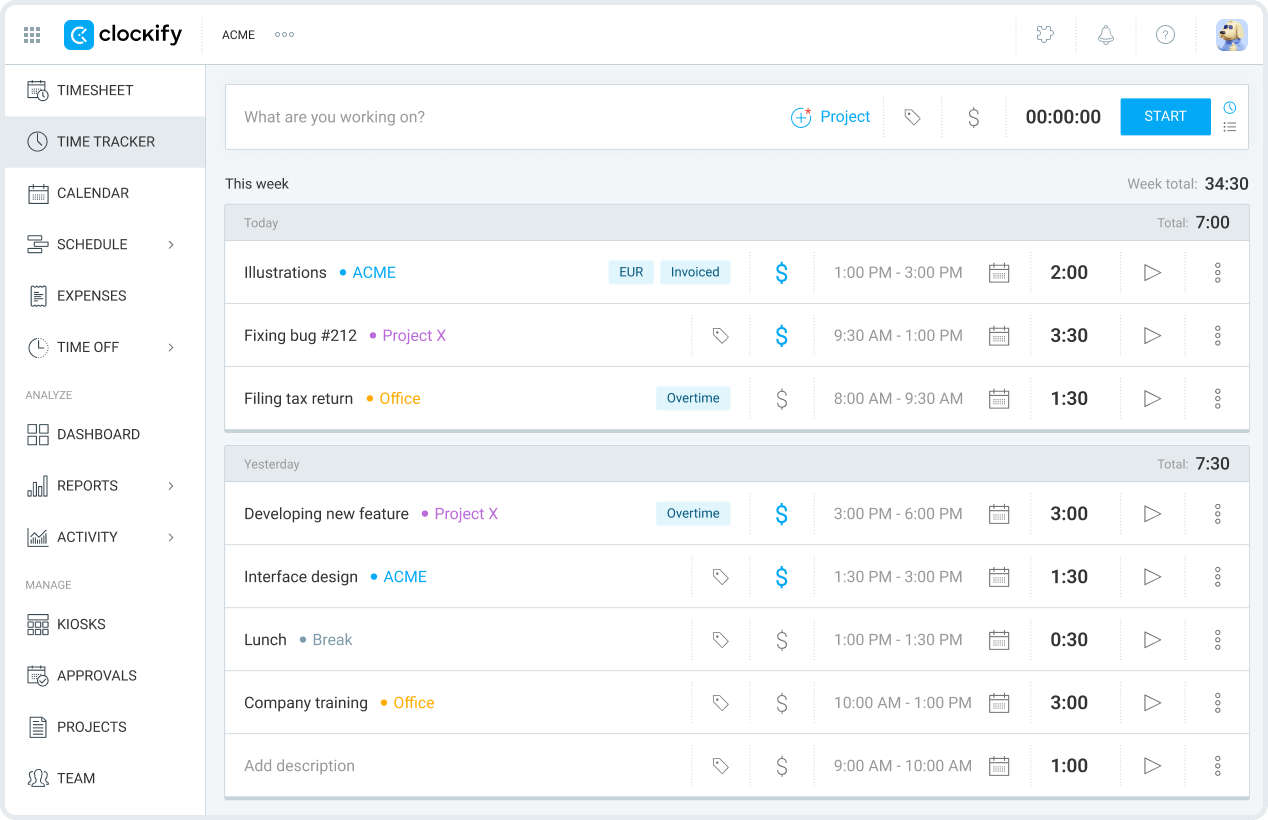
Clockify is another time tracking tool with strong reporting features. It is useful for tracking work hours and productivity trends.
You can use it for personal insight or team management. It helps with budgeting time more accurately. Many people like its simple setup.
Best for: Tracking hours without complicated setup. Useful when you want clear reports on how time is spent.
18. AI Blaze
AI Blaze is an all-in-one AI writing assistant that helps you improve your writing & messages, quickly read & summarize documents, and generate content anywhere you work.
Here's why you should give AI Blaze a try:
Write emails & messages with AI - AI Blaze can write context-aware emails & messages to save you time.
Summarize any document with AI - Quickly chat with & summarize documents and PDFs with AI.
Improve your writing with AI - AI Blaze can rewrite and proofread your writing anywhere you work.
Answer questions with AI - Have a question about something in a PDF, article, email, or anything else? AI Blaze can help you answer it in seconds!
No file uploads necessary! - AI Blaze can read any PDF or document, no file upload necessary. Plus, it works with any file type in Chrome!
AI Blaze is free! - Forget about annoying licenses or credits.
Best for: People who want to use AI on any website for writing, proofreading, summarizing, and more.
Want a free AI assistant that works anywhere?
Use AI Blaze to summarize docs & improve your writing for free!
19. Apploye
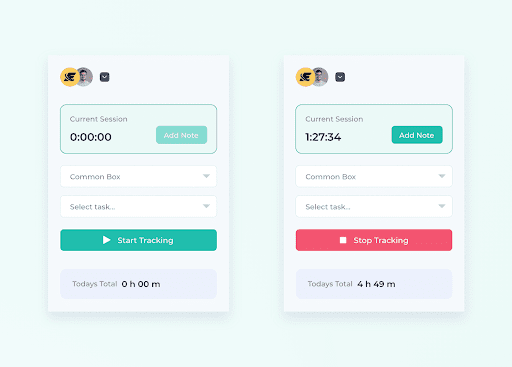
Apploye is a time tracking and employee monitoring tool. It helps teams understand work patterns and productivity.
Managers can see how time is spent across projects. It also supports screenshots and reporting. This is useful for distributed teams.
Best for: Keeping visibility on remote team activity. Helpful when managing distributed teams.
20. ClickUp
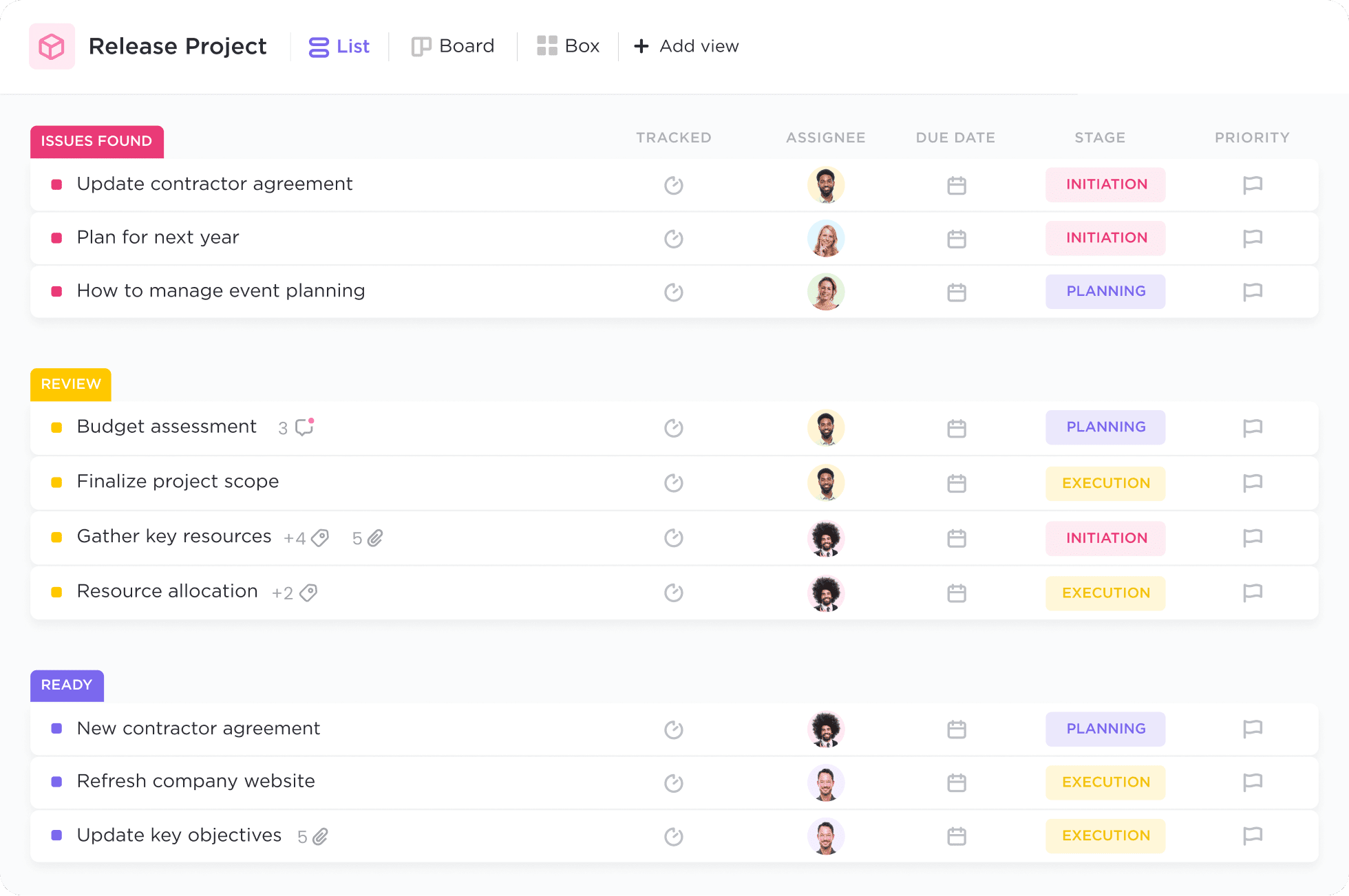
ClickUp is a flexible productivity platform that combines tasks, docs, and goals. It is designed to replace several tools at once.
You can customize workflows heavily based on your needs. This works well for growing teams. It aims to centralize work in one place.
Best for: Replacing several productivity tools with one system. Great if your workflow feels scattered right now.
What is the Best Productivity Software?
The best productivity software depends on what kind of help you actually need. Some people need automation to stop repeating the same small tasks, while others need better writing support, clearer task management, or simple time tracking.
When you understand where your biggest friction is, choosing the right type of tool becomes much easier.
Think about what causes your day to slip away the fastest. Is it constant context switching, unclear priorities, or repeating the same actions over and over? The best productivity software is the one that directly solves that problem for you.
Your goal should not be to use every type of tool, but to use the right one at the right time. When your system fits how you work, your day starts to feel more manageable.
To recap, our suggestion for the best free productivity software is Text Blaze. Text Blaze is the highest-rated productivity tool on the Chrome Web Store (4.9 rating) that helps you automate repetitive typing and workflows anywhere you work (even on Windows and Mac).
Give Text Blaze a try for free today!