Project Management Automation: How It Works + Best Software
Project management automation helps you reduce manual work and streamline workflows. Learn how it works and explore the best automation software in 2026.

Project managers rarely struggle with planning. The real challenge is keeping projects moving while managing constant updates, handoffs, and reporting.
The real challenge is keeping projects moving while handling constant status updates, task routing, reminders, and reporting. When too much of that work stays manual, it slows teams down and creates unnecessary friction.
Project management automation helps reduce that overhead. By automating routine workflows and updates, teams can stay aligned without spending hours on coordination. The result is faster execution, better visibility, and more consistent delivery.
In this guide, you’ll learn how project management automation works, where it delivers the most value, and which software can help streamline your workflows.
What Is Project Management Automation?
Project management automation is the use of software to automatically handle repetitive project tasks, workflows, and updates. Instead of manually assigning work, sending reminders, or generating reports, automation rules and triggers keep projects moving in the background.
In practice, automation in project management helps teams standardize processes, reduce human error, and maintain visibility across complex initiatives. It is especially useful for growing teams that need consistency without adding more manual coordination work.
How is Automation Used in Project Management?
Automation shows up across the entire project lifecycle. Most teams start with simple rules and expand into more advanced workflow automation over time.
Common ways automation in project management is used include:
Intake and routing - Automatically capture requests and route them to the right team or project board.
Task assignment - Assign work based on triggers such as status changes, form submissions, or project stages.
Approvals and handoffs - Move work to the next owner when conditions are met, reducing manual follow-ups.
Status updates - Send automatic notifications when milestones shift or deadlines change.
Reporting and dashboards - Generate real-time reports without manual data pulls.
Communication workflows - Trigger reminders, stakeholder updates, and internal alerts.
This is especially valuable for Agile teams that rely on fast iteration and frequent handoffs.
Benefits of Project Management Automation
Project management automation improves both speed and consistency across teams. Instead of relying on manual oversight, workflows run automatically in the background.
Here are some of the benefits of automating project management processes:
Reduced manual admin work - Automation removes repetitive updates, reminders, and task routing.
Improved project visibility - Real-time dashboards and automated reporting keep stakeholders informed.
Faster handoffs - Work moves instantly between owners when triggers are met.
Greater consistency - Standardized workflows reduce missed steps and human error.
Better scalability - Teams can handle more projects without proportionally increasing overhead.
For many project managers, the biggest win is simply getting time back to focus on higher-value work.
AI and Automation in Project Management
Traditional project management automation relies on rule-based workflows. You define the trigger and the system executes the action. This works well for structured, repeatable processes.
AI adds another layer by helping systems make informed decisions. AI tools can assist with workload balancing, risk prediction, smart scheduling, and automated summaries. Instead of just following rules, AI can analyze patterns and suggest next steps.
Most teams benefit from using both approaches together. Rule-based business automation handles predictable processes, while AI helps optimize planning and decision support.
Want to save hours by automating repetitive typing & workflows?
Join over 700,000+ others who are automating workflows with Text Blaze.
Project Management Automation Examples
To understand the impact of automation software, it helps to look at real workflows.
Example 1: New project intake
A stakeholder submits a project request form. The system automatically creates a project, assigns the owner, sets initial tasks, and notifies the team. What once took multiple manual steps now happens instantly.
Example 2: Task status progression
When a task is marked complete, the next dependent task is automatically assigned to the appropriate team member. Notifications are sent without the project manager needing to intervene.
Example 3: Client approval workflow
When deliverables are ready, the system sends an approval request to the client. If no response is received within a set timeframe, an automatic reminder is triggered.
Example 4: Weekly reporting
Instead of manually compiling updates, dashboards refresh automatically and distribute summaries to stakeholders on a schedule.
Example 5: Agile sprint management
At sprint close, completed work is logged, carryover tasks are reassigned, and performance metrics update automatically.
These small automations add up quickly across large portfolios.
What to Look for in Project Management Automation Software
Not all automation software supports the same level of workflow flexibility. The right platform should match how your team actually works.
If you're evaluating project management automation software, keep these things in mind:
Workflow flexibility - Look for tools that support custom triggers, conditions, and multi-step automations.
Cross-tool automation - The ability to connect with other apps is critical for end-to-end workflows.
Ease of setup - Visual builders and templates help teams adopt automation faster.
Scalability - The platform should support growing teams and increasing workflow complexity.
Reporting capabilities - Strong dashboards help you measure automation impact.
Collaboration support - Automation should enhance team coordination, not isolate work.
AI assistance - Some teams benefit from predictive insights and smart recommendations.
Choosing based on your real workflows will lead to better long-term results.
6 Best Project Management Automation Software
Teams usually start evaluating project management automation software when manual coordination begins to slow projects down. The right platform should match your workflows, reduce repetitive work, and scale with your team’s needs.
Here's our list of the 6 best project management automation software:
| Tool | Best for | Automation depth | Free plan | Starting price | Rating |
|---|---|---|---|---|---|
| Text Blaze | Communication & documentation automation | Very high | Yes | Free | 4.9 |
| Asana | Built-in project workflow automation | Medium | Yes | $13.49/month | 4.5 |
| Monday.com | Custom visual workflow automation | High | Limited | $9/seat/month | 4.6 |
| Wrike | Enterprise workflow automation | Medium | Limited | $10/user/month | 4.3 |
| Zapier | Cross-app automation | Very high | Yes | $240/year | 4.5 |
| Tempo.io | Time & resource automation | Medium | No | Depends on the tool | 4.2 |
1. Text Blaze

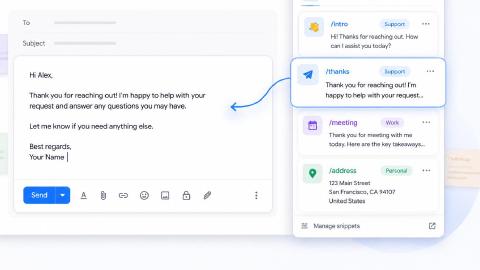
Text Blaze is a productivity and automation tool that helps project managers & teams keep communication on the same page and automate workflows.
Text Blaze allows you to create smart text templates and insert them anywhere you work to automatically fill out forms, transfer data, automate repetitive typing, and much more.
How Text Blaze helps with project management automation:
- Automate repetitive typing anywhere (seamless integration) Text Blaze works on Chrome, Windows, and Mac.
- Streamline workflows & processes like common communications & messages, documentation, transferring data, filling out forms, and more.
- Follow the correct steps every time - Text Blaze helps teams stay on-brand, consistent, and get the right message in every interaction.
- Save time for free! Text Blaze is free forever, no licenses or upgrades necessary.
Best fit for: Teams that want to automate project communication and documentation across multiple tools (seamless integration).
Limitations: Does not replace full project planning or task management platforms. Instead, it works with your existing tech stack.
Want to save hours by automating repetitive typing & workflows?
Join over 700,000+ others who are automating workflows with Text Blaze.
2. Asana
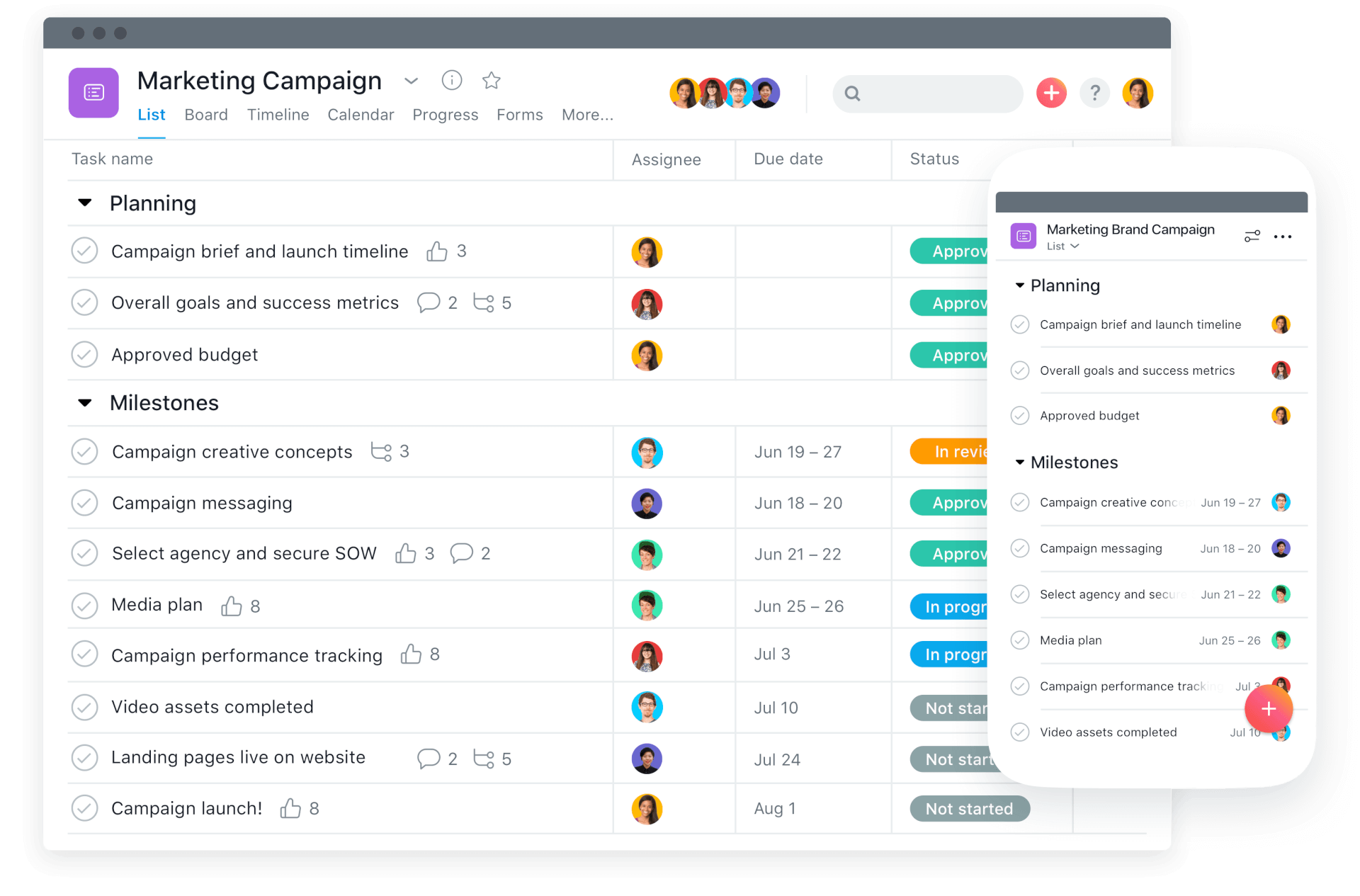
Asana is a widely used project management platform that combines task tracking with built-in workflow automation. It is commonly adopted by cross-functional teams that need structured project visibility alongside process automation.
Within Asana, project managers can create rules that automatically move work forward based on task changes or deadlines. This makes it a strong option for teams that want automation directly inside their project workspace.
How Asana helps with project management automation:
- Rule-based task routing - Automatically assign tasks when projects change status or move stages.
- Workflow triggers - Create automations based on due dates, field updates, or task completion.
- Approval workflows - Route deliverables to reviewers and stakeholders automatically.
- Notification automation - Alert teams when priorities shift or milestones are reached.
- Recurring project setup - Automatically generate repeatable workflows and task templates.
Best fit for: Teams that want built-in automation inside a full project management platform.
Limitations: Advanced automation often requires higher-tier plans.
3. Monday.com

monday.com is a flexible work management platform designed to support customizable project workflows. Teams use it to manage pipelines, timelines, and cross-functional work in a visual environment.
Its automation builder allows project managers to create condition-based rules that reduce manual coordination. The platform is especially useful for teams that want highly configurable workflow automation.
How Monday.com helps with project management automation:
- Condition-based automations - Trigger actions when status fields, dates, or owners change.
- Board movement workflows - Automatically move items between stages as work progresses.
- Reminder automation - Send deadline alerts and follow-ups without manual tracking.
- Integration automations - Sync updates across connected PM tools in your stack.
- Template-driven workflows - Standardize repeatable project processes.
Best fit for: Teams that want highly customizable visual workflow automation.
Limitations: Complex boards and automations can become difficult to manage at scale.
4. Wrike
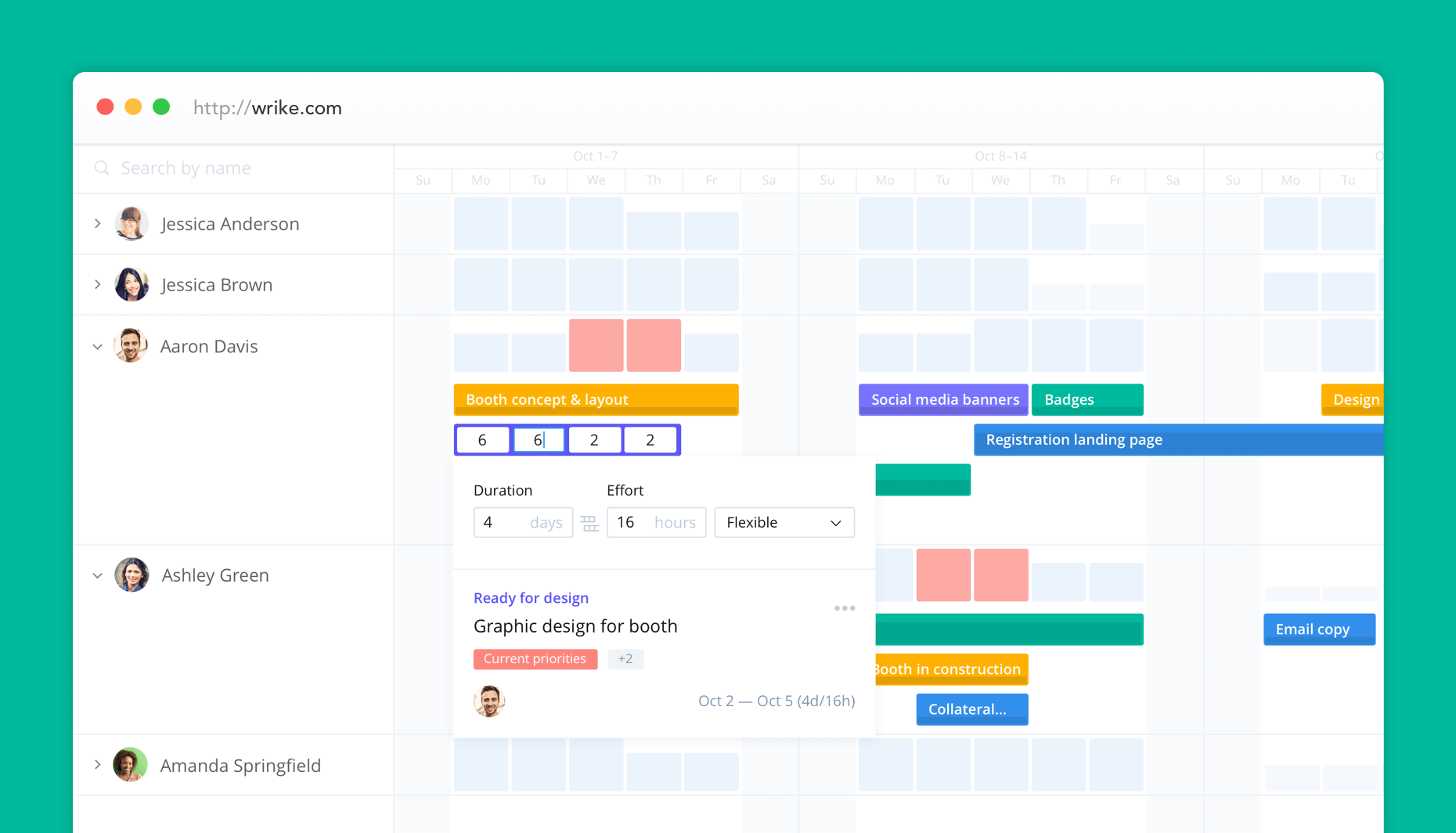
Wrike is an enterprise-grade project management platform built for teams handling complex, multi-stage workflows. It combines task management, resource planning, and automation features in a centralized workspace.
Many organizations use Wrike to standardize processes across departments and improve project governance. Its automation engine is particularly useful for structured approval and request workflows.
How Wrike helps with project management automation:
- Request routing automation - Automatically assign incoming work to the right teams.
- Approval workflows - Trigger multi-step review processes based on project status.
- Status-based task updates - Move work forward when conditions are met.
- Recurring workflow automation - Standardize repeatable project cycles.
- Reporting automation - Generate dashboards and progress updates automatically.
Best fit for: Larger organizations managing complex or multi-team project workflows.
Limitations: Can feel heavy for small teams or simple projects.
5. Zapier

Zapier is an automation platform that connects project management tools with thousands of other applications. Rather than managing projects directly, it focuses on cross-app workflow automation.
Project managers use Zapier to eliminate manual data entry and keep systems in sync. Tools like Zapier are especially valuable for teams with complex tech stacks that need end-to-end automation.
How Zapier helps with project management automation:
- Cross-app triggers - Create tasks automatically from forms, emails, or CRM updates.
- Multi-step workflows - Build automation sequences that span multiple tools.
- Data synchronization - Keep project information consistent across platforms.
- Notification automation - Trigger alerts in chat or email when project events occur.
- No-code automation builder - Create workflows without engineering support.
Best fit for: Teams that need to connect project tools with the rest of their software stack.
Limitations: Heavy automation usage can become expensive at scale.
Want to save hours by automating repetitive typing & workflows?
Join over 700,000+ others who are automating workflows with Text Blaze.
6. Tempo.io
Tempo.io provides time tracking and professional services automation capabilities that integrate closely with project environments like Jira. It helps teams automate time capture, capacity planning, and financial visibility across projects.
Services organizations often use Tempo.io to reduce manual timesheet management and improve utilization tracking. Its automation features support better operational oversight for billable work.
How Tempo.io helps with project management automation:
- Automated timesheet reminders - Prompt team members to log time on schedule.
- Approval workflows - Route timesheets and resource plans for review automatically.
- Capacity planning automation - Update team availability based on logged work.
- Utilization reporting - Generate real-time insights into team workload.
- Financial tracking automation - Connect time data to project budgets and forecasts.
Best fit for: Services teams that need automated time and resource management within project workflows.
Limitations: Most valuable when paired with Jira or similar ecosystems.
How to Get Started With Project Management Automation
Getting started with project management automation does not require rebuilding your entire workflow. Most teams see the best results by starting small, proving value, and expanding gradually.
Follow these steps to get started with automating project management processes:
Identify repetitive work - Start by listing the tasks your team repeats every week. Status updates, task routing, approvals, and reminders are usually the fastest wins.
Map your current workflow - Document how work currently moves from intake to completion. This helps you spot bottlenecks and manual touchpoints that automation can remove.
Automate one high-impact process - Choose a single workflow that will save noticeable time, such as request routing or status notifications. Test it with a small group first.
Measure the results - Track time saved, faster handoffs, or reduced manual updates. Measuring impact helps justify expanding your automation strategy.
Expand gradually - Once the foundation is working, layer in more advanced workflow automation and AI capabilities where they will have the biggest impact.
What Is the Best Project Management Automation Tool?
The right project management automation tool depends on where your team is losing time today. The best choice is the one that removes the most manual friction from your real workflows, not the one with the longest feature list.
Start by looking closely at how work actually moves through your projects. Where are handoffs slowing down? Where are people copying and pasting the same updates over and over? When you identify those pressure points first, it becomes much easier to choose automation software that delivers measurable value.
It also helps to think about where your team spends most of its time. If your work lives inside a single project platform, built-in automation may be enough. If your workflows stretch across multiple tools, you may benefit more from flexible workflow automation that works wherever your team operates.
If communication, documentation, and repetitive updates are consuming too much of your project time, Text Blaze is a smart place to start. It is quick to implement, works across your existing tools, and can immediately reduce the manual work that slows projects down.