10 Best ProKeys Extension Alternatives for Typing (2026)
Looking for a ProKeys extension alternative? Explore the best free and paid text expanders for Chrome, Windows, and Mac to automate typing.

Tired of using the same shortcuts in the ProKeys extension but running into limitations? While ProKeys is a simple way to automate repetitive typing in Chrome, many users eventually look for tools with more flexibility, better cross-platform support, or advanced features.
Whether you want something that works outside the browser, offers dynamic templates, or helps automate full workflows, there are plenty of strong alternatives available.
In this guide, we’ll cover the 10 best ProKeys extension alternatives in 2026, including both free and paid text expanders that can help you save time and work more efficiently.
What is the ProKeys Extension?
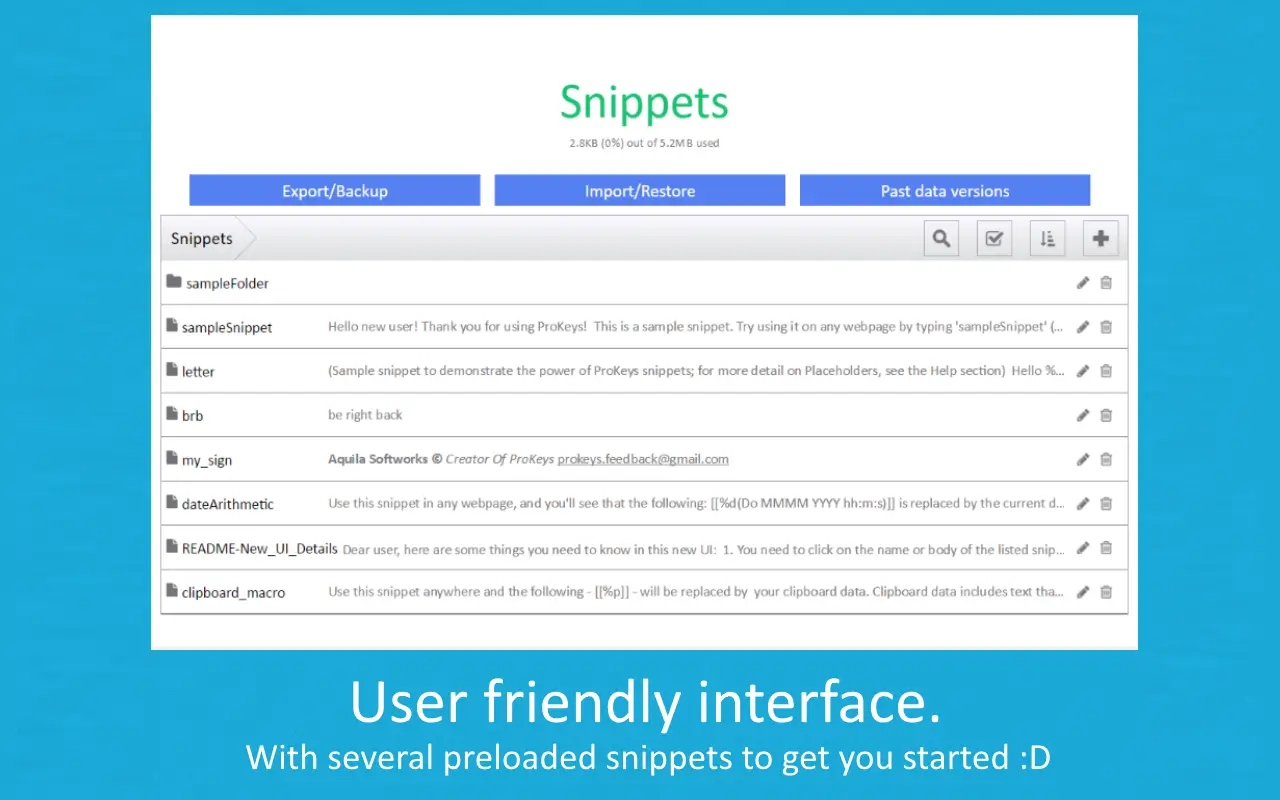
ProKeys is a text expander for Chrome that helps automate repetitive typing using text expansion. It allows users to create shortcuts (called snippets) that expand into longer pieces of text, such as emails, responses, or frequently used phrases.
The ProKeys extension is commonly used across web-based tools like Gmail, Google Docs, and other browser apps, making it a convenient option for basic text automation inside Chrome.
While it works well for simple use cases, users who need more advanced features, cross-platform support, or workflow automation often look for alternatives with greater flexibility.
Why Look for a ProKeys Extension Alternative?
The ProKeys extension is a solid starting point for automating repetitive typing, especially if you primarily work in Chrome. However, as your workflows grow more complex, you may start to notice certain limitations.
Some users look for ProKeys alternatives when they need tools that work outside the browser, support more advanced customization, or handle more than just basic text expansion. Features like dynamic templates, form fields, and workflow automation can make a big difference in day-to-day productivity.
There’s also a growing demand for tools that support teams, integrate with other apps, or include AI-assisted writing. If your current setup feels limiting or manual, switching to a more capable text expander can help you save more time and reduce repetitive work even further.
What to Look for in ProKeys Alternatives
Not all text expanders are built the same, so it’s important to choose a tool that fits how and where you work. The right ProKeys alternative should go beyond basic shortcuts and help you streamline your entire workflow.
Here are the key features to consider:
Works across your tools and devices – Look for a solution that works not just in Chrome, but also in desktop apps and across Windows or Mac if needed.
Advanced text expansion features – Tools with dynamic fields, dropdowns, conditional logic, and templates allow you to create more flexible and reusable content.
Ease of setup and use – A good text expander should be quick to learn and easy to maintain, especially if you plan to use it daily.
Automation beyond typing – Some tools support full workflows, such as form filling, data transfer, or multi-step automations that go beyond simple text replacement.
AI capabilities – Modern tools may include AI features to help generate, edit, or personalize content based on context.
Privacy and reliability – If you’re handling sensitive information, make sure the tool prioritizes security and performs consistently.
Free plan or trial – A free version or trial lets you test the tool before committing, which is helpful when comparing multiple options.
10 Best ProKeys Extension Alternatives
Ready to automate repetitive typing and streamline your workflow? Here are the 10 best ProKeys extension alternatives in 2026, including tools for Chrome, Windows, and Mac:
1. Text Blaze
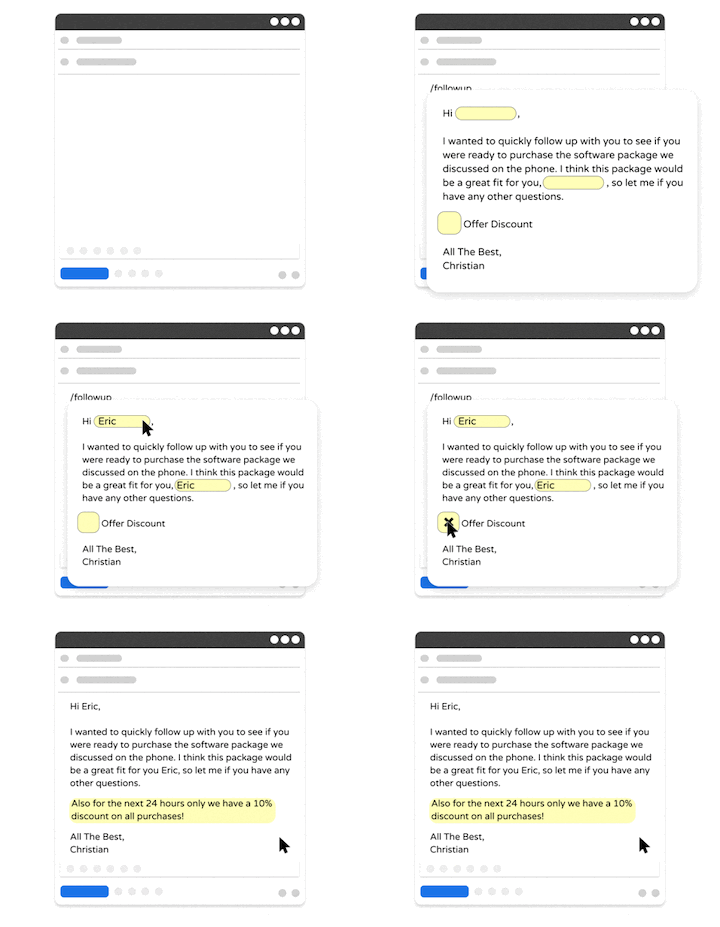
Text Blaze is a text expander and productivity tool allows you to create smart text templates and insert them on any site or app using keyboard shortcuts.
Text Blaze can help you automate repetitive typing, streamline workflows, and boost productivity with customizable, dynamic text templates.
Plus, Text Blaze is the #1 rated text expander on the Chrome Web Store (4.9 rating with 1,900+ reviews) and is trusted by 800,000+ users.
Key features:
Create dynamic templates with placeholders, drop-down menus, toggle fields, if/else rules, autopilot, data transfer, and more.
Text Blaze works anywhere and is available on Chrome, Windows, and Mac!
Automate workflows by streamlining data transfer, form-filling, repetitive typing, and much more.
Text Blaze is perfect for teams. Guide your team's communication & workflows with shared templates. Learn more here.
Pricing: Free forever. Get started and save time for free.
Best for: Users who want a text expansion tool that works on any website or app and offers powerful, advanced features.
Want to automate repetitive typing anywhere for free?
Join 800,000+ who are using Text Blaze templates.
2. TextExpander
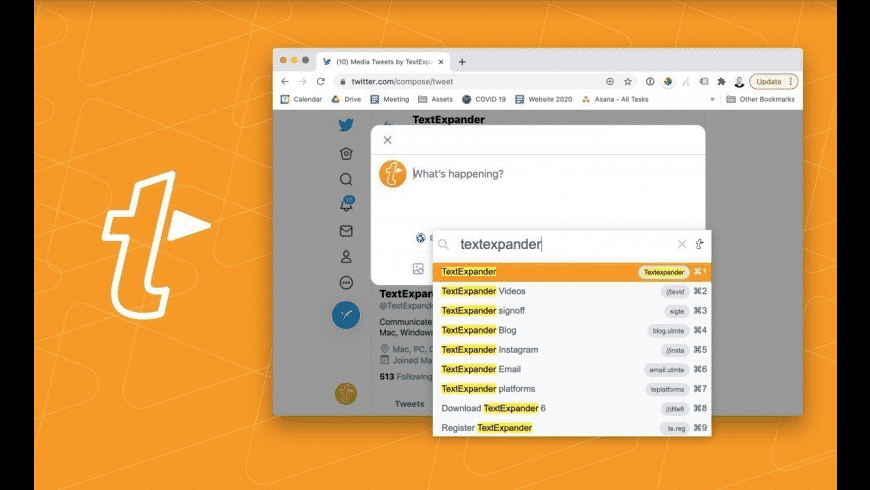
TextExpander is a widely used text expansion tool with support for Windows, macOS, and browser environments. It allows users to create reusable snippets and share them across teams to maintain consistent communication. Some tools like TextExpander offer more advanced features than basic Chrome extensions like ProKeys.
Key features:
- Snippet creation with fill-in fields
- Cross-platform syncing across devices
- Shared snippet libraries for teams
- Date and time automation
Pricing: No free plan. $39.96 USD/year/user.
Best for: Teams and professionals who need shared templates and cross-device access.
3. PhraseExpress
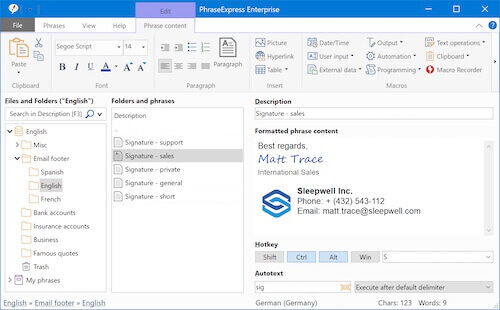
PhraseExpress is a desktop-based text expander designed for users who want more control over automation. It includes advanced macro capabilities, allowing you to create complex templates and automate repetitive workflows. Compared to ProKeys, it offers deeper customization and broader system-level support.
Key features:
- Advanced macros and automation rules
- Snippet organization with folders
- Cross-platform support (Windows, Mac)
- Clipboard history and text prediction
Pricing: $99.95 USD for a lifetime license with 1 year upgrades.
Best for: Users who want advanced automation and more control over text expansion.
4. aText
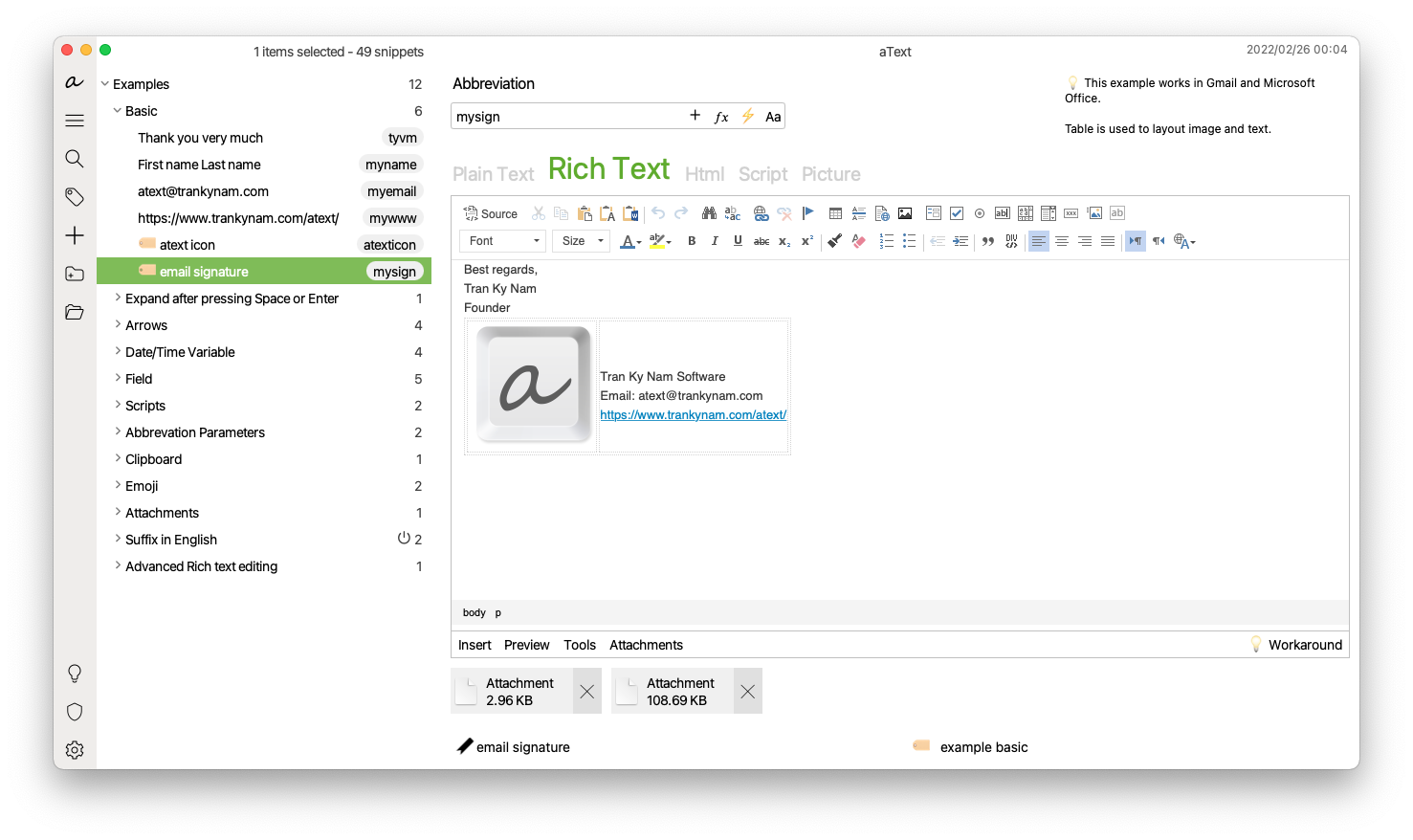
aText is a lightweight text expander that focuses on simplicity and ease of use. It works across Windows, macOS, and mobile devices, allowing you to create shortcuts for frequently used text. While tools like aText don’t include advanced automation features, they covers basic text expansion needs effectively.
Key features:
- Simple shortcut-based text expansion
- Cross-platform support including mobile
- Cloud sync options
- Easy setup and minimal learning curve
Pricing: 1 year license for $4.99 or lifetime license for $29.99.
Best for: Individuals who want a simple and straightforward text expander.
5. Auto Text Expander
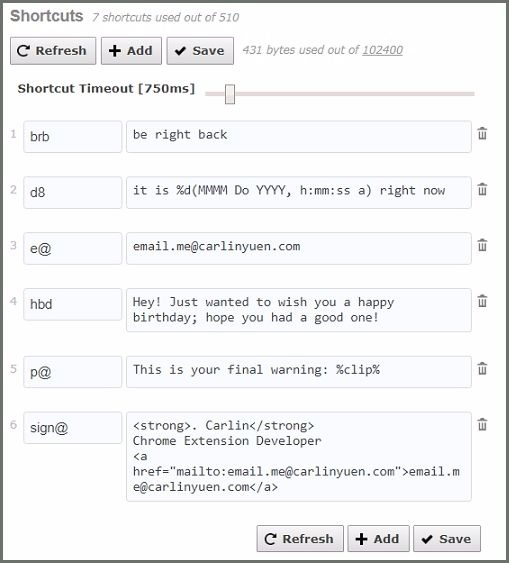
Auto Text Expander is a Chrome-based extension that focuses on basic text expansion within the browser. It allows users to create shortcuts that expand into longer text across websites. For users currently using the ProKeys extension, it offers a similar experience with a simple interface.
Key features:
- Shortcut-based text expansion in Chrome
- Works across most websites
- Lightweight and easy to use
- Minimal setup required
Pricing: Free to use.
Best for: Users who want a simple Chrome alternative similar to ProKeys.
6. ShortKeys
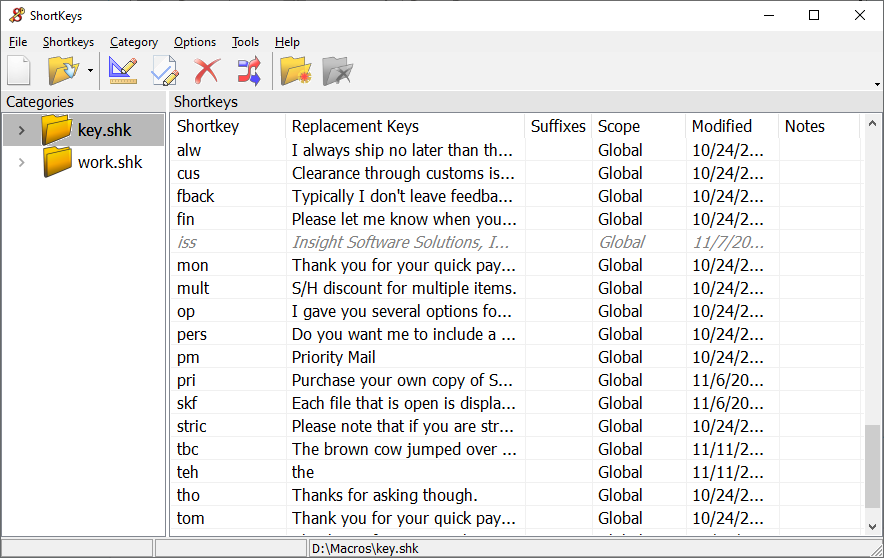
ShortKeys is a Chrome extension that allows you to create custom keyboard shortcuts for inserting text or performing actions. It is often considered one of the closest alternatives to the ProKeys extension, offering similar functionality with additional customization options.
Key features:
- Create custom shortcuts for text and actions
- Works across Chrome-based workflows
- Supports scripting and advanced commands
- Flexible configuration options
Pricing: Free to use.
Best for: Users looking for a ProKeys-like experience with more customization.
Want to automate repetitive typing anywhere for free?
Join 800,000+ who are using Text Blaze templates.
7. Typinator
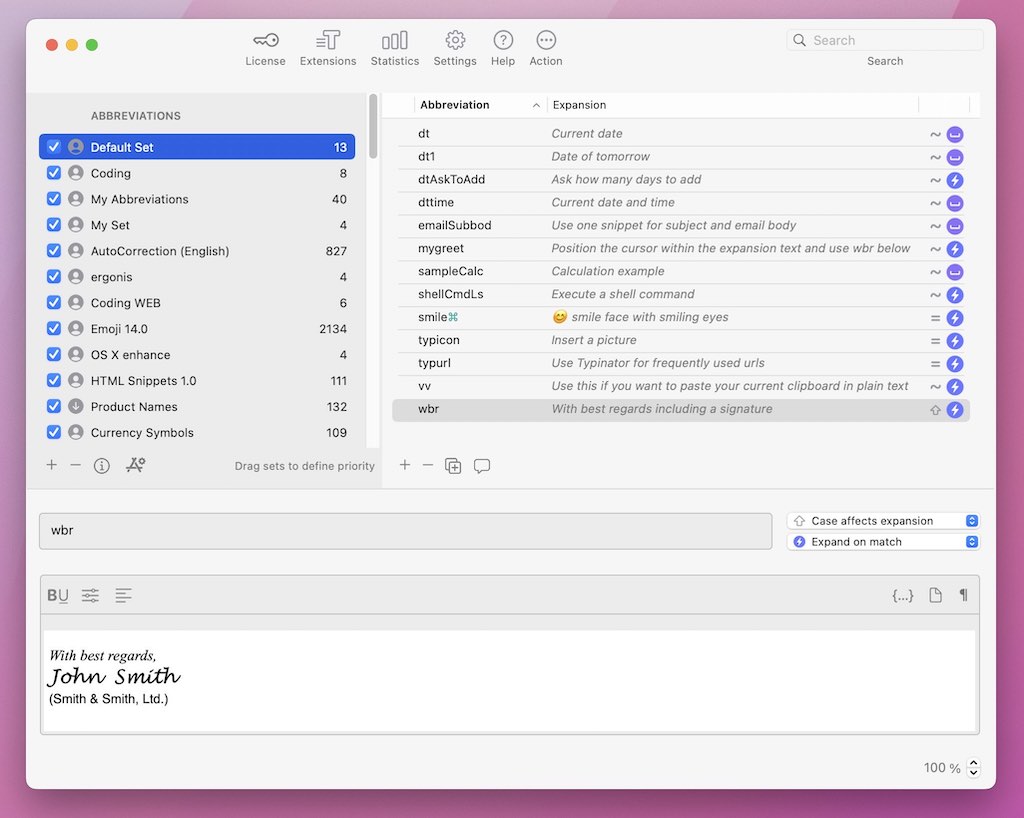
Typinator is a macOS-native text expansion tool designed for fast and reliable snippet insertion. It integrates directly with the operating system, allowing text expansion across apps rather than just within a browser. Compared to ProKeys, tools like Typinator provide a more seamless experience for Mac users.
Key features:
- System-wide text expansion on macOS
- Auto-correction and text replacement
- Date and time insertion
- Script support for advanced use cases
Pricing: $49.99 lifetime for basic usage, or $29.99/year for advanced usage.
Best for: Mac users who want system-wide text expansion outside the browser.
8. AutoHotkey
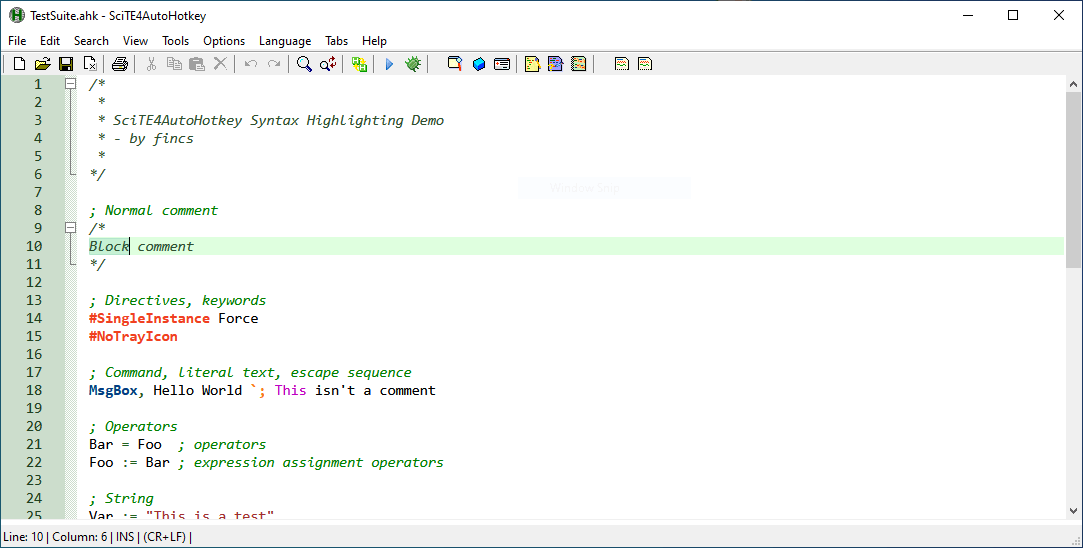
AutoHotKey is a powerful scripting language for Windows that can automate nearly any task, including text expansion. It allows users to create custom scripts for shortcuts, macros, and automation workflows. While it requires more setup than ProKeys, it offers significantly more flexibility.
Key features:
- Script-based automation and macros
- Custom keyboard shortcuts
- Automates repetitive workflows beyond typing
- Highly customizable
Pricing: Free and open-source.
Best for: Advanced users who want full control over automation on Windows.
9. Espanso
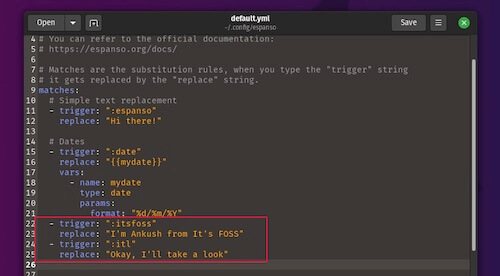
Espanso is an open-source text expander that works across multiple platforms, including Windows, macOS, and Linux. It uses a configuration-based approach to create powerful and customizable text expansion workflows. Compared to ProKeys, it offers more flexibility but requires some technical setup.
Key features:
- Cross-platform text expansion
- Open-source and highly customizable
- Supports variables and dynamic content
- Community-driven extensions
Pricing: Free and open-source.
Best for: Users comfortable with setup who want a flexible, open-source solution.
10. Beeftext
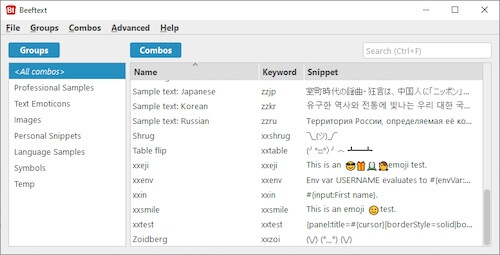
Beeftext is a simple and lightweight text expander designed for Windows users. It focuses on providing fast text replacement without unnecessary complexity. While they lack advanced features, tools like Beeftext offer a straightforward alternative to browser-based tools like ProKeys.
Key features:
- Lightweight text expansion
- Easy shortcut creation
- Works across Windows applications
- Minimal setup required
Pricing: Free.
Best for: Windows users who want a basic and easy-to-use text expander.
What Is the Best ProKeys Extension Alternative?
The best ProKeys extension alternative depends on how and where you work. Some tools focus on simple text expansion inside Chrome, while others offer more advanced features like dynamic templates, cross-platform support, and workflow automation.
If you only need basic shortcuts in the browser, a lightweight Chrome extension may be enough. But if you want something that works across apps, supports more customization, or helps automate repetitive tasks beyond typing, it’s worth choosing a more flexible solution.
Text Blaze stands out as one of the best all-around ProKeys extension alternatives because it combines ease of use with more advanced capabilities. It works across Chrome, Windows, and Mac, and allows you to create dynamic templates, automate workflows, and standardize communication without adding complexity.
If you're looking for a tool that can grow with your workflow and help you save time consistently, Text Blaze is a strong place to start.