10 Best Service Desk Automation Tools & Software in 2026
Discover the best automation tools to help you streamline workflows within your service desk or help desk software in 2026.

Handling support requests manually often leads to inconsistent responses, slower resolution times, and processes that vary depending on who picks up the ticket.
When workflows are automated, your team can follow the same structured path for every request, which helps create more reliable customer and user interactions while reducing avoidable errors.
Service desk automation tools help standardize how tickets are routed, prioritized, and resolved so your team is not reinventing the process each time a request comes in.
With the right systems in place, you can improve consistency, support quality, and operational efficiency without adding more work to your team.
In this guide, we'll cover the 10 best service desk automation tools you can use in 2026.
What is Service Desk Automation?
Service desk automation refers to using software to handle routine support tasks without constant manual effort. This often includes ticket routing, responses to common requests, approvals, notifications, and reporting.
For customer support teams and IT departments, automation helps create consistent processes so nothing falls through the cracks. Requests are categorized correctly, assigned faster, and tracked from start to finish.
Automation does not replace support teams. It removes the repetitive work that slows them down so they can focus on troubleshooting, complex cases, and improving service quality.
What Impact Does Automation Have on a Service Desk?
Automation can reshape how a service desk operates by improving speed, accuracy, and visibility. Here are some of the biggest ways it affects day-to-day work:
Faster response times - Automated routing and replies ensure tickets reach the right person quickly, which helps reduce backlog and keeps users informed.
Better consistency - Standardized workflows make sure requests are handled the same way every time, even during busy periods.
Reduced manual work - Tasks like tagging, assigning, and updating tickets happen automatically, giving your team more time for meaningful support.
Improved visibility - Automation often comes with reporting tools that help managers spot bottlenecks and adjust processes.
Stronger user experience - When requests move smoothly through the system, users spend less time waiting and more time getting help.
When used thoughtfully, automation supports your team instead of overwhelming it. The goal is to remove friction, not add complexity.
10 Best Service Desk Automation Tools & Software
If ticket volume has gotten out of hand or your workflows have started feeling difficult to manage, that typically means it's time to upgrade your tech stack. If that's you, you're in the right place.
Here's our list of the 10 best service desk automation tools:
| Tool | Description |
|---|---|
| Text Blaze | Automate your team's communications & workflows anywhere with smart templates. |
| Zendesk | Service management platform with AI agents. |
| SysAid | Service management for IT teams. |
| Moveworks | AI assistants for business & enterprise workflows. |
| Intercom x Fin AI | Customer service platform + AI helpdesk support. |
| Monday.com | Work management platform with AI & workflow automation. |
| Freshworks | Enterprise-level software for customer support. |
| Giva | AI-focused help desk software. |
| Automation Anywhere | Agentic AI to automate work. |
| Pylon | Customer support platform with automation features. |
1. Text Blaze
First up on our list of the best service desk automation tools is Text Blaze.
Text Blaze is #1 on this list because it is the highest rated productivity app on the Chrome Web Store, with a 4.9 rating and 1,000+ 5-star reviews.
With Text Blaze, you can automate repetitive typing with keyboard shortcuts & dynamic text templates that work on any site or app.
How Text Blaze helps with service desk automation:
Automate emails & messages to customers with dynamic, smart templates that work in any site or app.
Get the correct response in every interaction. Text Blaze helps you get the right message every time.
Reduce mistakes with templates that help agents stay consistent and on-brand.
Streamline repetitive workflows, like transferring data, filling out forms, sending an email, or any other repetitive workflow.
Text Blaze is perfect for support teams! Learn more about using Text Blaze for teams to supercharge your team's communication and productivity!
Who should use Text Blaze: Teams that want to improve response consistency without replacing their existing helpdesk. It is especially useful for service desks handling repetitive requests.
Want to save hours by automating repetitive typing & workflows?
Join over 700,000+ others who are automating workflows with Text Blaze.
2. Zendesk
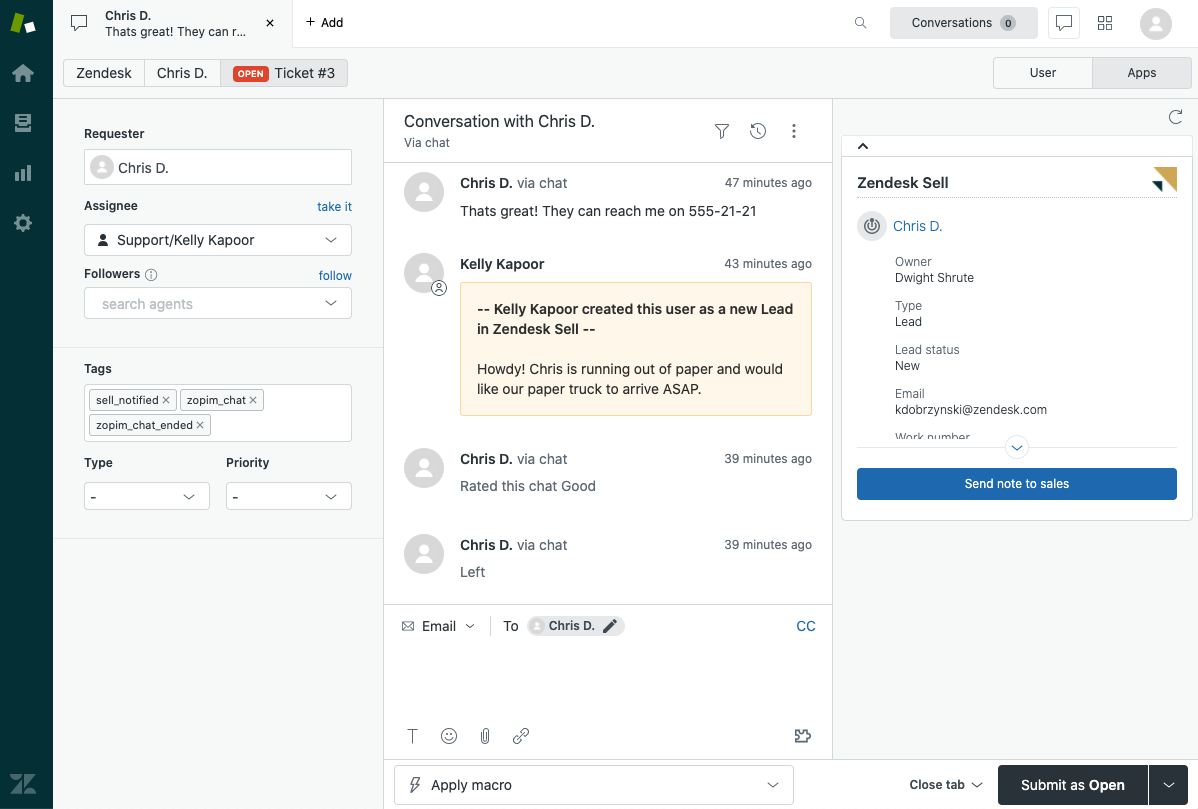
Zendesk is a popular service management platform designed to help teams organize, track, and resolve support requests at scale. It combines ticketing, reporting, and workflow tools into a centralized workspace.
How Zendesk helps with service desk automation:
- Route tickets automatically based on rules and triggers.
- Send automated replies to confirm request receipt.
- Escalate high-priority issues when conditions are met.
- Suggest knowledge base articles to reduce ticket volume.
- Track SLAs and alerts teams before deadlines are missed.
- Automate status updates for users.
Who should use Zendesk: Organizations managing large ticket volumes that need structured workflows. It works well for teams looking for a mature, scalable platform.
3. SysAid
SysAid is an IT service management platform that supports ticketing, asset tracking, and workflow automation. It helps IT teams manage internal requests while maintaining visibility into infrastructure and service performance.
How SysAid helps with service desk automation:
- Categorize tickets automatically based on request type.
- Route approvals without manual follow-ups.
- Automate recurring maintenance tasks.
- Provide a self-service portal to deflect simple requests.
- Link assets to tickets for faster troubleshooting.
- Generate alerts for critical incidents.
Who should use SysAid: IT departments that want deeper operational control alongside automation. It is a strong fit for teams supporting internal employees.
4. Moveworks
Moveworks is an AI support platform that helps employees resolve IT issues through conversational interactions. It focuses on reducing ticket volume by allowing users to complete tasks without agent involvement.
How Moveworks helps with service desk automation:
- Resolve common requests through a virtual assistant.
- Automate password resets and access requests.
- Understand user intent to route complex issues correctly.
- Provide context to agents before escalation.
- Learn from interactions to improve accuracy.
- Support policy and automated HR inquiries.
Who should use Moveworks: Large organizations aiming to reduce inbound tickets. It is ideal for teams supporting distributed workforces.
5. Intercom x Fin AI
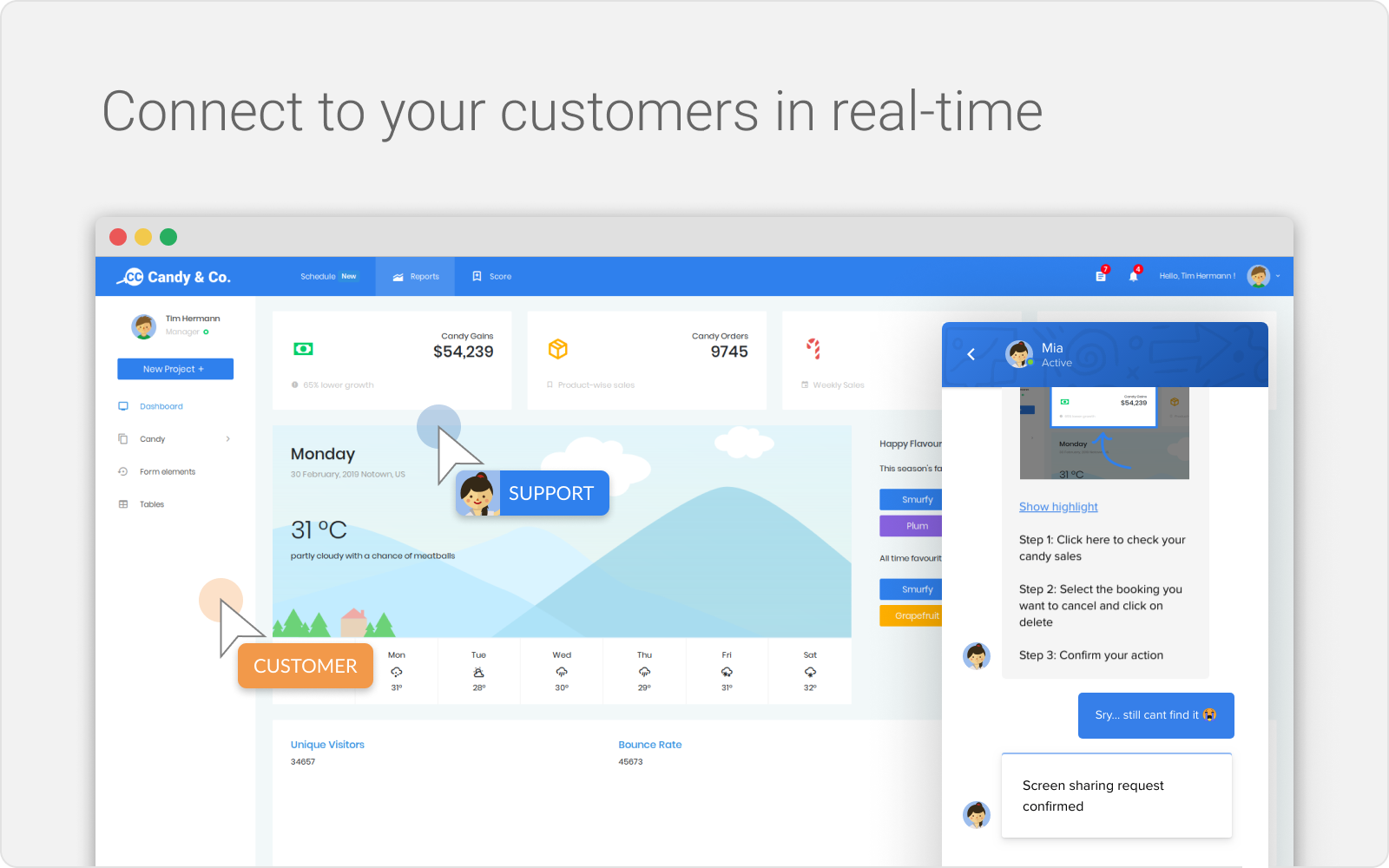
Intercom is a popular customer service app and messaging platform that helps teams manage customer conversations, while Fin AI automates responses to common questions. Together, they support faster business communication without increasing agent workload.
How Intercom x Fin AI helps with service desk automation:
- Answer repetitive questions automatically.
- Route conversations to the right team.
- Suggest help articles before tickets are created.
- Send proactive updates during open requests.
- Prioritize conversations based on urgency.
- Centralize communication in a shared inbox.
Who should use Intercom x Fin AI: Support teams that rely heavily on chat-based service. It is well suited for companies focused on fast, conversational support.
Want to save hours by automating repetitive typing & workflows?
Join over 700,000+ others who are automating workflows with Text Blaze.
6. Monday.com

monday.com is a work management platform that teams often adapt to track service requests and internal workflows. Its customizable boards allow service desks to build processes that match their operational style.
How Monday.com helps with service desk automation:
- Automatically assign tickets to team members.
- Trigger notifications when statuses change.
- Move requests through workflow stages.
- Set reminders to prevent stalled tickets.
- Update stakeholders without manual outreach.
- Build dashboards for workload visibility.
Who should use Monday.com: Teams that want flexibility when designing workflows. It works well for organizations that prefer visual tracking.
7. Freshworks
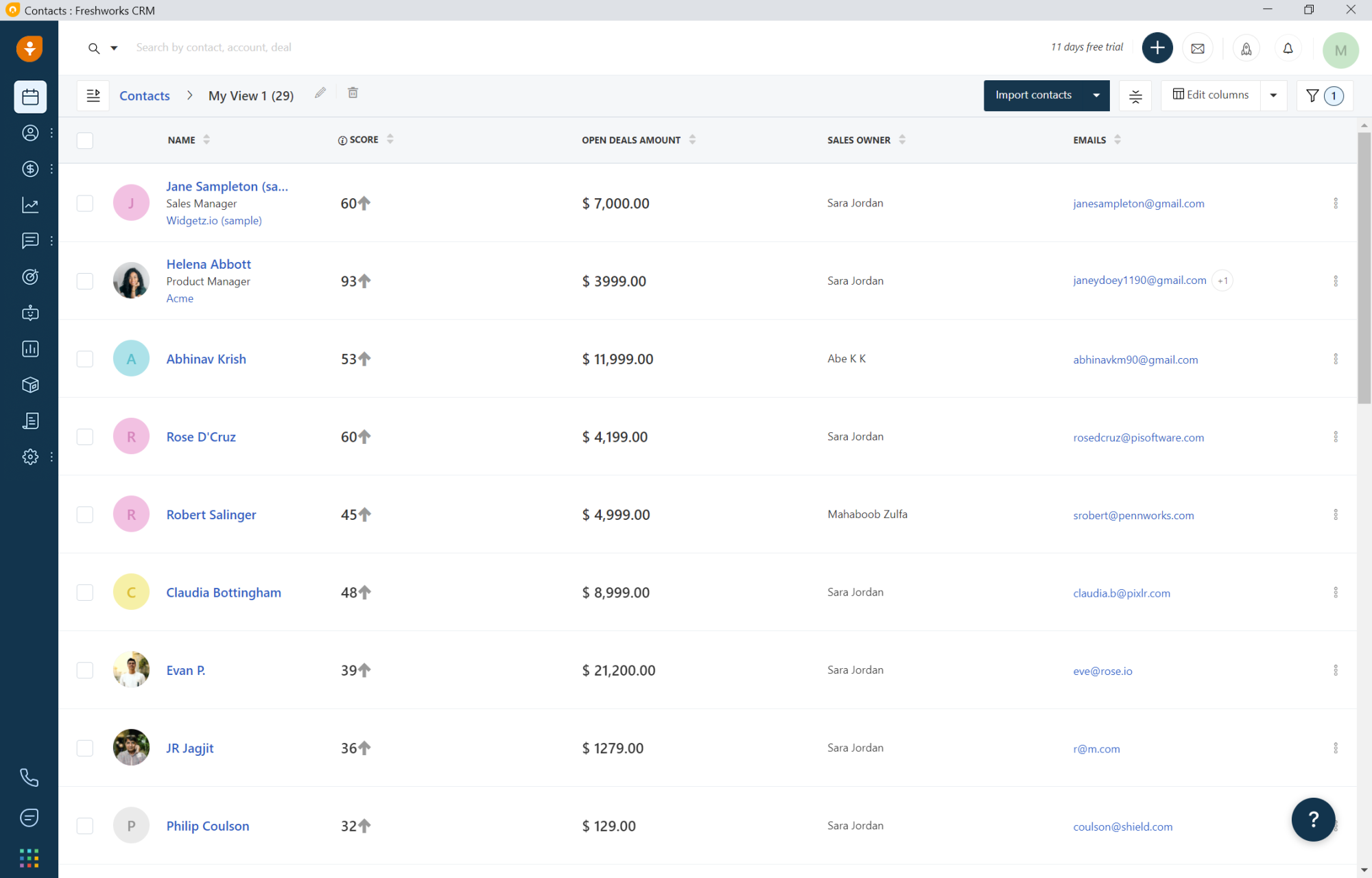
Freshworks offers service management and customer support automation tools that help teams streamline ticket handling and improve support delivery. Its platforms support automation while remaining approachable for growing teams.
How Freshworks helps with service desk automation:
- Categorize and prioritizes tickets automatically.
- Route requests based on predefined rules.
- Provide self-service portals for common issues.
- Automate approvals and internal workflows.
- Send notifications to keep users informed.
- Track performance through reporting tools.
Who should use Freshworks: Growing organizations upgrading from basic systems. It is a practical choice for teams that want automation without a steep learning curve.
8. Giva
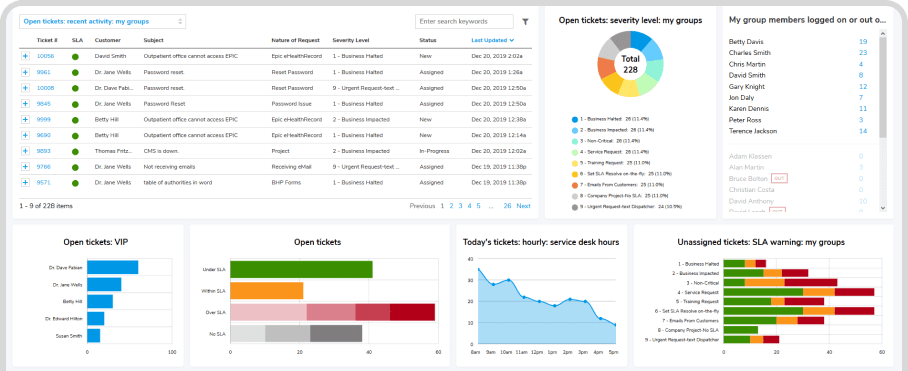
Giva is a cloud-based IT service management solution built to help teams manage incidents and service requests with clarity. It emphasizes structured workflows and transparent reporting.
How Giva helps with service desk automation:
- Route tickets according to escalation paths.
- Automate approval chains.
- Send alerts for critical service events.
- Track requests from submission to resolution.
- Provide dashboards for operational insights.
- Standardize service processes across teams.
Who should use Giva: Organizations that value reporting and operational visibility. It is a solid option for teams seeking straightforward automation.
9. Automation Anywhere
Automation Anywhere is a robotic process automation platform that automates repetitive digital tasks across business systems. Service desks often use tools like Automation Anywhere to streamline backend processes tied to ticket resolution.
How Automation Anywhere helps with service desk automation:
- Automate data entry between platforms.
- Extract information from documents automatically.
- Trigger workflows based on predefined events.
- Reduce manual updates in service systems.
- Support unattended automation for routine processes.
- Improve accuracy by limiting human error.
Who should use Automation Anywhere: Enterprises managing high-volume operational tasks. It is best for teams ready to scale automation beyond basic workflows.
Want to save hours by automating repetitive typing & workflows?
Join over 700,000+ others who are automating workflows with Text Blaze.
10. Pylon
Pylon is a modern service management platform focused on simplifying how teams handle requests and collaborate. It combines ticket tracking with workflow automation to reduce coordination effort.
How Pylon helps with service desk automation:
- Assign tickets automatically based on rules.
- Send status updates without manual input.
- Track workflow progress in real time.
- Centralize collaboration for agents.
- Flag bottlenecks before they grow.
- Standardize request handling.
Who should use Pylon: Teams looking for a modern approach to service management. It is a good fit for organizations aiming to improve structure without adding complexity.
Service Desk Automation Ideas
If you're not sure where to start, these ideas can help you identify workflows that are ready for business automation.
Ticket routing - Automatically assign requests based on keywords, departments, or priority levels so agents do not have to triage everything manually.
Password resets - Let users verify their identity and reset credentials without agent involvement.
Knowledge base suggestions - Surface relevant help articles when someone submits a request to reduce ticket volume.
Approval workflows - Route hardware, software, or access requests through the right managers without email chains.
Status updates - Send automated notifications so users know when a ticket is received, updated, or resolved.
SLA tracking - Trigger alerts when response or resolution targets are close to being missed.
Start with one or two high-volume processes. Small improvements often create immediate relief for your team.
What is the Best Service Desk Automation Tool?
Choosing a service desk automation tool starts with taking an honest look at what is slowing your team down each day (ex: tickets waiting too long to be assigned, responses sound different depending on the agent, processes require more manual effort than they should).
While responsibilities may differ from team to team, the underlying need is usually the same: remove friction so work moves forward without constant oversight. A strong system should support the way your team already works while helping you standardize requests, responses, and resolutions so nothing feels improvised.
Think about what would make your day run smoother. When your workflows are predictable and consistent, work in your service desk starts to feel more in control and far less reactive.
Put the right structure in place, and you give your team the stability they need to support people confidently and keep operations running the way they should.
To recap, our suggestion for the best service desk automation tool is Text Blaze. Text Blaze helps you automate repetitive typing. data transfer, form-filling, and workflows on any website. Plus, Text Blaze is free forever!
Give Text Blaze a try today!