5 Best Snippety Alternatives for macOS in 2026
Compare the best Snippety alternatives and text expanders for macOS, including free and paid options for faster typing.

Looking for a better way to handle repetitive typing on your Mac? Snippety is a solid option, but it doesn’t always fit every workflow or budget.
Some users need more automation, while others want something simpler or more flexible. Regardless of where you fall on the workflow automation to text expansion spectrum, there's a tool that will fit your needs.
In this guide, we'll cover the 5 best Snippety alternatives for macOS, how each tool works, what it’s best for, and how to choose the right one for your setup.
What is Snippety?
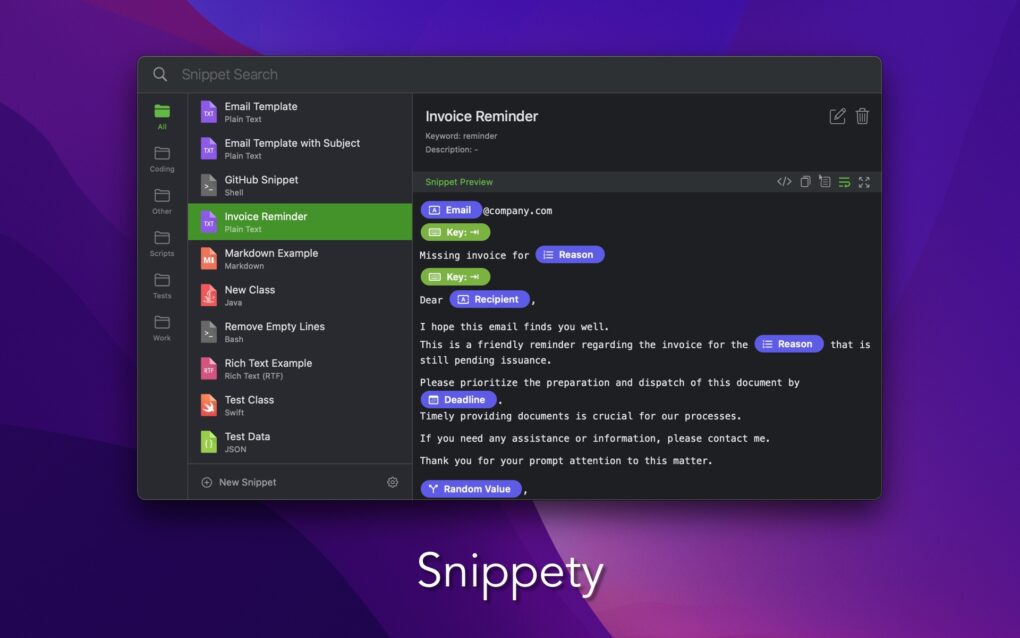
Snippety is a text expansion tool for macOS that lets you insert predefined text using shortcuts. Instead of typing the same messages, emails, or code snippets repeatedly, you can trigger them instantly with a few keystrokes.
It’s mainly used by Mac users who want to save time on repetitive writing. Snippety also supports workflow automation features, so you can manage and reuse snippets across different workflows.
How Much Does Snippety Cost?
Snippety is a paid app with a one-time purchase. It costs $24.99 on the Apple Store.
For users with simple needs, the pricing can feel reasonable. However, if you need more advanced automation, sharing features, or cross-platform support, you may find better value in alternatives.
5 Best Snippety Alternatives for macOS
If you’re exploring other options, there are several tools that offer similar or more flexible ways to automate typing and workflows on macOS.
Here's our list of the 5 best Snippety alternatives for macOS:
| Tool | Best for | Platform | Pricing |
|---|---|---|---|
| Text Blaze | Text expansion + workflow automation | Chrome, Edge, Mac, Windows | Free forever |
| Mac Automator | Built-in Mac automation | macOS | Free |
| Alfred | Launcher + automation | macOS | Limited free edition, paid upgrade is £34/user |
| PhraseExpress | Simple hotkeys & text expansion | macOS, Windows | $99.95 USD for a Standard license |
| Espanso | Open-source text expansion | macOS, Windows, Linux | Free |
1. Text Blaze
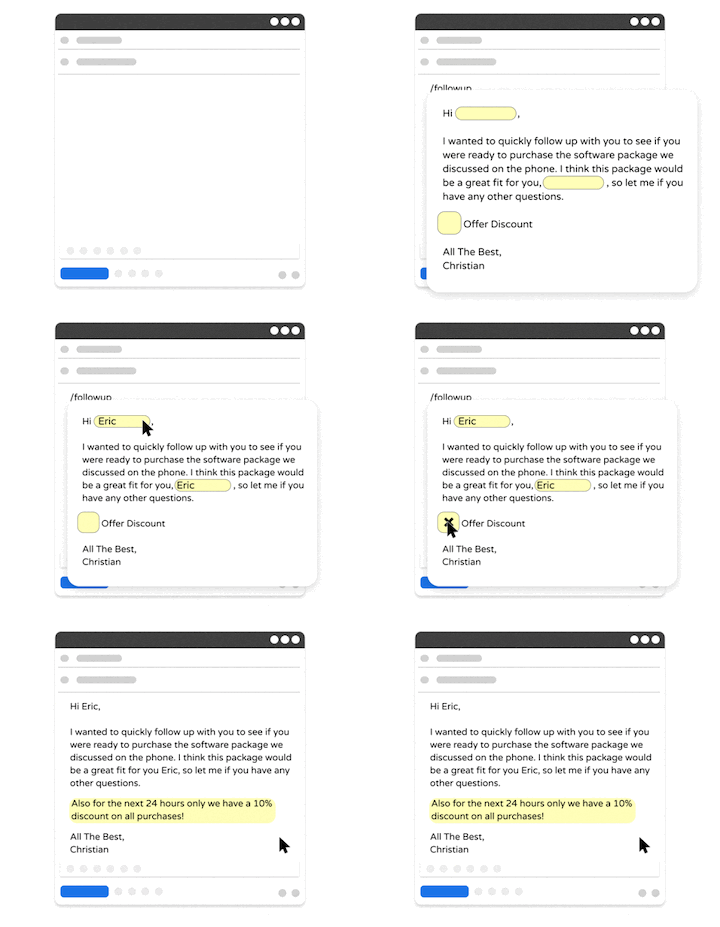
Text Blaze allows you to create smart text templates and insert them on any site or app with keyboard shortcuts. With Text Blaze, you can create dynamic templates with placeholders, drop-down menus, toggle fields, if/else rules, autopilot, data transfer, and more.
Text Blaze works anywhere and is available on Chrome, Windows, and Mac.
Plus, Text Blaze can help you automate workflows by streamlining data transfer, form-filling, repetitive typing, and much more. Text Blaze is perfect for teams. Guide your team's communication & workflows with shared templates. Learn more here.
As far as pricing, Text Blaze is free forever, which means you can sign up and start saving time instantly for free.
Best fit for: Individuals or teams looking for a free text expander that works on any website or app.
Want to automate repetitive typing on Mac for free?
Join 700,000+ who are using Text Blaze templates.
2. Mac Automator
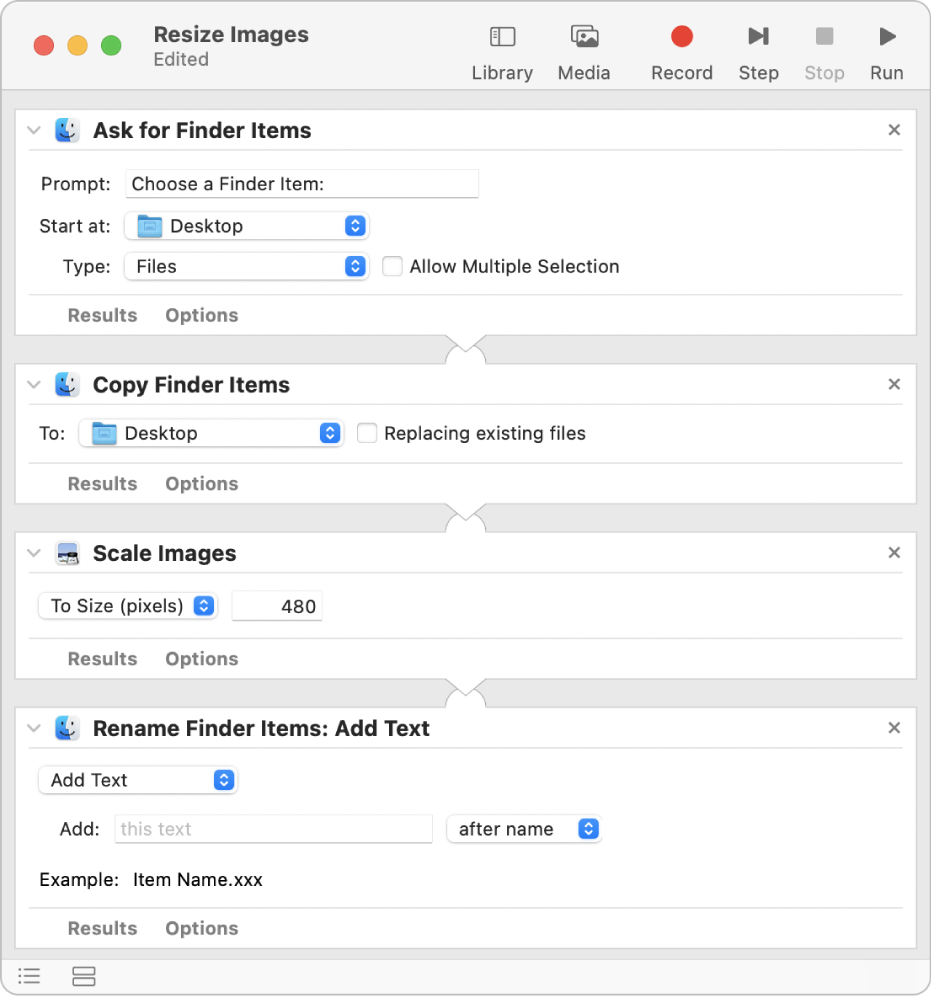
Automator is Apple’s built-in automation tool for macOS. It allows you to create workflows that automate tasks like renaming files, processing data, or triggering actions based on conditions.
It’s not a traditional text expander, but it can still support certain typing-related workflows. For example, you can combine it with scripts or other tools to automate repetitive tasks.
Because it’s built into macOS, there’s no extra cost. That said, it can take time to learn, especially if you’re not familiar with automation concepts.
Best fit for: Users who want built-in automation without installing new apps.
3. Alfred
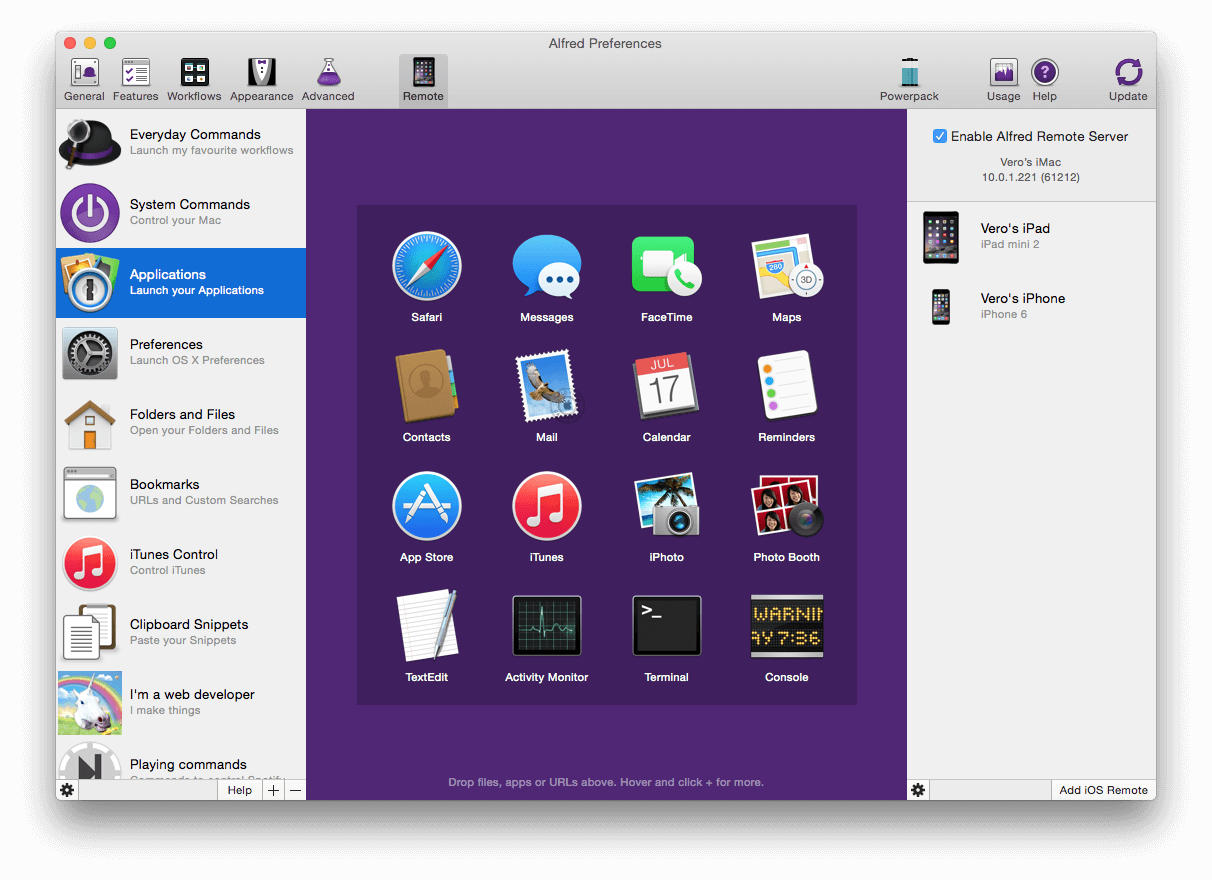
Alfred is a productivity app for macOS that combines search, shortcuts, and desktop automation. You can launch apps, search files, and trigger workflows using keyboard commands.
With the paid Powerpack (£34/user), Alfred adds automation features that can replace some text expansion use cases. You can create workflows that insert text, run scripts, or automate actions across apps.
It’s not focused only on text expansion, so it may require some setup for that specific use case. However, tools like Alfred are strong options if you want a broader Mac productivity tool.
Best fit for: Users who want a mix of search, shortcuts, and automation.
4. PhraseExpress
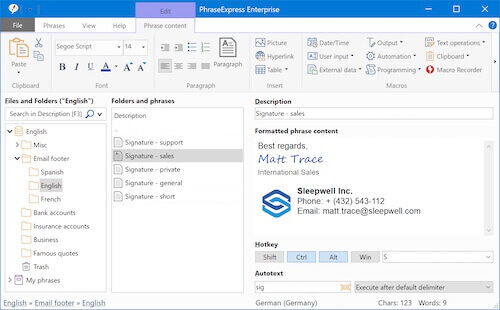
PhraseExpress is a dedicated text expansion tool with a strong focus on text replacement. It allows you to create templates, organize them into folders, and reuse them across different apps.
It includes features like forms, dynamic placeholders, and syncing across devices. Though, a Standard license costs $99.95 USD.
The interface can feel a bit complex at first, especially for new users. However, it offers a lot of control once you get familiar with it.
Best fit for: Users who need detailed templates and organization.
5. Espanso
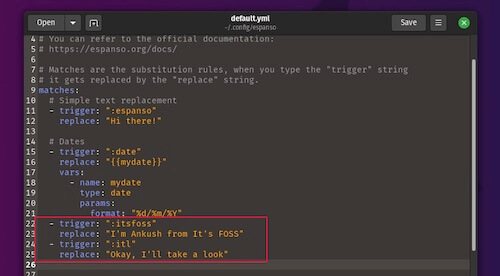
Espanso is an open-source text expander that works across multiple platforms, including macOS. It runs in the background and lets you trigger text expansions using custom shortcuts.
Because it’s open-source, it offers a high level of flexibility. You can customize it with configuration files and extend it with packages.
However, it relies on a more technical setup compared to other tools. Users who prefer a visual interface may find it less intuitive.
Best fit for: Users comfortable with configuration-based tools.
Want to automate repetitive typing on Mac for free?
Join 700,000+ who are using Text Blaze templates.
What to Look for in Snippety Alternatives
Choosing the right tool depends on how you actually work day to day. Some tools focus only on text expansion, while others help automate larger parts of your workflow.
Here are a few things to think about while evaluating Snippety alternatives:
How easy it is for you to get started - You don’t want to spend hours setting things up or fixing issues later.
The kind of text expansion you need - Simple shortcuts might be enough, but you may want templates or dynamic fields for more flexibility.
How much you want to automate - Some tools only handle typing, while others help automate tasks across apps.
Where you spend most of your time working - Make sure the tool works in the apps or browser tabs you use every day.
What you’re willing to pay - Think about whether a free plan is enough or if a paid option actually saves you more time.
Focus on your workflow first, then choose a tool that fits naturally into it without adding extra friction.
What is the Best Snippety Alternative?
The best Snippety alternative really comes down to how you work and what you actually need day to day.
If most of your time is spent typing the same messages, emails, or notes, a simple text expansion tool will probably be enough. These tools focus on turning short shortcuts into full text, helping you move faster and stay consistent without much setup.
Though, if your workflows are a bit more involved, you might need something that goes beyond just text. Workflow automation tools can handle multi-step tasks, like inserting structured data, triggering actions, or helping you move information between apps.
For many Mac users, the ideal setup sits somewhere in the middle. You want quick text expansion when you need it, but also the option to build simple workflows as things get more complex.
If that sounds like your situation, Text Blaze is a strong option. It gives you flexible text expansion along with features like dynamic fields and basic automation, so you can adapt it to how you already work.