10 Best SOP Software for Process Management in 2026 (Compared)
Looking for SOP software? Learn what SOPs mean in business, how to write one, and which 10 tools help you manage SOPs with updates, roles, and training.

Processes rarely fail because they were never written down. They fail because they were written once and never maintained.
As teams grow, standard operating procedures get buried in folders, copied into new documents, or quietly ignored. Managers lose visibility. Updates do not stick. Accountability weakens.
SOP software brings structure back into the system. It centralizes procedures, tracks ownership, and makes updates manageable.
In this guide, you’ll learn what SOP software means in business, how to write an SOP properly, and which tools can help you manage SOPs at scale.
What Is SOP Software? (SOP Meaning in Business)
SOP stands for Standard Operating Procedure. In business, an SOP is a structured, written set of instructions that explains exactly how a recurring task should be completed.
Companies rely on SOPs to create consistency, reduce mistakes, and ensure work is performed the same way across teams, departments, or locations.
As organizations grow, managing those procedures becomes more complex. Documents get duplicated, updates are overlooked, and different teams begin following different versions of the same process.
Common SOP Formats & Examples
Before choosing SOP management software, it helps to understand the formats most teams use. Here are a few common SOP formats & examples:
Step-by-step instructions - Clear, numbered tasks for repeatable work.
Checklist format - Quick reference for routine activities.
Decision tree format - Maps out different paths based on specific conditions or answers.
Flowchart format - Visual process maps for decision-based workflows.
Hierarchical format - Complex procedures broken into structured sections.
Most businesses start with simple documents. As operations expand, managing those formats manually becomes difficult.
How to Write an SOP (Step-by-Step)
Writing an effective SOP is not just about documenting tasks. It is about creating a repeatable system that someone else can follow without confusion. A strong SOP should reduce ambiguity, define ownership, and make expectations clear.
Here's how to write an SOP:
1. Define the purpose and scope
Start by explaining what the SOP covers and why it exists. Clarify which teams or roles it applies to and what outcome the process is designed to achieve. This prevents unnecessary expansion and keeps the procedure focused.
2. Identify the process owner
Every SOP needs a clear owner responsible for updates and accuracy. Without ownership, procedures quickly become outdated or inconsistent. Assigning responsibility ensures accountability over time.
3. List prerequisites and required tools
Outline any systems, permissions, or resources needed before starting. This reduces friction during execution and prevents avoidable delays. Clear prerequisites make the process easier to follow.
4. Break the process into structured steps
Use direct, concise instructions. Each step should focus on one action and avoid combining multiple tasks in a single line. Clear sequencing improves consistency across teams.
5. Add decision points where necessary
If the process includes conditions or branching scenarios, clearly define what happens in each case. Decision trees or conditional logic improve clarity and reduce guesswork.
6. Define success criteria
Explain what a completed process looks like and how success is measured. This helps employees understand when the task is fully done and prevents incomplete execution.
7. Review, test, and approve
Have someone unfamiliar with the process follow the SOP to identify gaps or unclear instructions. Refine the document before final approval. Once finalized, maintain it regularly to ensure it stays accurate as workflows evolve.
Want to streamline your team's communication & workflows?
Join over 700,000+ others who are automating workflows with Text Blaze.
What to Look for in SOP Management Software
The right SOP software depends on how your team operates. Some businesses need structured documentation systems. Others need tools that help enforce procedures directly inside daily workflows.
Keep these features in mind when evaluating SOP management software:
Centralized organization - Store procedures in one structured location so teams can easily find and reference them.
Version control and ownership - Track updates and assign responsibility to keep processes current.
Workflow integration - Ensure procedures can connect to the tools your team already uses. Processes should not live separately from execution.
Execution support - Look for ways to standardize how tasks are completed, whether through templates, guided steps, or embedded process logic.
Permissions and visibility - Control who can edit, approve, or access procedures.
Scalability - The system should support growth without becoming difficult to manage.
Strong SOP software does more than store documentation. It supports consistent execution across the systems your team uses every day.
10 Best SOP Software for Process Management
If you are evaluating SOP software, you likely want a system that improves consistency, visibility, and accountability.
Here's our list of the 10 best SOP software for process management:
1. Text Blaze
Text Blaze helps you create dynamic, interactive, smart templates that help guide your team's workflows and decision-making.
With Text Blaze, you can automate repetitive typing & communications, and get to the right message or decision in every interaction.
How Text Blaze works for process management:
Automate emails & messages to customers with dynamic, smart templates that work in any site, app, help desk, email platform, CRM, etc.
Create SOP templates that integrate right where you already work. Text Blaze integrates into your tech stack seamlessly.
Get the correct response & decision in every interaction. Text Blaze helps you get the right message every time.
Reduce mistakes with templates that help agents stay consistent and on-brand.
Streamline repetitive workflows, like transferring data, filling out forms, sending an email, or any other repetitive workflow.
Text Blaze is perfect for support teams! Learn more about using Text Blaze for teams to supercharge your team's communication and productivity!
Best fit for: Teams that want to enforce SOP execution inside existing systems rather than manage procedures in a separate documentation platform.
Want to streamline your team's communication & workflows?
Join over 700,000+ others who are automating workflows with Text Blaze.
2. ScribeHow

Scribe AI is a process documentation tool that automatically captures workflows as you perform them. It converts actions into step-by-step visual guides with screenshots, improving business communication.
How ScribeHow works for process management:
- Automatically generates step-based SOPs from real workflows
- Produces visual guides with structured formatting
- Allows easy sharing of procedures across teams
- Speeds up documentation for evolving processes
Best fit for: Operational teams that frequently need to document new workflows without spending significant time writing instructions manually.
3. Trainual
Trainual is an SOP and training management platform designed to organize company knowledge in a structured system. It connects procedures to onboarding and role-based learning paths.
How Trainual works for process management:
- Centralizes SOPs and policies in one platform
- Assigns content by role to improve clarity
- Tracks employee completion and acknowledgment
- Supports structured approval and updates
Best fit for: Growing businesses that want formal SOP management combined with onboarding and employee training.
4. MagicHow
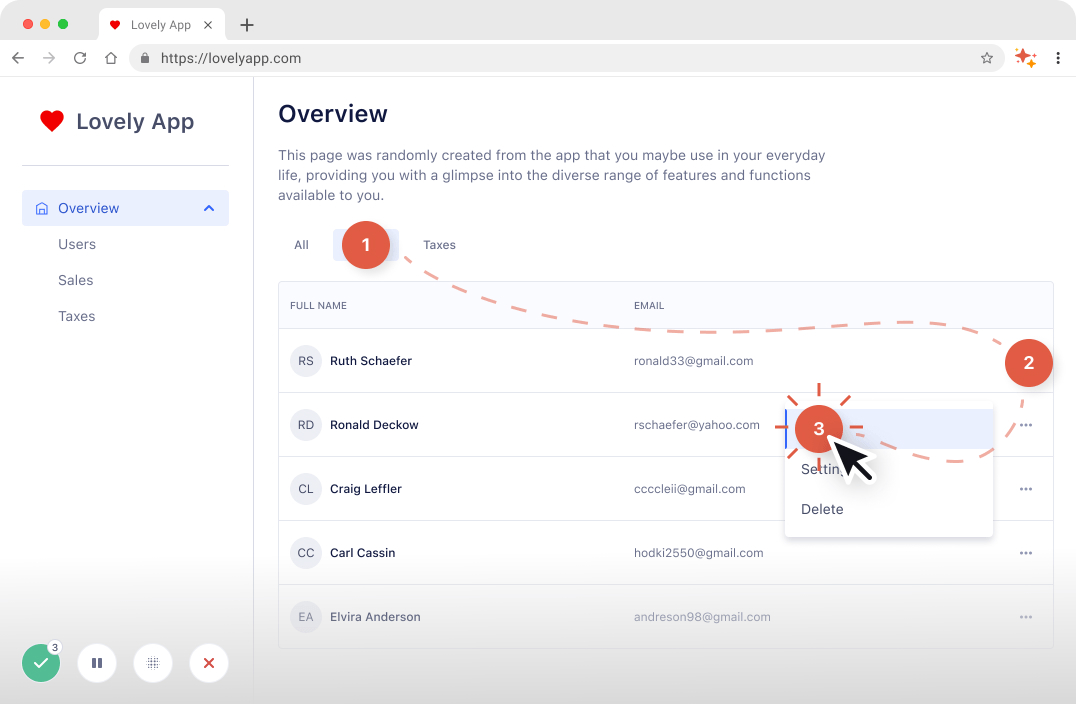
MagicHow captures software workflows and turns them into structured visual guides. It simplifies process documentation by automating step creation and formatting and helps with team productivity.
How MagicHow works for process management:
- Automatically records on-screen actions
- Generates structured SOP documentation
- Allows quick editing and updates
- Supports sharing across teams
Best fit for: Teams that need rapid documentation of software-based processes without heavy manual effort.
5. Whale.io
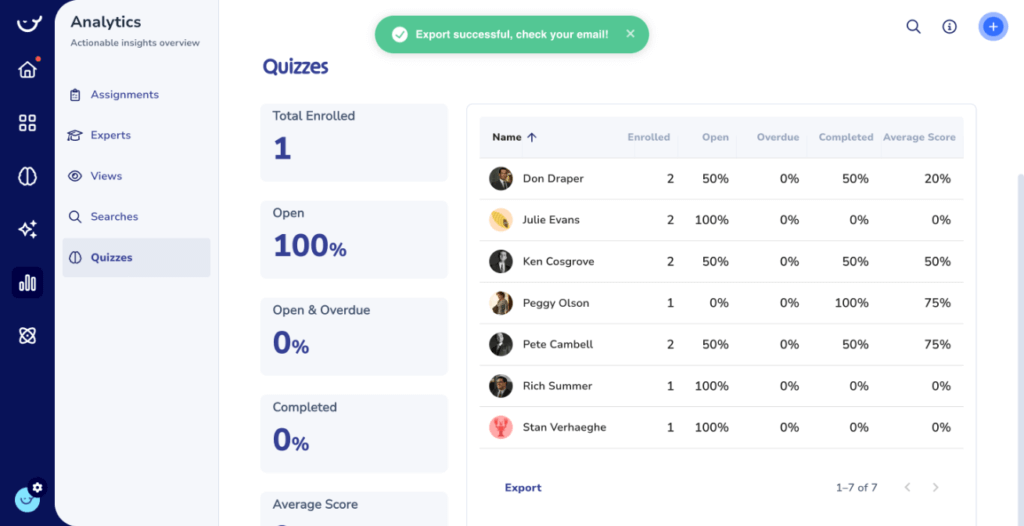
Whale.io combines SOP documentation with training functionality. It allows businesses to manage procedures while linking them to employee development and onboarding programs.
How Whale.io works for process management:
- Organizes SOPs in a centralized knowledge system
- Connects procedures to role-based training
- Tracks progress and completion
- Supports structured version control
Best fit for: Companies focused on aligning SOP management with workforce training and performance tracking.
6. Tango AI
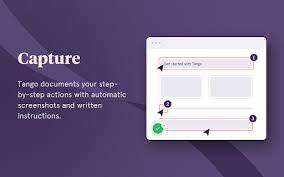
Tango AI is a workflow capture tool that records actions and converts them into shareable process guides. It emphasizes simplicity and speed.
How Tango works for process management:
- Automatically documents step-by-step workflows
- Creates visual SOPs with minimal editing
- Enables easy sharing across teams
- Keeps documentation aligned with actual software usage
Best fit for: Operations teams that frequently document software workflows and need fast turnaround.
Want to streamline your team's communication & workflows?
Join over 700,000+ others who are automating workflows with Text Blaze.
7. Guidejar

Guidejar focuses on creating interactive guides and onboarding walkthroughs. It supports structured learning experiences tied to operational processes.
How Guidejar works for process management:
- Builds interactive step-based guides
- Organizes procedures in a centralized system
- Supports guided software adoption
- Simplifies updates to evolving workflows
Best fit for: Organizations that prioritize guided onboarding and structured process training.
8. Waybook
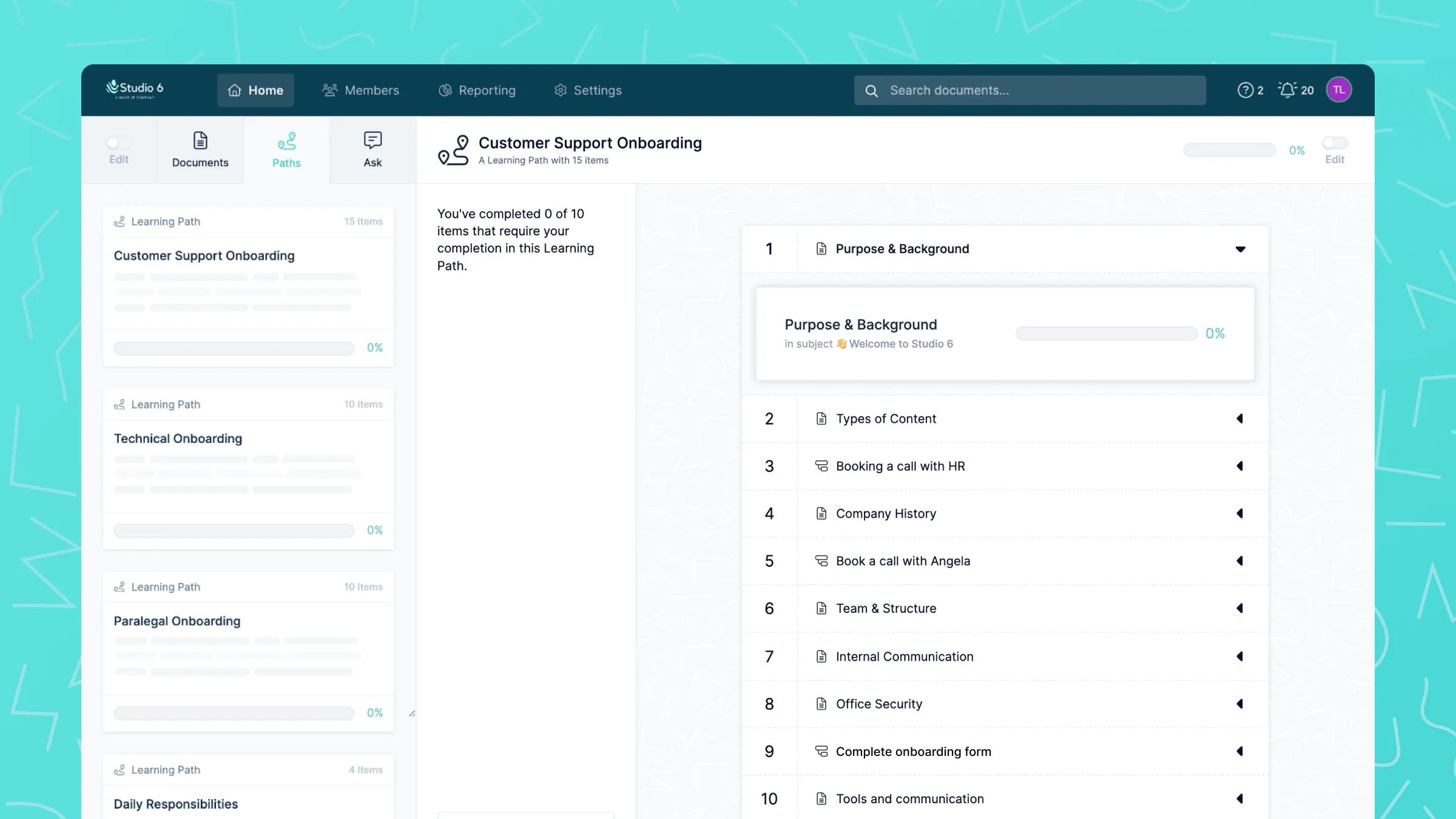
Waybook is a knowledge management platform designed to store SOPs and internal documentation in a structured format. It supports organized access to company processes.
How Waybook works for process management:
- Centralizes policies and procedures
- Organizes content by team or function
- Assigns process ownership
- Supports controlled access and updates
Best fit for: Small to mid-sized businesses formalizing documentation for the first time.
9. Document360
Document360 is a knowledge base platform used for internal and external documentation. It provides structured categorization and strong governance controls.
How Document360 works for process management:
- Organizes SOPs in hierarchical categories
- Maintains detailed version history
- Controls permissions at granular levels
- Supports review workflows before publishing
Best fit for: Organizations that require structured governance and controlled documentation environments.
10. SweetProcess
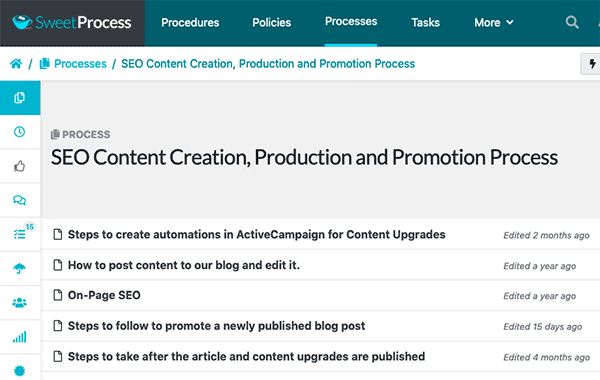
SweetProcess is a platform built specifically for documenting and managing standard operating procedures. It focuses on clarity, ownership, and structured workflows.
How SweetProcess works for process management:
- Centralizes SOP documentation
- Assigns process ownership and responsibility
- Tracks revisions and updates
- Connects procedures to employee roles
Best fit for: Teams that want a dedicated SOP management system without broader knowledge base complexity.
SOP Software FAQ
How SOP Software Improves Team Accountability
SOP software strengthens accountability by making responsibilities and expectations visible. When processes are clearly defined and actively managed, it becomes easier to track ownership and execution.
Here's how SOP software improves team accountability:
Clear process ownership - Each SOP has an assigned owner responsible for accuracy and updates.
Defined responsibilities - Procedures outline exactly who performs each step, reducing confusion.
Version visibility - Teams can see when updates were made and who approved them.
Standardized execution - Employees follow the same documented steps instead of relying on memory.
Performance transparency - Managers can identify gaps when processes are not followed or maintained.
When accountability is built into the system, consistency becomes easier to maintain as the organization grows.
Want to streamline your team's communication & workflows?
Join over 700,000+ others who are automating workflows with Text Blaze.
How to Migrate From Docs to SOP Software
Moving from scattered documents to structured SOP software works best when done deliberately. A phased approach reduces confusion and increases adoption across teams.
Here's how to migrate from docs to SOP software effectively:
1. Audit existing SOPs
Start by reviewing your current procedures. Identify which documents are accurate, which are outdated, and which processes are missing entirely. This prevents unnecessary duplication during migration.
2. Assign clear ownership
Before importing procedures into a new system, define who is responsible for maintaining each SOP. Ownership ensures the documentation remains accurate after the transition.
3. Standardize formatting
Align your procedures to a consistent structure. Clear formatting makes SOPs easier to navigate and reduces friction during implementation.
4. Migrate high-impact processes first
Prioritize procedures that affect daily operations, compliance, or customer experience. Migrating critical workflows first creates immediate operational value.
5. Train teams on the new system
Ensure employees understand where to find procedures and how updates will be managed. Clear team communication during rollout improves adoption and long-term success.
What is the Best SOP Software?
The best SOP software depends on how your organization operates. Some businesses need strong governance and structured approval systems. Others need lightweight process documentation that integrates into daily workflows.
Focus on where your processes are breaking down. If accountability, version control, or training consistency is weak, prioritize tools that strengthen those areas.
The right standard operating procedure software should make processes easier to maintain, not harder to follow.
To recap, our suggestion for the best SOP software is Text Blaze. Text Blaze helps you automate repetitive typing, get the right message every time, and streamline support workflows on any website. Plus, Text Blaze is free forever!