8 Best Tools for Therapists in 2026
Compare eight tools for therapists across clinical resources, EHRs, documentation, telehealth, communication, and assessments, with current prices and limits.

Therapists do not need more software. They need fewer loose ends.
The trouble is that no single tool handles every part of a therapy practice equally well. An electronic health record may cover scheduling, notes, billing, and telehealth, but still leave a clinician hunting for a worksheet five minutes before a session. Add a worksheet library, a separate phone system, an assessment platform, and an AI note writer, and the cure starts looking a lot like the disease.
The eight tools below are not ranked from best to worst because they do different jobs. Each recommendation is tied to one recurring task and includes the price, plan limits, and reasons to skip it.
The same framework works for counselors, psychologists, social workers, and other mental health professionals. Before buying anything, ask one question: what recurring job will this tool own?
What are the best tools for therapists?
The best tools for therapists cover the work that happens before, during, and after a session without duplicating one another. That usually means an electronic health record, a source for clinical resources, and perhaps one or two specialist tools for telehealth, communication, assessments, or reusable documentation.
| Tool | Best for | Starting price | Privacy or Business Associate Agreement note | Main limitation |
|---|---|---|---|---|
| Psychology Tools | Structured clinical resources and digital assignments | $7 per month, billed annually | Secure client-engagement features are available; verify organizational and data-handling requirements | Not an electronic health record |
| Therapist Aid | Accessible worksheets, activities, audio, and games | Free plan available | Printables can be used without client identifiers; access-code interactive tools have separate authorization terms | N/a |
| Text Blaze | Reusable documentation and consistent team workflows | Free; Pro starts at $2.99 per month with annual billing | Health Insurance Portability and Accountability Act (HIPAA) compliant; Business Associate Agreements available to Enterprise customers | Complements rather than replaces the system of record |
| SimplePractice | Solo and small practices wanting one polished system | $49 per month | Business Associate Agreement accepted at signup | Messaging, reminders, and team access depend on the plan |
| TherapyNotes | Insurance-heavy practices and groups | $69 per month for Solo | Business Associate Agreement incorporated into the terms for qualifying covered entities | Claims, eligibility checks, text or voice reminders, card processing, and premium telehealth carry extra fees |
| doxy.me | Standalone telehealth without replacing the EHR | Free plan available | Individual Business Associate Agreement available on Free; clinic-level agreement requires Premium | Redundant if the existing video service works well |
| Blueprint | Outcome measures and clinician-reviewed artificial intelligence (AI) documentation | $0.99 per session alongside an EHR | Business Associate Agreement included; vendor reports HIPAA compliance and System and Organization Controls (SOC) 2 Type II certification | AI drafts still require consent, review, and clinical judgment |
Prices and plan terms change. Check the first-party pages before buying, especially when a required feature or Business Associate Agreement depends on the plan.
How should a therapist choose practice tools?
A therapist should choose tools by starting with the recurring job, not the feature list. Pick the electronic health record first. Then add a specialist product only when the existing system cannot handle an important task well enough. Otherwise, the practice pays twice and gives staff two places to make the same mistake.
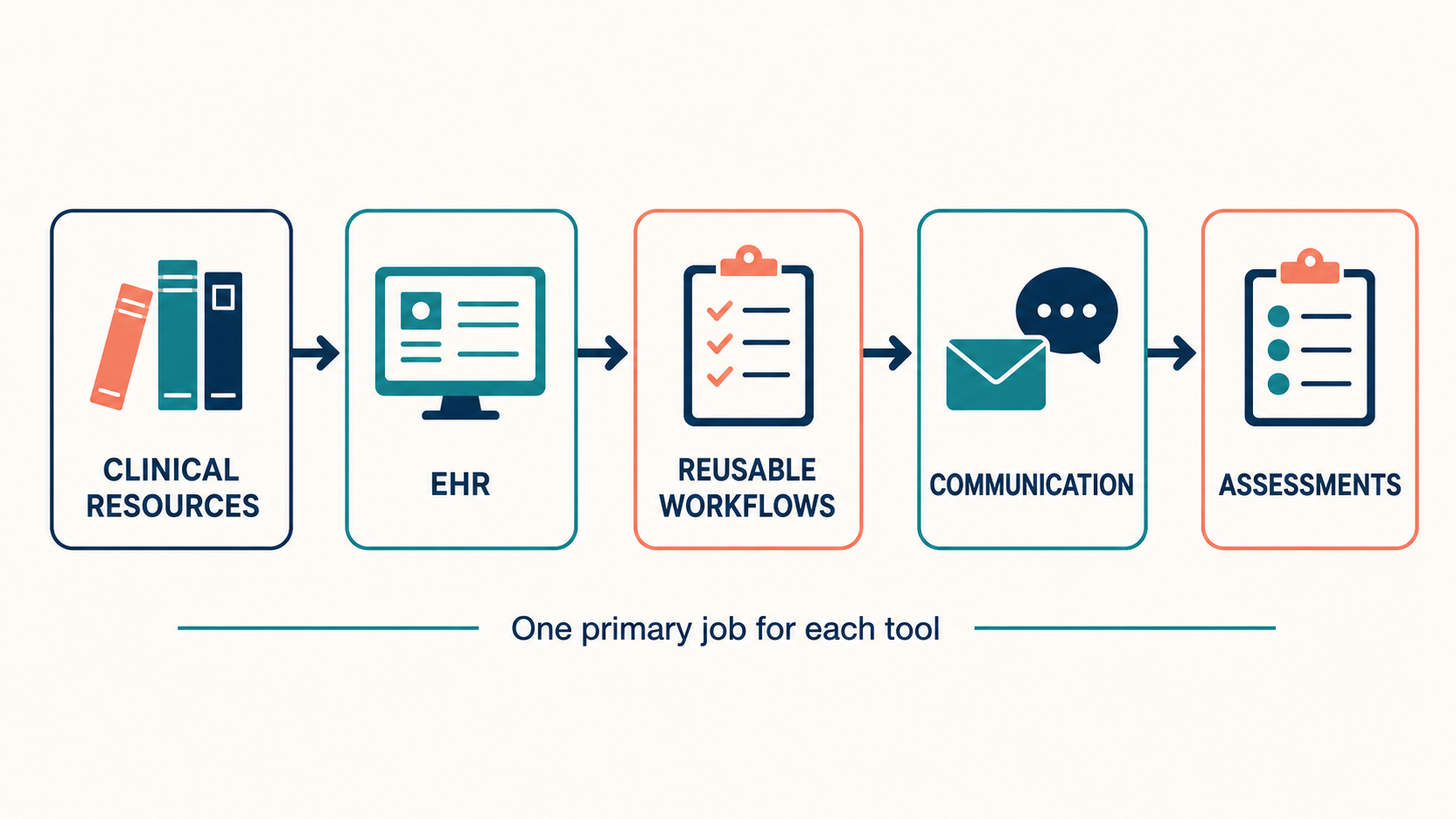
Run each tool through a few practical questions:
What exact job will this tool complete every week?
Does the electronic health record already do that job?
Can a practice owner review and standardize how the team uses it?
For clinical products, check who created the resource, what evidence supports it, and whether the clinician remains in control of treatment decisions. An attractive dashboard does not turn a generic wellness app into a clinical instrument.
Text Blaze

First up on our list of the best free tools for therapists is Text Blaze, the ultimate productivity and automation tool.
Text Blaze turns recurring documentation and administrative messages into reusable templates that work inside any EHR or application. Text Blaze snippets (templates) can include dynamic fields like date, formulas, and placeholders such as text boxes, dropdown menus, and toggles. A therapist can collect the few details that change, show only the sections relevant to those answers, calculate dates or other values, require missing information, and insert the reviewed result in any text box.
Consider an after-visit instruction workflow that contains no protected health information (PHI). A Text Blaze form can ask which resource was discussed, whether a follow-up task is required, and when the therapist wants the client to complete it. Rules and validation display only the relevant instructions and block insertion if a required field is blank. The final text follows the practice's approved language instead of depending on memory at the end of a long day.
The end result is spending less time on repetitive typing and more time with clients. Whether it is a quick note, a workflow in the EHR portal, or a long email, Text Blaze allows therapists to do it faster.
Teams can use shared folders to keep approved templates consistent. Text Blaze is compliant with the Health Insurance Portability and Accountability Act (HIPAA), and Business Associate Agreements are available.
Text Blaze has a permanent free plan with 20 active snippets. Standard snippets can be inserted without a daily limit, while Pro features such as form fields have limited trial use on Free. Pro starts at $2.99 per month with annual billing, Business starts at $6.99 per user per month with annual billing, and Enterprise pricing is custom. It does not replace the EHR. Text Blaze standardizes the repetitive work between static templates and an AI scribe without asking the practice to migrate its records.
Want to streamline your templates & workflows?
Join over 800,000+ others who are using Text Blaze templates.
Which Text Blaze snippets can therapists use?
The best starting point is the free Mental Health Therapists Starter Kit. It contains 19 snippets for safety assessments, mental status exams, treatment plans, welcome emails, appointment reminders, and no-show follow-ups. Therapists can add the folder, customize it, and use the shortcuts inside an electronic health record, email, or telehealth platform.
For full SOAP, DAP, and BIRP formats, see the Therapy Progress Note Templates page. It shows how one Text Blaze snippet can load only the fields for the selected note structure.
The Text Blaze Marketplace also has more focused options:
Therapy Progress Notes includes narrative, form-based, and full mental-status-exam versions.
Data, Assessment, and Plan (DAP) Progress Notes keeps observations, clinical interpretation, and next steps in their proper sections.
Behavior, Intervention, Response, and Plan (BIRP) Progress Notes prompts therapists through each part of the BIRP format.
Goal, Intervention, Response, and Plan (GIRP) Progress Notes keeps the treatment goal connected to interventions, response, and plan.
These snippets are starting points, not finished practice policies. Check the wording, billing logic, risk fields, and payer requirements before clinical use.
“The value of Text Blaze is much larger than the time saved because it maintains my focus on the actual work I'm doing, as opposed to every single character in every single document and email.”
Psychology Tools
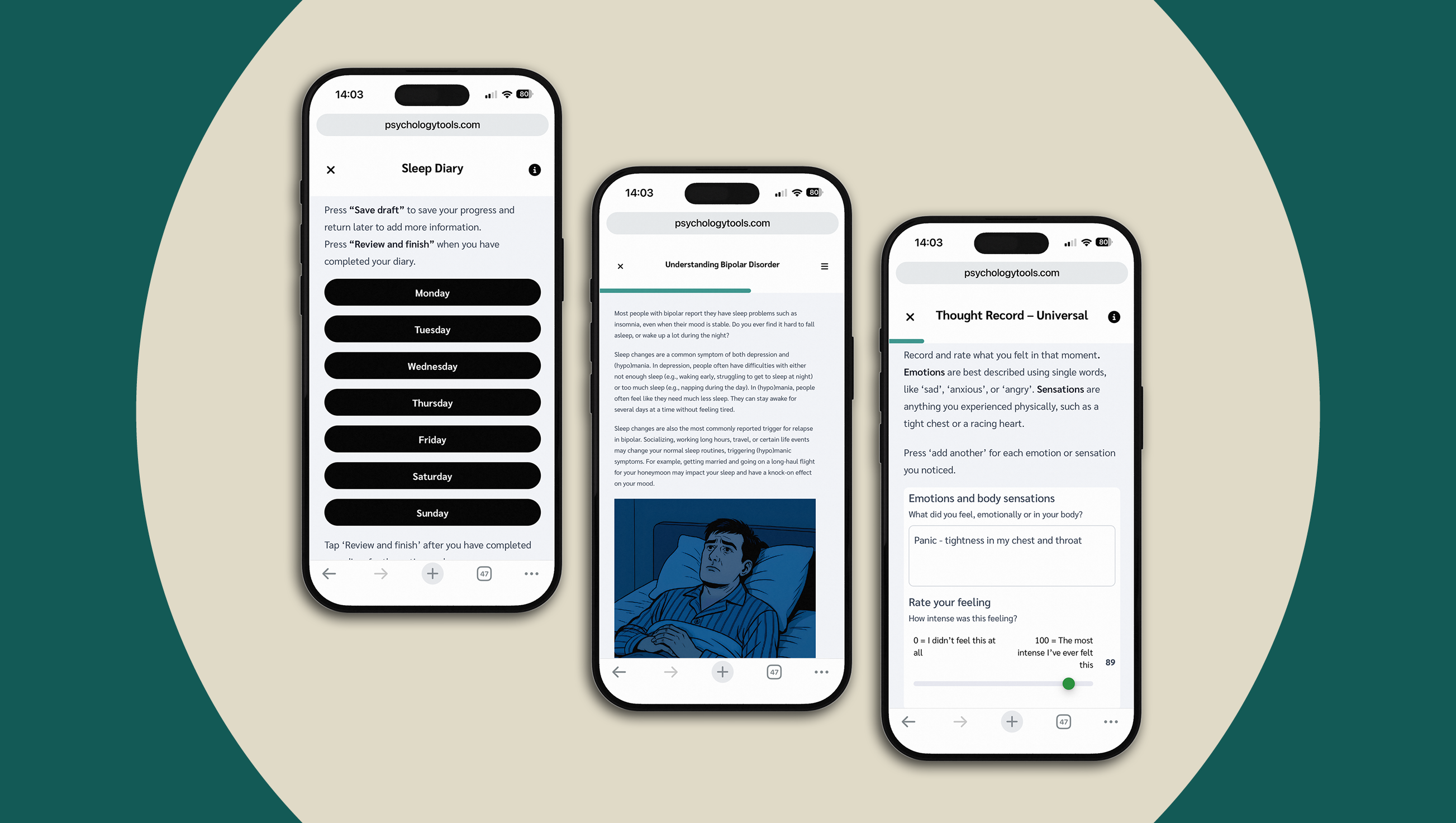
Psychology Tools suits clinicians who want an organized professional library rather than a folder full of worksheets gathered from search results. The platform offers more than 500 resources, including treatment manuals, exercises, information handouts, and digital assignments that can be shared with clients.
A therapist can find resources by problem or therapeutic approach, send work between sessions, and monitor engagement from one place. Plans currently start at $7 per month with annual billing. Core supports up to five active clients. Professional costs $21 per month with annual billing and supports 25 active clients and 50 downloads per month. Premium costs $35 per month with annual billing and raises those limits to 50 active clients and 100 downloads.
Psychology Tools is not an electronic health record, scheduling system, or billing platform. It helps clinicians find and deliver structured materials. Practices should still verify how a planned workflow handles client information and whether the vendor's available agreements and controls meet their legal and organizational requirements.
Choose Psychology Tools when the quality and organization of clinical materials matter more than having the cheapest possible worksheet library. Skip it if the practice needs only a handful of printable resources or already owns modality-specific materials it uses consistently.
Therapist Aid
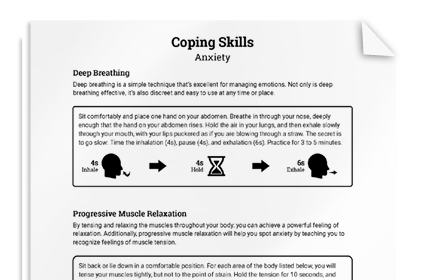
Therapist Aid works well for therapists who need a worksheet today and do not want to buy an entire clinical platform first. Its library includes printable worksheets, interactive exercises, audio, games, and storybooks organized by topic and therapeutic approach. The free plan covers basic printable materials, while the Professional plan adds fillable and customizable resources, branding options, and more digital tools.
A therapist can browse anger, anxiety, cognitive behavioral therapy, relationships, or other topics without learning a new practice-management system. That may be all a solo clinician needs from a resource library.
Therapist Aid states that its materials supplement professional practice and remain subject to its license and sharing terms. For covered entities using access codes with clients, those terms require a valid HIPAA authorization before the client accesses interactive content. A worksheet is not a diagnosis, treatment plan, or substitute for clinical judgment.
For a solo clinician who needs occasional handouts, Therapist Aid is the easier place to start. Psychology Tools is the better fit when the practice needs a deeper professional library, formal treatment resources, and tracked digital assignments.
SimplePractice
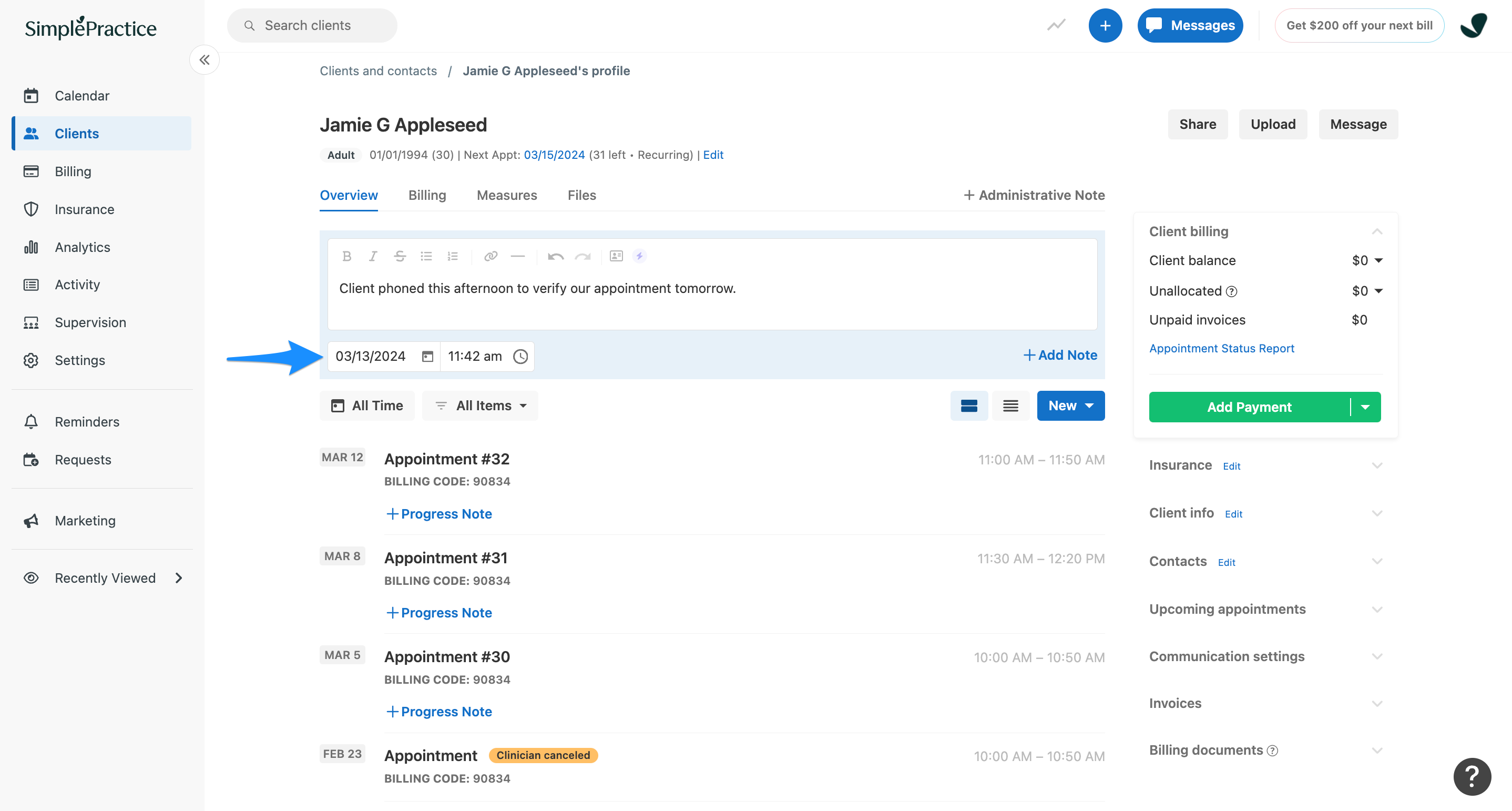
SimplePractice puts scheduling, documentation, billing, telehealth, intake forms, and a client portal in one electronic health record. That consolidation suits solo therapists and small practices that do not want to stitch together several products.
Current monthly pricing starts at $49 for Starter, $79 for Essential, and $99 for Plus. The $49 Starter plan does not include secure messaging or general appointment reminders. Those require Essential or Plus, while adding team members requires Plus. A solo clinician who needs reminders may therefore be comparing the $79 plan, not the $49 headline price.
SimplePractice says customers accept its Business Associate Agreement during signup. The customer remains responsible for access permissions, staff training, consent, retention policies, and correct use.
Choose SimplePractice when ease of use and a broad all-in-one feature set matter most. Insurance-heavy groups should compare it carefully with TherapyNotes, particularly around claims workflows, per-clinician pricing, and the functions staff use every day.
TherapyNotes
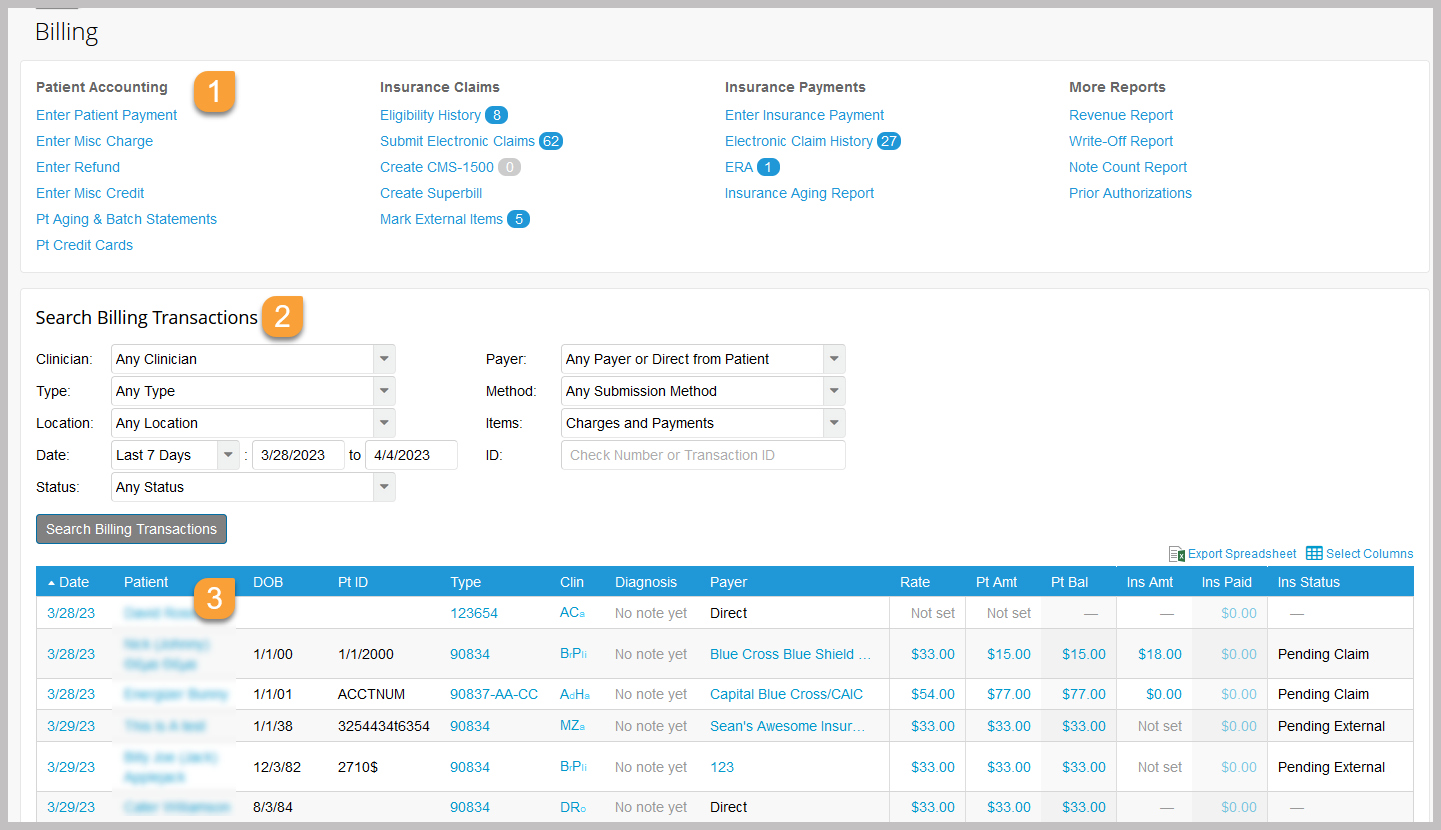
TherapyNotes prioritizes clinical documentation and insurance billing. Its plans include unlimited clients, appointments, notes, secure messaging, a client portal, and basic telehealth. Claims, notes, schedules, and payments move through one structured system.
The Solo plan costs $69 per month. Group starts at $79 for the first clinician and adds $50 for each additional clinician. Usage fees matter here: electronic claims, eligibility checks, and text or voice reminders currently cost $0.14 each. Card processing costs 3.1% plus $0.30, and Premium Telehealth is another $15 per clinician each month.
TherapyNotes incorporated its Business Associate Agreement into its terms for covered-entity customers that require one. Practices still need their own privacy and security procedures.
Choose TherapyNotes when insurance billing and repeatable group workflows drive the decision. SimplePractice may feel friendlier to a new solo clinician, but TherapyNotes makes a stronger case when claims and multiple staff roles are central to the work. Calculate the usage fees against the practice's real volume before signing up.
doxy.me
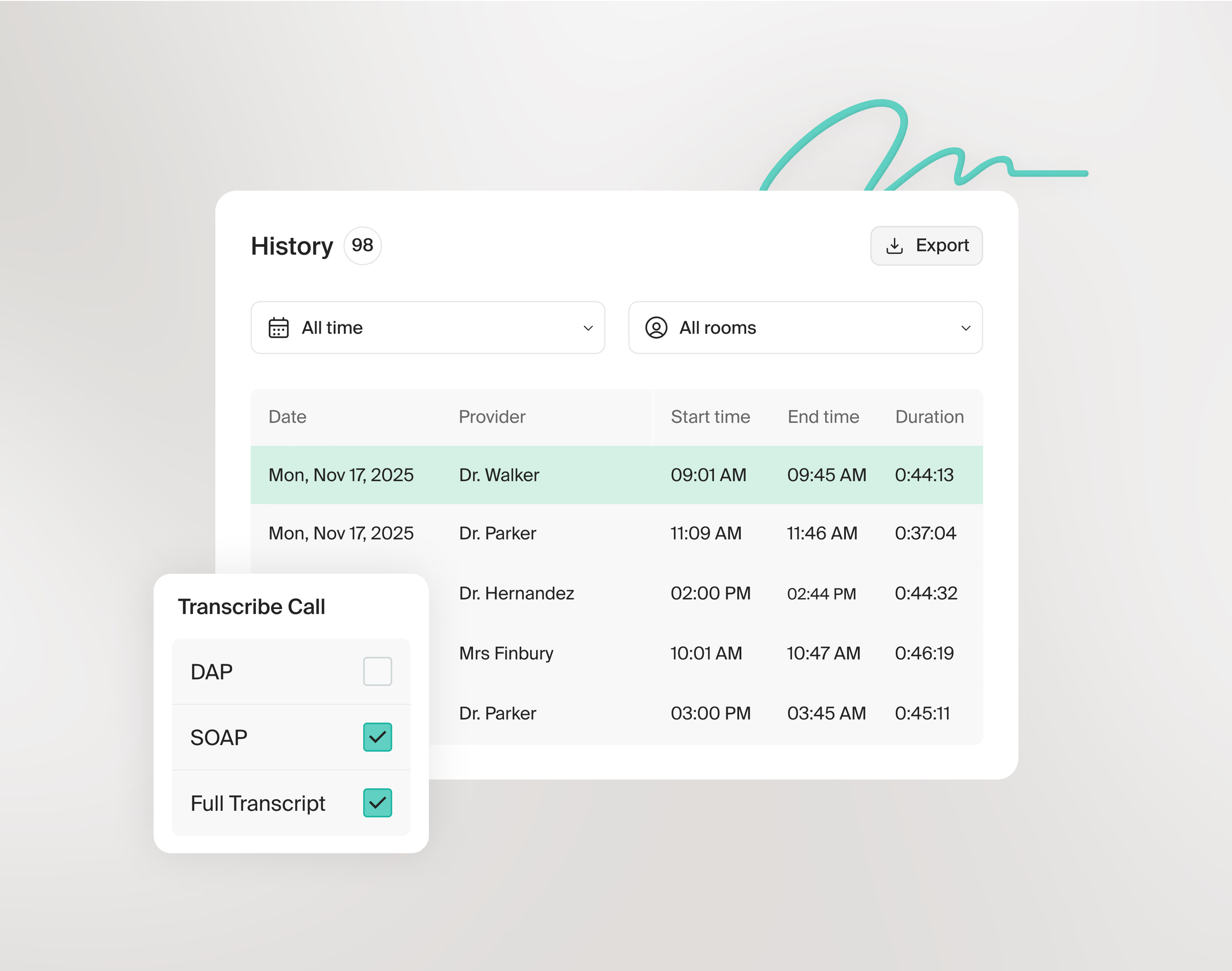
doxy.me is a standalone telehealth service for therapists who need healthcare-specific video without replacing their electronic health record. The free plan makes it practical for a clinician who sees only a few remote clients or needs a backup when another video service misbehaves five minutes before an appointment.
doxy.me provides an individual Business Associate Agreement on the Free plan. A clinic-level agreement requires Premium. Premium also adds group calls, clinical applications, shared rooms, routing, team roles, analytics, and intake or consent workflows.
If SimplePractice, TherapyNotes, or another electronic health record already provides reliable video, adding doxy.me creates another login and another system to maintain. Keep it when the free option solves a real gap, the waiting-room experience is better for clients, or the practice needs a separate telehealth workflow. Otherwise, use what is already included.
Spruce Health
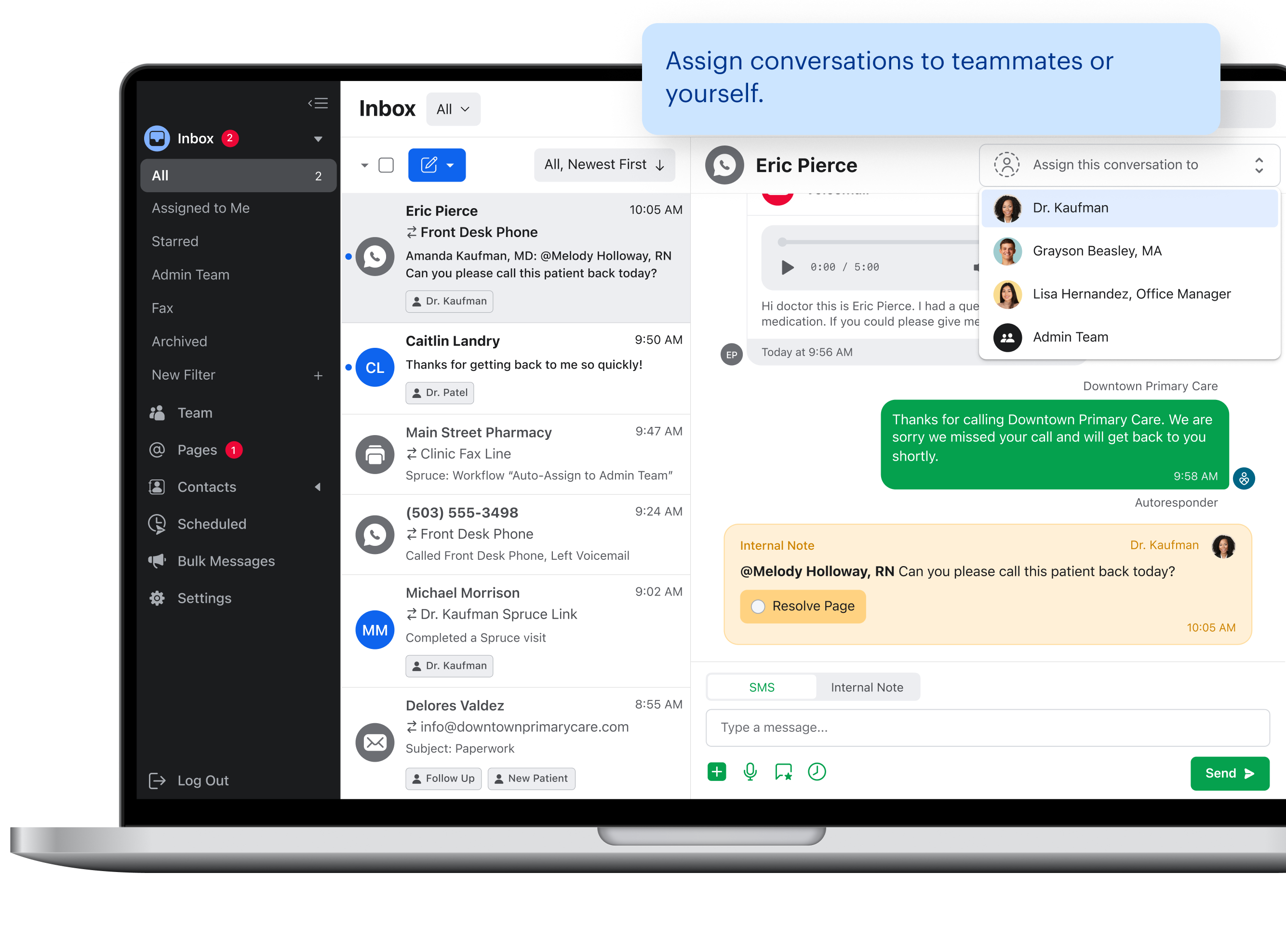
Spruce Health combines business phone service, secure text, fax, video, and team communication in one healthcare-focused inbox. It fits practices that have outgrown a personal phone number or scattered messages but do not want every client conversation trapped inside the electronic health record's portal.
The Basic plan costs $24 per user per month and includes a BAA (Business Associate Agreement). Communicator costs $49 per user per month and adds call flows, urgent escalation, API (Application Programming Interface) access, and VoIP (Voice over Internet Protocol) features. Activating outbound text messaging carries a one-time $19.50 registration fee. For a group, per-user pricing adds up quickly.
Spruce Health earns its keep when communication is the bottleneck: missed calls, staff handoffs, faxes, and messages arriving through too many channels. It is harder to justify when the electronic health record's secure messaging and reminders already work well and clients reliably use the portal.
Choose Spruce Health when the practice needs a professional communications layer with clear team ownership. Before buying, map which messages will live in Spruce and which will stay in the electronic health record. Two secure inboxes are still two inboxes.
Blueprint
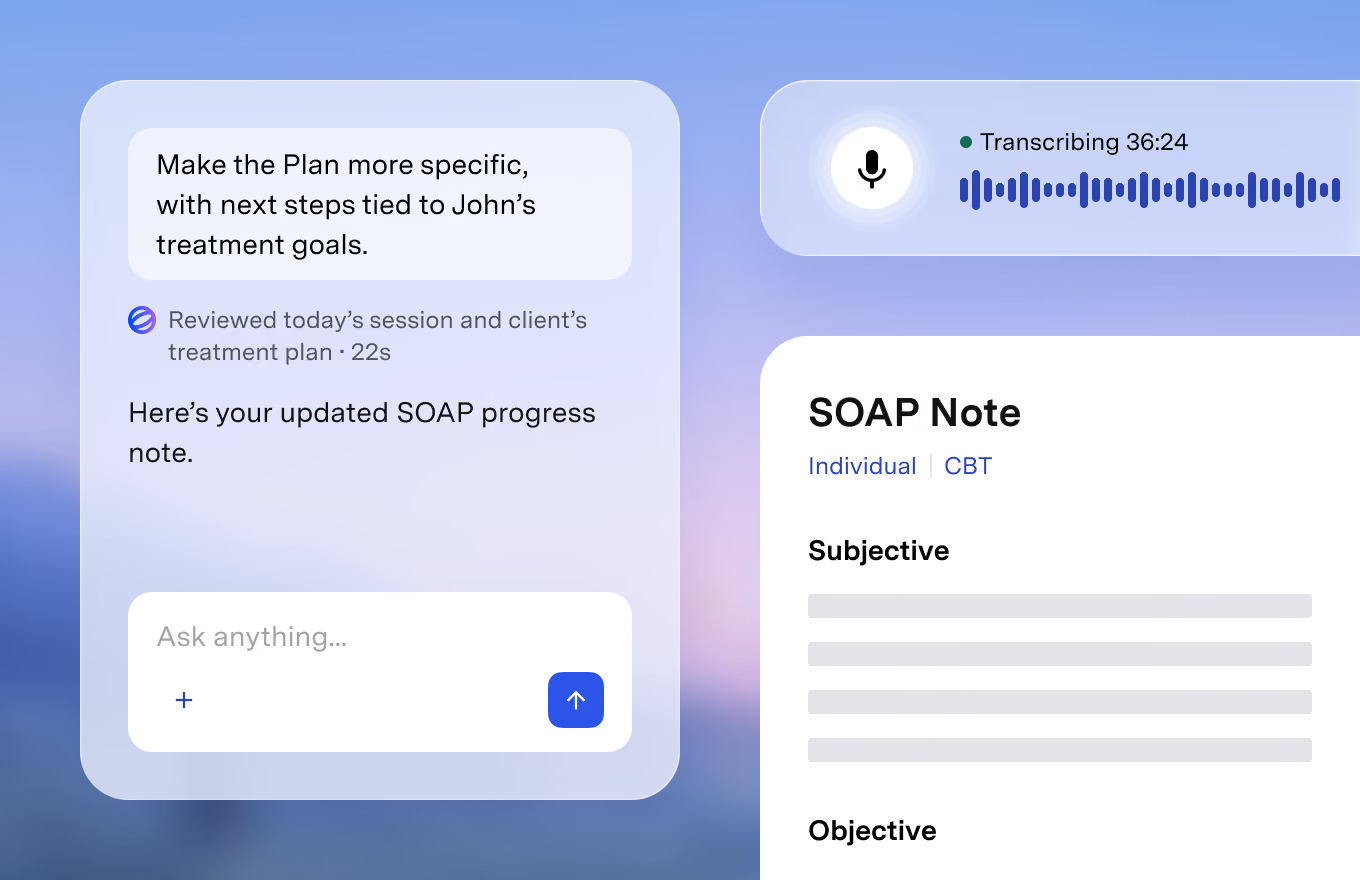
Blueprint combines outcome measurement, assessments, and artificial intelligence-assisted documentation. It can work alongside an existing electronic health record for $0.99 per session, or act as an all-in-one electronic health record for $1.49 per session. Session credits are purchased in advance and do not expire.
The platform can draft progress notes and treatment plans, prepare session summaries, and suggest assessments or worksheets. Blueprint states that a Business Associate Agreement is included and reports HIPAA compliance and SOC 2 Type II certification. Recording is optional.
An AI-generated note is a draft. It can be wrong, flatten nuance, or produce language a clinician would never choose. The therapist must review and approve the record. Before recording sessions or sending clinical information to another system, the practice should obtain appropriate consent and verify the rules that apply to retention, payers, professional licensing, and recording in its state.
Blueprint makes sense when a practice will actually use routine outcome measures and the documentation assistance saves enough time to justify per-session pricing. It is a poor fit for clinicians who dislike recording, already finish notes efficiently, or would be tempted to approve generated text without reading it.
How can therapists avoid paying for duplicate tools?
Therapists can avoid duplicate subscriptions by assigning every tool one primary job and reviewing the stack from the electronic health record outward. If two products schedule appointments, send reminders, host video sessions, and collect payments, the practice probably owns one product too many.
Start with a simple map:
| Required job | Primary system | Keep an add-on only if... |
|---|---|---|
| Records, notes, scheduling, and billing | Electronic health record | The add-on solves a documented failure in the core system |
| Worksheets and between-session resources | One clinical-resource library | A second library covers a required modality or population |
| Telehealth | Electronic health record or doxy.me | Reliability, access, or workflow is measurably better |
| Client communication | Portal or Spruce Health | Staff need a dedicated shared phone, fax, or messaging workflow |
| Assessments and AI drafts | Blueprint or the electronic health record | Clinicians use the measures and review every draft |
| Reusable workflow text | Text Blaze | The task repeats often enough to standardize |
Review the map at least once a year and whenever a vendor changes plans. A $20 tool nobody uses is not cheap. Neither is switching systems every time a new dashboard photographs well.
Want to streamline your templates & workflows?
Join over 800,000+ others who are using Text Blaze templates.
Frequently asked questions about tools for therapists
What tools do therapists use most often?
For many practices, the core tool is an electronic health record for client records, documentation, scheduling, and billing. A clinical-resource library can cover worksheets or between-session assignments. Telehealth, secure communication, assessments, and workflow tools depend on the practice. The smallest useful stack is usually better than a long list of loosely connected apps.
What are some free tools for therapists?
Therapist Aid, doxy.me, and Text Blaze all give therapists useful ways to start without paying. Therapist Aid's free plan includes basic printable worksheets. doxy.me offers a free telehealth plan for individual providers. Text Blaze has a permanent free plan for reusable text snippets, and therapists can add its free Mental Health Therapists Starter Kit. Free plans have limits, and a free price says nothing by itself about clinical fit, privacy, or permission to use a resource. Review the current plan terms and the practice's workflow before client information enters any tool.
Does every therapy tool need to be HIPAA compliant?
No. A tool that never creates, receives, maintains, or transmits electronic protected health information may sit outside a practice's HIPAA workflow. The moment client-identifying health information enters the system, the analysis changes. The U.S. Department of Health and Human Services explains that a covered entity using a cloud service for electronic protected health information generally needs an appropriate Business Associate Agreement and its own risk analysis. Ask a qualified compliance or legal professional about the practice's specific situation.
Is a Business Associate Agreement enough to make a tool compliant?
No. A Business Associate Agreement defines responsibilities between the covered entity and vendor, but it does not fix poor access controls, shared passwords, excessive data collection, missing consent, or staff who paste protected health information into the wrong place. The practice still needs policies, training, risk analysis, and correct configuration.
Can Text Blaze work with an existing electronic health record?
Yes. Text Blaze can insert reusable templates into any electronic health record and other applications where staff already type. It can collect form answers, apply rules, validate required information, and produce approved text without becoming the system of record. The exact workflow should be tested in the practice's software, and protected health information should be handled only under the appropriate Text Blaze plan, agreement, access controls, and practice policies.
Are free therapy tools safe to use with clients?
A free price does not establish safety, evidence, privacy, or permission to reuse a resource. Check who created the material, whether it fits the client's needs, and what the license allows. If a free tool handles client information, review its security documentation and Business Associate Agreement terms just as carefully as a paid product. A printable worksheet used without identifiers presents a different risk from a free app that stores a client's symptoms on someone else's server.
Build one reusable documentation workflow with Text Blaze
Pick one task the practice completes several times each week: after-visit instructions, a referral response, an appointment message, or a note scaffold. Build it in Text Blaze with only the fields that change, rules for the sections that matter, and validation for anything staff must not omit.
Add the free Mental Health Therapists Starter Kit, then customize one snippet. The folder is free to add; unrestricted use of form fields and dynamic rules requires Pro or higher.
Most therapists should start with one electronic health record (EHR) and one dependable clinical-resource library. Psychology Tools and Therapist Aid cover worksheets and between-session work. Text Blaze comes next because it can standardize notes, forms, and client messages inside the systems a practice already uses. SimplePractice and TherapyNotes are the all-in-one EHR options in this guide. Add doxy.me, Spruce Health, or Blueprint only when the core stack leaves a real gap.