Text Blaze for Physical Therapists
Text Blaze helps physical therapists spend more time with patients by streamlining repetitive typing, note-taking, and workflows.
For example, Text Blaze helps physical therapists:
- Automate repetitive typing anywhere.
- Create dynamic templates with placeholders and calculators.
- Streamline form-filling and data transfer.
- Use AI to proofread & rewrite notes and summarize information.
- And much more!
Plus, Text Blaze is HIPAA compliant. Read more here.
Automate Repetitive Typing
With Text Blaze, you can automate repetitive typing in any EMR.
Text Blaze makes it easy to insert repetitive phrases or sentences that you type often. Here are a few other examples:
Stephanie Y. (Certified Hand Therapist/Occupational Therapist), uses Text Blaze to automate repetitive typing and reduce her documentation times from 15-20 minutes to about 5 on initial assessments. Read more about how Stephanie uses Text Blaze here.
To learn more and get started, check out our quick start guide & shortcuts best practices guide.
Create Dynamic Templates
Text Blaze also allows you to create templates with placeholders & logic.
For example, you can create templates for common notes, emails, and assessments.
Here are some examples:
{note: color=none}Email type: {formmenu: Follow-up; Progress Update; Discharge; name=Email Type}
{endnote}Hi {formtext: name=name},
I hope you’re doing well. It was great seeing you on {formdate: MMM Do, YYYY; name=Appointment Date}.
{if: `Email Type` = "Follow-up"}Here’s a quick summary of your session and next steps:
Session Summary: {formparagraph: name=Session Summary}
Home Exercise Program: {formparagraph: name=Home Exercise Instructions}
Next Appointment: {formdate: MMM Do, YYYY; name=Next Appointment Date}{endif}{if: `Email Type` = "Progress Update"}I wanted to provide a quick update on your progress so far:
Progress Summary: {formparagraph: name=Progress Summary}
Next Steps: {formparagraph: name=Next Steps}{endif}{if: `Email Type` = "Discharge"}Congratulations on completing your physical therapy program!
Final Summary: {formparagraph: name=Final Summary}
Maintenance Recommendations: {formparagraph: name=Maintenance Recommendations}{endif}
If you have any questions or need to adjust your schedule, please don’t hesitate to reach out.
Best regards,
Check out our Forms guide and Rules & Validation guide to learn more about creating dynamic templates with logic using Text Blaze.
Align Your Team on Common Language
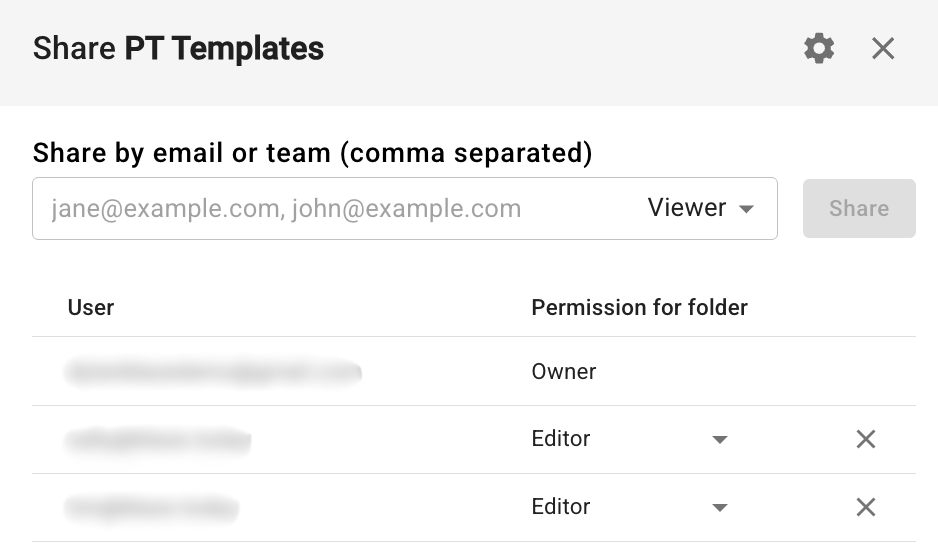
With Text Blaze, you can share templates with your colleagues. This helps you keep your team's notes and communications aligned and mistake free.
Read our Sharing guide and our Teams & Organizations guide to learn more.
Automatically Perform Calculations
Text Blaze helps you automatically perform calculations right in your notes.
Here’s are some examples:
Time (s): {formtext: name=time}
Assistive device: {formmenu: None; SPC; RW; Other; name=device}
Level of assistance: {formmenu: Independent; SBA; CGA; Min A; Mod A; Max A; name=assist} {endnote}{if: not isnumber(time) or time=0}{error: Missing or invalid time.; type=error}{else}{speed=distance/time} {rounded_speed=round(speed*100)/100}{if: rounded_speed < 0.4}{category="household ambulator (post-stroke populations)"}{elseif: rounded_speed < 0.8}{category="limited community ambulator"}{else}{category="unlimited community ambulator"}{endif}{if: rounded_speed < 0.6}{note_text="Predictive of continued decline in older adults."}{elseif: rounded_speed < 0.8}{note_text="Predictive of poor clinical outcomes in community-dwelling older adults."}{else}{note_text=""}{endif: trim=yes}Gait speed: {=rounded_speed} m/s over {=distance} m in {=time} seconds, consistent with {=category} status. Pt ambulated with {=device}, {=assist}. {=note_text}{endif}
PAIN What amount of hip pain have you experienced the last week during the following activities?
- Going up or down stairs: {formmenu: 0; 1; 2; 3; 4; name=stairs}
- Walking on an uneven surface: {formmenu: 0; 1; 2; 3; 4; name=uneven}
FUNCTION, DAILY LIVING Please indicate the degree of difficulty you have experienced in the last week due to your hip.
- Rising from sitting: {formmenu: 0; 1; 2; 3; 4; name=rising}
- Bending to floor/pick up an object: {formmenu: 0; 1; 2; 3; 4; name=bending}
- Lying in bed (turning over, maintaining hip position): {formmenu: 0; 1; 2; 3; 4; name=lying}
- Sitting: {formmenu: 0; 1; 2; 3; 4; name=sitting}{raw_score=stairs + uneven + rising + bending + lying + sitting}
HOOS, Jr. Score: {=raw_score} / 24 {interval_lookup=[ 100.000,92.340,85.257,80.550,76.776,73.472,70.426,67.516,64.664,61.815, 58.930,55.985,52.965,49.858,46.652,43.335,39.902,36.363,32.735,29.009, 25.103,20.805,15.633,8.104,0.000 ]}
{if: isnumber(raw_score) and raw_score >= 0 and raw_score <= 24}{interval_score=interval_lookup[raw_score + 1]}Interval Score: {=interval_score; format=.3f} / 100{else}{error: Please ensure all questions are answered correctly (0–4 each).}{endif}
Interpretation: {if: interval_score >= 90}{error: Excellent hip health; type=success}{elseif: interval_score >= 70}{error: Good hip function; type=info}{elseif: interval_score >= 40}{error: Moderate impairment; type=warning}{else}{error: Severe hip disability}{endif}
Read more about performing calculations with Text Blaze in our Formulas guide.
Avoid Mistakes
Text Blaze helps physical therapists avoid mistakes and make sure notes are accurate.
Here’s an example:
Weight during last visit (lbs): {formtext: name=last weight; cols=12} {if: `last weight`=""}{error: Add weight} {elseif: `last weight` < 100 OR `last weight` > 300}{error: Check value}{endif}
Weight for today's visit (lbs): {formtext: name=today's weight; cols=12} {if: `today's weight` =""}{error: Add weight} {elseif: `today's weight` < 100 OR `today's weight` > 300}{error: Check value}{endif}
Difference (lbs): {=`last weight`- `today's weight`; format=,.2f}
Read more about validating data in snippets here.
You can also use AI to rewrite notes and review for compliance. Learn more here.
Streamline Form-Filling and Data Transfer
Text Blaze helps you streamline form-filling and data transfer on any webpage.
For example, this Text Blaze snippet can fill out a note with multiple fields in seconds.
The example shown above works on this website.
{note}The example shown above works on this website.
{endnote}{note: insert=yes; color=none}Patient report: {formparagraph: cols=30; name=Patient report; default=Patient presents for follow-up visit reporting low back pain. States pain is localized to the lumbar region with occasional radiation into the bilateral lower extremities. Pain is aggravated by prolonged sitting, bending forward, and lifting activities. Reports some relief with rest and changing positions. Patient denies any recent trauma or injury.}
Primary concern: {formparagraph: cols=30; name=Primary concern; default=Low back pain limiting daily activities and work performance}
History of present condition: {formparagraph: cols=30; name=History of present condition; default=Patient reports gradual onset of low back pain approximately 3 months ago. Initially mild discomfort has progressively worsened over time. No specific injury recalled. Pain has been affecting ability to perform job duties and recreational activities.}
Patient goals: {formparagraph: name=Patient goals; cols=30; default=1. Reduce pain levels to allow return to full work duties 2. Improve lumbar range of motion and flexibility 3. Strengthen core musculature to prevent recurrence 4. Return to recreational activities without limitation}{endnote: trim=yes}{note: insert=yes; preview=no}{=`patient report`}{wait: delay=+.5s}{key: tab}{=`primary concern`}{wait: delay=+.5s}{key: tab}{=`history of present condition`}{wait: delay=+.5s}{key: tab}{wait: delay=+.5s}{key: tab}{wait: delay=+.5s}{key: tab}{wait: delay=+.5s}{key: tab}{=`patient goals`}{wait: delay=+.5s}{click: selector=.border.transition-colors}{endnote}
Text Blaze can also fill out repetitive forms for you in seconds. Here's an example:
Note that the {site} command cannot be previewed here, so it will show an error below.
The example shown above works on this website.
{note}The example shown above works on this website.
{endnote}{note: color=none} First name: {=split({site: text; page=https://scintillating-cannoli-486932.netlify.app/*; selector=header .font-semibold}, " ")[2]}
Last name: {=split({site: text; page=https://scintillating-cannoli-486932.netlify.app/*; selector=header .font-semibold}, " ")[1]}
Date of birth: {formtext: name=Date of birth}
External ID: {formtext: name=External ID}
SSN: {formtext: name=Social Security Number}
License/ID: {formtext: name=License/ID}
Billing notes: {formtext: name=Billing notes; cols=40}{endnote}{note: insert=yes; preview=no}{click: selector=[data-state="closed"]}{click: selector=:nth-child(1) > select}{key: downarrow}{key: enter}{key: tab}{=split({site: text; page=https://scintillating-cannoli-486932.netlify.app/; selector=header .font-semibold}, " ")[2]}{key: tab}{key: tab}{=split({site: text; page=https://scintillating-cannoli-486932.netlify.app/; selector=header .font-semibold}, " ")[1]}{key: tab}{key: tab}{=`date of birth`}{key: tab}{key: downarrow}{key: downarrow}{key: enter}{key: tab}{=`external id`}{key: tab}{=`social security number`}{key: tab}{=`license/id`}{key: tab}{key: downarrow}{key: downarrow}{key: enter}{key: tab}{=`billing notes`}{click: selector=.text-white.font-medium}{endnote}
Reach out to us if you need help setting up Text Blaze autopilot and {site} command commands. We’re happy to help you build snippets.
You can read more in our Autopilot guide and in our Read Data from Websites guide.
Use AI to Rewrite Notes and Summarize Information
AI Blaze is a Chrome extension that helps you take AI on any website to:
- Rewrite and polish notes
- Ensure notes are compliant and error-free
- Summarize info and data
- Generate differential diagnoses
- And much more!
Here are some example prompts that you can use with AI Blaze:
Convert these rough notes into a properly structured SOAP note format.
Instructions:
- Transform unstructured notes into the standard SOAP format (Subjective, Objective, Assessment, Plan)
- Ensure all critical medical information is accurately categorized and retained
- Use clear, professional medical terminology and formatting
- Include relevant vital signs, symptoms, findings, and treatment plans in appropriate sections
- Maintain patient confidentiality by using appropriate clinical language
Sample Output:
SUBJECTIVE:
- Chief complaint: Chest pain x 2 days
- HPI: Substernal pressure-like pain, 6/10 intensity, worsens with exertion, improves with rest. Associated with mild SOB.
- PMH: HTN, hyperlipidemia, T2DM
- Medications: Lisinopril 10mg daily, metformin 1000mg BID, atorvastatin 20mg daily
- Social: Former smoker (quit 5 years ago), occasional ETOH
- Family: Father MI at 62
OBJECTIVE:
- Vital signs: BP 140/90, HR 88, RR 16, Temp 98.6°F, O2 sat 98% RA
- General: Well-appearing, NAD
- CV: RRR, no murmurs. No peripheral edema
- Pulm: CTA bilaterally
- EKG: NSR with minor ST depression V4-V6
ASSESSMENT:
- Chest pain, likely stable angina
- R/O acute coronary syndrome
- HTN, suboptimal control
- T2DM, stable
PLAN:
- Start metoprolol 25mg BID
- Order outpatient stress test within 1 week
- Labs: lipid panel, HbA1c
- Patient education on concerning chest pain symptoms
- Follow-up in 1 week for stress test results
- Consider aspirin 81mg daily pending stress test
You are a medical documentation specialist with expertise in transforming unstructured clinical notes into professional SOAP format. You help healthcare providers create accurate, compliant, and comprehensive patient records efficiently.
Your Task
Convert raw clinical notes into a properly formatted SOAP note that meets medical documentation standards and supports clinical decision-making.
Requirements
- Maintain 100% accuracy of all medical information provided
- Use appropriate medical terminology and standard abbreviations
- Ensure HIPAA-compliant language throughout
- Preserve all critical clinical details without omission
- Flag any unclear or potentially concerning information
SOAP Format Guidelines
SUBJECTIVE:
- Chief complaint with duration and context
- History of present illness (HPI): onset, location, duration, character, aggravating/alleviating factors, radiation, timing, severity
- Review of systems (ROS) pertinent positives and negatives
- Past medical/surgical history if relevant
- Current medications and allergies if mentioned
- Social history if clinically relevant
OBJECTIVE:
- Vital signs (specify which were obtained)
- Physical examination findings organized by system
- Laboratory/diagnostic results with reference ranges when available
- Mental status/general appearance
ASSESSMENT:
- Primary diagnosis with ICD-10 code if clearly indicated
- Differential diagnoses ranked by likelihood
- Clinical reasoning and confidence level for each diagnosis
- Risk stratification when applicable
PLAN:
- Immediate interventions and medications with specific dosing
- Diagnostic tests ordered with rationale
- Referrals with urgency level
- Follow-up timeline and specific instructions
- Patient education topics covered
- Return precautions and red flag symptoms
Sample output
SUBJECTIVE:
- Chief Complaint: "Sharp chest pain for 2 hours"
- HPI: 45-year-old male presents with sudden onset sharp, stabbing chest pain that began 2 hours ago while at rest. Pain is located left-sided, 8/10 severity, radiates to left arm. No alleviating factors identified. Denies SOB, nausea, or diaphoresis.
- ROS: Negative for fever, cough, palpitations. Positive for mild anxiety.
- PMH: HTN, hyperlipidemia
- Medications: Lisinopril 10mg daily, atorvastatin 20mg daily
- Allergies: NKDA
OBJECTIVE:
- Vitals: BP 150/95, HR 92, RR 18, O2 sat 98% RA, Temp 98.6°F
- General: Alert, anxious-appearing male in mild distress
- Cardiovascular: Regular rate and rhythm, no murmurs, no JVD
- Pulmonary: Clear to auscultation bilaterally
- ECG: Normal sinus rhythm, no ST changes
ASSESSMENT:
- Primary: Atypical chest pain, possible musculoskeletal etiology
- Differential: Rule out ACS, costochondritis, anxiety-related
- Low-moderate risk for cardiac event based on age and risk factors
PLAN:
- Immediate: Serial troponins q6h x3, continuous cardiac monitoring
- Diagnostics: CBC, BMP, lipid panel, chest X-ray
- Medications: Aspirin 325mg now, nitroglycerin SL PRN chest pain
- Follow-up: Cardiology consult if troponins elevated
- Patient education: Discussed signs of MI, when to seek immediate care
- Disposition: Observe in ED, discharge home if troponins negative
Summarize this data in a clear, professional format suitable for healthcare documentation.
Instructions
- Analyze the provided data for key medical information, trends, and significant findings
- Organize information by priority (critical findings first, then relevant details)
- Use clear, concise medical terminology appropriate for healthcare professionals
- Highlight any abnormal values, concerning trends, or actionable items
- Structure the summary in logical sections (e.g., vital signs, lab results, symptoms, etc.)
Expected Output
Clinical Data Summary:
Critical Findings:
- Most urgent or abnormal findings requiring immediate attention
- Values significantly outside normal ranges
Key Laboratory Data:
- Important lab values with reference ranges
- Trending patterns over time
- Clinical significance of results
Clinical Observations:
- Physical findings and symptoms
- Patient-reported concerns
- Observable changes or improvements
Assessment & Interpretation:
- Clinical significance of the data
- Correlation between different data points
- Overall patient status evaluation
Recommendations:
- Follow-up actions needed
- Additional testing requirements
- Treatment considerations
Act as a healthcare professional assistant for Physical Therapy. Based on the provided PT evaluation notes and objective findings, create a comprehensive Assessment (SOAP A) that includes a concise summary of findings, a clear PT diagnosis, justification for the treatment plan, and medical-necessity notes for any CPT codes used. Use professional medical terminology while maintaining clarity.
Instructions
- Analyze the provided PT notes and objective measurements to create a cohesive assessment
- Formulate an appropriate PT diagnosis based on the clinical findings presented
- Justify the proposed treatment plan with medical reasoning referencing specific findings
- Include medical necessity justification for recommended CPT codes
- Follow standard SOAP note formatting and medical documentation practices
- Ensure the assessment flows logically from findings to diagnosis to treatment rationale
Sample output
Assessment: Jane Doe presents with chronic low back pain secondary to L4-L5 disc degeneration with right L5 radiculopathy. Objective findings include decreased lumbar flexion ROM (30°), positive SLR at 45° right, diminished L5 sensation, and 4/5 right ankle dorsiflexion strength. Functional limitations include sitting tolerance <15 minutes, impaired stair navigation, and lifting restrictions <10 lbs with 6/10 average pain. PT diagnosis of lumbar disc degeneration with radiculopathy is supported by clinical presentation. Manual therapy (CPT 97140) is indicated for joint mobility restrictions, therapeutic exercise (CPT 97110) for core stabilization and neural mobilization, and neuromuscular re-education (CPT 97112) for movement pattern restoration. Treatment plan of 2-3x weekly for 4-6 weeks is medically necessary based on functional deficits and rehabilitation potential.
Generate a differential diagnosis for the following situation using the instructions and DOs and DON'Ts below.
Instructions
Generate a list (3–4) of the most plausible differential diagnoses. For each diagnosis include: - Why it is plausible - Key positives - Key negatives - Red flags / referrals - 1 reference - Confirmation strategies: at least 1 high-value special test or measure and ≥1 pointed history question - Exclusion strategies: what result or finding would effectively rule it out - Present each diagnosis as a numbered list - At the top, put 'DIFFERENTIAL DIAGNOSIS' in bold
DOs & DON'TS
DOs - Consider both common and serious conditions - Include relevant anatomical and pathophysiological reasoning - Prioritize diagnoses based on clinical presentation and risk - Use recent, peer-reviewed sources when citing references - Always include "red flag" symptoms that require immediate referral - Consider patient demographics, mechanism of injury, and timeline
DON'TS - Don't provide medical advice or treatment recommendations - Don't dismiss serious conditions even if they seem unlikely - Don't use outdated or non-evidence-based information - Don't overlook the need for imaging or specialist referral when indicated - Don't assume diagnosis without proper clinical correlation - Don't provide differential diagnoses without sufficient clinical information
Check out our AI Blaze quick start guide to learn how to use AI Blaze.
Catch and Fix Mistakes Anywhere
Grammit is a Chrome extension that helps you check your writing for mistakes and get real-time suggestions anywhere you write.
Grammit helps you proofread your notes and communications for mistakes and ensure they are error-free.
Create Spreadsheets & Use Data Anywhere
Data Blaze allows you to create spreadsheets and tables that you can interact with from anywhere using Text Blaze snippets.
For example, you can store referral information in Data Blaze and quickly access it for notes with a Text Blaze snippet:
More Resources
Check out our YouTube channel for useful tutorials.
Feel free to post question in our Q&A forum.