


Outcome Measure Calculators

Eliminate repetitive typing and mistakes. Insert a QuickDASH, Oswestry or NDI score in any text box in seconds.

Free forever. Works in any EMR or app. No integration required.

Brian Schulte
“To complete my documentation more efficiently, I use Text Blaze.”
Brian Schulte, Spooner. Read the story

4.9 · 1,900+ Chrome Web Store reviews · 800,000+ people use Text Blaze

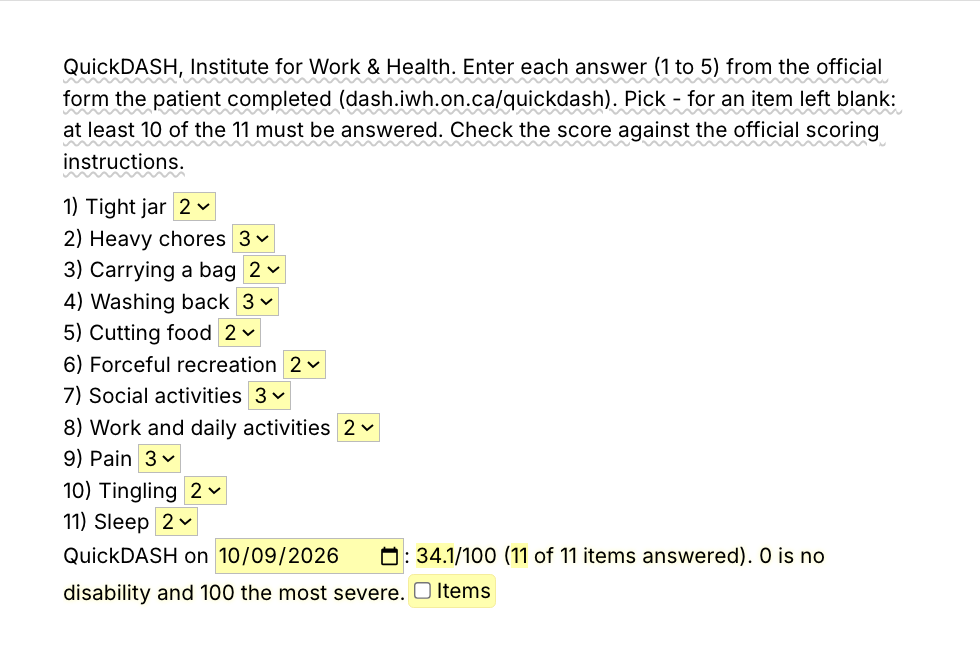
Typing /qdash opens the Text Blaze pop-up with the eleven QuickDASH item menus filled in, item 4 changes from 3 to 4 and the score updates from 34.1 to 36.4, and Insert places the eleven item lines and the result line in the note

Type /qdash. Enter the item scores. Insert.

  1. Add the packThe button opens the pack's page on the Text Blaze marketplace. Add the pack in one click (sign up for a free account if you do not have one) and the templates are yours, ready to edit and use anywhere.
  2. Type /qdash where you record the scoreIn your EMR's note, a progress note or a Google Doc. A pop-up opens with a menu for each of the 11 items.
  3. Enter the answers, insert, checkPick each answer from the form the patient filled in. The score is worked out for you and lands as text you can still edit before you sign.
  4. Then make one of your ownCreate a snippet of sentences or paragraphs you type often. Give it a keyboard shortcut. Type the shortcut anywhere and the text appears. Congratulations! You just saved yourself a few seconds.

What is Text Blaze?

Text Blaze is a free Chrome extension, with Windows and Mac apps, that turns the text you type again and again into templates you insert with a shortcut. Type /qdash and the QuickDASH result appears where your cursor is, in any program you type in.

Templates can hold text fields, drop-down menus, dates and checkboxes, and values worked out from other fields, so the total, the percentage and the band come from the answers you enter.

Works everywhere you type

Any browser EMR, like WebPT, Prompt or Net Health, through the Chrome extension. Installed programs through the desktop app.

The math, done for you

You pick each answer from the patient's form and the calculator works out the score. You check the result before you sign.

Consistent notes, clinic-wide

Change the calculators to your clinic's wording once. Share the folder so every PT and PTA records scores the same way.

Free forever

The whole pack fits the free plan. Snippets without form fields are free, forever. Snippets with form fields can be tested on the free plan and need Pro, $2.99 a month billed yearly, for day-to-day use.

Works in WebPTPromptNet HealthSPRYGmailOutlookGoogle Docs

Template insertion is done locally. PHI and other sensitive information never leaves your computer.

What is the Oswestry Disability Index?

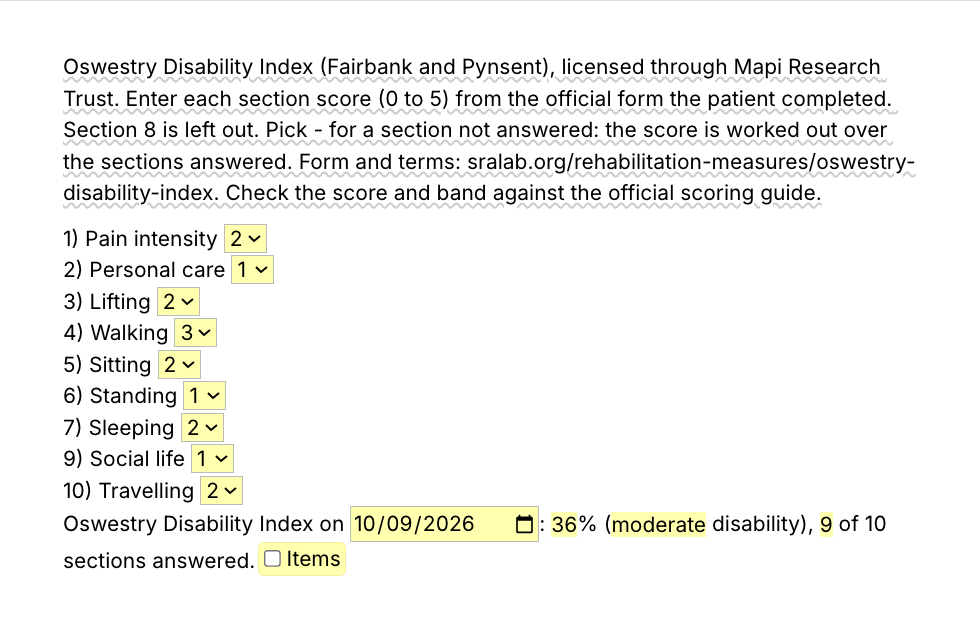
The Oswestry Disability Index (ODI) is a questionnaire that measures how low back pain limits daily life. The patient answers ten sections, each scored 0 to 5, and the total is shown as a percentage from 0 (no disability) to 100.

The ODI was developed by Fairbank and colleagues and is licensed through Mapi Research Trust. Use the official form from the Shirley Ryan AbilityLab listing or Mapi. Bands commonly used: 0 to 20% minimal, 21 to 40% moderate, 41 to 60% severe, 61 to 80% very severe, above 80% extreme disability. The /odi calculator uses these bands, and you check them against the scoring guide you follow. It leaves out section 8, so its score runs over the other nine sections.

How the outcome measure calculators work

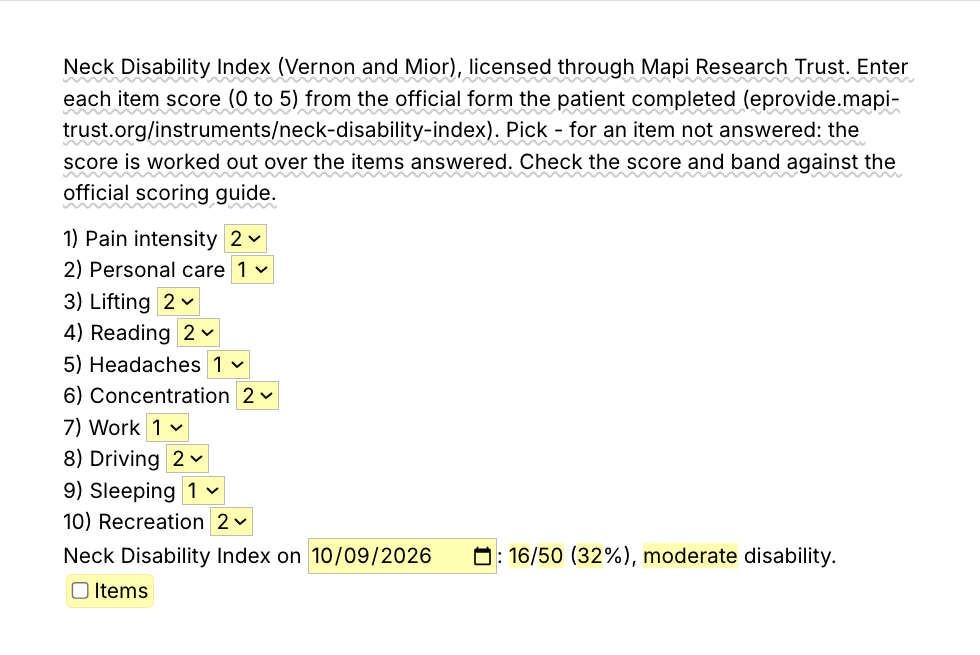
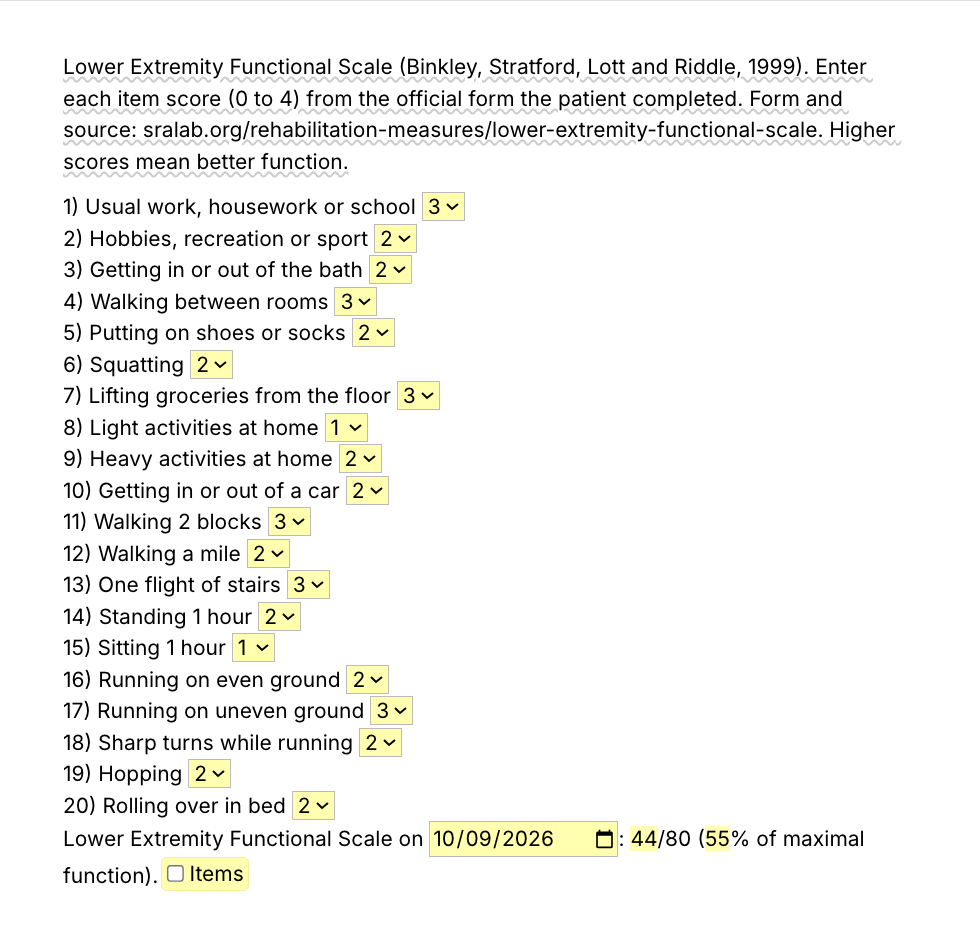
The patient fills in the official form. You pick each answer from a menu in the pop-up, one per item with a short topic label, and each item goes into your note with its answer, followed by one line with the score, the band and the date. The labels are ours, not the questionnaire's wording.

  • QuickDASH (Institute for Work & Health): 11 answers of 1 to 5, scored 0 to 100 when at least 10 are answered. Official form.
  • NDI (Vernon and Mior, through Mapi): 10 items of 0 to 5, total out of 50 and percent. Official form.
  • LEFS (Binkley and colleagues): 20 items of 0 to 4, total out of 80. Official form.
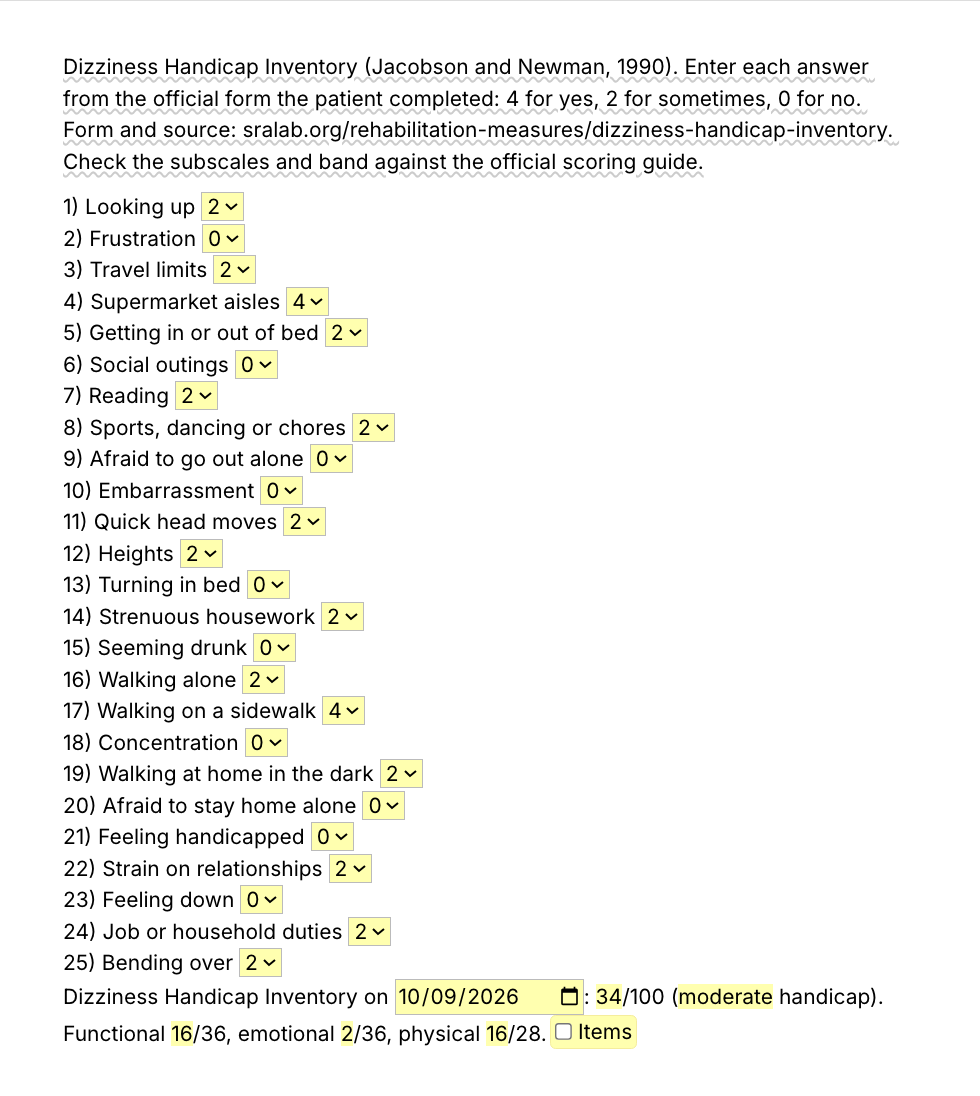
  • DHI (Jacobson and Newman): 25 answers of 4, 2 or 0, total out of 100 with three subscales. Official form.
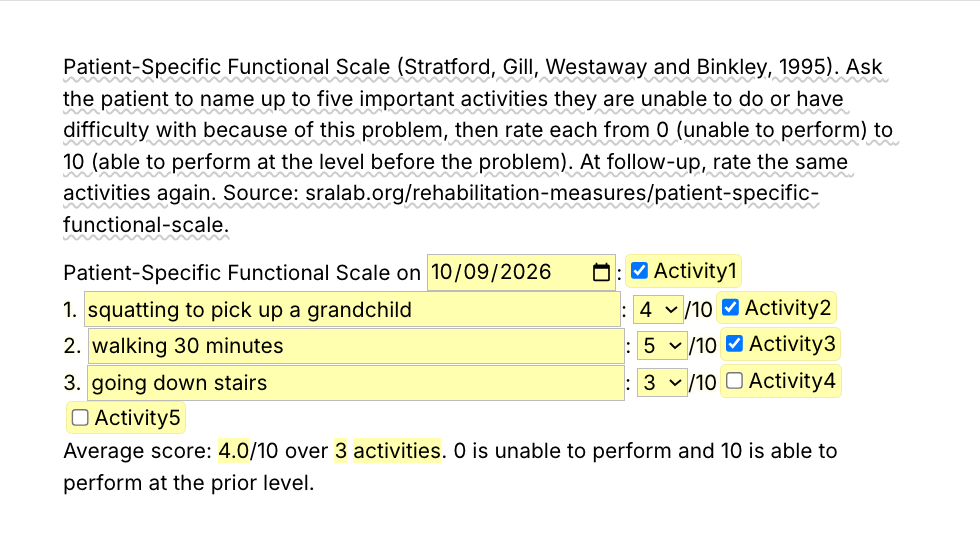
  • PSFS: up to five activities the patient names, each 0 to 10, with the average.

No owner reviewed or endorses these calculators. Check every score against the official scoring instructions.

How this template helps

Each calculator turns a scored form into your note, item by item with one result line, in your EMR or anywhere else you type. The pack also has two shorter snippets for the lines PTs type around a score.

  • /omres, today's score next to the one at the initial evaluation.
  • /mcid, a sentence noting the change exceeds the minimal clinically important difference.

Here is the result line /qdash ends with, and what /omres inserts, for a fictional patient:

QuickDASH on 2026-10-09: 22.7/100 (11 of 11 items answered). 0 is no disability and 100 the most severe.
Outcome measure: QuickDASH 22.7/100 today, compared with 45.5/100 at the initial evaluation.

Start with /omres. It works inside any note, your EMR's templates included.

Text Blaze helps me finish my paperwork while I'm still sitting with a patient.

Stephanie Yakobina

Keep your EMR templates. Add the pack to a free Text Blaze account, score your next QuickDASH with /qdash and add the comparison with /omres.

Copy the template for free

Free forever. Works in any EMR or app. No integration required.

Questions PTs ask

How to score QuickDASH

Add the answers (each 1 to 5), divide by the number answered, subtract 1 and multiply by 25. The result runs from 0 (no disability) to 100. At least 10 of the 11 items must be answered, and /qdash does this math for you.

How to score Oswestry Disability Index

Add the section scores (each 0 to 5), divide by 5 times the number of sections answered and multiply by 100. That gives the percentage disability, and /odi adds the band.

How to score Neck Disability Index

Add the ten item scores (each 0 to 5) for a total out of 50, or double it for a percentage. If an item is skipped, score over the items answered. /ndi shows the total, the percentage and the band.

How to score Dizziness Handicap Inventory

Score each answer 4 for yes, 2 for sometimes and 0 for no, then add them for a total out of 100. The functional, emotional and physical subscales are added the same way. /dhi shows all four numbers.

Do I need Text Blaze to use this template?

Yes. The templates are Text Blaze snippets, and the free plan is enough to add all of them. Text Blaze is a free Chrome extension, with Windows and Mac apps as well.

Does it work in my EHR?

Yes. Text Blaze works in your EHR, your email and any other app. Browser EMRs like WebPT, Prompt and Net Health work through the Chrome extension, and installed programs through the Windows or Mac app.

Is my client's information stored anywhere?

Text Blaze snippets hold your template and your defaults, not your patient notes. Template insertion is done locally: what you type into the pop-up goes into the note you are writing and is not saved by Text Blaze after you insert.

BAA is available upon request. Read our HIPAA guide.

Is the pack free?

Yes. The pack is free and its 8 snippets fit the free plan. /mcid has no form fields and works without limit on Free. You can test the snippets with form fields on the free plan, and using them day to day needs Pro, $2.99 a month billed yearly.

Can I use it on Windows or Mac?

Yes. The Chrome extension covers browser EMRs, and the Windows and Mac apps cover installed programs. Your snippets follow you to every computer you sign in on.

Score the form in seconds, not by hand.

Add the free calculators, type /qdash or /odi when the patient hands you the form, and the result is in your note. Then try /omres and get those minutes back every week.

Copy the template for free

Free forever. Works in any EMR or app. No integration required.